3Jtech SM3G III Manuale utente

SM3G III Router
User’s Manual
Version: 1.0
Date: June 21, 2013

SM3G IIIUser’s Manual
2
Revision History
Version Date Changes
1.0 06/21/2013 First Release of SM3G III Router User’s Manual

SM3G IIIUser’s Manual
3
Table of Contents
Revision History .......................................................................................................................... 2
TABLE OF CONTENTS .............................................................................................................. 3
CHAPTER 1. PRODUCT OVERVIEW ......................................................................................... 5
1.1 INTRODUCTION ..................................................................................................................... 5
1.2 FEATURES ............................................................................................................................ 6
1.3 PACKAGE CONTENTS ............................................................................................................ 6
CHAPTER 2. PHYSICAL DESCRIPTION .................................................................................... 7
2.1 PANELS ................................................................................................................................ 7
2.1.1 Front Panel .................................................................................................................. 7
2.1.2 Rear Panel ................................................................................................................... 8
2.2 ILLUSTRATION ...................................................................................................................... 9
2.2.1 Front Panel Information .............................................................................................. 9
USB Connector ................................................................................................................. 9
LAN Port ........................................................................................................................... 9
Reset Button ..................................................................................................................... 9
Power Supply Connector ................................................................................................ 10
LEDs ................................................................................................................................ 10
2.2.2 Rear Panel Information ............................................................................................. 10
3G ANT SMA Connector ................................................................................................ 10
SIM Card Slot .................................................................................................................. 10
Switch .............................................................................................................................. 10
2.2.3 LED Description on SM3G III ................................................................................... 11
CHAPTER 3. WEB-BASED MANAGEMENT ............................................................................ 12
3.1. INTERNET SETTINGS ........................................................................................................... 14
3.1.1 WAN .......................................................................................................................... 14
3.1.1.1 3G Settings ......................................................................................................... 14
3.1.2 LAN ............................................................................................................................ 16
3.1.3 DHCP Clients............................................................................................................. 18
3.1.4 VPN (GRE) ................................................................................................................ 19
3.1.5 Advanced Routing Settings ....................................................................................... 20
3.2 WIRELESS SETTINGS ........................................................................................................... 22
3.2.1 Basic Wireless Settings ............................................................................................ 22
3.2.2 Wireless Security/Encryption Settings .................................................................... 27
3.2.2.1 Disable Mode ...................................................................................................... 27
3.2.2.2 WEPAUTO(WEP) Mode ...................................................................................... 28

SM3G IIIUser’s Manual
4
3.2.2.3 WPA-PSK / WPA2-PSK Mode .......................................................................... 30
3.2.3 AP Client Settings ..................................................................................................... 32
3.2.4 Station List ................................................................................................................ 33
3.2.5 Wireless Statistics .................................................................................................... 34
3.3 FIREWALL SETTINGS .......................................................................................................... 35
3.3.1 MAC/IP/Port Filtering Settings ................................................................................ 35
3.3.2 Port Forwarding Settings ......................................................................................... 37
3.3.2.1 Create a Port Forwarding .................................................................................. 37
3.3.3 DMZ Settings ............................................................................................................. 40
3.3.4 System Security Settings ......................................................................................... 41
3.4 MANAGEMENT .................................................................................................................... 43
3.4.1 System Management ................................................................................................. 43
3.4.2 Firmware Upgrade .................................................................................................... 46
3.4.3 Configuration Management ....................................................................................... 47
3.4.4 Status ......................................................................................................................... 48
3.4.5 Statistics .................................................................................................................... 49

SM3G IIIUser’s Manual
5
1. Product Overview
1.1 Introduction
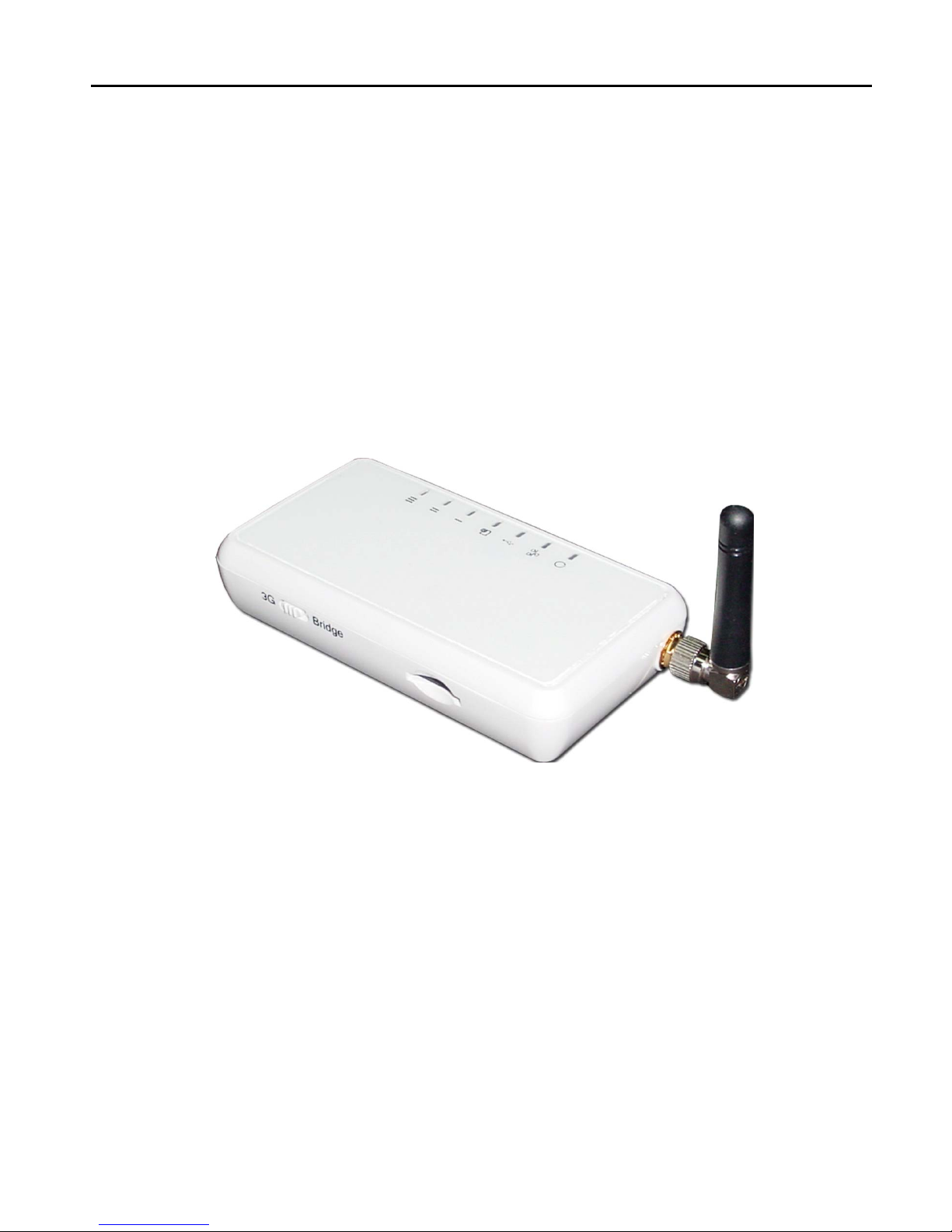
SM3G III, a HSUPA/ HSDPA/ EDGE/ CDMA 1X/ EVDO/ EVDO Rev A 2G/3G modem, is built in an
Ethernet port and WIFI module. Not only could it be used to connect to Internet devices such as
vending machines or our IP cameras to get on the Internet through the modem dialup but also a WIFI
access point.

SM3G IIIUser’s Manual
6
1.2 Features
yUse 3G modem dialup as the WAN connection, RJ45 interface as the LAN connection.
yMultimode operation – HSUPA/HSDPA/UMTS/EDGE/GPRS/GSM.
yTriple-band HSPA/UMTS 850/1900/2100 MHz.
yQuad-band EDGE/GPRS/GSM 850/900/1800/1900 MHz.
yHSUPA uplink up to 2.0 Mbps.
yHSDPA downlink up to 7.2 Mbps.
yWCDMA (UMTS) uplink data rate up to 384 kbps.
yEDGE data up to 237 Kbps DL and 118Kbps UL, 3GPP Release4, class 12.
yGPRS data up to 85.6 Kbps DL and 42.8 Kbps UL.
ySupports the remote reboot of the device through web-based user interface.
yOffer a slide switch to change the Router/Bridge operation mode.
yOffer the built-in module for WIFIAccess Point.
1.3 Package Contents
─ 1 x SM3G III Router
─ 1 x RJ45 Ethernet Cable
─ 1 x 3G Antenna
─ External 3G Antenna with 3M Antenna Cable (Optional)
─ 1 x Power Adapter
─ 1 x CD with this User’s Manual
─ Quick Setup Guide

SM3G IIIUser’s Manual
7
2. Physical Description
The following information contains the physical description of SM3G III. This includes the functions
and the locations of each connector and indicator. This information provides useful reference when
installing the product. Please familiarize yourself with this device.
2.1 Panels
2.1.1 Front Panel
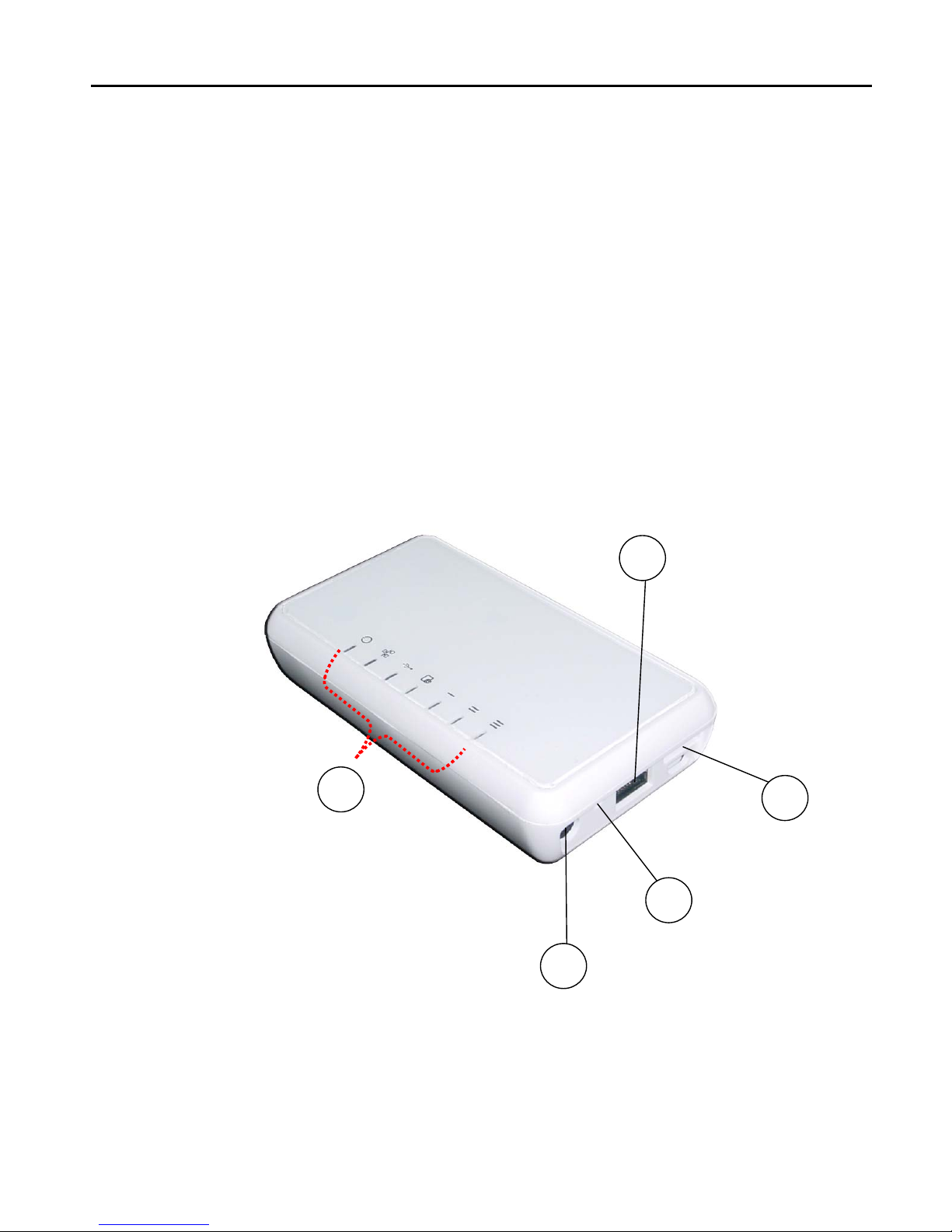
For more related description, please refer to the Section 2.2 and Section 2.2.1.
5
4
2
3
1
Fig. 1 Front View of SM3G III

SM3G IIIUser’s Manual
8
2.1.2 Rear Panel
For more detailed description, please refer to the Section 2.2 and Section 2.2.2.
6
7
8
Fig. 2 Rear View of SM3G III

SM3G IIIUser’s Manual
9
2.2 Illustration
No. in
Figures Name on SM3G III Description Remark
1 USB Connector Function reserved Refer to section 2.2.1 for the
front panel information
2 LAN Port To connect to the device and
Ethernet port via RJ45 cable Refer to section 2.2.1 for the
front panel information
3 Reset Button To reset the SM3G III to its
factory defaults Refer to section 2.2.1 for the
front panel information
4 Power Supply Connector To connect with the SM3G III
and the power adapter Refer to section 2.2.1 for the
front panel information
5 LEDs To display the status of
SM3G III
Refer to section 2.2.3 for the
LED description on the front
panel
6 3G ANT SMA Connector To connect with the 3G
antenna Refer to section 2.2.2 for Real
panel information
7 SIM Card Slot To connect with the internal
modem for the access of
Internet
Refer to section 2.2.2 for Real
panel information
8 Switch Function reserved Refer to section 2.2.2 for Real
panel information
2.2.1 Front Panel Information
USB Connector
Function reserved.
LAN Port
SM3G III is designed for 10/100Mbps Ethernet networks. SM3G III connects to the network via
category 5 cable.
Reset Button
Support the hardware reset function. Press 5 seconds around will reboot and reset the device to
factory defaults. For the software reset of the device, you may refer to Section 3.4.3 for
“Configuration Management”.

SM3G IIIUser’s Manual
10
Power Supply Connector
Plug the power adapter. The specifications of SM3G III’s power adapter are as follows:
Input: 100 ~ 240V AC, 50/60Hz
Output: 6.3V DC / 1A
LEDs
Include the LEDs of POWER, LAN Link/Activity, WLAN(Wireless LAN), 3G Dialup Status and Cellular
Signal Strength.
2.2.2 Rear Panel Information
3G ANT SMA Connector
Support modem for wireless access.
SIM Card Slot
Plug the SIM card chip.
Switch
Function reserved.
Indice
Manuali Router di rete popolari di altre marche

NETGEAR
NETGEAR FS526T - Switch Manuale utente

Korenix
Korenix JetNet 5710G Series Manuale utente

Automated Logic
Automated Logic ZN551 Manuale del proprietario

Cisco
Cisco ASR 1000 Series Manuale dell'operatore

EnGenius
EnGenius ESR-9710 Manuale utente

Cisco
Cisco 805 Series Istruzioni operative e di sicurezza