
A-Star LTV-2701 Manuale utente

INSTRUCTION MANUALINSTRUCTION MANUAL
27” TFT LCD TV27” TFT LCD TV
MODEL: LTV-2701

CONTENTS
IMPORTANT SAFETY INSTRUCTIONS....................................................................................................................
PREFACE...................................................................................................................................................................
WARNING AND CAUTIONS......................................................................................................................................
SPECIFICATIONS......................................................................................................................................................
INSTALLATION
TV ASSEMBLY DRAWINGS...............................................................................................................................
FRONT....................................................................................................................................................... .......
BACK.................................................................................................................................................................
PC......................................................................................................................................................................
ANTENNA..........................................................................................................................................................
AV EQUIPMENT ASSESSORIES...................................................................................................................
BATTERY INSTALLATION (REMOTE CONTROL UNIT).........................................................................................
REMOTE CONTROL DESCRIPTION.....................................................................................................................
OPERATION INTRODUCTIONS
TV...........................................................................................................................................
..........
..........
..........
CHANNEL SETTING........................................................................................................................................
..........
PIP...............................................................................................................................
TROUBLESHOOTING GUIDE.................................................................................................................................
..........
TURN ON/OFF
PICTURE SETTING SOUND...............................................................................................................
CLOSED CAPTION................................................................................................................................
SETUP.....................................................................................................................................................
ANALOG RGB AND DVI PICTURE SETTING..................................................................................
PICTURE POSITION
PERSONAL COMPUTER.............................................................................................................................
1-2
3
4-6
7
8
9
10
11
12
13
14
15-17
18
19
20
21
22
23
24
25
26
Please read all the safety and operating instructions carefully before you begin.
Safety class
This is an IEC safety class I product and must be grounded for safety.

1.Read these safety instructions.
2.Keep these safety instructions.
3.Heed all warnings.
4.Follow all safety instructions.
5.Do not use this apparatus near water.
6.Clean only with dry cloth.
7.Do not block any ventilation openings. Install in accordance with the manufacturers instructions.
8.Do not install near any heat sources such as radiators, heat registers,stoves, or other apparatus (including
Amplifiers) that produce heat.
9.Do not defeat the safety purpose of the polarized or grounding type plug.A polarized plug has two blades with
one wider than the other.A grounding type plug has two blades and a third grounding prong. The wide blade or
the third prong are provided for your safety. If electrician for replacement of the obsolete outlet.
10.Protect the power cord from being walked on or pinched particularly at plugs convenience receptacles, and
the point where they exit from the apparatus.
11.Only useattachments/accessories specified by themanufacturer.
12.Unplug this apparatus during lightning storms or when unused for long periods of time.
13.Refer all servicing to qualified service personnel. Servicing is required when the apparatus has been
damaged in any way, such as power-supply cord or plug is damaged, liquid has been spilled or objects have
fallen into apparatus, the apparatus has been exposed to rain or moisture, does not operate normally, or has
been dropped.
14.Apparatus shall not be exposed to dripping or splashing and no objects filled with liquids, such as vases,
shall be placed on the apparatus. important safety instruction.
15.Splashing The apparatus shall not be exposed to dripping or splashing and no objects filled with liquids,
splashing and no objects filled with liquids such as vases, shall be placed on the apparatus.
16.A warning that an apparatus with class I construction shall be connected to a MAINS socket outlet with a
protective earthing connection.
17.where the MAINS plug or an appliance coupler is used as the disconnect device, the disconnect device shall
remain readily operable.
-1-
IMPORTANT SAFETY INSTRUCTIONS
IMPORTANT SAFETY INSTRUCTIONS
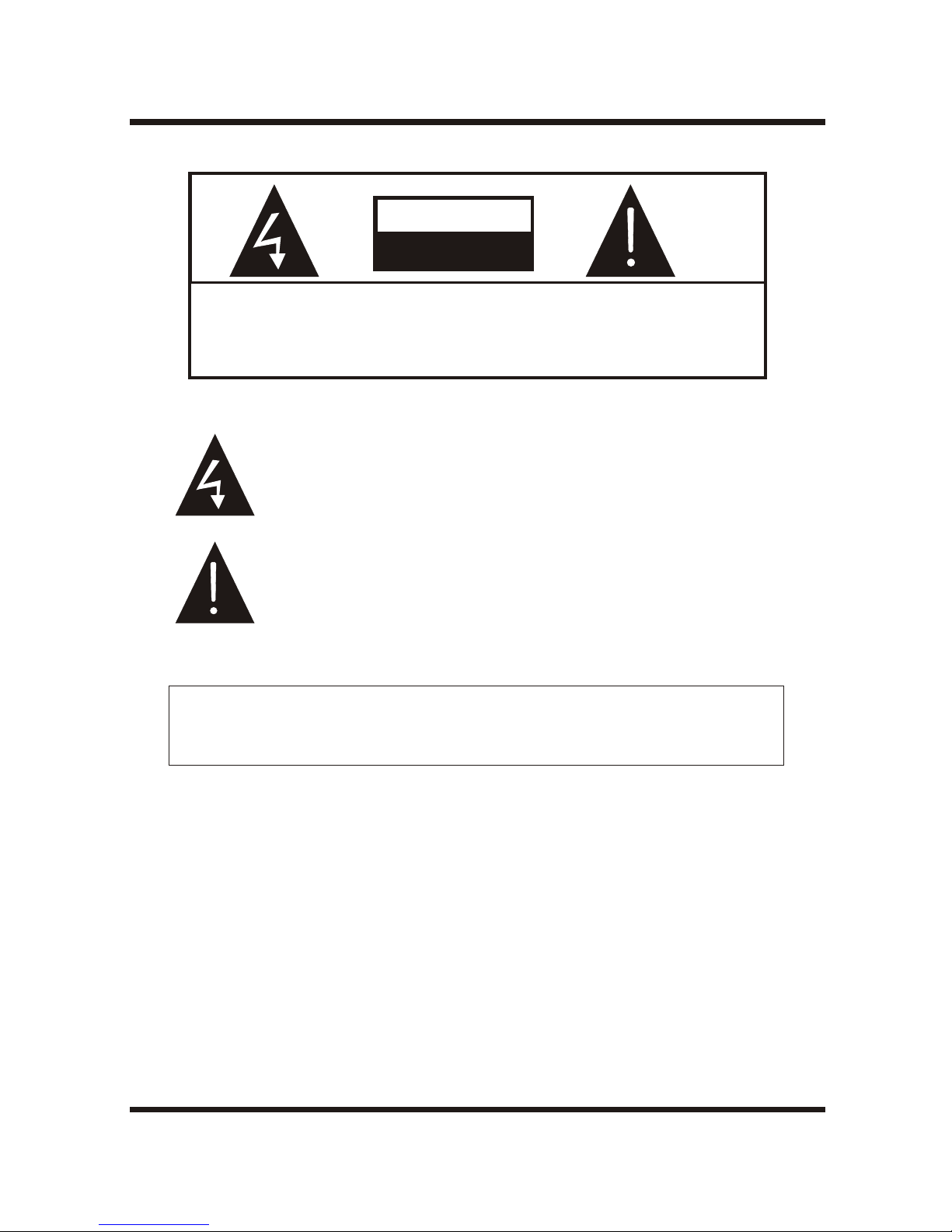
TO REDUCE THE RISK OF ELECTRIC SHOCK,DO NOT
REMOVE COVER (OR BACK).NO USE-SERVICEABLE
PARTS INSIDE. REFER SERVICING TO QUALIFIED
SERVICE PERSONNEL.
RISK OF ELECTRIC SHOCK
DO NOT OPEN!
CAUTION
CAUTION
The symbol indicates that dangerous voltage constituting a risk of
electric shock is present within this unit.
The symbol indicates that there are important operating and
maintenance instructions in the literature accompanying this unit.
Connect AC100--240V,50/60Hz,200W output to this unit s power socket. The core of
the socket is positive pole. Sheet metal outside is cathode.
'
POWER SUPPLY:
TO PREVENT FIRE OR SHOCK HAZARD, DO NOT EXPOSE THISAPPLIANCE TO
RAIN OR MOISTURE.
WARNING:
-2-
IMPORTANT SAFETY INSTRUCTIONS

INSTALLATION
CAUTION
Thank you very much for purchasing this TV. To enjoy your set to the full from the very beginning, read this manual
carefully and keep it handy for ready reference.
Never tamper with any components inside the TV, or any other adjustment controls not mentioned in this manual.All
LCD-TVs are high voltage instruments. When you clean up dust or water drops on the LCD PANEL or CABINET, the
power cord should be pulled out from the receptacle, then wipe the receiver with dried soft cloth. During thunder and
lighting, unplug the power cord and antenna cord to prevent damage to your TV.All repairs to this TV should only be
performed by the TV service personnel.
-3-
PREFACE
Locate the TV in the room where light does not strike the screen .
Total darkness or a reflection on the picture screen can cause eyestrain. Soft and indirect lighting is recommended for
comfortable viewing.
Allow enough space between the TV and the wall to permit ventilation.
Avoid excessively warm locations to prevent possible damage to the cabinet or premature component failure.
This AC power can be connected to AC 100-240 volts. 50/60Hz.
Do not cover the ventilation openings when using the TV.
directly
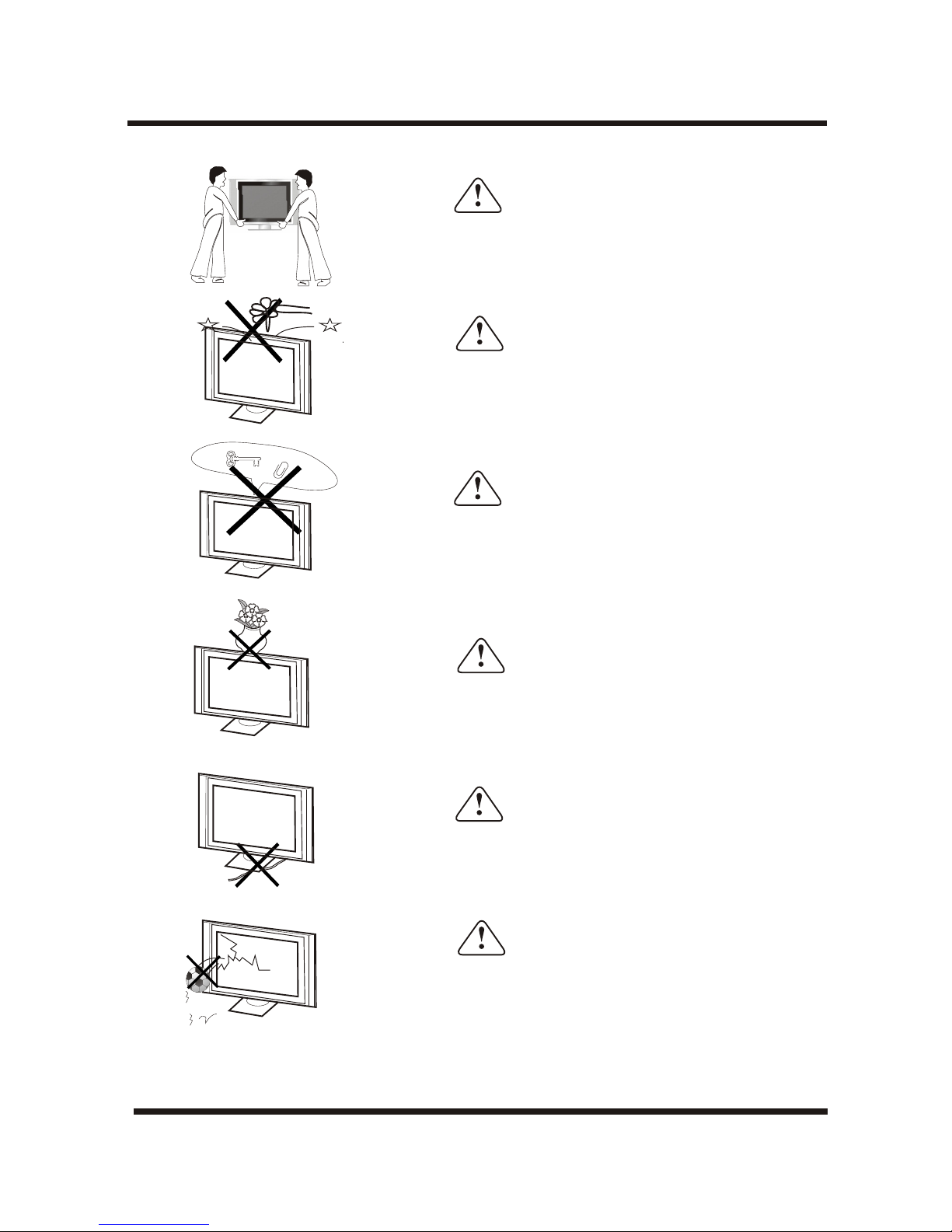
Caution
Carry the set requires two or more people.
Caution
Do not place objects on this unit, it may damage the screen
surface.
WARNINGS AND CAUTIONS
Caution
Do not squash power supply cord under the television receiver.
Caution
Do not throw anything at the set. The screen glass may
explode by impact and cause serious injury.
Caution
Do not insert anything in the ventilation holes. If metal or
something flammable enters, it may result in fire or electric
shock.
Caution
Do not drop or push objects into the television cabinet slots or
openings. Never spill any kind of liquid on the television
receiver.
-4-
WARNINGS AND CAUTIONS
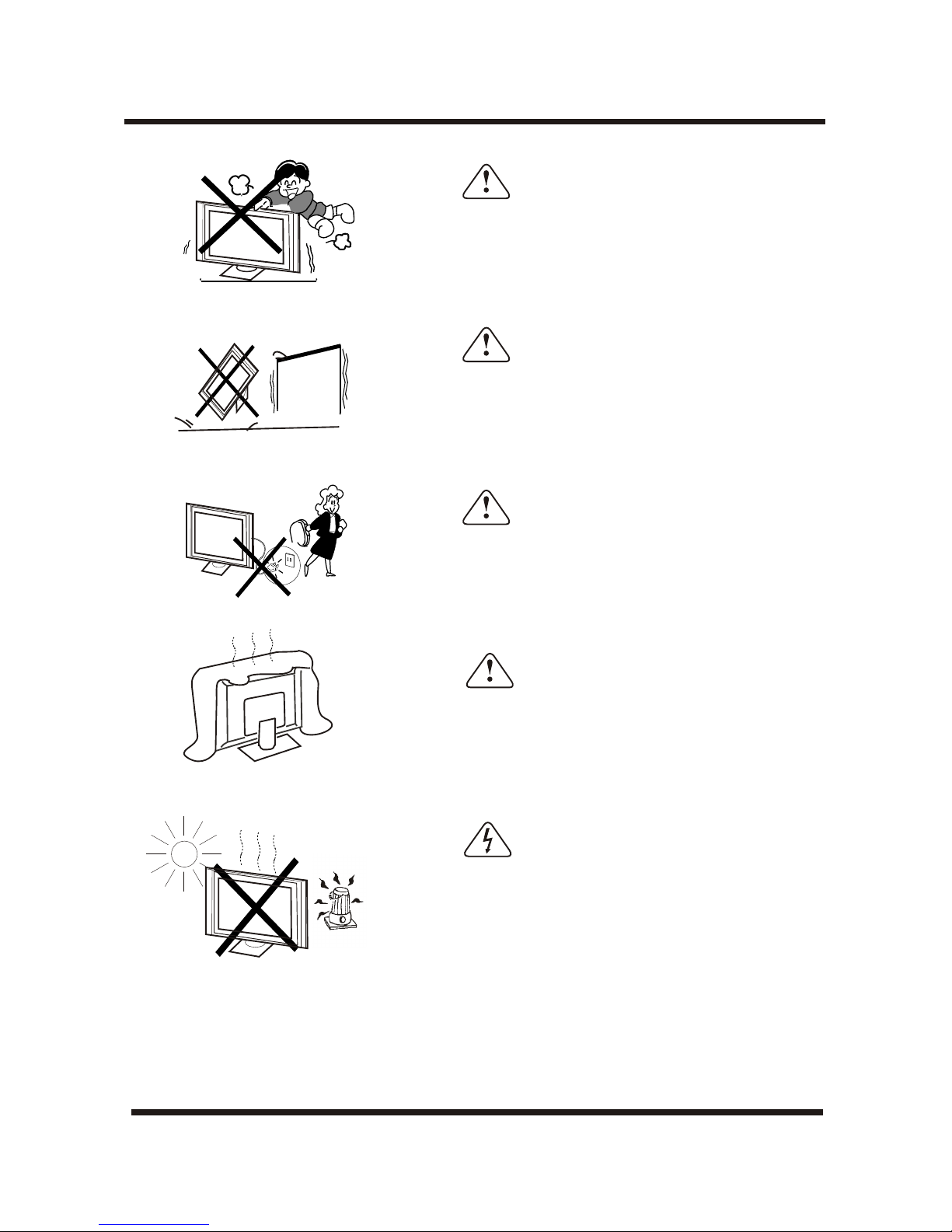
Caution
Never stand on, lean on, or suddenly push the television or its
stand. You should pay special attention to children. Serious
injury may result if it should fall.
Caution
Do not place your television on an unstable cart , stand , shelf
or table. Serious injury to an individual, and damage to the
television, may result if it should fall.
Caution
When the television receiver is not used for an extended
period of time, it is advisable to disconnect the AC power cord
from the AC outlet .
Caution
Do not block the ventilation holes in the back cover.
Adequate ventilation is essential to prevent failure of
electrical component.
Avoid exposing the television receiver to direct sunlight and
other source of the heat. Do not stand the television receiver
directly on other produces which give off heat .E.g.video
cassette players. Audio amplifiers. Do not place naked flame
sources, such as lighted candle on the television.
Warning
Do not
expose the LCD screen surface to the sun, it may damage the
screen surface.
-5-
WARNINGS AND CAUTIONS
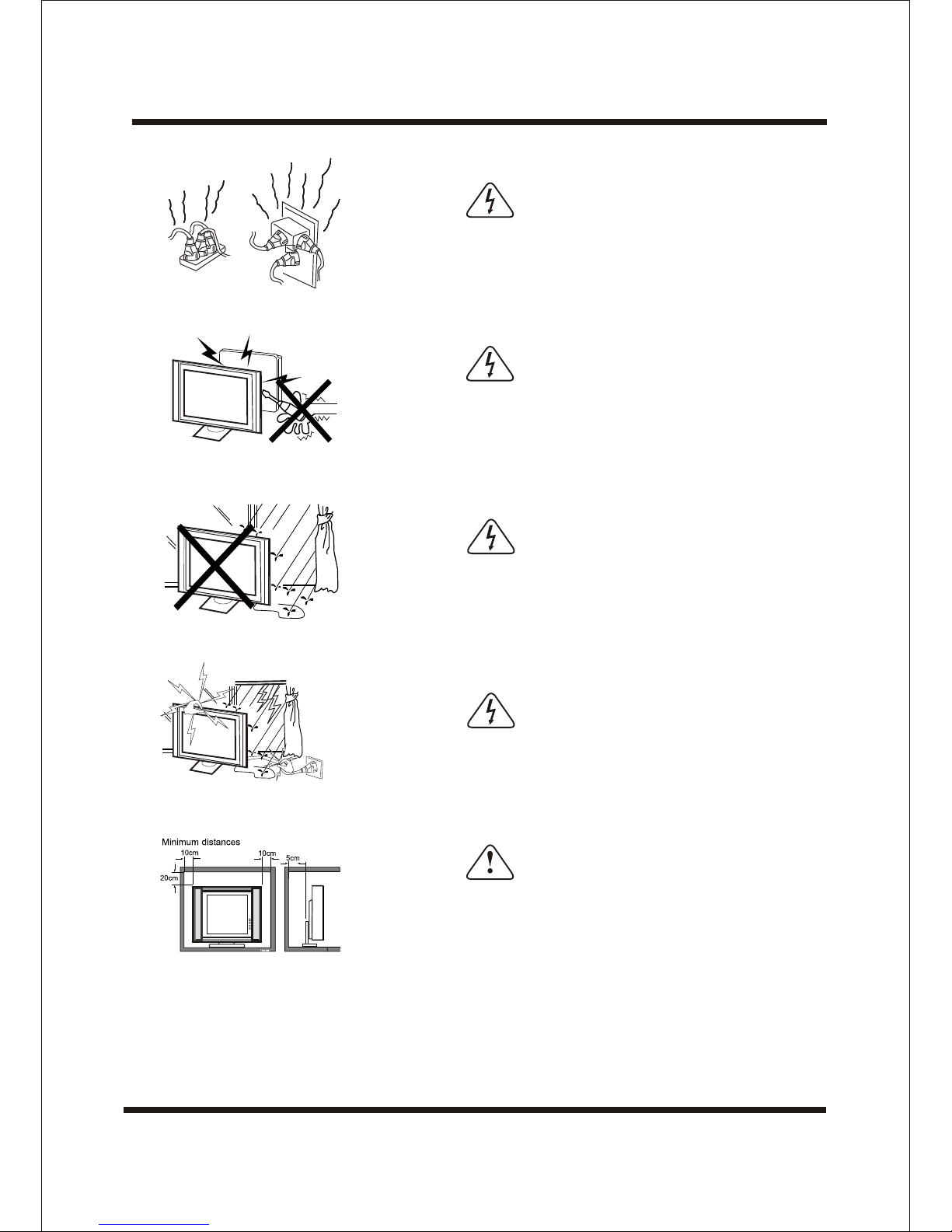
Warning
High voltages are used in the operation of this television
receiver. Do not remove the cabinet back from your set.Refer
servicing to qualified service personnel.
Warning
To prevent fire or electrical shock hazard, Do not expose the
television receiver to rain or moisture.
Caution
If the television is to be built into a Compartment or similarly
enclosed, the minimum distances must be maintained.
Heat build-up can reduce the service life of your television, and
can also be dangerous.
Dim:515*320mm(
Warning
Take care not to connect many appliances to the same mains
socket as this could result in fire or elecric shock. Do not place
objects on this unit. it may damage the screen surface.
Warning
For you own safety, Do not touch any part of the set, main
lead or aerial lead during lighting storms.
-6-
-7-
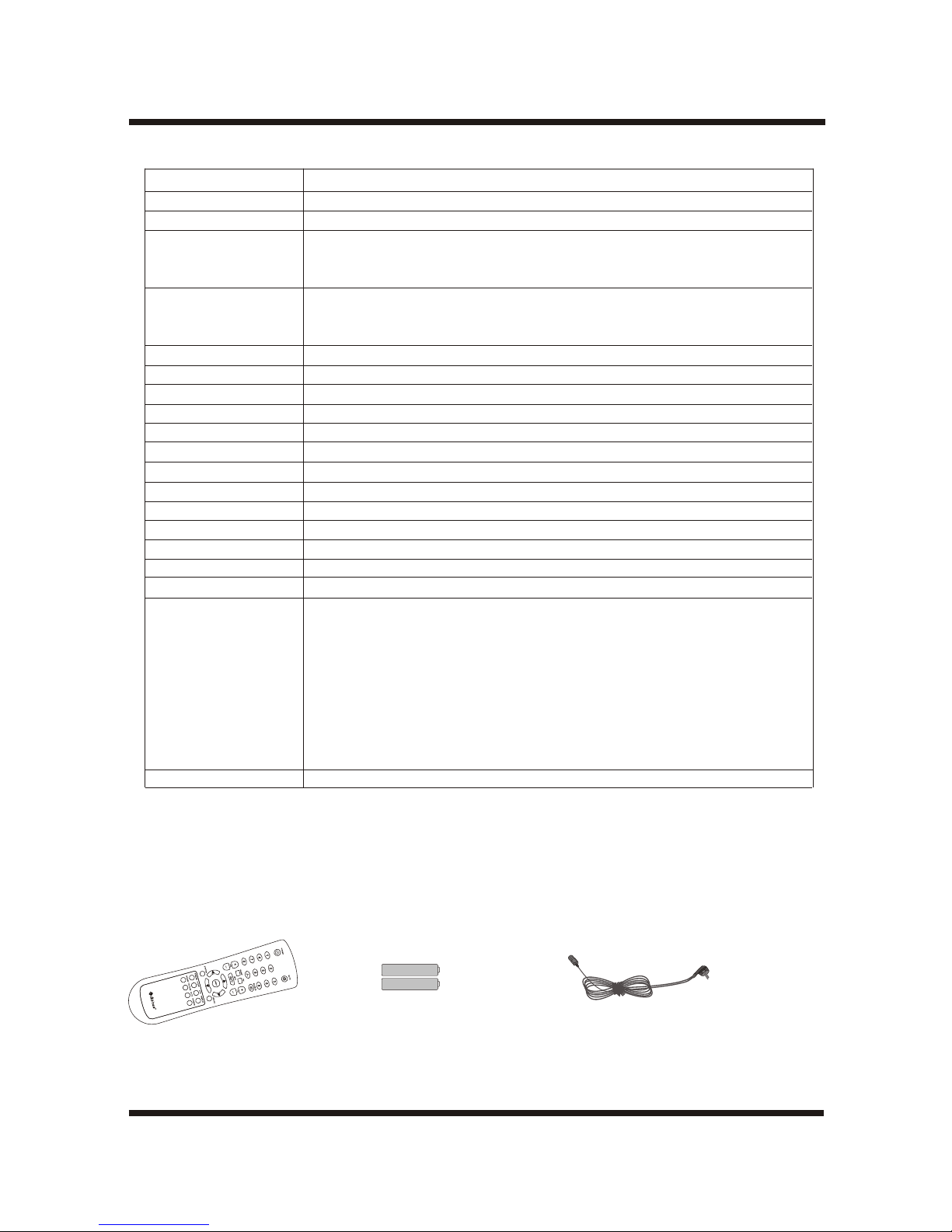
Accessories:
One Remote Control Two size AAA batteries One AC cord
SPECIFICATONS
Design and specifications are subject to change without notice.
Model
LCD pane
Television system
AV system
Channel coverage
Analog RGB mode
Y Pb/Cb Pr/Cr mode
Resolution
Display Color
Comb Filter
Contrast
Brightness
Viewing angle
OSD language
Power source
Power consumption
Audio power
Lamp life
Video/Audio
terminals
Supplied accessories
LTV-2701
27 INCHES TFT LCD
NTSCM
PAL-4.43MHz-50Hz NTSC-3.58MHz-60Hz
SECAM-4.29MHz-50Hz NTSC-4.43MHz-60Hz PAL-3.58MHz-50Hz
PAL-3.58MHz-60Hz PAL-4.43MHz-60Hz
VHF-L: 46.25~163.25MHz
VHF-H: 158.25~466.25MHz
UHF: 461.25~865.25MHz
640X480/ 60Hz, 800X600/ 60Hz, 1024X768/ 60Hz,1280X720/60Hz
480P,576P,720P,1080i
1280X720
16.7 million colors
Adaptive 2/4 line
600:1
2
550cd/m
170°(H)/170°(V)
English/French/Italian/Spanish/German
AC 100-240V , 50/60Hz
200W
6W+6W
50,000 hours
RF input: Cable/ antenna RFx1
VIDEO input: VIDEOx2
S-VIDEOx1
Y Pb/Cb Pr/Cr x1
GRAPHIC input: Analog RGB 15pin x1
DVIx1
AUDIO input: AV audio x2
HDTV audiox1
AUDIO output: TV1 audiox1
Remote control, AC cord, Instruction Manual,batteries.
-8-
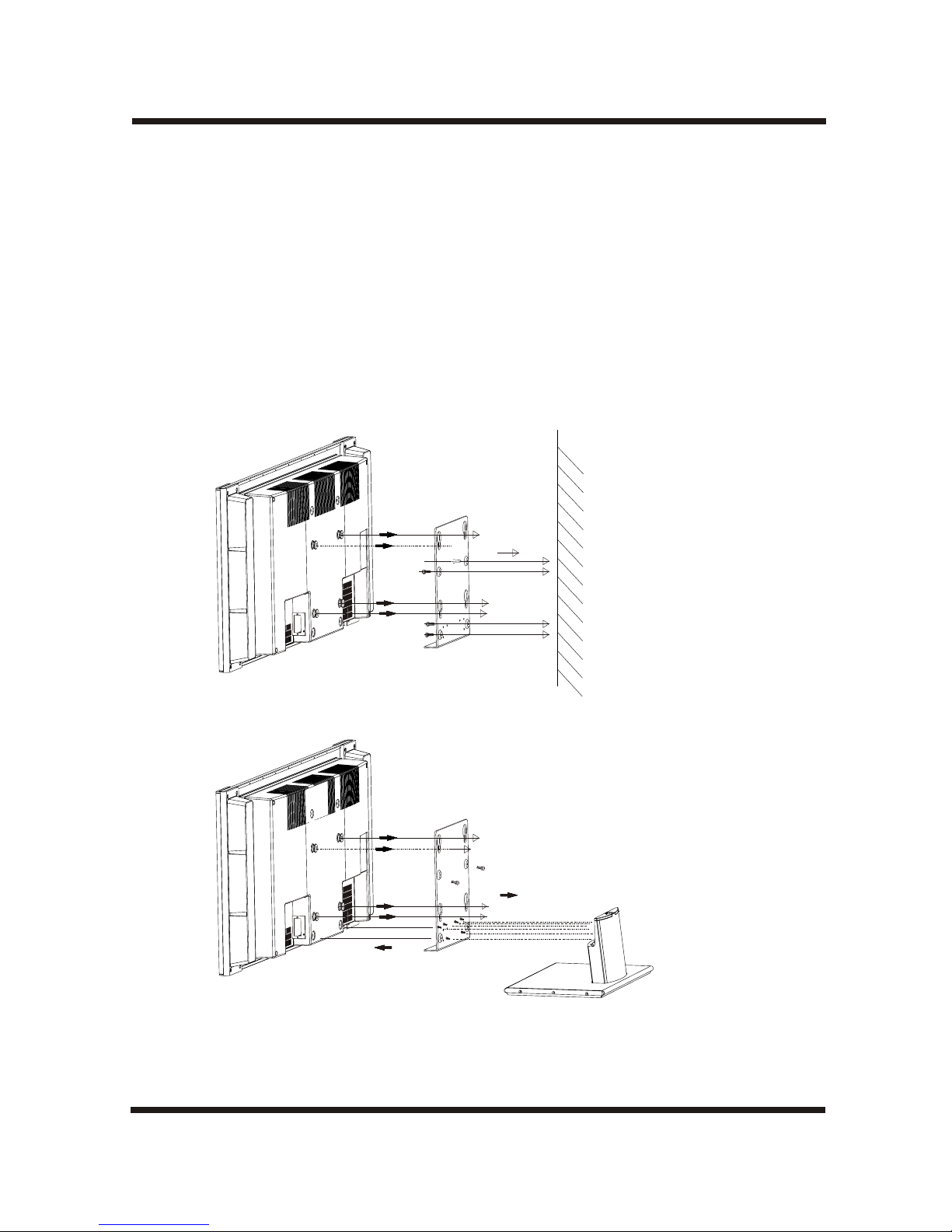
Step1: Disassemble thepedestal.
Step2: Install part Aon the wall.
Step3: Hang theTV on the wall.
Note:
1.Installation of thedisplay unit onthe wall shouldbe carried out by qualified servicemen. Improper
Installation may renderthe unit unsafein the eventof an earthquake.etc.
2.Hang the TV on the wall requirestwo or morepeople.
3.The unit mustbe installed concretewall.
TV ASSEMBLY DRAWINGS
Wall
A
A
Refer to drawingsbelow:
Hang the TV on the wall
Indice
Altri manuali A-Star TV LCD

A-Star
A-Star ud55yc5500ua Manuale utente

A-Star
A-Star LTV-3201 Manuale utente

A-Star
A-Star LTV-2001 Manuale utente

A-Star
A-Star LTV-37HLS Manuale utente

A-Star
A-Star LTV-3001 Manuale utente

A-Star
A-Star LTV-1501 Manuale utente

A-Star
A-Star LTV-19WS Manuale utente

A-Star
A-Star LTV-40HBG Manuale utente

A-Star
A-Star LTV-27HBG Manuale utente

A-Star
A-Star LTV-1701 Manuale utente


