
Achiever CROSS - CUT Manuale utente
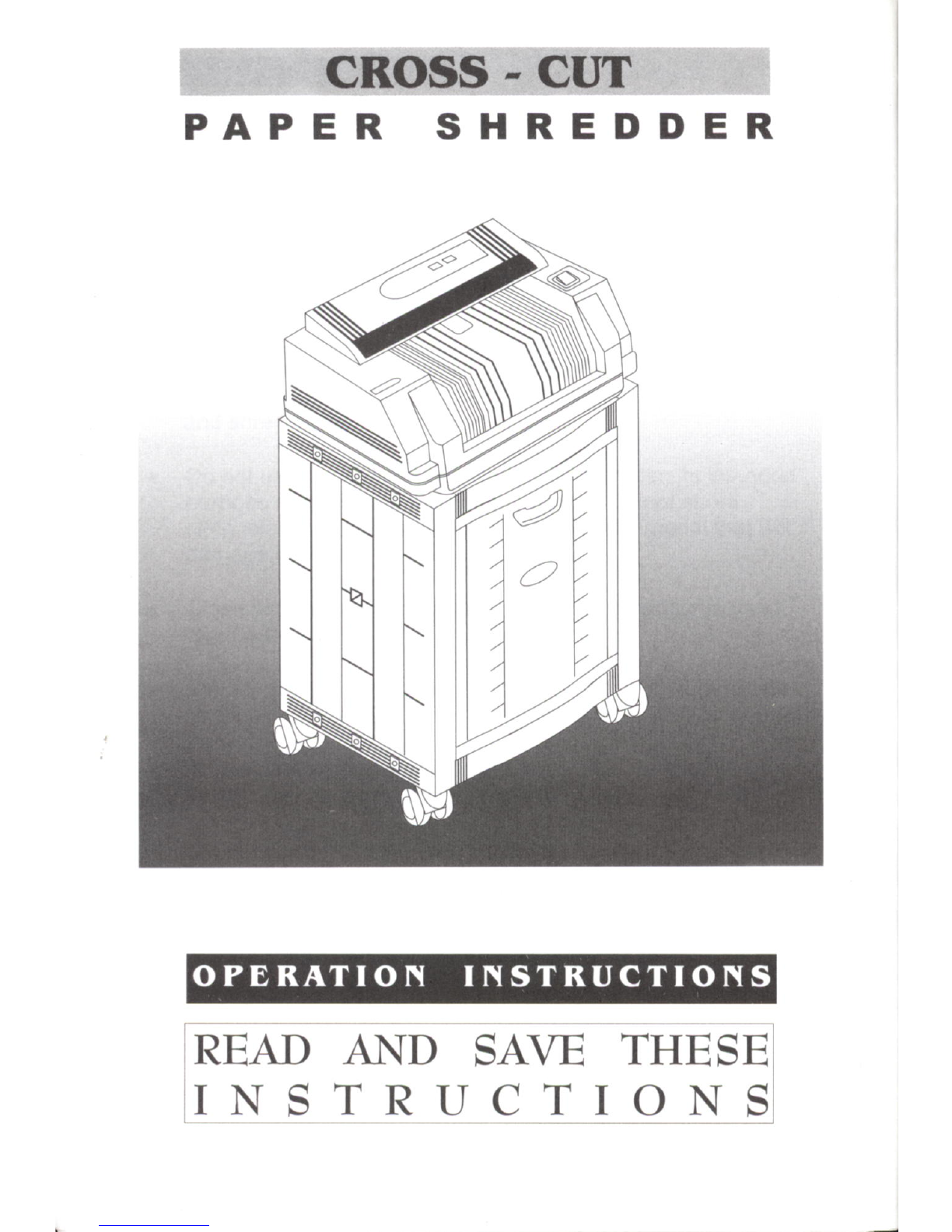
CROSS - CIIT
PAPER SHREDDER
READ AND SAVE THESE
INSTRT]CTIONS

M
1. Cross-Cut Shredder 5. Paper Feed Opening
2. Rolling Cart 6. Waste-Basket
3. Ooeration Panel 7. Caster
4. Direction Switch
lilMNFIK{I
Please notice that you should have the following items
packed within the shredder carton:
1) Operating Instructions Booklet
2) Warranty Card
3) Assembly Instructions Sheet
4) Cross Cut Paper Shredder
5) Rolling Cart
6) Waste-Basket
7\ Spare Fuse

tr o -EIIEIEEE
LOAD INDICATOR
Cross Cutting paper into tiny confetti size paper pieces.
Continuous shredding a maximum of 12-sheet at a
time.
Automatic / Manual mode.
Forward and reverse mode.
Built-in load indicator.
Shredder automatically stops when shredding capacity
is exceeded.
Built-in thermal protection to prevent machine from
overheating.
Automatic cool down mode.
Safety protection when shredder or waste basket is
removed from the rolling cart.
Capable of shredding computer paper up to 972" wide.
Emergency stop function.
rl
ll
F;'--l
IaN4 NuAr]
MODE INDICATOR
a
o
a
o
a
a
a
o
a
O
DIRECTION SWITCH
rNK{E||7fl6f(t
Refer to enclosed Assembly Instructions.
rdTlMribrNr
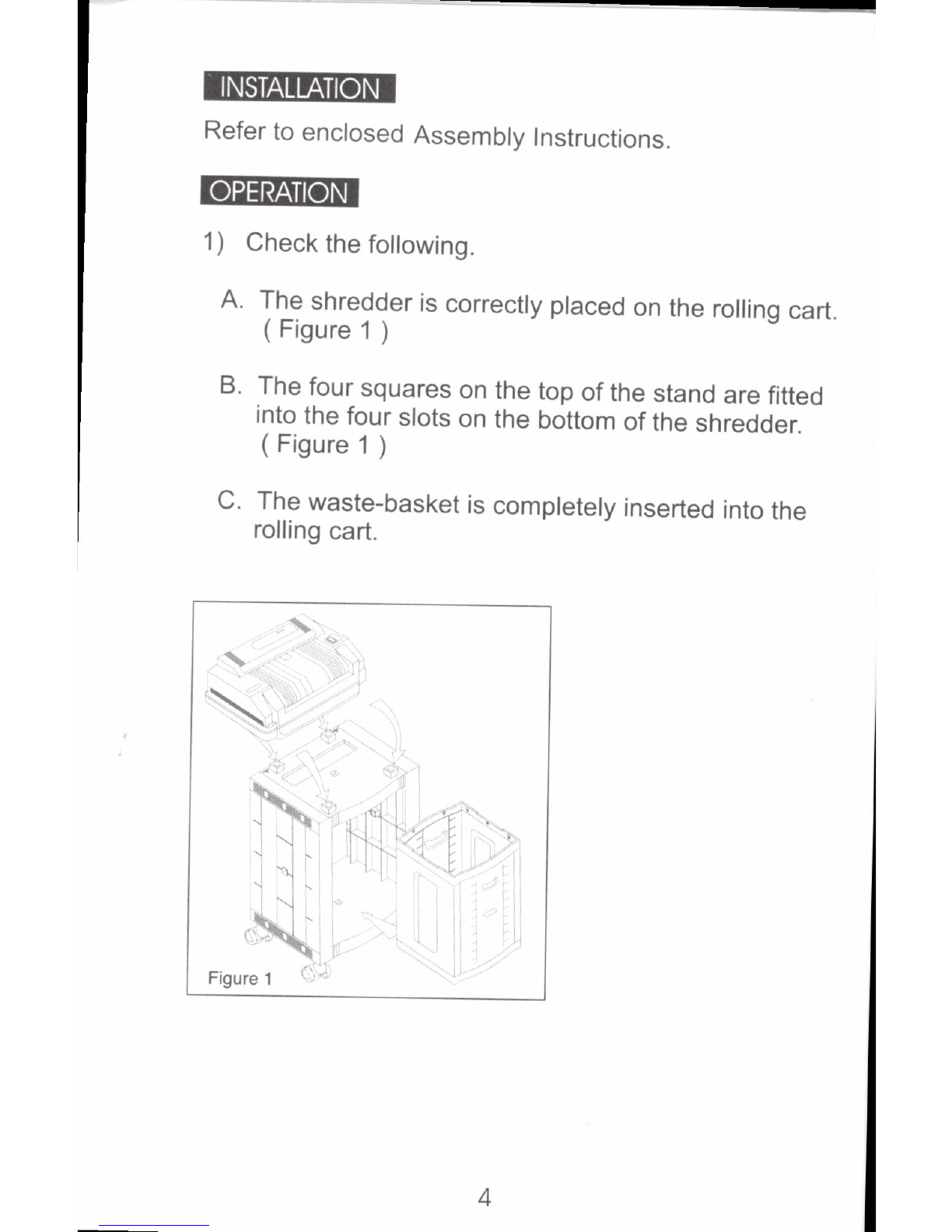
1) Check the foltowino
A. The shredder is correcfly placed on the rolling cart
( Figure 1 )
B. The four squares on the top of the stand are fitted
into the four slots on the bottom of the shredder.
( Figure 1 )
C. The waste-basket is completely inserted into the
rolling cart.

2) Plug the power cord
into AC wall outlet (see
figure 2).
3) Press DIRECTION
switch to A
(FORWARD) position
(see figure 3). EIIH
Figure 3
4) (a) For automatic operation, press MODE switch
to AUTO (see figure 3).
Most shredding can be oone in the AUTO mode.
Inserting paper into the Paper Feed Opening will
trigger the mechanical switch that starts the
shredder automatically. When paper is
shredded, the shredder will automatically shut
off within a few seconds.
(b)For continuous operation, press MODE
switch to MANUAL (see figure 3).
Pressing the MODE switch to the MANUAL
position causes the cutter to rotate continuously
in a forward motion. This manual position is
used most often when shredding thin or
lightweight paper that may not activate the
mechanical switch.
l\--'---'l
I oP
lo
\,,,----_s
Figure 2
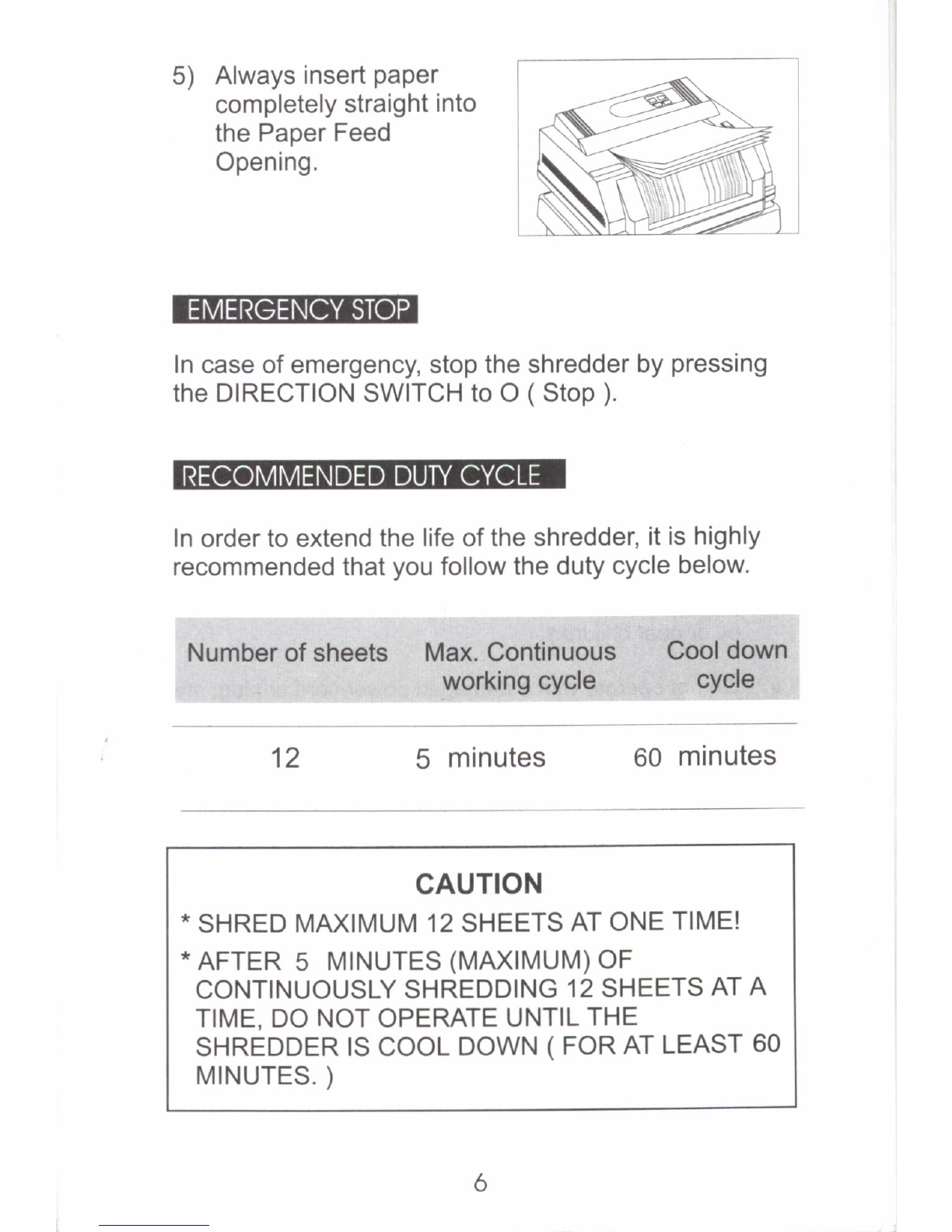
5) Always tnsert paper
completely straight into
the Paper Feed
Opening.
firvlneildf{cfi!
In case of emergency, stop the shredder by pressing
the DIRECTION SWITCH to O (Stop ).
In order to extend the life of the shredder, it is highly
recommended that you follow the duty cycle below.
Number of sheets Max. Continuous Cool down
working cycle cYcle
5 minutes 60 minutes
CAUTION
* SHRED MAXIMUM 12 SHEETS AT ONE TIME!
* AFTER 5 MINUTES (MAXIMUM)OF
CONTINUOUSLY SHREDDING 12 SHEETS AT A
TIME, DO NOT OPERATE UNTIL THE
SHREDDER IS COOL DOWN ( FOR AT LEAST 60
MINUTES. )
12

To guard against injury, the following basic safety
precautions must be observed in the installation and use
of this shredder. For your own safety, DO NOT
ATTEMPT TO INSTALL OR OPERATE THE
SHREDDER UNTIL YOU READ ALL THESE
INSTRUCTIONS. Please keeo these instructions near
the shredder for future reference.
Keep hands, long hair, clothing and other loose articles,
such as necklaces or ties, away from paper feed opening
and shred outlet.
Do not use the shredder for anything other than its intended
purpose of shredding paper documents. Do not shred
cloth, plastic, cardboard, or any other hard material that will
damage the shred blades.
Close supervision is necessary when the shredder is used
by or near children.
Do not operate with a damaged power cord or plug, after it
malfunctions or after it has been damaged in any manner.
Unplug the shredder before servicing, moving it, or when it
is not used for an extended oeriod of time.
Do not disconnect the plug by pulling the cord. Hold the
plug when pulling it out.
Place the shredder on a sturdy and level platform.
Keep the shredder away from direct sunlight to prevent
discoloration of plastic enclosure.
Do not attempt to repair / disassemble the shredder unless
you are advised by the authorized service personnel.
1) Press DIRECTION SWITCH to REVERSE.
2) Wait until the paper jam is completely cleared away
before proceeding. ( Pull the jammed paper by hand
if necessary. )
3) Press DIRECTION SWITCH to FORWARD to
resume operation.
When reverse motion fails to clear the paper jam, DO
NOT ATTEMPT TO OPEN THE MACHINE HOUSING.
Contact an authorized service center.
1) Press DIRECTION switch to
(FORWARD)position.
2) Press MODE switch to MANUAL.
MANUAL mode is recommended for continuous
shredding.
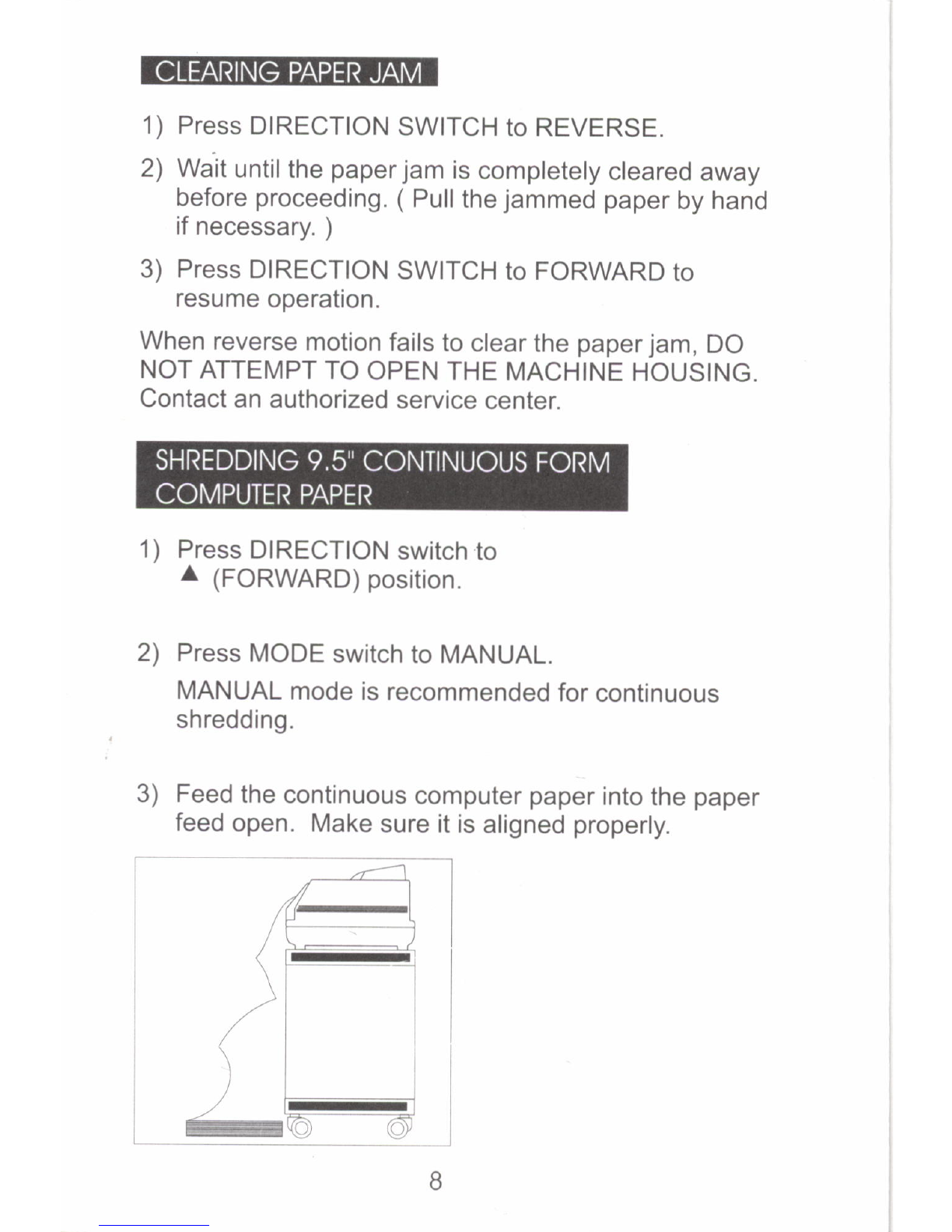
3) Feed the continuous computer paper into the paper
feed open. Make sure it is aligned properly.
E--
44\
,/--- -)
/(J-\
/ q .i
1t-l
)l- I
/i
\l
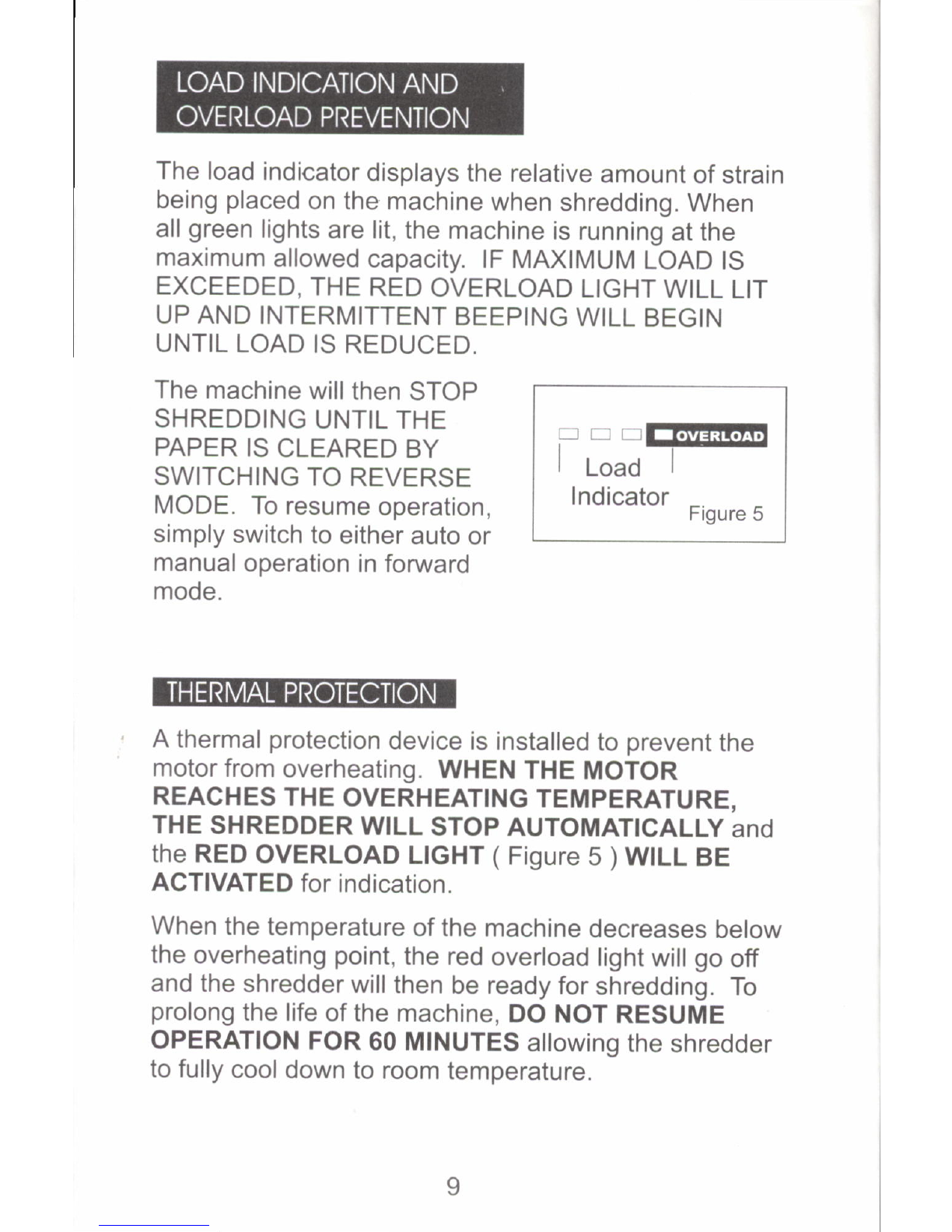
The load indicator displays the relative amount of strain
being placed on the machine when shredding. When
all green lights are lit, the machine is running at the
maximum allowed capacity. lF MAXIMUM LOAD lS
EXCEEDED, THE RED OVERLOAD LIGHT WILL LIT
UP AND INTERMITTENT BEEPING WILL BEGIN
UNTIL LOAD IS REDUCED.
The machine willthen STOP
SHREDDING UNTIL THE
PAPER IS CLEARED BY
SWITCHING TO REVERSE
MODE. To resume operation,
simply switch to either auto or
manual operation in forward
mode.
-D-@
I Load I
Indicator _
Ftgure b
A thermal protection device is installed to prevent the
motor from overheating. WHEN THE MOTOR
REACHES THE OVERHEATING TEMPERATURE,
THE SHREDDER WILL STOP AUTOMATTCALLy and
the RED OVERLOAD LIGHT ( Figure 5 ) W|LL BE
ACTIVATED for indication.
When the temperature of the machine decreases below
the overheating point, the red overload light will go off
and the shredder will then be ready for shredding. To
prolong the life of the machine, DO NOT RESUME
OPERATION FOR 60 MTNUTES allowing the shredder
to fully cool down to room temperature.

m
SYMPTOM CAUSE
Shredder does not Powercord not
run plugged in
Paperdoes not
trigger paper
detection sensor
REMEDY
Plug powercord
into poweroutlet
The waste-basket is Fully insert the
not fully inserted into waste-basket into
the rolling cart. the rolling cart.
Change to
MANUAL
shredding mode.
Shredder is not Align the feet of the
correctly sitting on the shredderwith the
rolling cart. square blocks on
the rolling cart.
Shredder does not Shredder is
run with Intermittent overloaded.
beeping signal.
Refer to LOAD
INDICATION AND
OVERLOAD
PREVENTION
section.
Shredder does not Shredder is
run and overload light overheated.
is ON
Refer to
THERMAL
PROTECTION
section.
Waste-basket is full. Empty the waste-
basket and put it
back inside the
rolling cart.
Shredder does not Automatic paper Contact the
stop after shredding detection sensor is authorized service
in AUTO mode blocked center.
r0
Indice
Manuali Distruggidocumenti popolari di altre marche

Swingline
Swingline STACK-AND-SHRED200X&200XL 60X Manuale di istruzioni

GBC
GBC ShredMaster CC055 Manuale utente

UNITED OFFICE
UNITED OFFICE UAV 190 A1 Manuale utente

UNITED OFFICE
UNITED OFFICE UAV 190 A1 Manuale utente

Rexel
Rexel Optimum AutoFeed+ 45X Manuale utente

Martin Yale
Martin Yale 227284S1 Manuale utente


