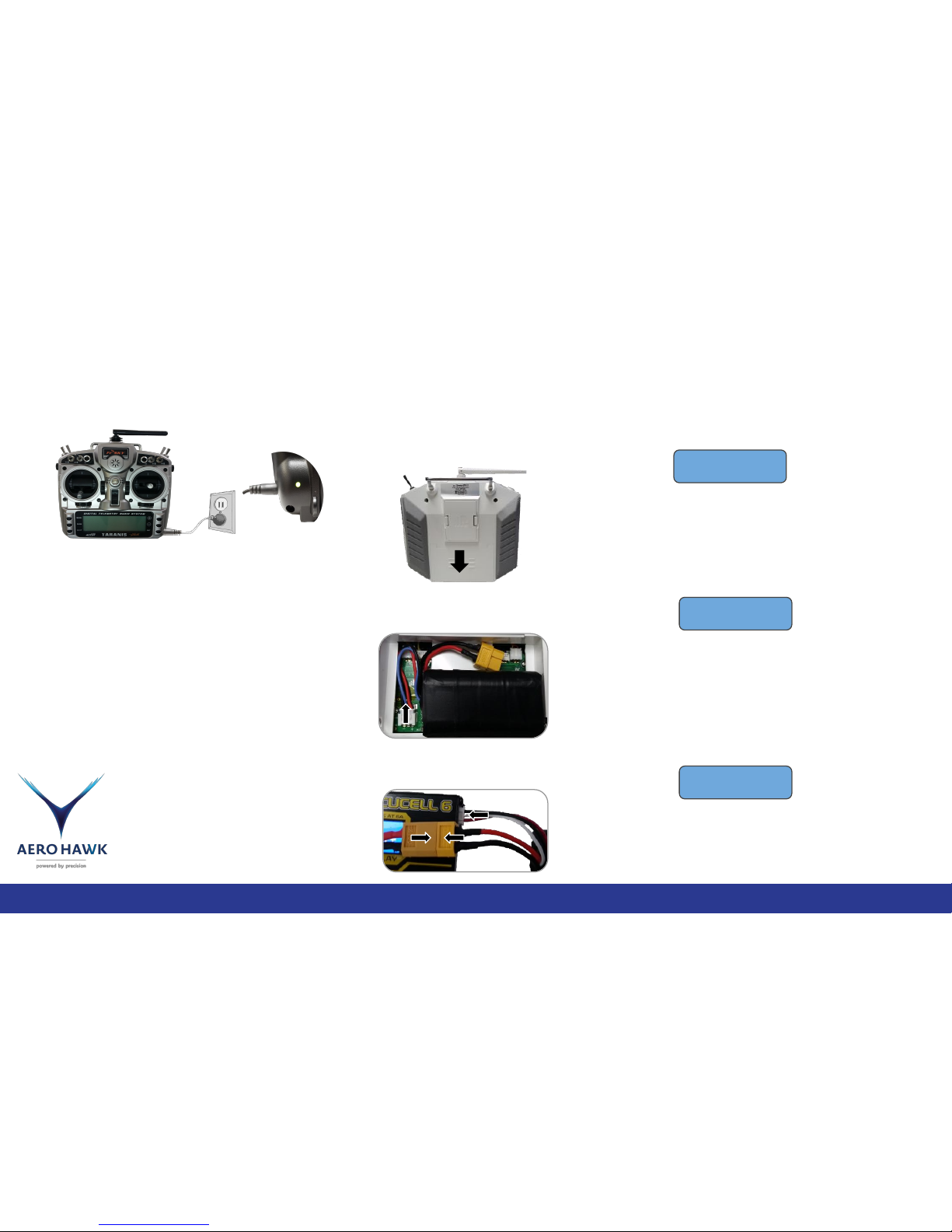
On button: press or slide
up to turn on remote.
Long press or slide down
to turn off the remote.
Strong Signal
Using the Remote Control
9
Signal strength is best when
the antenna is pointed to the
side as shown.
Emergency motor cutoff switch. In case you
every need to shut off the motors asap you can
flip the switch up and it will cut the signal to the
motors. Exercise caution and be aware before
risking motor cutoff. Doing this in air will cause
drone to descend quickly and possible crash if
switch isn’t released.
Directional stick: Dictates the direction in
which the drone moves in loiter mode and
while descending in auto mode.
Assuming you are facing the drone AND you
are at the location the drone was ARMED.
UP: Causes the drone to move forward, away
from you.
DOWN: Causes the drone to move backward,
towards you.
RIGHT: Causes the drone to move to the right.
LEFT: Causes the drone to move to the left.
Throttle stick: Dictates the altitude of the
drone in Loiter mode
UP: 100%-80% Causes the drone to climb
up.
CENTER: 60%-40% Causes the drone to
hover at current rate.
DOWN: 20%-0% Causes the drone to
descend.
RIGHT: Causes the drone to turn and face
to the right.
LEFT: Causes the drone to turn and face
to the Left.
Flight mode switch:
FORWARD: Loiter, accepts all input
from the sticks
CENTER: RTL, stands for Return to
launch site autonomously
BACKWARD: Auto, invokes the drone
to fly the most recently uploaded
mission.
Page: changes the page you are seeing.
Menu and Exit: are used to navigate
the remotes many menus that may be
useful for the advanced user but for the
purpose of agricultural mapping they
are hardly used and so there won’t be
much detail here about them.
Enter and Plus And
minus: enter allows you
to adjust selected objects
in menus. Plus and minus
changes your selection up
or down