Affinity LE1950 Manuale utente

LE1950
USER’S MANUAL
V20303
19” LED HDTV
19

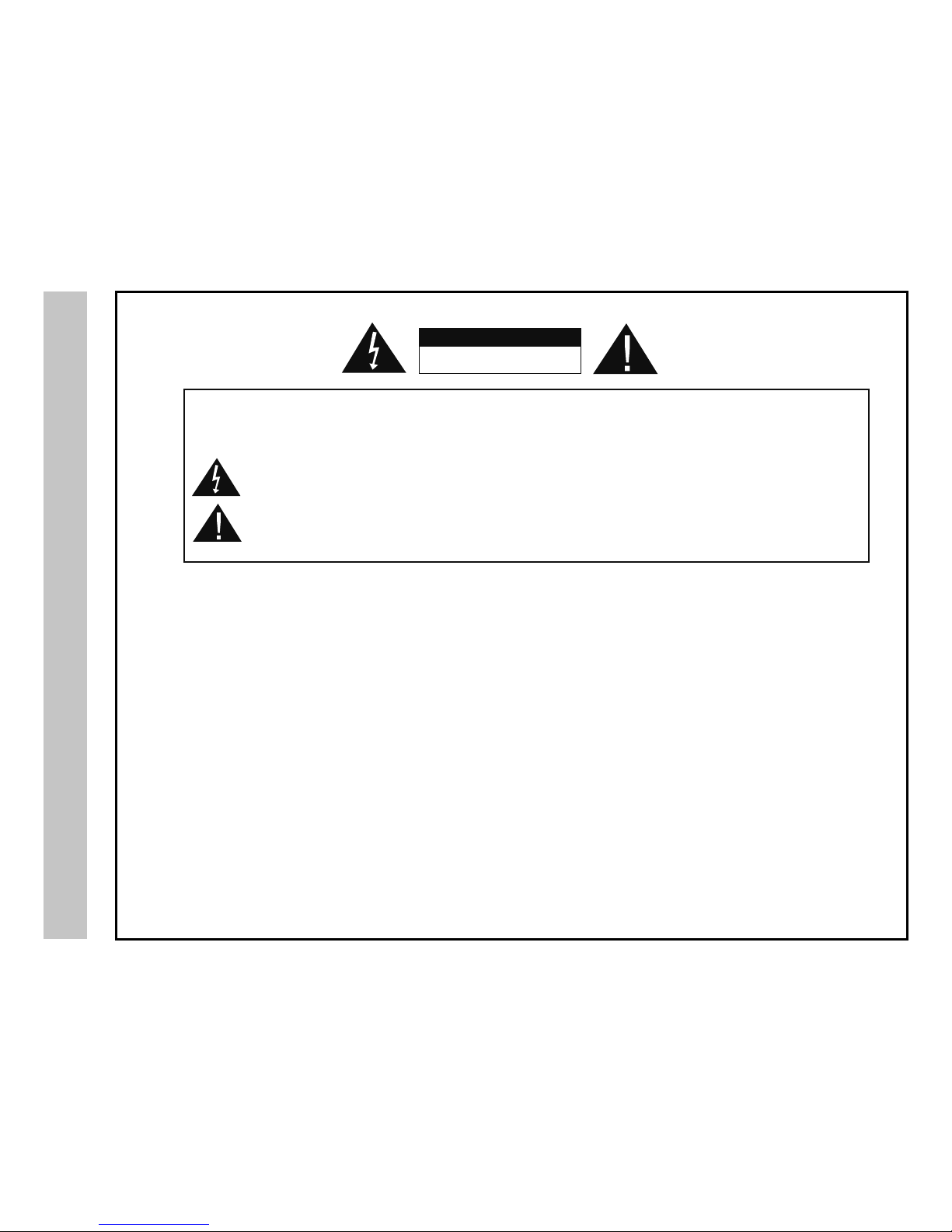
RISK OF ELECTRIC SHOCK
DO NOT OPEN
The lightning flash with arrowhead symbol, within an equilateral triangle, is intended to alert the user to the
presence of uninsulated “dangerous voltage” within the product’s enclosure that may be of sufficient magnitude
to constitute a risk of electric shock to persons.
The exclamation point within an equilateral triangle is intended to alert the user to the presence of important
operating and maintenance (servicing) instructions in the literature accompanying the television.
WARNING:
Safety:
TO PREVENT FIRE OR SHOCK HAZARDS, DO NOT EXPOSE THIS PRODUCTTO RAIN OR MOISTURE.
NOTE TO CABLE/TV INSTALLER:
This reminder is provided to call the CATV system installer’s attention to Article 820-40 of the National Electric Code
(U.S.A.). The code provides guidelines for proper grounding and, in particular, specifies that the cable ground shall
be connected to the grounding system of the building, as close to the point of the cable entry as practical.
FCC REGULATORY INFORMATION:
This television has been tested and found to comply with the limits for a Class B digital device, pursuant to Part 15
of the FCC Rules. These limits are designed to provide reasonable protection against harmful interference in a residential
installation. This television generates, uses and can radiate radio frequency energy and, if not installed and
used in accordance with the instructions, may cause harmful interference to radio communications. However, there
is no guarantee that interference will not occur in a particular installation. If this television does cause interference
to other electronic equipment, which can be determined by turning the television off and on, then the user is
encouraged to try to correct the interference by one or more of the following measures:
- Reorient or relocate the receiving antenna.
- Increase the separation between the equipment and television.
- Connect the equipment into an outlet on a circuit different from that to which the television is connected.
- Consult your dealer or an experienced radio/TV technician for assistance.
Any changes or modifications not expressly approved by the party responsible for compliance may void the user’s
authority to operate the equipment.
TO REDUCE THE RISK OF ELECTRICAL SHOCK DO NOT REMOVE COVER (OR BACK). NO
USER SERVICEABLE PARTS ARE INSIDE. REFER TO QUALIFIED PERSONNEL ONLY.
Safety Instructions
CAUTION
1

Safety Instructions
2

Safety Instructions
3
KCPI/Afnity

Table of Contents
4
Safety Instructions ................................................................................................
Table of Contents .................................................................................................
Introduction / What’s In the Box ...........................................................................
Remote Control
Remote Control Battery Install .............................................................................
Remote Control Overview ....................................................................................
TV Overview
Side Panel ............................................................................................................
Rear Panel ...........................................................................................................
Pedestal Removal / Wall Mounting ......................................................................
Installation
Connection to Antenna & Cable / Satellite Box......................................................
Connection to HDMI Inputs ...................................................................................
Connection to Component (YPbPr) Input .............................................................
Connection to AV Composite Input........................................................................
Connection to a Personal Computer .....................................................................
Connection to a Receiver / Amp ...........................................................................
Initial TV Setup
Initial Setup Wizard ...............................................................................................
Picture Settings
Contrast ................................................................................................................
Brightness .............................................................................................................
Color .....................................................................................................................
Tint (AV mode only)...............................................................................................
Sharpness .............................................................................................................
Color Temperature ................................................................................................
Specications .....................................................................................................
Troubleshooting ..................................................................................................
Warranty ..............................................................................................................
1-3
4
5
6
7
8
9
9
10
11
12
13
14
15
16
17
17
17
17
17
17
26
27
28
18
18
18
19
19
19
19
19
20
21
22
23
23
23
24
24
Sound Settings
Bass / Treble / Balance .........................................................................................
Surround ...............................................................................................................
Audio Language ....................................................................................................
Channel Settings
Favorite .................................................................................................................
Show/Hide ............................................................................................................
Channel Label ......................................................................................................
DTV Signal ...........................................................................................................
Zoom Modes ........................................................................................................
Parental Controls
Parental Lock ........................................................................................................
Parental Control - US ............................................................................................
Parental Control - Canada ....................................................................................
Setup Settings
Closed Caption .....................................................................................................
Menu Language ....................................................................................................
Clock .....................................................................................................................
Others Settings
Blue Background ..................................................................................................
Reset ....................... ............................................................................................

Introduction
Thank you for purchasing the energy efcient Afnity LE1950 HD LED television.
It has been designed to enjoy today’s high denition television experience. With a
display resolution of 1,366 x 768 (720p) you are assured of one of the nest quality
televisions available today. View HDTV and digital broadcasts over-the-air when
connected to an antenna. Choose an outdoor antenna for the best possible recep-
tion. Visit www.antennaweb.org.
Your television offers both analog and digital inputs including anHigh Denition Mul-
timedia Interface (HDMI) interconnects that offer the purest audio and video digital
signal when connected to compatible HD sources (ie: HD set-top box, high deni-
tion blu-ray player or gaming console). Other video inputs include an HD compo-
nent, composite, and VGA terminal for connection to a computer. A coaxial digital
audio (SPDIF) jack is included to connect through your home amplier/receiver to
provide a spectacular home theater sound experience.
Your new television is an ENERGY STAR certied device which meets energy
saving standards to reduce power consumption and the associated cost of use.
We recommend that you read the user manual thoroughly before use to
familiarize yourself with the installation and adjustment options available to
you, thereby enjoying all the features of the LE1950 for many years to come.
For peace of mind and valuable services, please take a moment to register your
product at www.kcpi.us
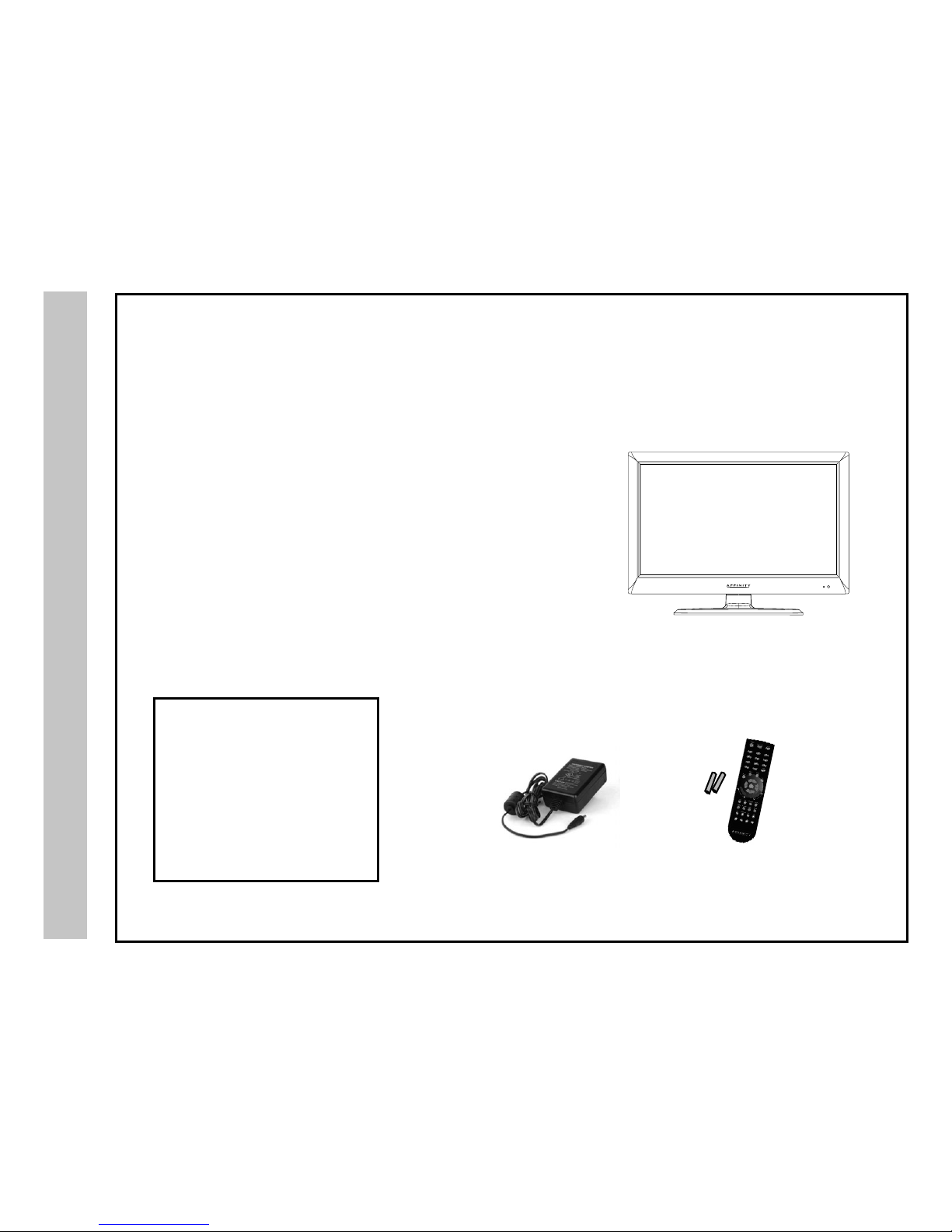
The LE1950 package includes the
following items. Save the carton
& packing for future shipping.
• Pedestal Base / Hardware
• Pedestal Instructions
• Remote Control
• AAA Batteries (2)
• Quick Start Guide
• User Manual • Remote Control
• AAA Batteries x 2
LED TV
with
Pedestal Stand
What’s In The Box
5
• AC Power Cord

Remote Control
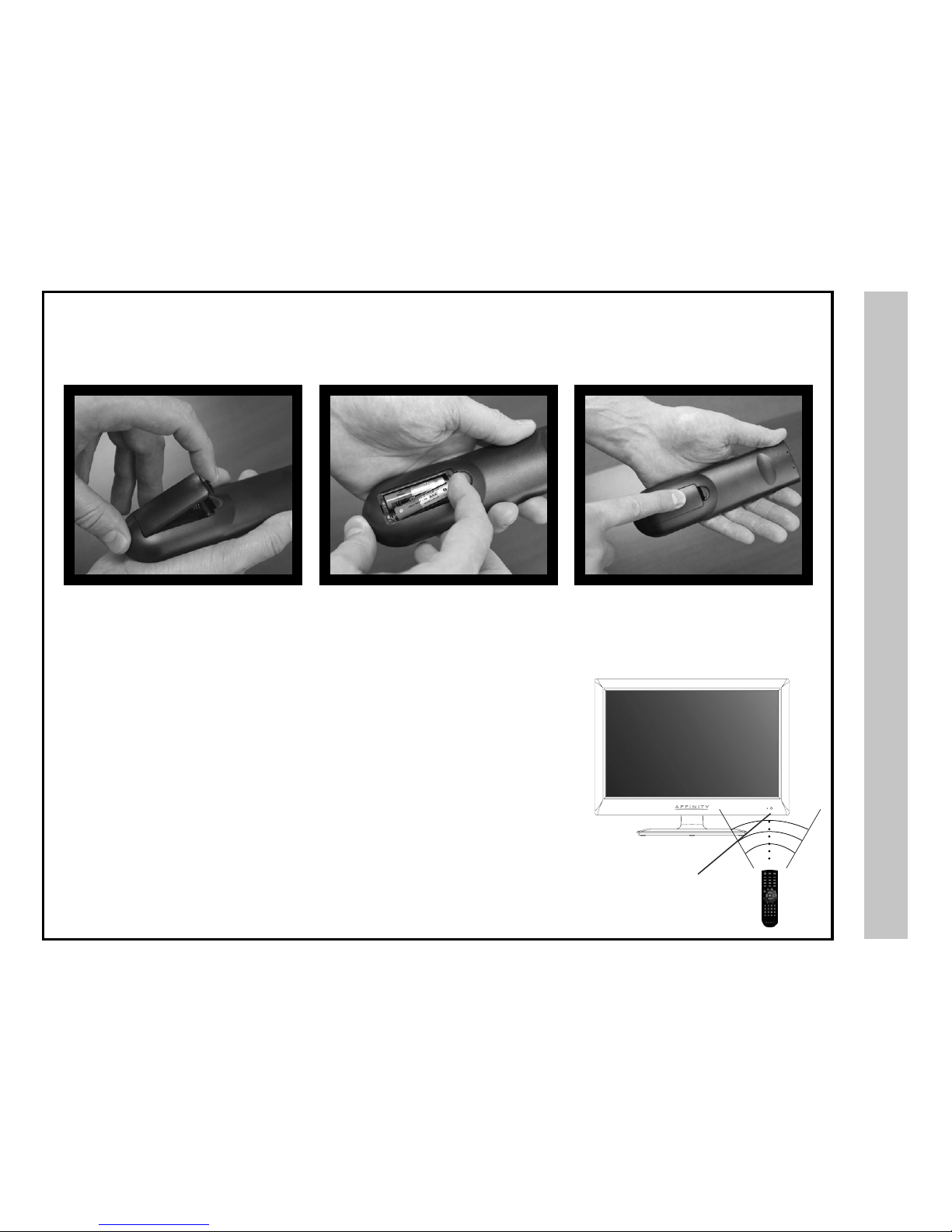
Your remote control handset is powered by two (2) AAA type batteries
• To insert batteries, turn the remote
control over and remove the battery
cover.
• When pointed towards the television, the effective range is approximately 12 feet from the
front of the IR receiver, 30° to the left and right, 20° up and down.
• To avoid damage from possible battery chemical leakage, remove the batteries if you do
not plan to use the remote control handset for an extended period of time. Do not mix bat-
teries of different age and/or type. Always discard used batteries safely.
• Do not expose remote control to liquids, direct sunlight or sources of excessive heat.
• The IR receiver will not work properly if TV is in direct sunlight, the remote control is
pointed off-axis or an object is in the IR path.
• Place two (2) AAA batteries into the
compartment with correct polarity.
• Replace the cover.
NOTE: Improper use of batteries can result in a chemical leakage or explosion.
Battery Install
6
30° 30°
IR Receiver

Remote Control
Overview
7
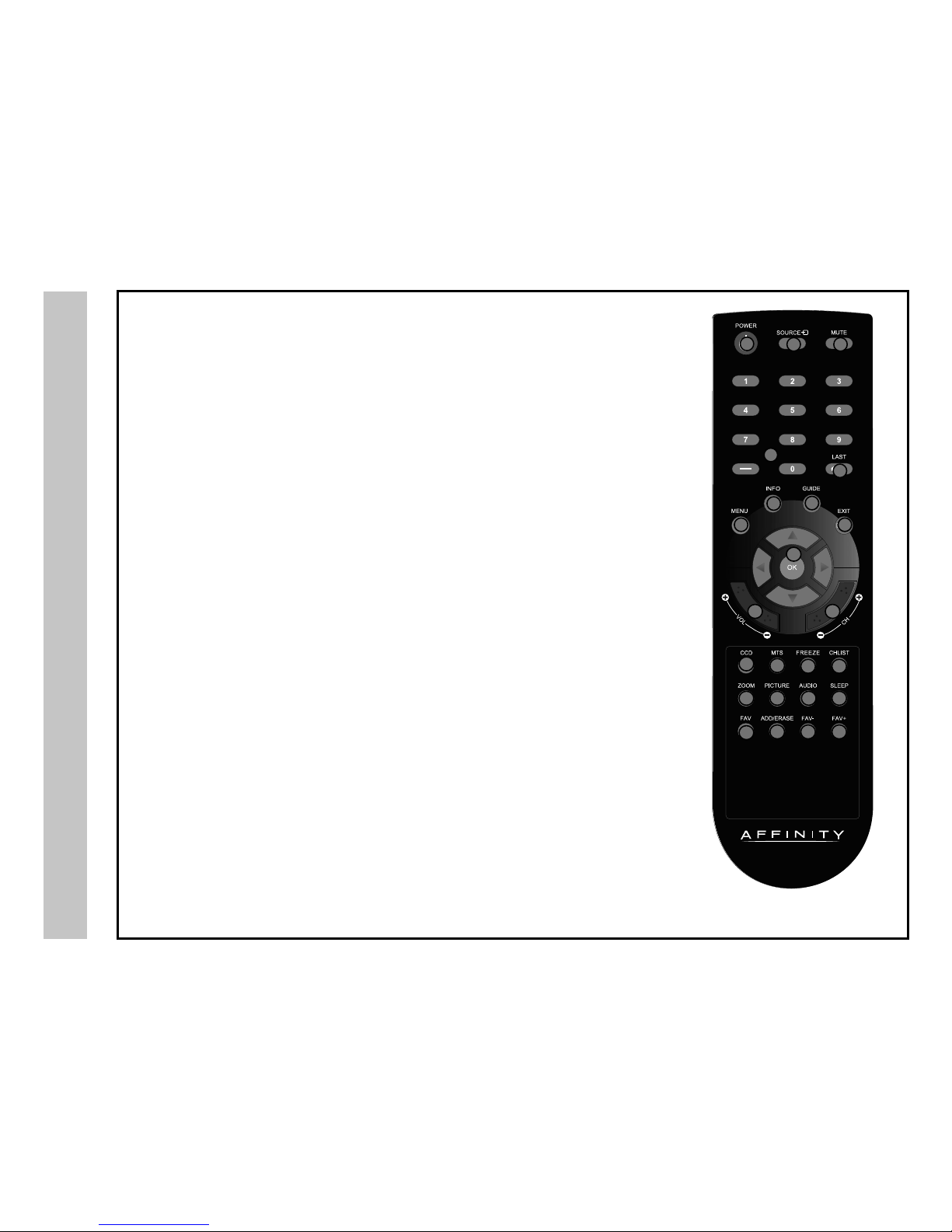
Functions Using the Remote Control Handset
1. Power – Turn the television display On/Off.
2. Source – Press to display all input sources on screen.
3. Mute – Press to temporarily turn sound off. Press again to resume.
4. Numbers / Dash – Select desired TV channel directly. For example: to select digital channel four,
press “4” “-” “1” (4-1).
5. Repeat – Press to select between the current and previously viewed TV channel.
6. Menu – Press to display the Main menu.
7. Info – Provides information on the currently viewed program.
8. EPG/Guide – Press to review scheduled programming for the current channel viewed.
9. Exit – Press to exit a menu that is displayed.
10. qpt uArrows/ OK – Navigate menus to make selections. Press OK to conrm.
11. Volume +/- – Adjust volume up and down.
12. Channel+/- – Scan channels up and down.
13. CCD – Select closed caption subtitles (if available) OFF > ON > CC on Mute (pg. 22)
14. MTS – Press to select an alternate audio language (if applicable)
15. Freeze – Pause and still-frame the current image on the display. Press again for live TV.
16. Channel List – Displays channel lists on the screen.
17. Zoom – Select viewable display options: Normal > Wide > Zoom > Cinema.
18. Picture Mode – Select from various preset picture modes: Dynamic > Standard > Movie > User.
19. Audio Mode – Select Dynamic, Standard, Movie or User sound modes.
20. Sleep – Press to activate the Sleep function to turn off the TV automatically; 5 Min > 10 Min > 15 Min >
30 Min > 45 Min > 60 Min > 90 Min > 120 Min > 180 Min > 240 Min > OFF.
21. FAV – Press to display a list of favorite TV channels you have added.
22. Add/Erase – Add and erase favorite channels.
23. FAV- – Press to scan to a lower channel from your list of favorites.
24. FAV+ – Press to scan to a higher channel from your list of favorites.
NOTE: When using the remote control, point it directly at the TV.
13
6 9
4
7
10
11
14 16
19
22 23
12
15
18
24
13
17 20
21
5
8
2
Remote Code: 08F7

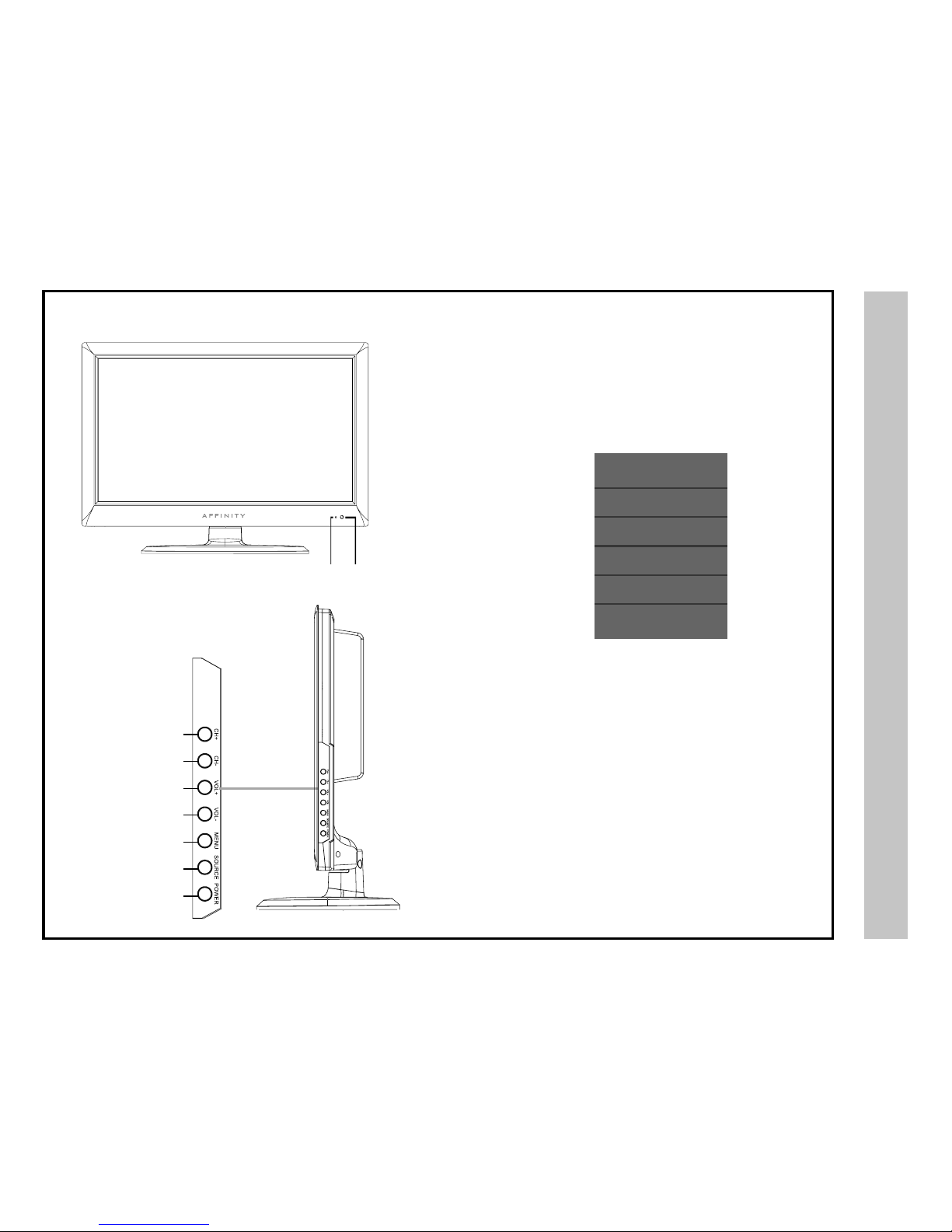
1. Power - Press the POWER button to turn the LED display ON/
OFF (standby). When the power is on, the green LED illuminates.
The screen image will appear within a few seconds.
2. Source - After connecting your DVD, cable box, etc., select
the appropriate input source to view. Press the SOURCE button to
display input options.
3. Menu - Press the MENU button to display menu settings. .
4/5. Volume (VOL+ / VOL-) - Press the VOL+ / VOL- buttons
to adjust volume up or down.
6/7. Channel (CH+ / CH-) - Press the CH+ / CH- buttons to
select a channel in TV mode.
I
TV Overview
Stand by - Red light
TV on - Green light
IR Receiver
Side Panel
Front & Side Panel
8
7
6
5
4
3
2
1
Source Select
TV
AV
Component
HDMI
PC

10 11
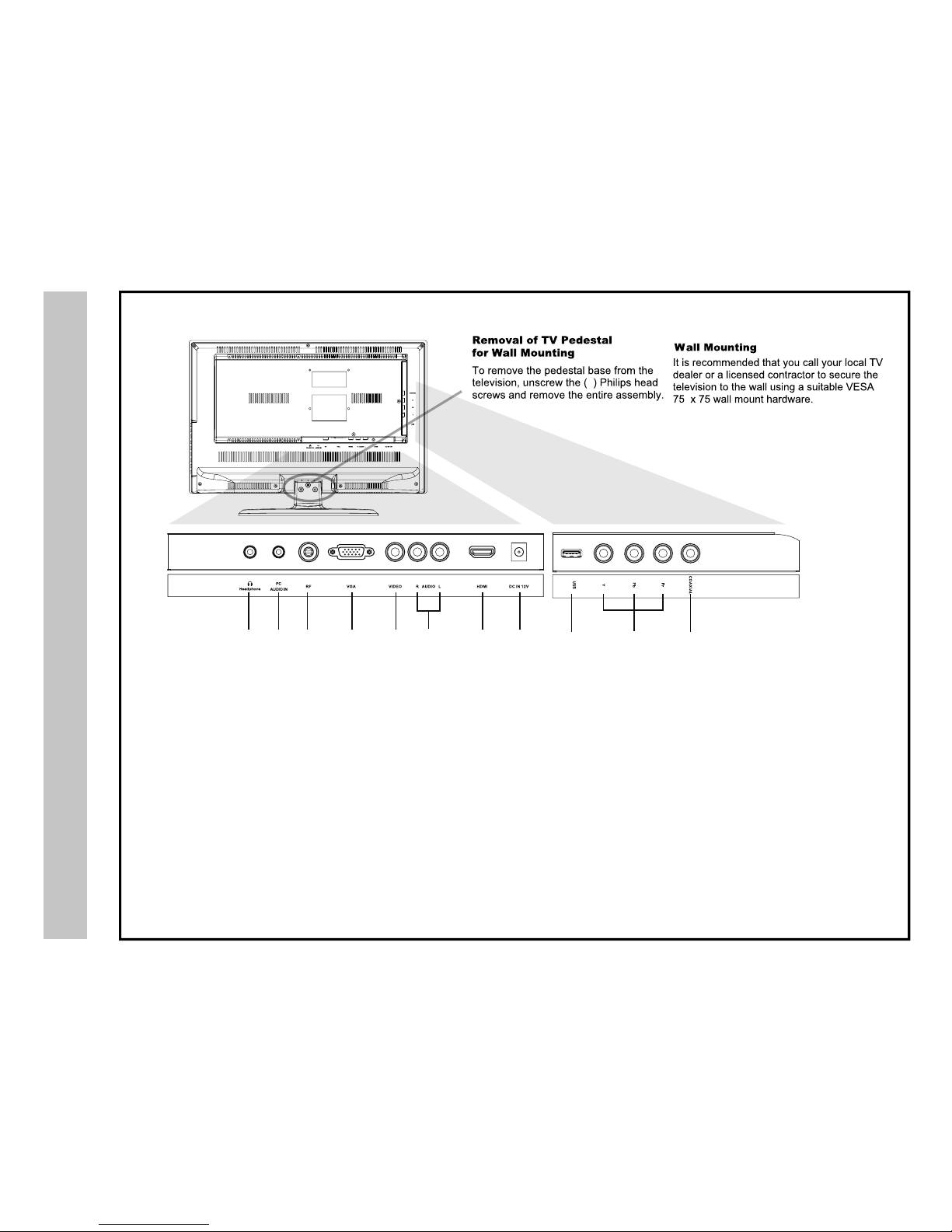
1. Earphone Jack - Connect a stereo headphone (3.5mm) for private
listening.
2. PC-Audio Jack- An optional 3.5mm audio cable for sound when using
VGA.
3. RF Input - Connect antenna or cable for television reception.
Note: Use an outdoor antenna, cable or satellite for best reception.
4. VGA Input - Connect an optional VGA cable from your personal com-
puter.
5/6. Video L/R – AV input - Connect an external device to the compos-
ite VIDEO (Y) and AUDIO (L/R) output jacks found on most video equip-
ment.
NOTE: There is one set of audio L/R input jacks for use with either your
Component YPbPr or AV installation.
7. HDMI Input - Supports enhanced high denition video and up to 5.1
channel digital audio from one cable.
8. DC IN - Connect to power adapter.
9. SERVICE - For service technician use only.
10. Component YPbPr - Connect to an AV device that features compo-
nent (YPbPr) video and audio output jacks. (See #8 below to connect audio
jacks.)
11. SPDIF/Coax - Connect an optional coaxial digital cable through a
compatible amp/receiver to enjoy superior audio sound.
TV Overview
Rear Panel
& Pedestal Removal
9
TV REAR PANEL
3
1 23 4 5 6 7 8 9
Upgrade
Altri manuali per LE1950
1
Indice
Altri manuali Affinity TV LED