
ALC SightHD Lite AWF08 Manuale utente

720p Indoor
Panoramic Wi-Fi Camera
User Guide
Please read these instructions completely
before operating this product.
Model AWF08
Wireless Made Simple.


— 1 —
TABLE OF CONTENTS
IMPORTANT SAFETY INSTRUCTIONS .............................................................................2
INTRODUCTION..................................................................................................................5
System Contents ...............................................................................................................5
Getting to Know Your Camera...........................................................................................6
INSTALLATION....................................................................................................................7
Installation Tips ................................................................................................................. 7
Night Vision .......................................................................................................................7
Installing the Camera .........................................................................................................8
REMOTE ACCESS ............................................................................................................. 9
Overview............................................................................................................................9
Requirements For Remote View.........................................................................................9
Connecting to the Internet ...............................................................................................10
Connecting Via the App ...................................................................................................11
ALC SightHD Lite App Icons............................................................................................17
To Take Screenshots.......................................................................................................19
To Take Videos................................................................................................................21
Time Axis.........................................................................................................................22
To View Screenshots/Play Videos....................................................................................23
To Delete Screenshots/Videos.........................................................................................25
Setup Screen...................................................................................................................27
Advanced Settings...........................................................................................................28
Viewing Camera on Muliple Devices.................................................................................31
Push Notications............................................................................................................32
Main Help Menu ..............................................................................................................33
To Delete a Camera.........................................................................................................34
Cellular Data ....................................................................................................................34
To Edit Device .................................................................................................................35
MAINTENANCE.................................................................................................................35
TROUBLESHOOTING...................................................................................................... 36
FACTORY DEFAULT/RESET ........................................................................................... 37
UPGRADING THE FIRMWARE.........................................................................................37
PRODUCT SPECIFICATIONS.......................................................................................... 38
WARRANTY...................................................................................................................... 39

— 2 —
IMPORTANT SAFETY INSTRUCTIONS
CAUTION: To reduce the risk of electric shock do not remove cover (or
back). No user serviceable parts inside. Refer servicing to qualied service
personnel.
DANGEROUS VOLTAGE: The lightning ash with arrowhead, within an
equilateral triangle, is intended to alert the user to the presence of
uninsulated dangerous voltage within the product’s enclosure that may be
of sufcient magnitude to constitute a risk of electric shock topersons.
ATTENTION: The exclamation point within an equilateral triangle is intended
to alert the user to the presence of important operating and maintenance
(servicing) instructions in the literature accompanying the appliance.
Products with CE Marking comply with EMC Directive (2004/108/EC); Low Voltage
Directive (73/23/EEC); R&TTE(1999/5/EC); ROHS Directive (2011/65/EU) issued by
the Commission of the European Community. Compliance with these directives implies
conformity to the following European Norms:
EMC: EN 301 489 LVD: EN 60950 Radio: EN 300 328
PRODUCT SAFETY: When used in the directed manner, this unit has been designed and manufactured to ensure your
personal safety. Improper use of this product can result in potential electrical shock or fire hazards. Please read all safety and
operating instructions carefully before installation and use, and keep these instructions handy for future reference.
WARNING: TO PREVENT FIRE OR SHOCK HAZARD, DO NOT EXPOSE THIS UNIT TO RAIN OR MOISTURE.
CAUTION
RISK OF ELECTRIC SHOCK
DO NOT OPEN
FCC Compliance Statement: This device complies with Part 15 of the FCC rules. Operation is
subjected to the following two conditions: (1) this device may not cause harmful interference,
and (2) this device must accept any interference received, including interference that may
cause undesired operation.
FCC/CE WARNING
This equipment has been tested and found to comply with limits for a Class B digital device, pursuant to
Part 15 of the FCC rules and ETSI(EN) 300328. These limits are designed to provide reasonable protection
against harmful interference in residential installations. This equipment generates, uses, and can radiate
radio frequency energy, and if not installed and used in accordance with the instructions, may cause harmful
interference to radio communications. However, there is no guarantee that interference will not occur in a
particular installation. If this equipment does cause interference to radio or television equipment reception,
which can be determined by turning the equipment off and on, the user is encouraged to try to correct the
interference by one or more of the following measures:
• Reorient or relocate the receiving Antenna.
• Move the equipment away from the receiver.
• Plug the equipment into an outlet on a circuit different from that to which the receiver is connected.
• Consult the dealer or an experienced radio/television technician for additional suggestions.
CAUTION: Any changes or modifications to this equipment not expressly approved by the party responsible for
compliance could void your authority to operate the equipment.

— 3 —— 2 —
IMPORTANT SAFETY INSTRUCTIONS
IMPORTANT SERVICE SAFETY INSTRUCTIONS
Damages caused by non-compliance with this operating manual will void the warranty!
1. Read and Follow Instructions - All the safety and operating instructions should be read before
the product is operated. Follow all operating instructions.
2. Retain Instructions - The safety and operating instructions should be retained for future
reference.
3. Heed Warnings - Comply with all warnings on the product and in the operating instructions.
4. Power Sources - This product should be operated only from the type of power source
indicated on the marking label. If you are not sure of the type of power supplied to your
location, consult your video dealer or local power company. For products intended to operate
from battery power, or other sources, refer to the operating instructions.
5. Overloading - Do not overload wall outlets or extension cords as this can result in the risk of
re or electric shock. Overloaded AC outlets, extension cords, frayed power cords, damaged
or cracked wire insulation, and broken plugs are dangerous. They may result in a shock or re
hazard. Periodically examine the cord, and if its appearance indicates damage or deteriorated
insulation, have it replaced by your service technician.
6. Power-Cord Protection - Power supply cords should be routed so that they are not likely to
be walked on or pinched by items placed upon or against them. Pay particular attention to
cords at plugs, convenience receptacles, and the point where they exit from the product.
7. Surge Protectors - It is highly recommended that the video equipment be connected to a
surge protector. Doing so will protect the equipment from damage caused by power surges.
Surge protectors should bear the UL listing mark or CSA certication mark.
8. Uninterruptible Power Supplies (UPS) - Because this product is designed for continuous,
24/7 operation, it is recommended that you connect the product to an uninterruptible power
supply. An uninterruptible power supply has an internal battery that will keep the product
running in the event of a power outage. Uninterruptible power supplies should bear the UL
listing mark or CSA certication mark.
CAUTION: Maintain electrical safety. Power line operated equipment or accessories connected to
this product should bear the UL listing mark or CSA certication mark on the accessory itself and
should not be modied so as to defeat the safety features. This will help avoid any potential hazard
from electrical shock or re. If in doubt, contact qualied service personnel.
9. Ventilation - Slots and openings in the case are provided for ventilation to ensure reliable
operation of the product and to protect it from overheating. These openings must not be
blocked or covered. The openings should never be blocked by placing the video equipment
on a bed, sofa, rug, or other similar surface. This product should never be placed near or over
a radiator or heat register. This product should not be placed in a built-in installation such
as a bookcase or rack unless proper ventilation is provided and the product manufacturer’s
instructions have been followed.
WARNING:
STRANGULATION HAZARD: Infants have STRANGLED in power cords. Keep power cords more than 3 feet away from
cribs, bassinets, play yards, and other safe sleep environments for infants.

— 4 —
IMPORTANT SAFETY INSTRUCTIONS
10. Attachments - Do not use attachments unless recommended by the product manufacturer as
they may cause a hazard.
11. Water and Moisture - Do not use receivers or video monitors near water — for example, near
a bath tub, wash bowl, kitchen sink or laundry tub, in a wet basement, near a swimming pool
and the like.
12. Heat - The product should be situated away from heat sources such as radiators, heat
registers, stoves, or other products (including ampliers) that produce heat.
13. Accessories - Do not place this video equipment on an unstable cart, stand, tripod, or table.
The video equipment may fall, causing serious damage to the product. Use this product only
with a cart, stand, tripod, bracket, or table recommended by the manufacturer or sold with
the product. Any mounting of the product should follow the manufacturer’s instructions and
use a mounting accessory recommended by the manufacturer.
14. Camera Extension Cables - Check the rating of your extension cable(s) to verify compliance
with your local authority regulations prior to installation.
15. Mounting - The cameras provided with this system should be mounted only as instructed
in this guide or the instructions that came with your cameras, using the provided mounting
brackets.
16. Camera Installation - Cameras are not intended for submersion in water. Not all cameras
can be installed outdoors. Check your camera’s environmental rating to conrm if it can
be installed outdoors. When installing cameras outdoors, installation in a sheltered area is
recommended.

— 5 —— 4 —
System Contents
After unpacking, you will have the following items:
AC Adapter
Screw/Anchor Kit
Quick Start Guide
Camera
MicroUSB to USB Cable
Wireless Made Simple.
720p Indoor
Panoramic Wi-Fi
Camera
QUICK START GUIDE
Model AWF08
INTRODUCTION

— 6 —
INTRODUCTION
Getting to Know Your Camera
Status
Indicator
Multi-position
Camera Bracket
Reset
micro USB Port
Radiator
microSD Card
Port (Top)
Lens
Speaker
Mic
Infrared
LEDs

— 7 —— 6 —
INSTALLATION
Installation Tips
Night Vision
• Before you install the camera, plan where and how it will be positioned, and where you will
route the cable that connects the camera to the power adapter.
• Optimized motion detection range is 6 - 18 feet for camera. The farther away an object is,
the less accurate the motion detection.
• Avoid having a direct light source in the view of the camera, including street lights, ceiling
or oor lamps, spotlights in the driveway, etc.
• Rainfall, pool water ripples/reections, tree/shrub leaves blowing in the wind – and the
shadows they create – can generate motion detection false alarms.
• Before starting permanent installation, have another person check the camera image
on the tablet/phone when camera is positioned in the same place it will be permanently
installed.
• It is recommended to ensure a clear line of sight between the camera and Wi-Fi router and
to limit the amount of obstructions, such as walls and tree branches, between the camera
and Wi-Fi router. Walls made of heavy building materials such as brick or concrete will
signicantly reduce signal range.
• If the signal will have to pass through a wall, placing the Wi-Fi router or camera next to a
window will improve the signal strength.
• Do not install the camera pointing out of a window. The night-time picture will be unusable
due to reection from the night vision LEDs.
• As dust, grime, and cobwebs accumulate on the camera glass, they can reect light from
the infrared LED and might lower video quality. Periodically clean the lens glass with a soft
cloth.
The camera has built-in infra-red LEDs to allow you to view at night for 24hrs surveillance. The
LEDs will automatically activate at night and the picture viewed will turn to black and white. The
night viewing range is up to 35 feet.

— 8 —
INSTALLATION
Installing the Camera
u
If not mounting, but just using on a flat
surface (desk, table, etc.), skip to step 3.
v
Secure the multi-position Camera Bracket
to a stable surface, ceiling or wall using
the two screws. If needed, two anchors
are also included.
w
To record videos you must insert a
MicroSD card, not included. The MicroSD
Slot is located on the top of the camera.
A Class 10 MicroSD card is required.
This camera supports up to 128GB
MicroSD card.
xPlug one end of the micro USB cable
into the Power jack on the rear of this
camera and the other end into the Power
Adapter. Plug the Power Adapter into an
electrical outlet when ready to install App.
IMPORTANT: Please set up the camera first before mounting and stay in close range with the camera during setup.
Indice
Altri manuali ALC Telecamera di sicurezza

ALC
ALC AWF54 Manuale utente

ALC
ALC AWSC35 Manuale utente

ALC
ALC Observer AWSC336 Manuale utente

ALC
ALC SecuFirst CAM114S Manuale utente

ALC
ALC AWF21 Manuale utente

ALC
ALC AWF33-S2 Manuale utente

ALC
ALC Connect Plus Guida all'installazione
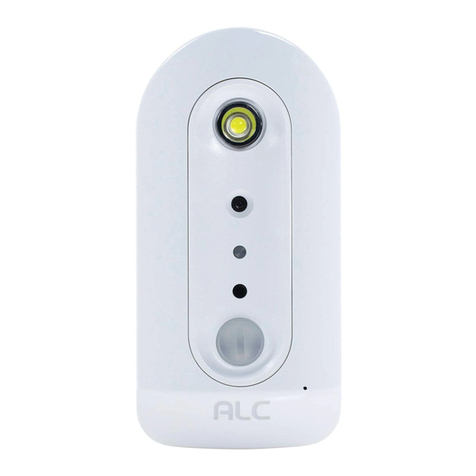
ALC
ALC AWFB15 Manuale utente

ALC
ALC OBSERVER AWSC25 Manuale utente

ALC
ALC AWF61 Manuale utente


