
ALcom Auro Comfort E1000 Manuale utente
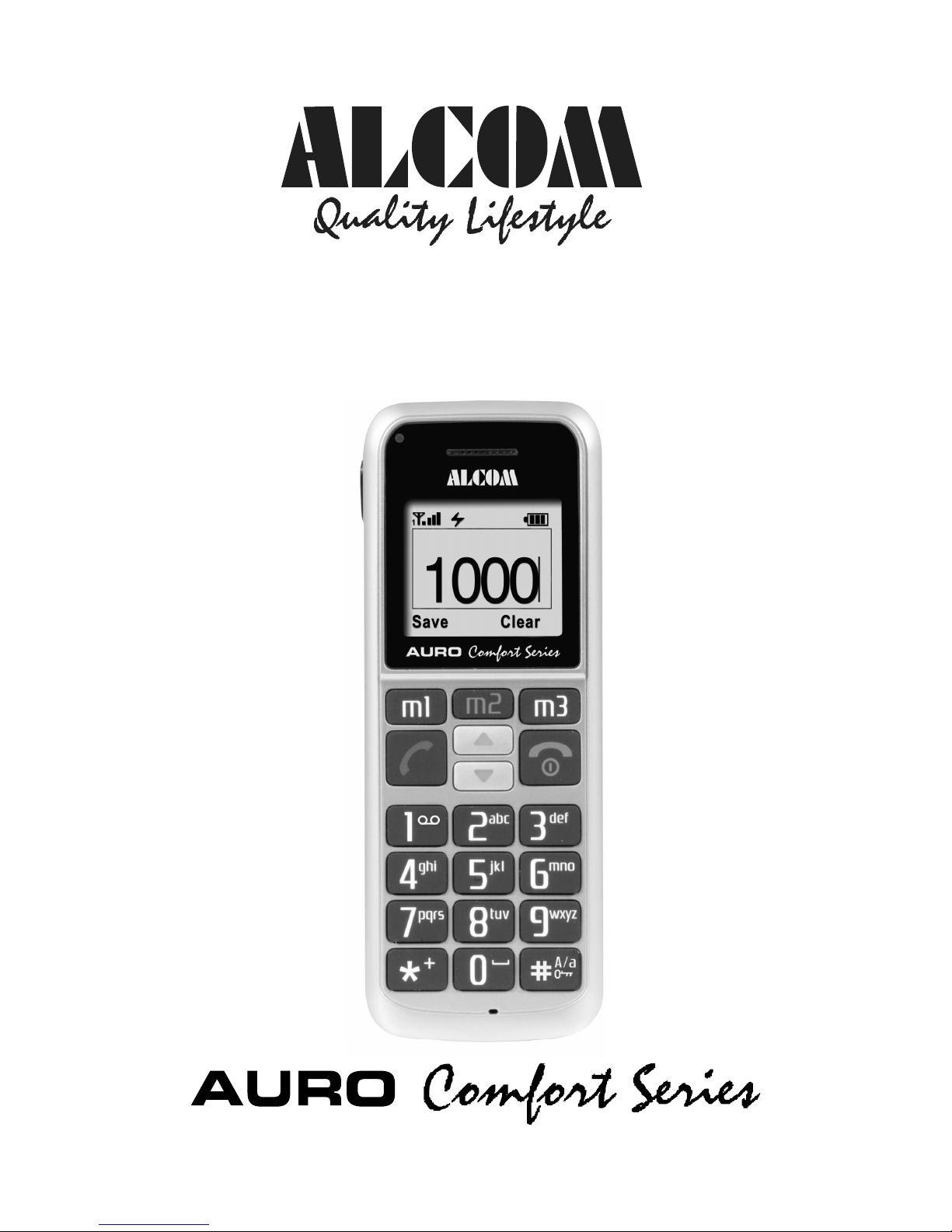
Elderly Friendly Mobile Phone
E1000
User’s Guide

2
Content
1. Safety information . . . . . . . . . . . . . . . . . . . . . . . . . . 4
2. General information . . . . . . . . . . . . . . . . . . . . . 5
3. Inserting the SIM card and the battery . . . . . . . . . . 5
4. Charging the battery . . . . . . . . . . . . . . . . . . . . . . . 7
5. Keys and connectors. . . . . . . . . . . . . . . . . . . . . . 9
6. Display and status symbols . . . . . . . . . . . . . . . . . .10
7. Switching on and off, key lock, emergency call
functions . . . . . . . . . . . . . . . . . . . . . . . . . . . . . .11
8. Basic call functions . . . . . . . . . . . . . . . . . . . . . . . 13
9. Menu functions . . . . . . . . . . . . . . . . . . . . . . . . . . . 19
10. Optional Accessories . . . . . . . . . . . . . . . . . . 30
11 Care and user information . . . . . . . . . . . . . . . . 30
12. Additional safety information / SAR value . . . . . 32

3
Alcom E1000
The Alcom E1000 is an ergonomic GSM telephone that
was developed in cooperation with industrial designers
for customers that are looking for an elegant, reliable
and easy to use mobile telephone.
GSM Frequencies: Dual band Operation GSM
900/1800
Talk time: Up to 120 Minutes
Standby time: Up to 170 Hours
Display: Black and White Display with
amber backlit for maximum contrast
Ring tones: 16 different polyphonic ringtones
Powerful speaker: 100 dB, vibration
alarm
Phone features: Three programmable quick dial
keys (M1, M2, M2),Re-Dial of 10
last numbers, integrated handsfree
function, Mute, keypad lock
SMS features: Up to 160 characters per SMS,
stores up 100 SMS messages
Security: Emergency call function
Organizer features: Phonebook with 500 entries (+
SIM), Clock with alarm (works
when phone is switched off)

4
Dimensions: Approx. 128 x 50 x 17 mm
Weight: Approx. 95g
Interfaces: Headset jack (2.5 mm), Power
supply
Package content: Mobile Phone, 750 mAh Li-Ion
rechargeable battery, 100 - 240V
travel charger, Manual, Warranty
card
1. Safety information
Use the mobile telephone only in places where its use is
not forbidden or could not pose a danger: Do not use
the telephone in airplanes, in hospitals, at fuelling
stations, in demolition ranges or in an automobile whilst
you yourself are driving. Observe the valid laws and
prohibitions and remember that they may change from
time to time.
Use only authorized accessories and in particular
approved batteries. Incompatible accessories and faulty
batteries can cause damages, even explosions.

5
2. General information
This mobile telephone has been developed for
operation in EGSM 900 and 1800 networks – further
information on the services in these networks are
available from your mobile communications provider.
On direction of the mobile communications provider
certain functions of this mobile telephone may have
been deactivated or modified. For further information,
please contact your mobile communications provider.
This mobile telephone is not water proof – therefore
keep it away from liquids. Keep the telephone, the
power pack, the SIM card and other accessories out of
the reach of children. Small parts might come loose that
may be swallowed. When disconnecting cables, always
pull by the plug and never by the cable. This telephone
may be serviced and repaired only by authorized
dealers.
3. Inserting the SIM card and the
battery
To protect the battery during transport it is not inserted
in the mobile telephone. In case the dealer from whom
you purchased the telephone has not already inserted
the battery, follow the following steps.
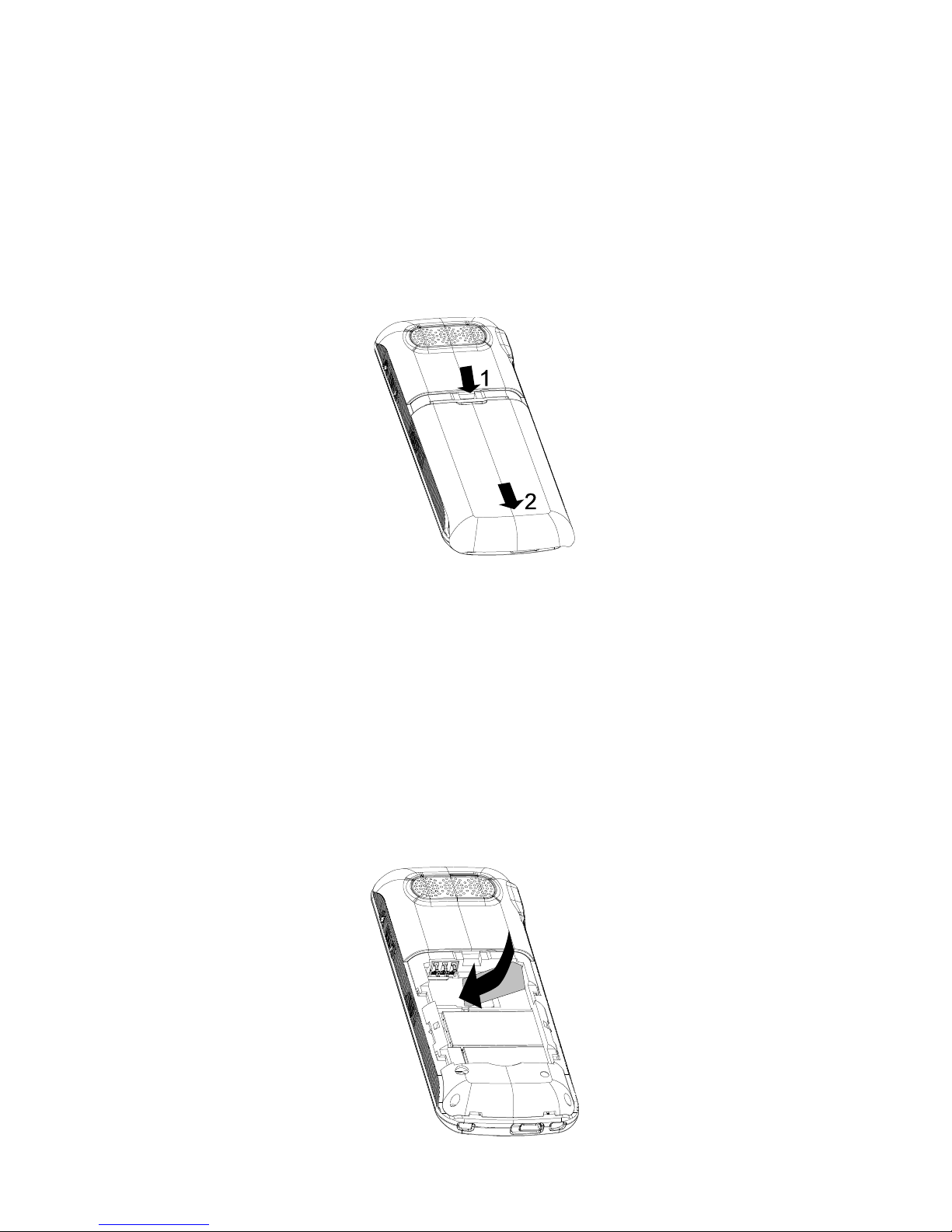
6
Before using the mobile telephone you also need to
insert a SIM card. Disconnect the mobile telephone
from the power source for that and switch off the mobile
telephone.
1. Remove the battery cover on the back side by sliding
it to the case‘s base.
2. Take out the battery; remember beforehand the
position of the battery in the mobile telephone with the
contacts at top left.
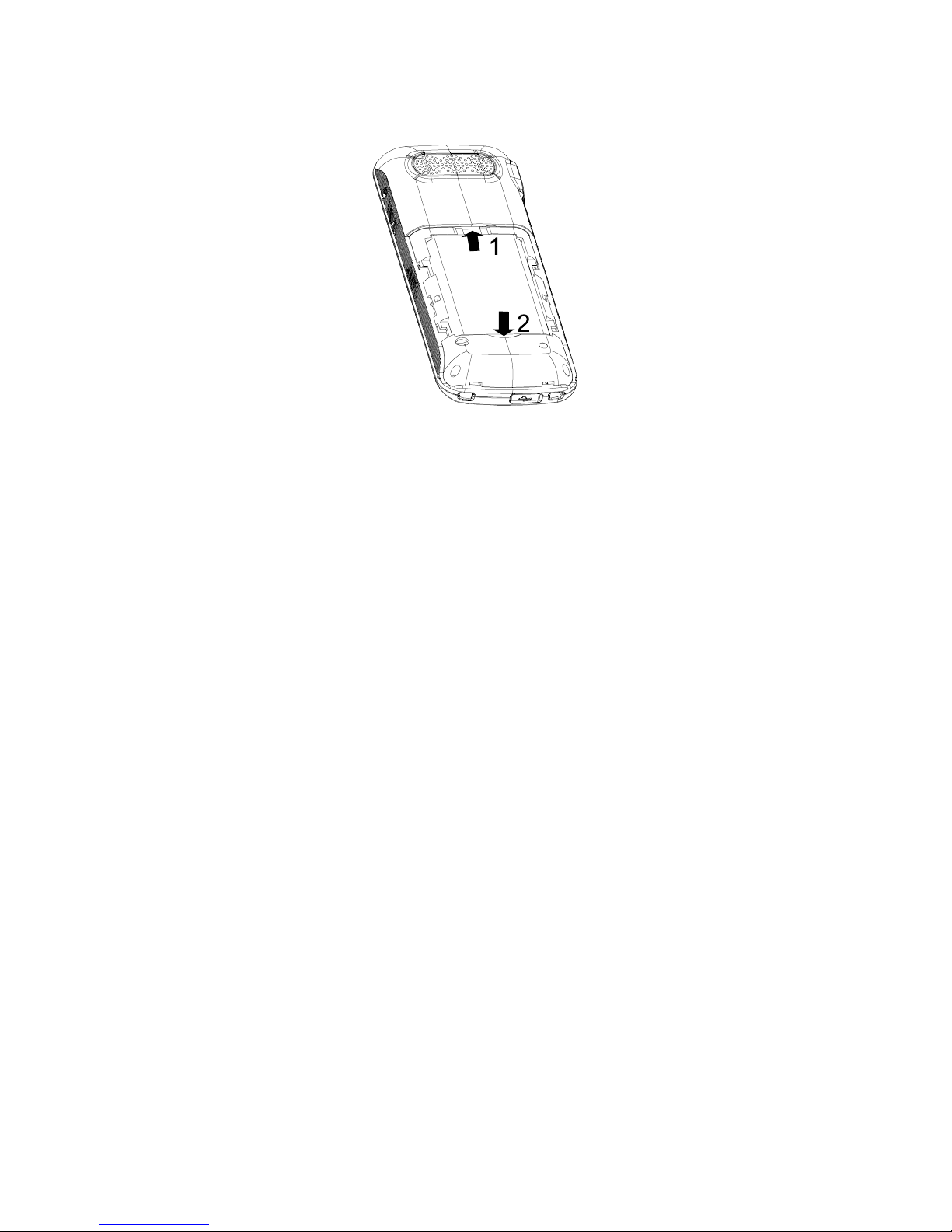
3. Carefully insert the SIM card then: In doing so the
golden contacts have to be placed downwards so that
you cannot see them. The notch on the SIM card has to
be at the top right.
7
4. Insert the battery again and finally slide the cover
back onto the case.
4. Charging the battery
The battery should be fully charged before starting up
the mobile telephone. Use only the supplied power pack
for that or the approved vehicle charging adapter.
Use only the supplied battery or the approved substitute
type. Appropriate instructions are available from your
dealer or from the service hotline.
The usage of other charging adapters or batteries may
possibly invalidate the authorization or guaranty /
warranty and may have dangerous consequences.
Under no circumstances may you charge the telephone
using the USB connection of a computer, because this
may damage the computer and/or the telephone.
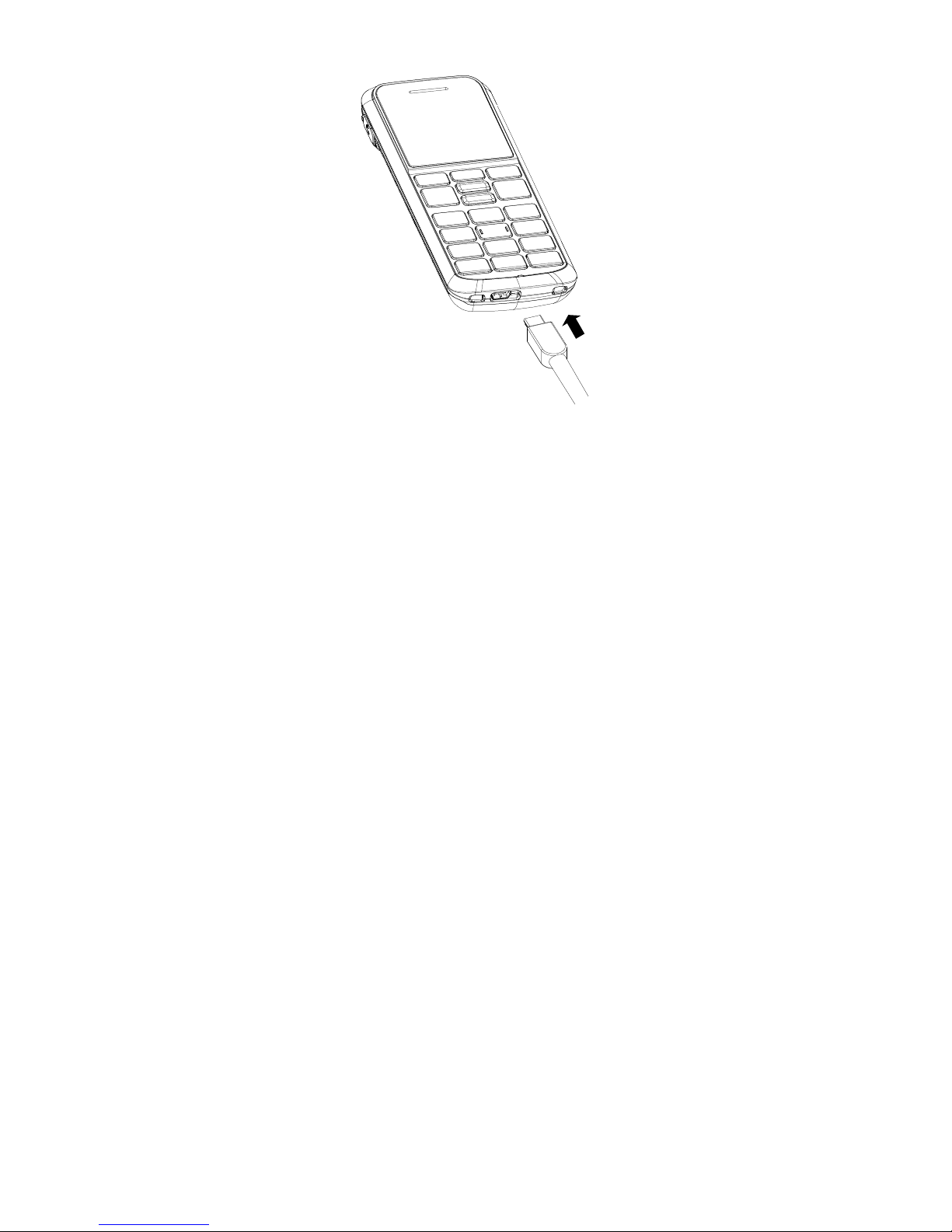
8
Connect the mobile telephone to the power pack. If the
battery is completely discharged, it may take a few
minutes before the telephone indicates that it is being
charged and that it can be used for telephony. The
telephone will indicate when the charging process has
been completed.
You can also use the optional charging cradle to charge
the phone.
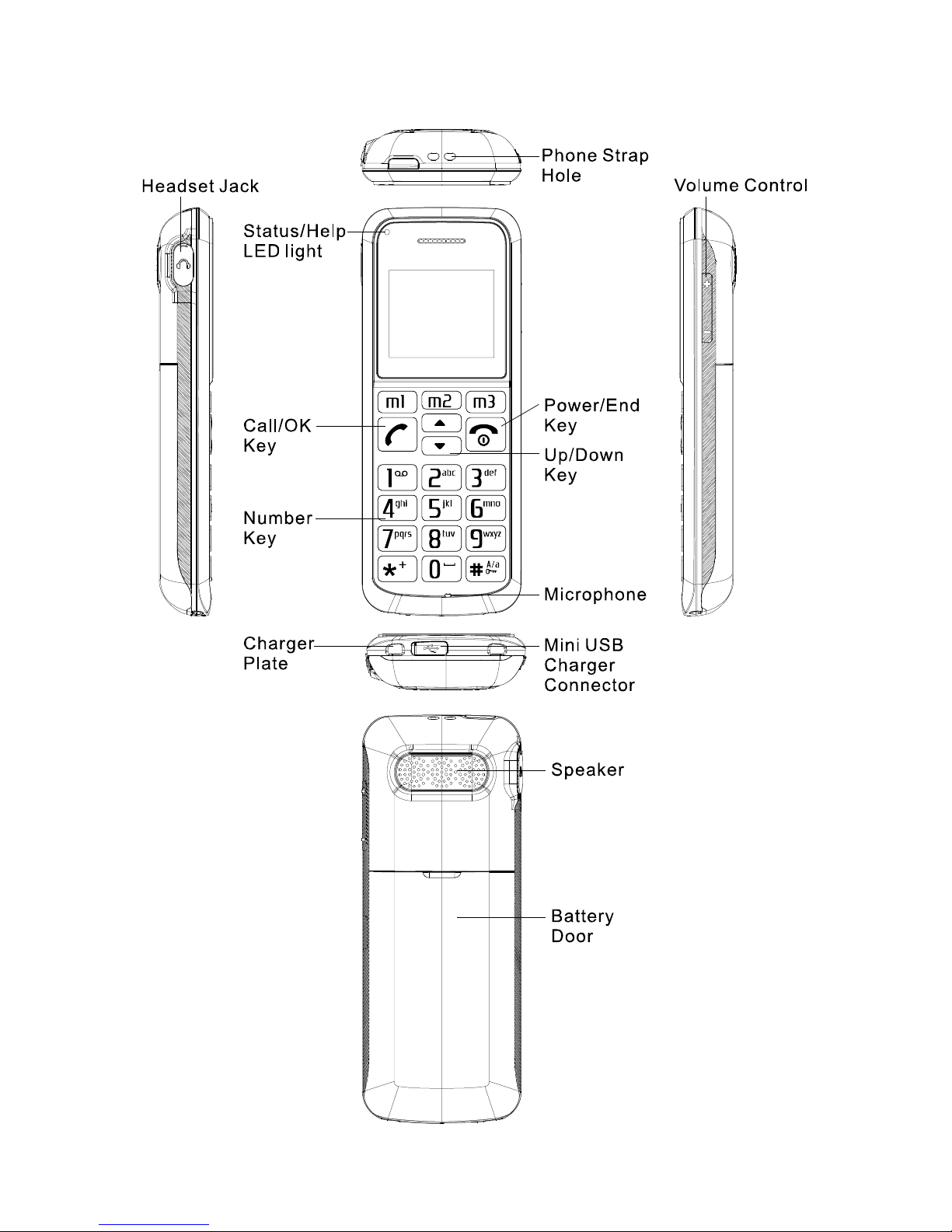
9
5. Keys and connectors
10
6. Display and status symbols
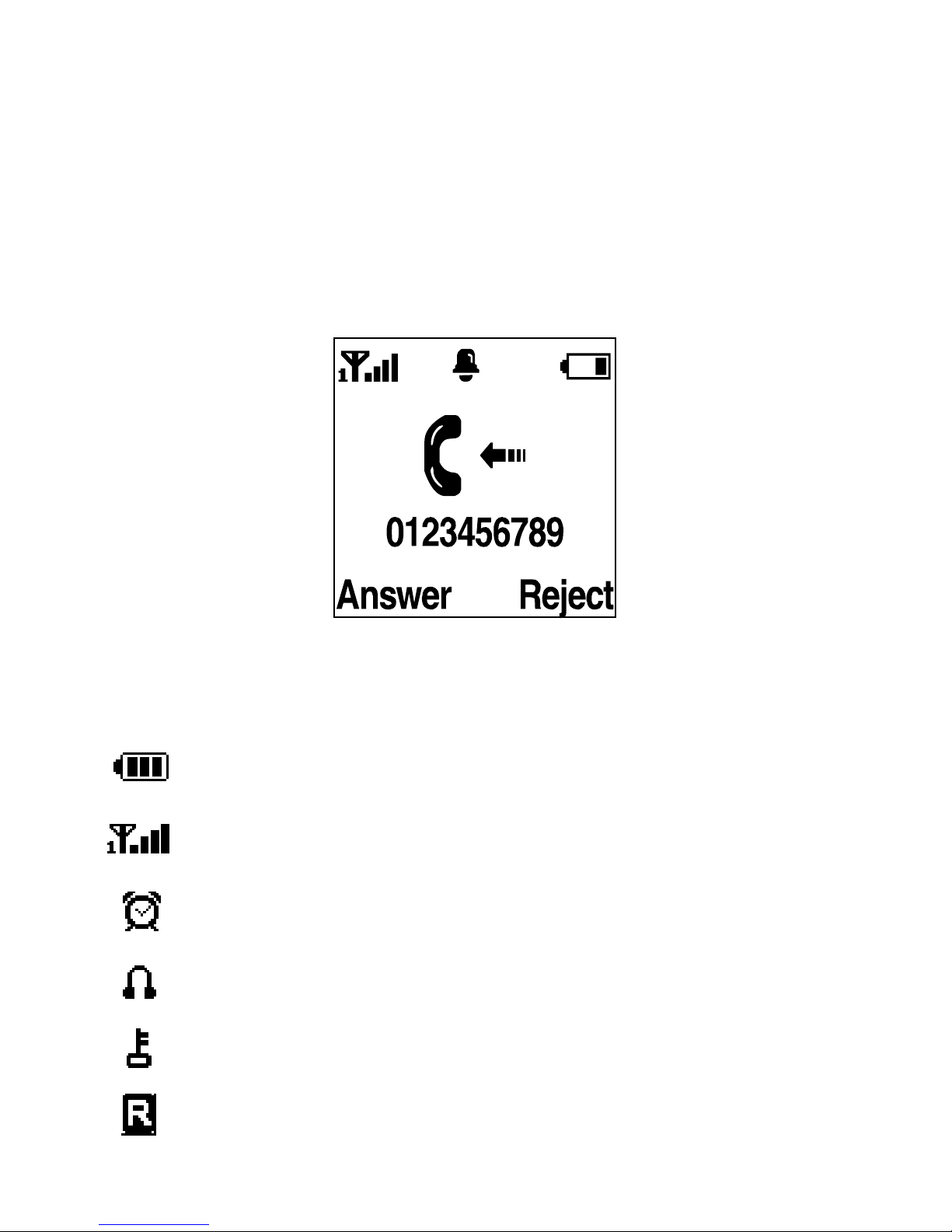
The display has three areas: The status of the mobile
telephone is indicated in the top area, the middle area
shows call numbers or text messages, and selection
functions in the menu or for the function keys are
displayed at the bottom.
The status symbols in the top area have the following
meaning:
Battery level
Signal strength of the GSM network
Alarm active
Headset connected
Keypad locked
Roaming
Indice
Altri manuali ALcom Telefono cellulare


