Alinking ALC-9551 Manuale utente

ALC-9551
Outdoor High-Speed Dome
Network Camera
User Manual
Software Version 1.14
1

Contents
Contents .........................................................................................................................2
Package Contents...........................................................................................................4
System Requirements.....................................................................................................5
Introduction....................................................................................................................6
Features and advantages ................................................................................................6
System Introduction.......................................................................................................7
Hardware Installation...................................................................................................11
Camera Settings...........................................................................................................19
Camera Setting from a Router .....................................................................................21
Change the Internet Explorer Setting...........................................................................22
Enter the Main Page.....................................................................................................24
Camera Main Page.......................................................................................................27
System Settings............................................................................................................42
Basic Settings...............................................................................................................42
System ................................................................................................................42
Video/Image........................................................................................................43
Audio (Sound) ....................................................................................................49
User(User)...........................................................................................................50
Network (Network Settings) .............................................................................52
Network........................................................................................................52
Streaming ....................................................................................................53
PPPoE ..........................................................................................................54
DDNS...........................................................................................................55
UPnP............................................................................................................56
SMTP Server................................................................................................59
Samba...........................................................................................................59
Multicast ......................................................................................................61
Date/Time............................................................................................................63
IP Filter...............................................................................................................64
2


Application Setting ......................................................................................................65
Event ...................................................................................................................65
Motion Detection................................................................................................74
Firmware upgrade.............................................................................................76
Factory Default ..................................................................................................79
Reboot.................................................................................................................80
Attachment A: External Alarm.....................................................................................82
Attachment B: Bandwidth Estimation.........................................................................84
Attachment C: Troubleshooting and FAQs..................................................................85
FCC Class B Announcement.......................................................................................89
3

Package Contents
Make sure you have received the following items. If any item is missing, please
contact your dealer.
Camera Unit Pack
1.PTZDomeCamera 2.OpticalCover
Accessory Pack
3.QuickGuide 4.HardwareInstallationGuide
5.CDROM(Manual/Software) 6.Glove
4

System Requirements
ALC-9551
Network Environment
LAN 10/100M Ethernet
Monitoring system resource requirements
Operating system Windows 2000 Professional SP4,XP Home SP2
Browser Internet Explorer 6.x or later versions
System hardware CPU: Pentium 4, 2.4GHz or better
RAM: 512MB (1GB recommended)
VGA resolution: 1024x768 or higher
5

Introduction
This product is a speed dome camera that can connect to Ethernet, LAN, and any
broadband networks. Unlike traditional CCTV cameras, a CPU and a webpage server
are built in the speed dome camera to provide a professional remote monitoring
function for the user. This camera provides a 360° quick rotation monitoring and an
intelligent image detection system that automatically locks on target and enlarges the
image when an abnormal object is detected. This product is a professional, cutting
edge monitoring equipment.
Features and advantages
The speed dome camera can operate independently without the need for any other
hardware or software. After the camera is connected to the network, the remote
monitoring can be achieved via the IE browser (version 6.0 or above) of a computer to
provide the best security.
The camera has the following features:
zThe 1/4” Sony Exview HAD CCD image sensor provides vivid image quality.
zThe 18x or 26x optical zooming camera lens allows a clearer view from a
distance.
zMPEG4/MJPEG dual image compression modes and the dual encoding
capability meet different requirements of the user.
zRotation speed reaches up to 400° per second allowing for quick positioning.
zAutomatic surveillance camera can rotate 360° horizontally and 0° - 90°
vertically with 64 preset positions.
zDay & Night Mode with Auto-IR Cut Filter.
zIP-66 Weather-Resistant Housing for outdoor environment usage.
zThe intelligent dynamic image detection function can automatically monitor
abnormal situations and make instant response according to the setting.
zThe built-in webpage server allows an easy access via networks.
zDynamic IP and DNS are supported. The camera can operate in a setting without
any static IP.
zUser permission can be set based on different levels to ensure the security of the
camera and protection of the property.
zThe simple and clear design is suitable for airports, train stations, office
buildings, large gymnasiums, warehouses, factories, shopping malls and schools.
6

System Introduction
1. AC/DC power inlet: This product supports both alternate current (AC24V/1.0A)
and direct current (DC12V/2A). Please connect the product to a power supply.
The power input of this product is non-polarized. The product can automatically
determine the type of the incoming current.
2. Ethernet connector: An RJ-45 connector is provided for connection to the
10Base-T Ethernet cable or 100 Base-T High Speed Ethernet cable. This port can
automatically detect or coordinate the transmission rate of the network.
3. Use a video/audio output cable for external video/audio transmission if required.
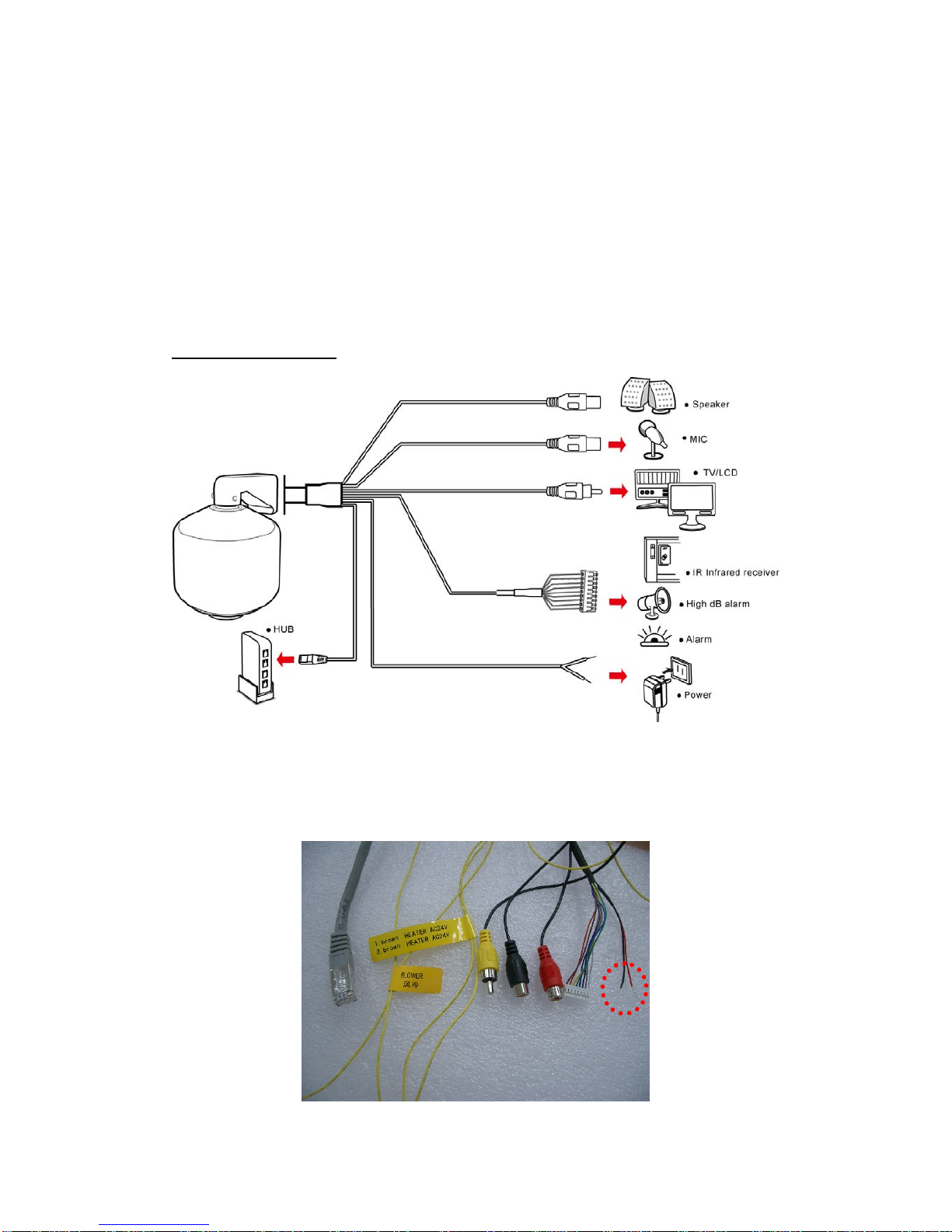
Wiring of the product
AC/DC power inlet
Please connect the product to a power supply from theAC/DC Power Inlet. The
power inlet of this product is non-polarized. The product can automatically determine
the type of the incoming current.
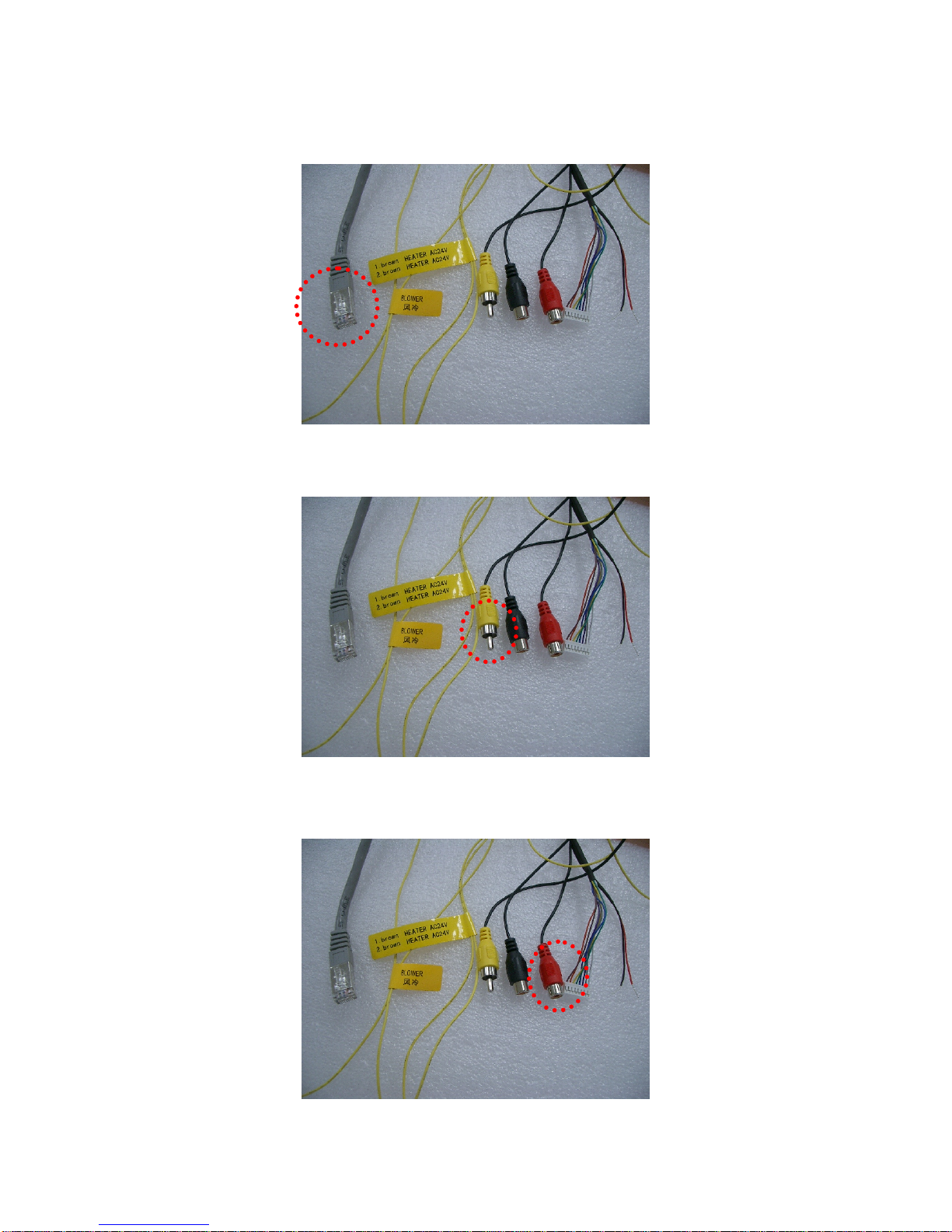
LAN socket
7

Please connect the product to your network from the LAN socket.
Video out
Please connect the product to the display using the video out cable.
Audio in
Please connect the product to the microphone using the audio in cable.
Audio out
8

Please connect the product to the speaker using the audio out cable.
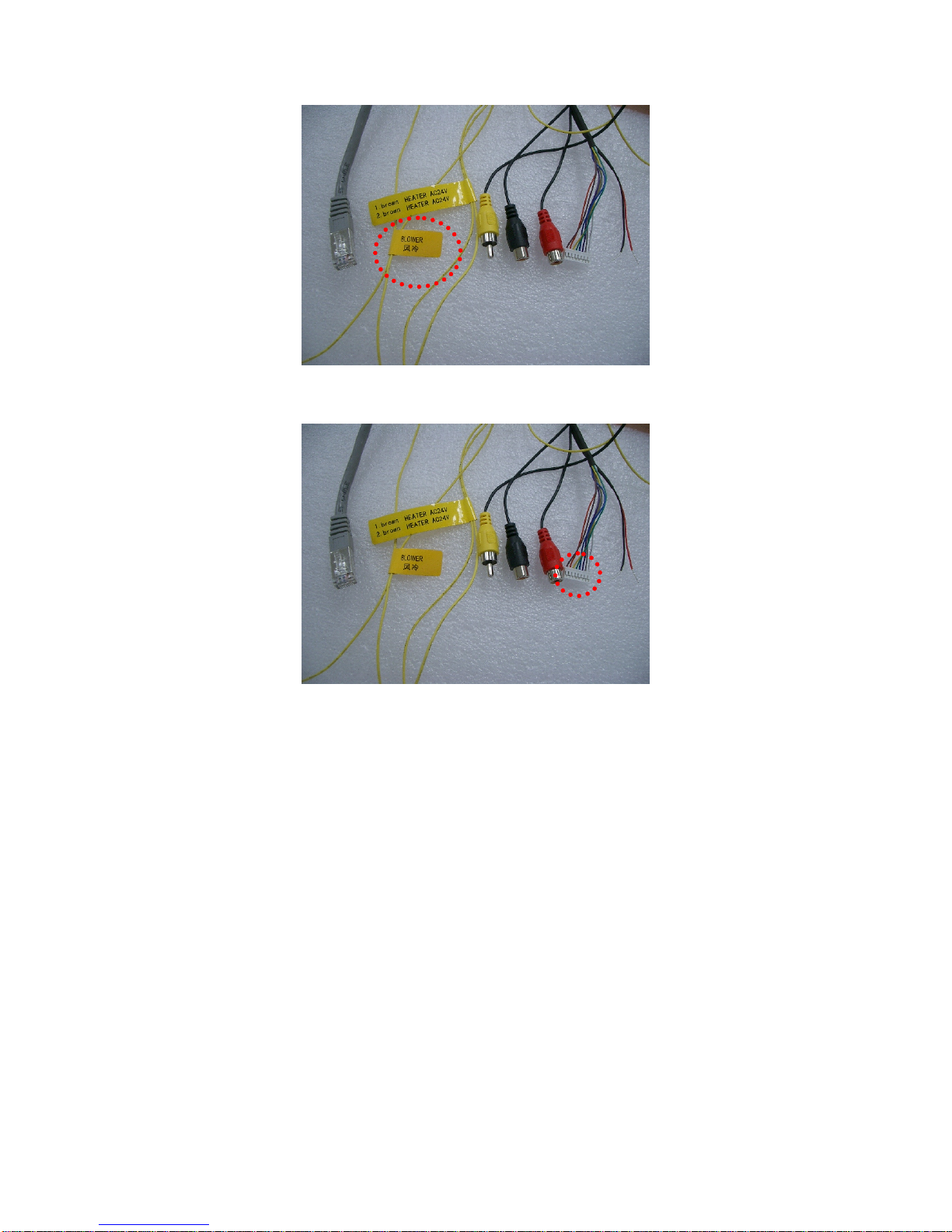
Power inlet for anti-fog air heater
The product equipped with automatic temperature detection and air heater to prevent
fogging. Please connect to AC 24V power outlet.
Power inlet for cooler fan
The product will automatic activate the cooler fan when the inner temperature is too
high. Please connect to AC 24 power outlet.
9

External alarm connector (DI/DO)
See Appendix A for details of D1/DO.
10
Questo manuale è adatto per i seguenti modelli
1
Indice
Altri manuali Alinking Telecamera di sicurezza