
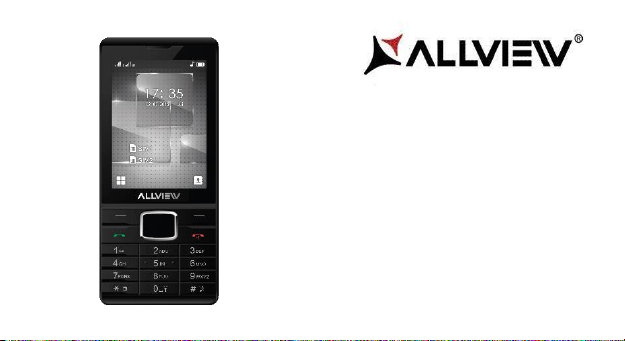
Allview M9 Luna Manuale utente

2
User Manual
FOR YOUR SAFETY
Read these simple guidelines. Not following them may be dangerous or illegal.
SWITCH OFF IN HOSPITALS
Follow any restrictions. Switch the device off near medical equipment. Do not use the device where
blasting is in progress.
Please keep this cell phone away from children, as they could mistake it for a toy, and hurt themselves
with it.
Don’t try to modify the phone except by the professional. Warning!
Only use the authorized spare parts, otherwise it may damage the phone and the warranty will not work.
And it may be dangerous.

3
SWITCH OFF WHEN REFUELING
Don’t use the phone at a refueling point. Don’t use near fuel or chemicals.
SIM CARD AND T-FLASH CARD ARE PORTABLE
Pay attention to these small things to avoid children eating them.
Notice: The T-Flash Card can be used as a Memory Disk, the USB cable is necessary.
BATTERY
Please do not destroy or damage the battery, it can be dangerous and cause
fire. Please do not throw battery in fire, it will be dangerous When battery
cannot be used, put it in the special container.
Do not open the Battery.
If the battery or the charger is broken or old, please stop using them.
USE QUALITY EQUIPMENT
Use our authorized equipment or it will cause dangers
4
ROAD SAFETY COMES FIRST
Give full attention while driving; Pull off the road or park before using your phone if driving conditions so
require.
INTERFERENCE
All wireless devices may be susceptible to cause interference, which could affect performance.
SWITCH OFF IN AIRCRAFT
Wireless devices can cause interference in aircraft. It’s not only dangerous but also illegal to use mobile
phone in an aircraft.
Warning: We take no responsibility for situations where the phone is used other than as provided in the
manual.
Our company reserves the right to make changes in the content of the manual without making this public.
These changes will be posted on the company website to the product it amends.
The contents of this manual may be different from that in the product. In this last case will be considered.

5
GETTING STARTED
Battery Install Notice
Before you install or change battery, please ensure you already turn off the phone.
Install or change SIM card Notice
1. Before you change SIM card, please make sure you already turn off the phone and dispose battery.
2. Insert the SIM card and make the golden contact area face down and the nick face out.
Charge the battery
1. Before charging the battery, please make sure that the battery is installed properly in the phone.
2. Connect the charger lead to the phone socket, and then connect the charger to the AC socket.
3. If the phone is off when it’s charging, charging indicator is displayed on the screen. If the phone is on
when it’s charging, user can use it while charging. When the battery is fully charged, the charging indicator
on the screen is full and stops twinkling. While using the handset for the first time, please completely
discharge and then completely charge the battery. Repeat the process for three times to achieve the full
performance of the battery.

6
4. Long period unused or some other reasons may cause low battery pressure, so at the beginning of
charging the screen is black and it may take a while before the charging indicator appears.
Warning: When charging, in order to avoid serious damage to phone circuitry, do not remove or dispose
the battery.
CALLS
Key Explanation
Lock Keypad: Press * then select “Lock” Unlock
Keypad: Left Side then press *
* Key # Key:
Functions vary in different situations or function menus:
- In inputting status, “*” for symbols.
- In inputting status, “#” to switch inputting methods.
- In standby mode, hold “#” to switch the phone in silent mode.

7
- In standby and dial mode, press and hold “*”, you can input +, P and W.
- In standby mode, input “+” for an international call; in dial status, input “P” for calling number
with extension phone.
Main Menu Explanation
When you press Menu key, you will enter main menu. Press up, down, left and right keys to select
different functions.
Make a Call
Making a call by dialing numbers:
1. In standby mode, enter the phone number. If you want to change the numbers, press left and right
direction key to move the cursor and press〈Clear〉to delete a number. Press and hold 〈Clear 〉to
delete all characters.
2. Press the call key to call the number.
Making a call using the Phonebook:
You can enter the phonebook list from functional menu, choose or input the needed letter (phonetic) to
search. Choose the number; press the call key to dial out.
Call the Dialled calls, Received calls, Missed calls:

8
1. In standby mode, press the call key to view the call log
list.
2. Choose a number and press the call key to dial.
Making a call using the menu:
1. In standby mode, enter the menu, choose Call logs;
2. Choose from missed calls, dialled calls, and received calls.
3. Choose the needed number and press the call key to make a call.
Answer an Incoming Call
Press the Call key to answer an incoming call.
Call Options
Offer numerous in call functions (some of these functions need a subscription with the service provider).
During the call, press->Option and choose between the following options :
Hold: Pause the call.
End single call: End the present call.
New call: To make a new call.
Phonebook: Same as phonebook list in the function menu.
Call history: Same as call history in the function menu.

9
Messaging: To explore the Messaging Menu.
Sound recorder: Record the sound.
Mute: Enable the mic of phone not work.
DTMF (Dual-tone Multi-frequency): You can choose on/off, which is to send dual-tone multi-frequency
sound, this can offer dialing to the telephone numbers with extensions. Volume: To adjust the volume of
the call.
INPUT METHOD
Overview
Your phone offers input methods as followings: Smart abc, es, ro. Keypad Definition
The definition of keypad is as follow:
Left key: Enter and OK
Right key: Back and Cancel
Navigate Keys: Cursor move or choose word.
# Key: Switch input methods and a sign will be display in left side.
2-9 key: Input the letter on the keys when input.
* Key: Input punctuation

10
FUNCTION LIST
Phonebook
You can save the contacts in the mobile phone and SIM card; it depends on the SIM card memory
capacity. When you select a contact, you can do the following operations:
View: To view the contact
Send text message: Send text message to the current number.
Send multimedia message: Send multimedia message to the current number.
Call: To Call the current number.
Edit: To edit the current contact.
Delete: To delete the current contact.
Copy: To copy the contact from phone to SIM card /phone or from SIM card to SIM card /phone or copy
to file.
Add to Blacklist: Add the current number to the blacklist.
Add to Whitelist: Add the current number to the white list.
Phonebook settings: To set the Phonebook.
Altri manuali per M9 Luna
1
Indice
Lingue:
Altri manuali Allview Telefono cellulare


