
Alshurooq Quibla Compass Manuale utente

User Guide
QIBLA COMPASS
P.O Box: 1146, Riyadh: 11431-KSA
Tel.:+966 1 4113300 Fax: +966 1 4145050
١١٤٣١ ﺽﺎﻳ ﺮﻟﺍ -١١٤٦ ﺏ ﺹ
٤١٤٥٠٥٠ ﺲﻛﺍ ﻑ٤١١٣٣٠٠ ﻥﻮﻔﻠﺗ
User Guide
QIBLA COMPASS
P.O Box: 1146, Riyadh: 11431-KSA
Tel.:+966 1 4113300 Fax: +966 1 4145050
١١٤٣١ ﺽﺎﻳ ﺮﻟﺍ -١١٤٦ ﺏ ﺹ
٤١٤٥٠٥٠ ﺲﻛﺍ ﻑ٤١١٣٣٠٠ ﻥﻮﻔﻠﺗ

I N D E X
Main Features
Important Comments
At a Glance
How to turn on the Clock
How to select the Language
Menu Tree
Setting City
How to Use the Compass
Setting Time and Calendar
Hijri Date Adjustment
Setting Daylight Saving
Prayer Time Calculations
Select Calculation Method
Select SHAFI or HANAFI for ASR PRAYER TIME
Setting Location to enable a New City
Setting Daily Alarm
Setting One Day Alarm
Setting Prayer Alarm
Stop Watch
1
2
3
3
3
4
5
6
6
8
10
10
12
13
14
17
18
18
20

I N D E X
Timer
Tasbee
Battery Off
Language
Western and Hijri Calendar Conversation
How to Display Prayer Time
How to Display Qibla
How to Trigger Backlight
20
20
21
21
22
22
23
23

MAIN FEATURES
Prayer times for 640 cities world wide
New cities available by reprogramming
Six different methods to calculate azan times
Qibla directi on from the North
Hijri & Gregorian calendar
Prayer time alarm / Daily alarm / One day alarm
Compass with Location Degrees on bezel
Six languages options:English, Arabic, German, French,
Turkey, Malay
World time
Daylight saving time option
Stopwatch / Tabsee / Timer
El back-light
Day
Week
Daily Alarm
1-Day Alarm
Real Time
Prayer Time Alarm
The Coming
Prayer Time
Month Year
Sun
P
A
1
ﺕﺎﻳﻮﺘﺤﻤﻟﺍ
ﺔﻴﺴﻴﺋﺮﻟﺍ ﺺﺋﺎﺼﺨﻟﺍ
ﺔﻤﻬﻣ ﺕﺎﻈﺣﻼﻣ
(ﺔﻋﺎﺴﻟﺍ ﺭﺍﺭﺯﺃ) ﺔﻌﻳﺮﺳ ﺔﺤﻤﻟ
ﻂﺒﺿ ﺱﺮﻬﻓ ﺖﺤﺗ ﻞﻴﻐﺸﺘﻟﺍ
ﺔﻠﺻﻮﺒﻟﺍ ﻡﺍﺪﺨﺘﺳﺍ ﺔﻴﻔﻴﻛ
ﻪﻨﻳﺪﻤﻟﺍﺩﺍﺪﻋﺍ
ﺦﻳﺭﺎﺘﻟﺍﻭ ﺖﻗﻮﻟﺍ ﺩﺍﺪﻋﺍ
ﻱﺮﺠﻬﻟﺍ ﺦﻳﺭﺎﺘﻟﺍ ﺦﻳﺭﺎﺗ ﺩﺍﺪﻋﺍ
ﻲﻔﻴﺼﻟﺍ ﺖﻴﻗﻮﺘﻟﺍ ﺩﺍﺪﻋﺍ
ﺕﺍﻮﻠﺼﻟﺍ ﺏﺎﺴﺣ ﺔﻘﻳﺮﻁ
ﺕﺍﻮﻠﺼﻟﺍ ﺏﺎﺴﺤﻟ ﺕﺎﻤﻈﻨﻤﻟﺍﻭ ﺕﺎﺌﻴﻬﻟﺍ
ﺕﺍﻮﻠﺼﻟﺍ ﺩﺍﺪﻋﺍ
ﻊﻗﻮﻟﺍ ﺩﺍﺪﻋﺍ
ﺱﺮﻬﻓ ﺖﺤﺗ ﻞﻴﻐﺸﺘﻟﺍ ﺩﺍﺪﻋﺍ
ﻪﺒﻨﻤﻟﺍ ﺩﺍﺪﻋﺍ
ﺔﻴﻧﺎﺜﻟﺍ ﺔﻋﺎﺳ ﺩﺍﺪﻋﺍ
ﺩﺍﺪﻋ ﺩﺍﺪﻋﺍ
ﺢﻴﺒﺴﺗ
ﺔﻟﻻﺍ ﻕﻼﻏﺍ
ﺔﻐﻟ
۱
۲
۳
٤
٤
٤-٥
٥-۷
۷-۸
۹
۱۰
۱۰
۱۱-۱۲
۱۲
۱۳
۱۳-۱٤
۱٤-۱٥
۱٥
۱٥-۱٦
۱٦
۱۷

IMPORTANT COMMENTS
Take care not to wear the watch while doing rough work, playing
contact sports or in any situation where the watch might be scraped
against rough surfaces.
Your watch is manufactured to withstand slight shocks but care
should be taken not to drop or hit the watch against hard surfaces.
Avoid exposing the watch to Any chemicals as they may damage the
watch.
Also care should be taken not to store your watch in such a way that
the buttons are constantly pressed as this will drain the battery.
When you first acquire the watch or after battery replacement, you
must set City-Time-Calendar in order to start the watch, and then to
set prayer time, alarm and so on if necessary.
Press and hold MODE for several seconds, main menu will display
on the screen, first select SET or SET UP and press OK to
confirm. Then the relative menu below it will display on the screen
one by one. Please be noted that you can press and hold UP or
DOWN to fast selection.
When setting the time or any alarm, pay attention to the AM/PM
setting. Prefers to PM, without any letter refer to AM.
Select the appropriate language first if the current one is not your
preference.
ﺔﻴﺴﻴﺋﺮﻟﺍ ﺺﺋﺎﺼﺨﻟﺍ
.ﺔﻴﻤﻟﺎﻋ ﺔﻨﻳﺪﻣ ٦٤۰ ﻝ ﺲﻤﺨﻟﺍ ﺕﺍﻮﻠﺼﻟﺍ ﺖﻴﻗﺍﻮﻣ
.ﻲﻤﻟﺎﻌﻟﺍ ﺖﻴﻗﻮﺘﻟﺍ
. ﺓﺪﻳﺪﺟ ﺔﻨﻳﺪﻣ ﻭﺃ ﺪﻳﺪﺟ ﻊﻗﻮﻣ ﻝﺎﺧﺩﺇ ﺔﻴﻧﺎﻜﻣﺇ
.ﻝﺎﻤﺸﻟﺍ ﻦﻣ ﺔﻠﺒﻘﻟﺍ ﺔﺟﺭﺩ ﺮﺷﺆﻣ
.ﻱﺩﻼﻴﻣ / ﻱﺮﺠﻫ ﻢﻳﻮﻘﺗ
.ﻲﻣﻮﻳ ﺔﺒﻨﻣ , ﺪﺣﺍﻮﻟﺍ ﻡﻮﻴﻟﺍ ﺔﺒﻨﻣ , ﺓﻼﺼﻟﺍ ﺔﺒﻨﻣ
.ﺢﻴﺒﺴﺗ / ﺩﺍﺪﻋﺇ / ﺔﻋﺎﺳ ﺖﻴﻗﻮﺘﻟﺍ
ﺔﻐﻠﻟﺍ / ﺔﻴﺑﺮﻌﻟﺍ ﺔﻐﻠﻟﺍ / ﺔﻳﺰﻴﻠﺠﻧﻹﺍ ﺔﻐﻠﻟﺍ : ﺕﺎﻐﻠﻟﺍ ﺓﺩﺪﻌﺘﻣ ﻢﺋﺍﻮﻗ
.ﺔﻴﻛﺮﺘﻟﺍ ﺔﻐﻠﻟﺍ /ﺔﻳﺰﻴﻟﺎﻤﻟﺍ ﺔﻐﻠﻟﺍ /ﺔﻴﺴﻧﺮﻔﻟﺍ ﺔﻐﻠﻟﺍ / ﺔﻴﻧﺎﻤﻟﻷﺍ
ﻡﺎﻳﻼﻟﺍ
ﻲﻫﻮﺑ ﻪﺒﻨﻫ
١ﻡ ﻮﺑ ﻪﺒﻨﻫ
ﰎﻮﻘﺘﻟﺍ
ﺖﻗ ﻮﻟﺍ
ﺓﻼﺼﻟﺍ ﻪﺒﻨﻫ
ﺔﻴﻟﺎﺘﻟﺍ ﺓﻼﺜﻴﺻﺍ ﺖﻗﻭ
Sun
P
A
۱2

At a glance
1. SET Hijri and Western calendar conversion select menu / week
display
2. OK Confirm setting / five prayer times and sunrise times display
3. UP Qibla degree and city display / language selection page up
4. DOWN Back-light / page down
HOW TO TURN ON THE CLOCK
When you first receive this watch, its display may be blank, simply
Press any of the buttons to turn on it.
HOW TO SELECT THE LANGUAGE
There are six languages in this watch. Press UP for several second until
the LCD displays language. Then press UP and DOWN to select any
one language you desired, then press OK to conform it. Please be noted
that you are required to select the language first when start other steps.
Sun
P
A
SET SET
OK DOWN
ﺔﻤﻬﻫ ﺕﺎﻈﺣﻼﻣ
ﻭﺃ ﻞﻤﻌﻟﺍ ءﺎﻨﺛﺃ ﺔﻔﻴﻨﻌﻟﺍ ﺕﺍﺰﻬﻠﻟ ﺎﻬﻀﻳﺮﻌﺗ ﻡﺪﻋﻭ ﺔﻋﺎﺴﻟﺍ ﻰﻠﻋ ﺔﻈﻓﺎﺤﻤﻟﺍ ﺐﺠﻳ .۱
.ﺔﺿﺎﻳﺮﻟﺍ ﺔﺳﺭﺎﻤﻣ
.ﻡﻭﺰﻠﻟﺍ ﺪﻨﻋ ﻻﺇ ﺔﻋﺎﺴﻟﺍ ﺭﺍﺭﺯﺃ ﻂﻐﺿ ﻡﺪﻋ .۲
ﺔﻋﺎﺴﻟﺍ ﻂﺒﺿ ﻢﺛ ًﻻﻭﺃ ﺔﻨﻳﺪﻤﻟﺍ ﺭﺎﻴﺘﺧﺇ ﺐﺠﻳ , ﺔﻋﺎﺴﻠﻟ ﻝﻭﻷﺍ ﻡﺍﺪﺨﺘﺳﻹﺍ ﺪﻨﻋ .۳
. ﻢﻳﻮﻘﺘﻟﺍﻭ
ﻰﻠﻋ ﺔﻴﺴﻴﺋﺮﻟﺍ ﻡﺎﻬﻤﻟﺍ ﺔﻤﺋﺎﻗ ﺮﻬﻈﺗ ﻰﺘﺣ ﺔﻴﻧﺎﺛ ۲ ﺓﺪﻤﻟ ﻡﺎﻬﻤﻟﺍ ﺭﺯ ﻂﻐﺿﺇ .٤
.ﺔﺷﺎﺸﻟﺍ
ﻲﻔﻴﺼﻟﺍ ﺖﻴﻗﻮﺘﻟﺍ / ﻱﺮﺠﻬﻟﺍ ﺦﻳﺭﺎﺘﻟﺍ / ﺦﻳﺭﺎﺗ - ﺖﻗﻭ / ﺔﻨﻳﺪﻤﻟﺍ
. ﻊﻗﻮﻤﻟﺍ - ﺕﺍﻮﻠﺼﻟ /
ﺔﻤﻬﻣ ﻱﺃ ﺭﺎﻴﺘﺧﺇ ﺪﻨﻋ ﻂﺒﻀﻟﺍ ﺭﺯ ﻂﻐﺿﺇ
.ﺩﺍﺪﻋﻹﺍ ﺪﻨﻋ ﻚﻠﻀﻓ ﻦﻣ ﺔﻐﻠﻟﺍ ﺭﺎﺘﺧﺇ
3
۲

MENU
SET
00:00:00--199:99:99SECONDS
COUNTDOWN FROM 199 MINUTES
TASBEE33/TASBEE99
ARE YOU SURE?
SETUP
MIDDLE EAST
EUROPE
NORTH AMERICA
ASIA
AFRICA
REST OF THE WORLD
CITY
TIME
HUJRI DATE
DST SAVE
PRAYERS
LOCATION
ALARM TIME
STOPWATCH
TIMER
TASBEE
BATTERY OFF
LOCATION
TIME -12/24 HOURS FORMAT
DATE
MONTH
YEAR
DATE
MONTH
YEAR
DAILY ALARM --ON/OFF
TODAY ALARM--ON/OFF
PRAYER ALARM --ON/OFF
ENGLISH/ARABIC/FRENCH/ GRAMAN/
MALAY/TURKEY
- 1 HOUR
+1 HOUR
ASR PRAYER--SHAFI HANAFI
CACUL METHOD
ASR PRAYER--SHAFI HANAFI
CACUL METHOD
TIME ZONE
ORGANIZATION--KASCT/IML/EGS
UIS/ISNA/DIY
Sun
P
A
ﻒﺋﺎﻈﻟﺍ ﺭﺯ ﻰﻠﻋﺃ
ﻂﺒﻀﻟﺍ ﺭﺯ ﻞﻔﺳﺃ
ﺔﻌﻳﺮﺳ ﺔﺤﻤﻟ
ﺔﻤﺋﺎﻗ ﺽﺍﺮﻌﺘﺳﺇ / ﻱﺩﻼﻴﻤﻟﺍﻭ ﻱﺮﺠﻬﻟﺍ ﻢﻳﻮﻘﺘﻟﺍ ﻦﻴﺑ ﺮﻴﺨﺘﻟﺍ : ﻒﺋﺎﻅﻮﻟﺍ ﺭﺯ .۱
.ﺔﻴﺴﻴﺋﺮﻟﺍ ﻡﺎﻬﻤﻟﺍ
.ﺕﺍﺭﺎﻴﺨﻟﺍ ﺪﻴﻛﺄﺗ / ﺲﻤﺨﻟﺍ ﺕﺍﻮﻠﺼﻟﺍ ﺖﻴﻗﺍﻮﻣ ﺽﺍﺮﻌﺘﺳﺇ : ﻂﺒﻀﻟﺍ ﺭﺯ .۲
. ﻰﻠﻋﺃ ﺔﺷﺎﺷ / ﺔﻐﻠﻟﺍ ﺭﺎﻴﺘﺧﺇ / ﺔﻠﺒﻘﻟﺍ ﺽﺮﻋ : ﻰﻠﻋﺃ ﺭﺯ .۳
.ﻞﻔﺳﺃ ﺔﺷﺎﺷ / ﺔﺷﺎﺸﻟﺍ ﺓءﺎﺿﺇ : ﻞﻔﺳﺃ ﺭﺯ .٤
۳4

SETTING CITY
You will be required to select Region-Country-City in Sequence,
ensure you choose the correct region and country so as to approach the
desired city finally.
1. Press MODE button for 3 second
to enter main menu SET. Press OK
to confirm it and it will display city
on the screen. Confirm it by pressing
OK to enter city setting.
2. Use UP or DOWN to select the desired
continent and press OK to confirm it.
The screen will display countries.
3. Use UP or DOWN to select the desired
country and confirm it by pressing OK
button. The screen will display the cities.
4. Use UP or DOWN to select the desired
city and press ok to confirm it.
12:3050
P
SET
3:20
P
12:3050
3:20
P
CITY
P
12:3050
3:20
P
MIDDLE EAST
P
12:3050
3:20
P
SAUDIARABIC
P
12:3050
P
ﻁﺑﺿ
3:20
P
12:3050
3:20
P
ﺔﻧﻳﺩﻣﻟﺍ
P
12:3050
3:20
P
MIDDLE EAST
P
12:3050
3:20
P
SAUDIARABIC
P
12:30
50
3:20
P
ﺭﻁﺗﻧﺍ ﻼﺿﻓ
P
12:30
50
3:20
P
285 GUANGDONG
P
ﻂﺒﺿ ﺱﺮﻬﻓ ﺖﺤﺗ ﻞﻴﻐﺸﺘﻟﺍ
ﺔﻨﻳﺪﻤﻟﺍ ﺩﺍﺪﻋﺇ .۱
ﺮﻬﻅ ، ﺔﻴﻧﺎﺛ ۳ ﻒﺋﺎﻅﻮﻟﺍ ﺭﺯ ﻂﻐﺿﺇ .I
.ﺪﻴﻛﺄﺘﻟ ﻂﺒﻀﻟﺍ ﺭﺯ ﻂﻐﺿﺇ ، ﻂﺒﺿ
ﺔﺷﺎﺸﻟﺍ ﻲﻓ ﺔﻨﻳﺪﻤﻟﺍ ﺽﺮﻋ .II
ﺽﺮﻋ ، ﺪﻴﻛﺄﺘﻟ ﻂﺒﻀﻟﺍ ﺭﺯ ﻂﻐﺿﺇ .III
.ﺔﺷﺎﺸﻟﺍ ﻲﻓ ﺔﻳﺭﺍﺩﻹﺍ ﺔﻘﻄﻨﻤﻟﺍ ءﺎﻤﺳﺃ
ﻂﺒﻀﻟﺍ ﺭﺯ ﻂﻐﺿﺇ ﺢﻔﺼﺘﻠﻟ ﻰﻠﻋﺃ ﻞﻔﺳﺃ ﻂﻐﺿﺇ .IV
.ﺔﺷﺎﺸﻟﺍ ﻲﻓ ﻝﻭﺪﻟﺍ ءﺎﻤﺳﺃ ﺽﺮﻋ ﺪﻴﻛﺄﺘﻠﻟ
ﺽﺮﻋ ﺪﻴﻛﺄﺘﻠﻟ ﻂﺒﻀﻟﺍ ﺭﺯ ﻂﻐﺿﺇ ﺢﻔﺼﺘﻠﻟ ﻰﻠﻋﺃ ﻞﻔﺳﺃ ﻂﻐﺿﺇ .V
ﺔﺷﺎﺸﻟﺍ ﻲﻓ ﻥﺪﻤﻟﺍ ءﺎﻤﺳﺃ
ﺎﻤﻛ ﺪﻴﻛﺄﺘﻠﻟ ﻂﺒﻀﻟﺍ ﺭﺯ ﻂﻐﺿﺇ ،ﺢﻔﺼﺘﻠﻟ ﻰﻠﻋﺃ ﻞﻔﺳﺃ ﻂﻐﺿﺇ .VI
.ﻲﻟﺎﺘﻟﺍ ﺩﺍﺪﻋﻹﺍ ﻱﺮﺠﻳ
5٤

5. The screen shows PLEASE WAIT, a few
seconds later. It will enter next setting of
TIME or press MODE to return to real time
Display..
Note:Press UP button , it will display
qibla, direction, degree and the city name
on the top of the screen.
HOW TO USE THE COMPASS
1. Keep the travel clock on horizon
level and you can find North direction
from the compass.
2. Turning the dialer and make 0 degree
to North direction same as compass at the
same position.
3. Press UP button to find city name and
Kaaba direction degree on the screen.
4. Find out the degree on dialer and it is
the direction of Makkah (Kaaba).
SETTING TIME AND CALENDAR
You will be required to set the time and calendar in following Order:
Hour – Minute – 12/24 hour format –Date – Month – Year.
Be aware that only western calendar can be set, Hijri calendar
will be automatically calculated after western calendar being set.
1. Press MODE button for 2 second to
enter main menu SET, press OK to
confirm it.
12:30
50
3:20
P
PLEASE WAIT
P
12:30
50
3:20
P
285 GUANGDONG
P
N
DIRECTION OF KAABA
ﺔﺟﻛﺍ ﺔﻬﺟ
N
DIRECTION OF KAABA
ﺔﺟﻛﺍ ﺔﻬﺟ
N
DIRECTION OF KAABA
ﺔﺟﻛﺍ ﺔﻬﺟ
12:30
50
3:20
P
242 RIYADH
P
N
DIRECTION OF KAABA
ﺔﺟﻛﺍ ﺔﻬﺟ
N
DIRECTION OF KAABA
ﺔﺟﻛﺍ ﺔﻬﺟ
N
DIRECTION OF KAABA
ﺔﺟﻛﺍ ﺔﻬﺟ
12:30
50
3:20
P
242 RIYADH
P
12:30
50
3:20
P
SET
P
12:3050
3:20
P
ﺕﻗﻭﻟﺍ
P
12:3050
3:20
P
P
ﺕﻗﻭﻟﺍ
ﺔﻠﺻﻮﺒﻟﺍ ﻡﺍﺪﺨﺘﺳﺇ ﺔﻴﻔﻴﻛ .۲
ﻆﺣﻻﻭ ﻲﻘﻓﺃ ﻯﻮﺘﺴﻣ ﻲﻓ ﺔﻋﺎﺴﻟﺍ ﻊﺿﻭ .I
.ﺔﻠﺻﻮﺒﻟﺍ ﻲﻓ ﻝﺎﻤﺸﻟﺍ ﺓﺎﺠﺗﺇ
ﻲﻓ ﺮﻔﺼﻟﺍ ﻥﻮﻜﻳ ﻰﺘﺤﻣﺎﻗﺭﻷﺍ ﺮﺷﺆﻣ ﺓﺭﺍﺩﺈﺑ ﻢﻗ .II
.ﺔﻋﺎﺴﻟﺍ ﻚﻳﺮﺤﺗ ﻡﺪﻋ ﻊﻤﻟﺎﻤﺸﻟﺍ ﺓﺎﺠﺗﺇ
ﺔﻨﻳﺪﻤﻟﺍ ﻢﺳﺇ ﺮﻬﻈﻴﺳ UP ﺭﺯ ﻂﻐﺿﺇ .III
.ﺔﺷﺎﺸﻟﺍ ﻰﻠﻋ ﺔﺒﻌﻜﻟﺍ ﺓﺎﺠﺗﺇﻭ
ﻮﺒﻟﺎﺑ ﻢﻗﺮﻟﺍ ﻦﻋ ﺚﺤﺑﺇ ﺔﻨﻳﺪﻤﻟﺍ ﻢﻗﺭ ﺭﺎﻴﺘﺧﺇ ﺪﻌﺑ .IV
.ﻢﻗﺮﻟﺍ ﻞﺑﺎﻘﻣ ﺔﺒﻌﻜﻟﺍ ﺓﺎﺠﺗﺇ ﻥﻮﻜﻴﺳ ﺎﻫﺪﻨﻋ ﺔﻠﺻ
ﺦﻳﺭﺎﺘﻟﺍﻭ ﺪﻋﻮﻤﻟﺍ ﺩﺍﺪﻋﺇ .۳
، SET ﺮﻬﻅ ﺔﻴﻧﺎﺛ ۳ ﻒﺋﺎﻅﻮﻟﺍ ﺭﺯ ﻂﻐﺿﺇ .I
. ﺪﻴﻛﺄﺘﻠﻟ OK ﻂﻐﺿﺇ
.ﺔﺷﺎﺸﻟﺍ ﻲﻓ ﺖﻗﻮﻟﺍ ﺽﺮﻋ ﻰﻠﻋﺃ ﻞﻔﺳﺃ ﻂﻐﺿﺇ .II
.ﺔﻋﺎﺴﻟﺍ ﺩﺍﺪﻋﺇ ﺔﻟﺎﺣ ﻞﺧﺩﺃ ، ﺪﻴﻛﺄﺘﻠﻟ ﻂﺒﻀﻟﺍ ﺭﺯ ﻂﻐﺿﺇ .III
٥6
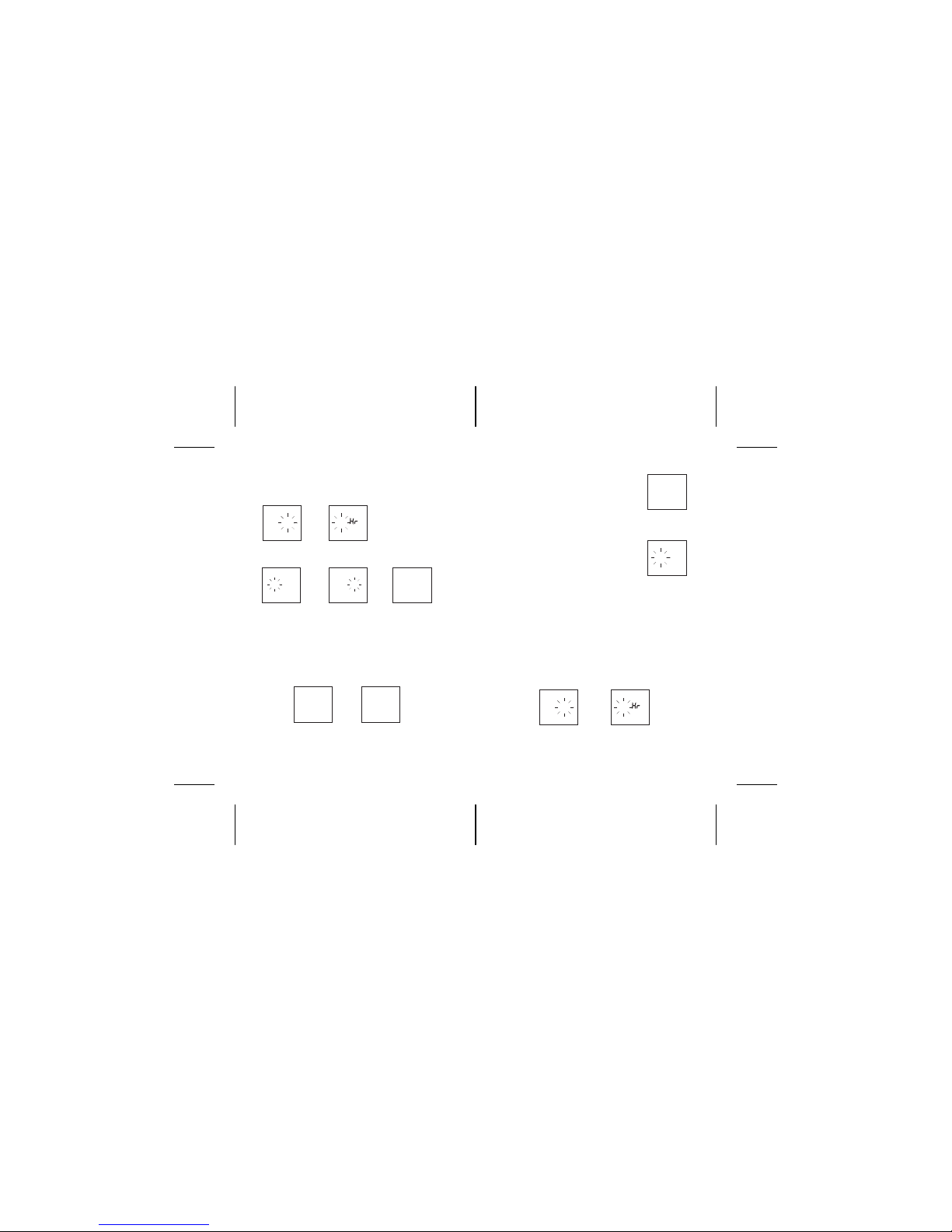
2. Use UP or DOWN to select TIME and
press OK to enter setting.
3. The digits of hour will flash, press UP or
DOWN to adjust hours, press OK to confirm
it, then enter minute setting. Please be
noted that the A/P change.
4. Adjust the minute by press UP or DOWN , confirm it
by press OK. Then enter the the 12/24 hours format. USE UP or
DOWN to select the desired format. Press OK to confirmit
and enter the date setting.
12:3050
3:20
P
TIME
P
12:3050
3:20
P
TIME
P
12:3050
3:20
P
TIME
P
12
3:20
12/24 FORMAT
P
12:3050
3:20
P
ﺕﻗﻭﻟﺍ
P
12
3:20
ﻡﺎﻁﺫﻟﺍ
P
18
3:20
ﻡﻭﻳﻟﺍ
P
0 150
3:20
P
ﺭﻬﺷﻟﺍ
P
2006
3:20
ﻡﺎﻌﻟﺍ
P
2006
3:20
ﺭﻅﺗﻧﺍ ﻼﺿﻓ
P
2006
3:20
ﻱﺭﺣﻬﻟﺍ ﺦﻳ ﺭﺎﻧﻟﺍ
P
، ﺔﻋﺎﺴﻟﺍ ﺩﺍﺪﻋﺇ ، ﺪﻴﻛﺄﺘﻠﻟ ﻂﺒﻀﻟﺍ ﺭﺯ ﻂﻐﺿﺇ ، ﺢﻔﺼﺘﻠﻟ ﻰﻠﻋﺃ ، ﻞﻔﺳﺃ ﻂﻐﺿﺇ .IV
.ﻡﺎﻌﻟﺍ ﺮﻬﺸﻟﺍ ، ﻡﻮﻴﻟﺍ ۲٤/۱۲ ﺝﺫﻮﻤﻧ ، ﺔﻘﻴﻗﺪﻟﺍ
ﻱﺮﺠﻳ ﺎﻤﻛ ، ﺦﻳﺭﺎﺘﻟﺍ ﺩﺍﺪﻋﺇ ﺪﻴﻛﺄﺗ ، ﻂﺒﻀﻟﺍ ﺭﺯ ﺡﺎﺘﻔﻣ ﻂﻐﺿﺇ ﺩﺍﺪﻋﻹﺍ ﻝﺎﻤﻛﺇ .V
. ﻲﻟﺎﺘﻟﺍ ﺩﺍﺪﻋﻹﺍ
7٦
Indice


