
Altius ATSDB-SCA22 Manuale utente
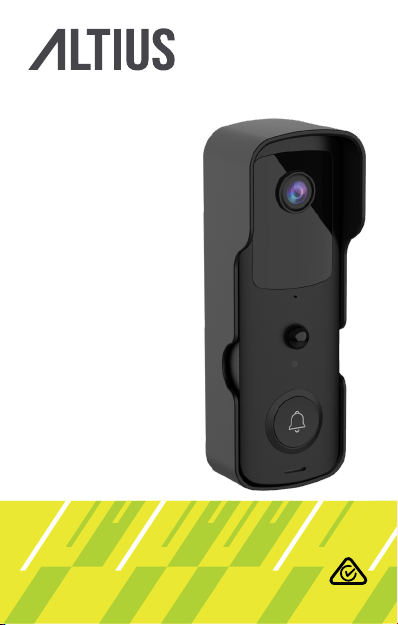
ATSDB-SCA22
SmArT DOOrBELL
USEr mAnUAL

2
We hope you enjoy your purchase!
ALTIUS products are carefully designed and
produced to the highest standards of performance
and safety, backed by our comprehensive 1 Year
Warranty.
This user manual will provide all the information
required for you to setup and use your new product.
WELCOmE

3
COnTEnTS
Welcome 2
General Safety Warnings 4
Product Overview 8
Operation 9
Settings 19
Troubleshooting 20
Specications 22
Compliance and Responsible
Disposal 23

4
GEnErAL SAfETy WArninGS
This product complies with Australian Safety
Standard AS/NZS 62368.1 to ensure the safety
of the product.
imPOrTAnT
Location
Location: Make sure the location for the product is well
ventilated, and away from damp and cold, protected
from overheating and away from direct sunlight, away
from moisture drips or splashes and protected from
excessive dust or grease.
Other electronic products may cause interference with
your smart doorbell. Try installing your smart doorbell
as far away from these electronic devices as possible:
wireless routers, radios, mobile phones, intercoms,
room monitors, televisions, personal computers,
kitchen appliances and cordless telephones.
Heat: Do not place the product set near heat sources
(eg. radiators, stoves, electrical equipment, ampliers).
Water: Do not place containers with liquids (eg. vases)
or with small metallic objects on top of the product.
Fire: Do not place any naked ame sources (eg. lit
candles, cigarettes) on the product.

5
Children: Supervise young children to ensure they do
not play with the product. This product is not a toy,
please keep out of reach of children.
Ensure the doorbell is securely mounted to avoid theft.
Avoid direct exposure to sunlight and rain.
Cleaning and Maintenance
Unplug or turn o the product before cleaning it.
Cleaning: Only use a soft, dry cloth for cleaning the
product; do not use a damp cloth. Never clean with
industrial strength polish, wax, benzene, paint thinner,
air freshener, lubricant, detergent or other chemicals.
Wipe o any moisture, dirt or dust on the power plug
pins with a clean, dry cloth.
Safe Battery Handling and Usage
The Doorbell should be kept out of direct sunlight
The Doorbell should be placed in a sheltered location
where it will not be directly exposed to the weather.
The doorbell MUST not be located in a position where
it will be directly exposed rain or water.
Repair: If the Chime requires repair, contact the After
Sales Support line; never disassemble or modify the
chime unit or attempt to service it yourself.

6
The chime is not intended for use by persons
(including children) with reduced physical, sensory
or mental capabilities, or lack of experience and
knowledge, unless they have been given supervision or
instruction by a person responsible for their safety.
Young children should be supervised to ensure they do
not play with the Doorbell or chime. Close supervision
is always necessary when any appliance is used by or
near children.
The Chime is designed for indoor use in dry places
only.
Batteries can EXPLODE, CATCH FIRE, and/or CAUSE
BURNS if disassembled, punctured, cut, crushed, short
circuited, incinerated, exposed to water, re, or high
temperatures.
Only use batteries supplied with the product. If you
are unsure about whether a replacement battery or
charger is compatible, contact customer support.
DO NOT use this battery pack for anything other than
its intended purpose.
DO NOT use a battery pack if its case appears
damaged, swollen, or compromised.
DO NOT disassemble, crush, puncture, short external
contacts, or dispose of in re or water

7
DO NOT expose the battery to re or temperatures
greater than 60°C. Do not place the battery next to
areas which may become hot. Examples include, but
are not
limited to, on or near a heater, cooking surfaces,
cooking appliances or replace.
DO NOT place the battery pack in a pocket, bag, or
other receptacle containing metal objects, such as
keys, jewelery, or tools.
DO NOT store the battery pack with hazardous or
combustible material. Store in a cool, dry, ventilated
area.
ALWAYS keep the battery pack away from children.
DO NOT load the battery pack backwards. MAKE SURE
the battery compartment is empty and free of any
moisture or loose debris before inserting the battery.
Follow local guidelines to dispose of used battery
packs.
Do not drop or cause an impact to the Chime or
Doorbell unit.
8
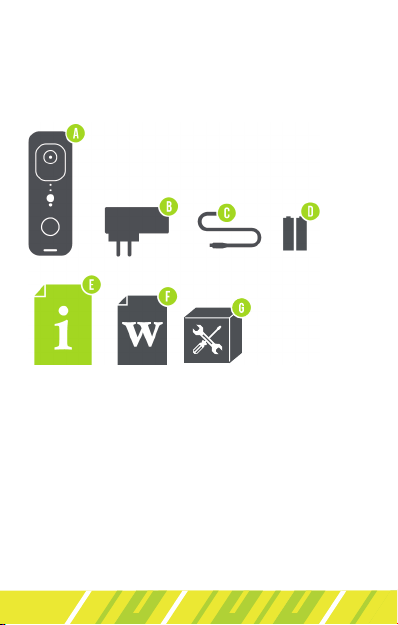
A. Smart Doorbell
B. Indoor Chime
C. Micro USB Cable
D. Rechargeable Lithium Batteries (2)
E. User Manual
F. Warranty Card
G. Installation Kit
What’s in the box:
PrODUCT OvErviEW

9
OPErATiOn
firST TimE USE
Take out the supplied lithium rechargeable batteries,
remove the protection sheet on the batteries and
insert according to the polarity markings (+/-) inside
the battery compartment on the back of the product.
Ensure the batteries are correctly aligned and properly
pushed into place.
Insert the supplied micro USB cable to the micro USB
charging port on the back of the product and the
other end to a power source. Charge for 8 hours.
10
TUyA SmArT APP
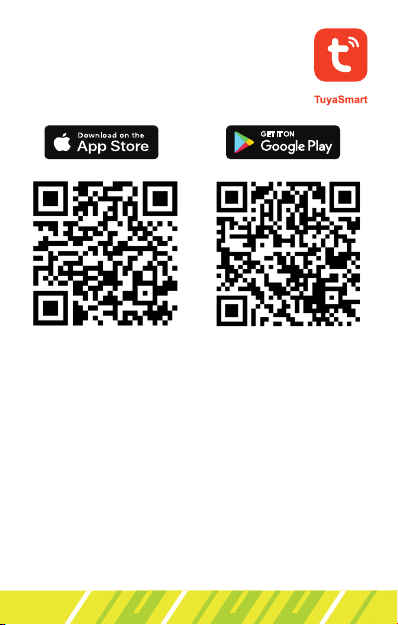
Search for the Tuya Smart app in the
app store to download, or scan the
QR code below.
1. Note: your mobile phone must support Android
OS 5.0 or IOS 10.0 or above. You must also
be connected to a mobile network or Wi-Fi
connection. When connecting to the Tuya Smart
app for the rst time, the WiFi connection must
be 2.4GHz. 5GHz Wi-Fi connection cannot be
supported on rst time connection.
rEGiSTrATiOn AnD LOGin
Open the app and select “Sign Up” to register. If you
already have an account, press “Log In”.
Indice


