
Amazilla iWING HD Manuale utente
User Manual
iWING HD
System No. IAR-601
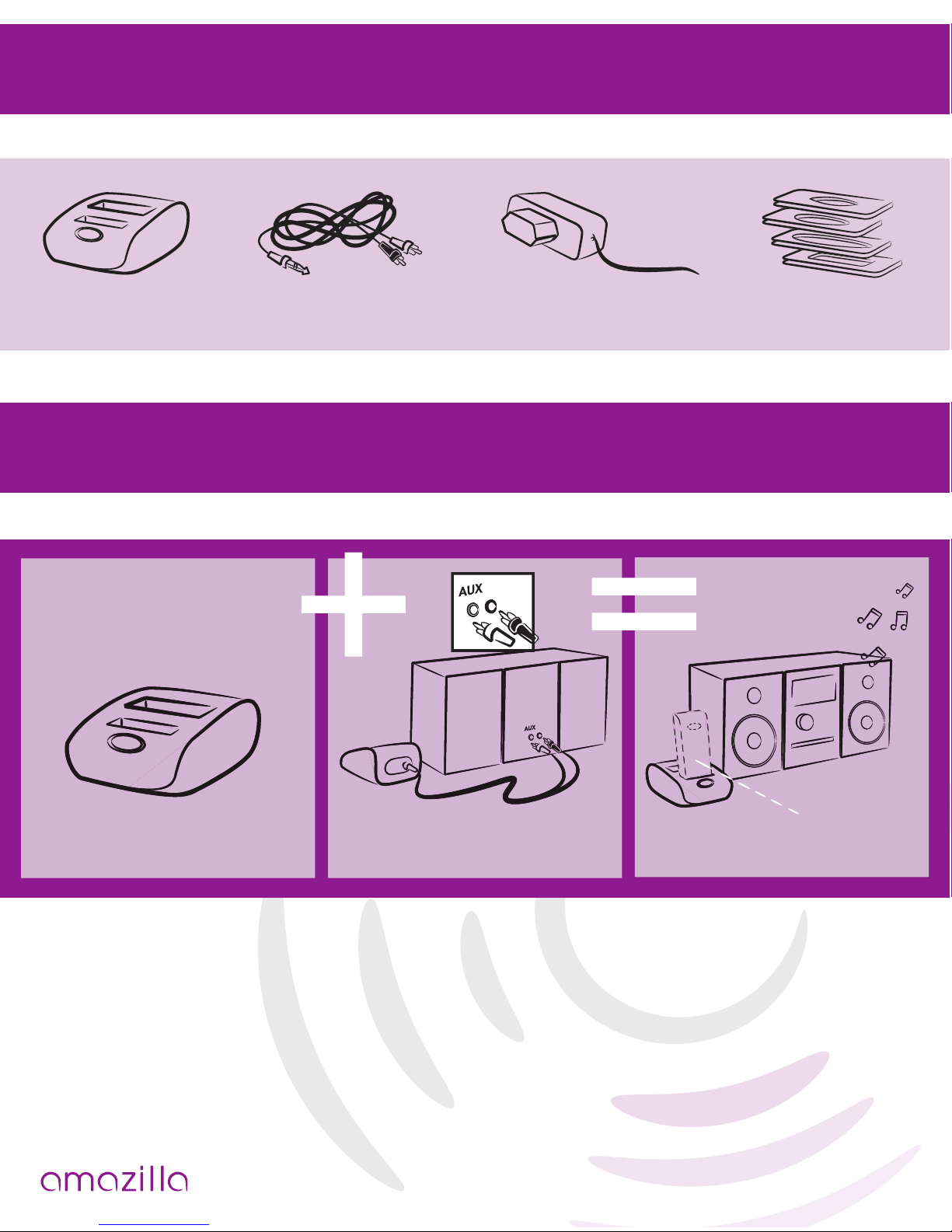
What is inside? Page 1
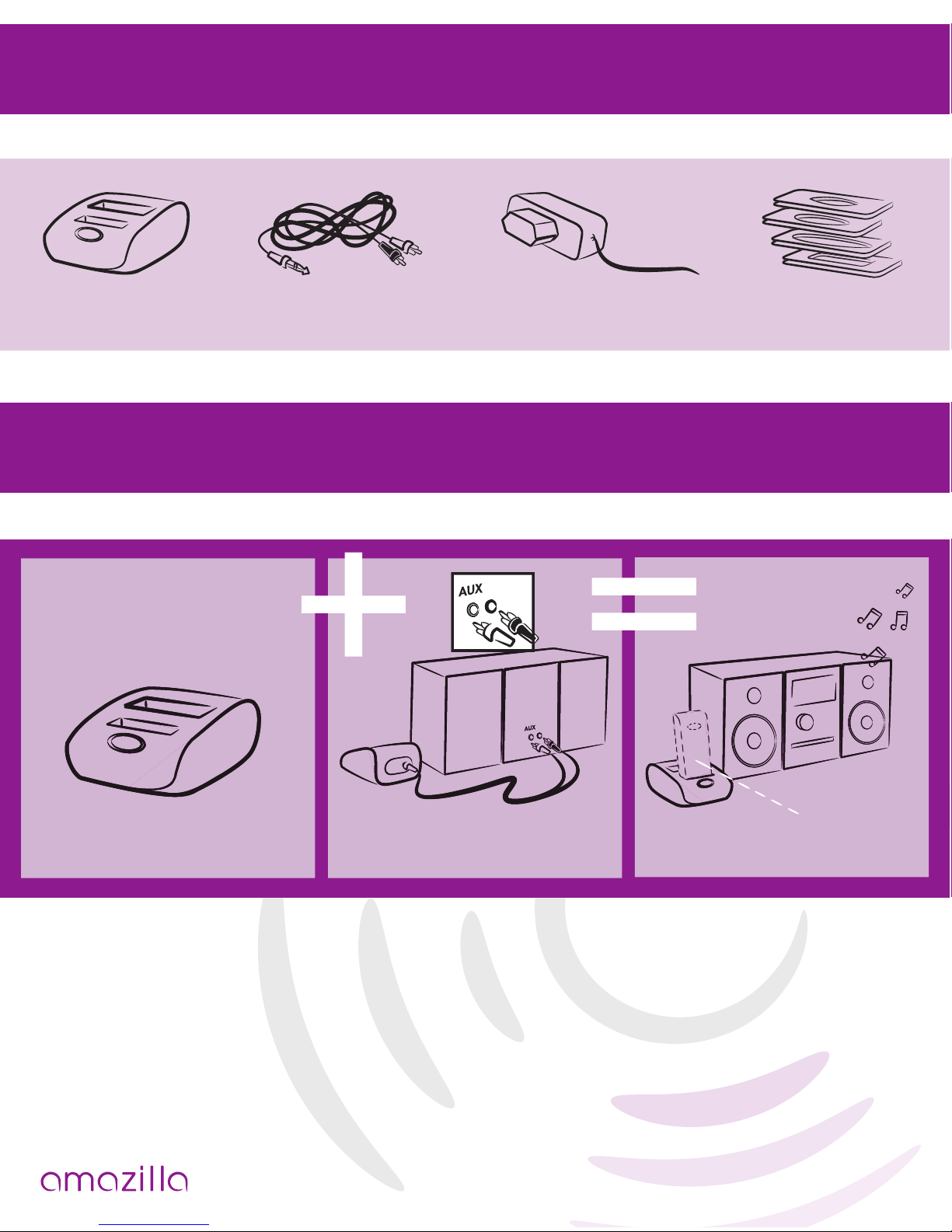
Hi-Dock RCA Cable Adapter 110-240V /
DC 5.0V 4x dock
brackets
Quickstart
Legal disclaimer
“made for iPod” means that an electronic accessory has been designed to con-
nect specically to iPod and has been certied by the developer to meet Apple
performance standards.
Apple is not responsible for the operation of this device or its compliance with
safety and regulatory standards.
dock plug play
receiver not
included
How does it work? Page 2
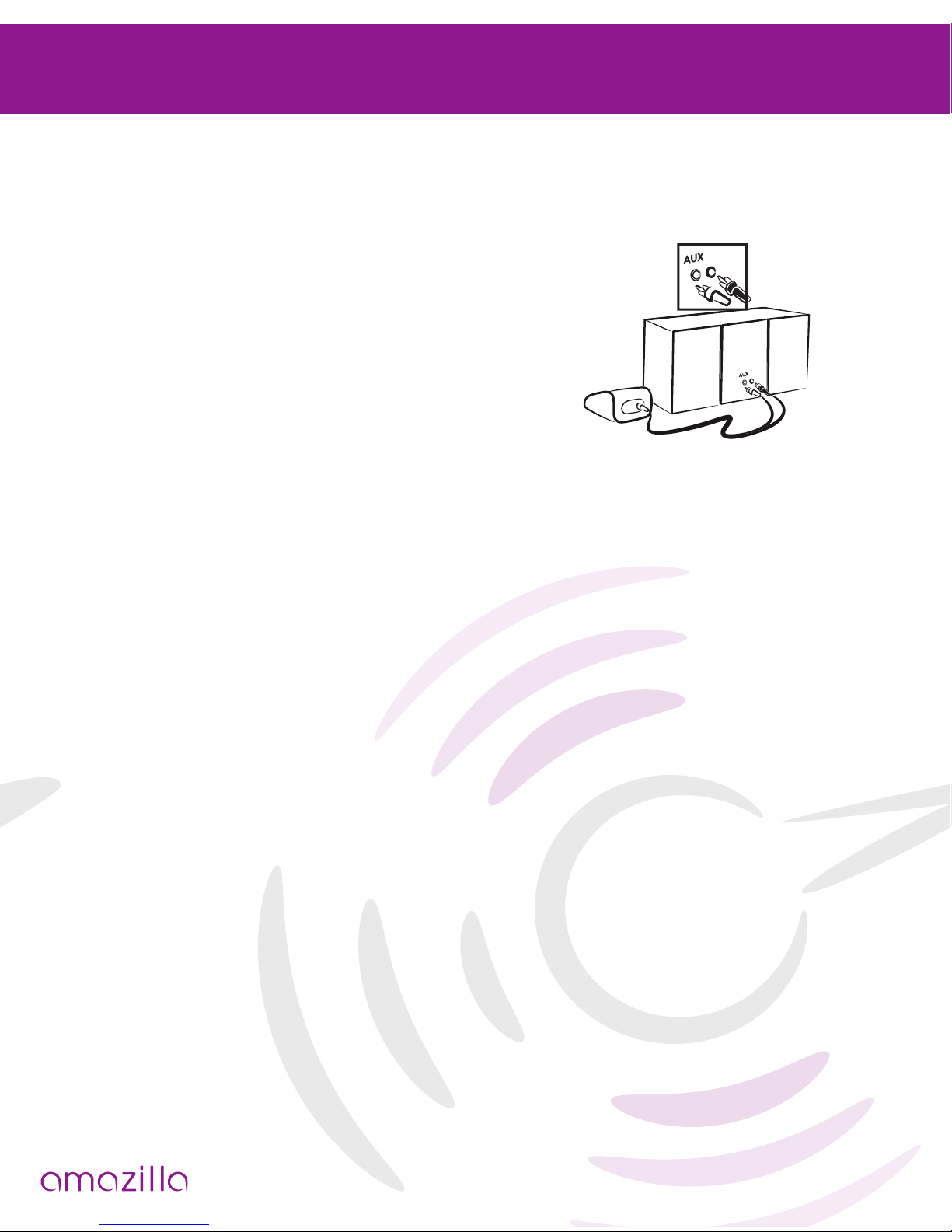
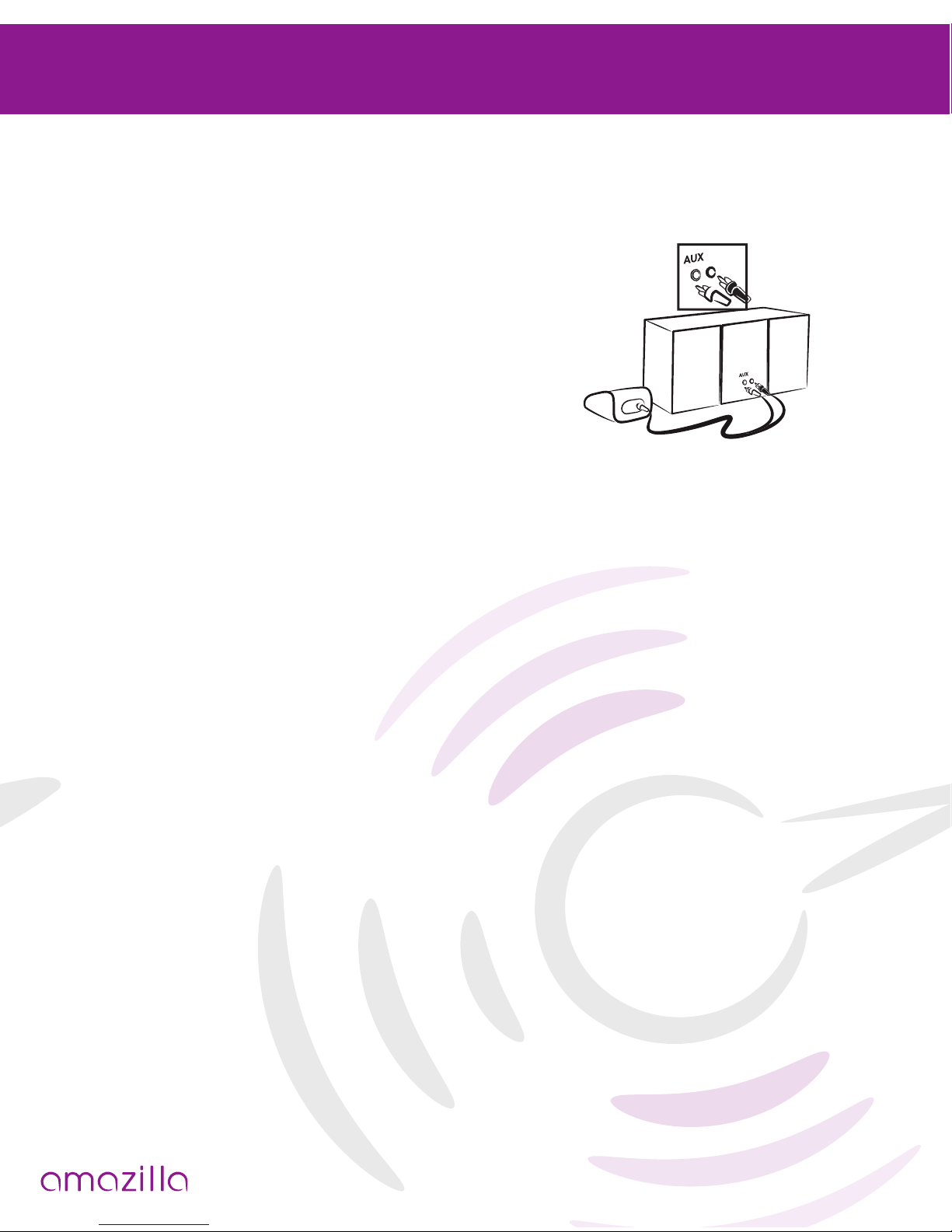
The Hi dock connects the Amazilla wireless 2.4 GHz receiver to your Hi system.
Step 1
Connect the RCA cable to the Hi dock and to
the AUX socket of the Hi system.
Step 2
Power the Hi dock with the adapter.
Step 3
Turn on your Hi system.
Step 4
Your Hi dock is connected to your Hi system. Plug the receiver (not included)
rmly into the Hi dock.
Now you can stream your music wirelessly
and have full control through your iPod!
Range & performance;
Amazilla® is using 2.4 GHz technology for sending & receiving audio. The stan-
dard range is 12 meters ( 36 ft), but is depending on environmental conditions
such as wi networks, wireless telephones, and other (wireless) interferences.

Charging the Amazilla receiver Pagina 3
With the Amazilla Hi dock, you can charge the Amazilla receiver, which contains
a rechargeable battery.
As soon as you plug the receiver into the Hi dock, the battery of the receiver is
being charged.
If the Hi dock is powered through the adaptor, you can plug in your iPod with the
use of the bracket suitable for your model, and consequently charge it.
You can also plug your iPod into the Hi dock and play the music via the Hi
system.
Tip:
Once your Hi dock is installed you may leave it permanently connected to you
Hi system. Do not disconnect. This way you are always ready to plug in the iPod
or receiver without any hassle.
With the Hi dock you can play and/or charge your iPod anytime!
Charging/playing the iPod via the Hi dock
iPod Compatibility Page 4

Trouble shooter Page 5
If you have any trouble using this Hi dock together with the iWing SR, you may
nd any help below:
Sender is connected to an iPod and the receiver is connected to my speaker dock
/ Hi system, but does not produce sound.
Power
• check if the battery of the receiver is charged ( if not, charge the receiver rst)
• check if the battery of the iPod is not empty
Volume
• verify if the Hi system “AUX” is selected
• verify if the volume of the speaker dock/ Hi system is turned up
• verify if the volume of the iPod is turned up
Functionality
• verify if you are playing a song
If the above does not give you answers;
• unplug the sender and the receiver
• power off (put the power off of both the iPod and the speaker dock)
• power on (re-activate the iPod and speaker dock)
• plug on (connect the sender and receiver as described)
Guarantee & Service
This product has been extensively tested, however, in case you experience any
problem, please refer to our website for further information: www.amazilla.com/
FAQ
For more service, you can visit our website and learn more about frequent asked
questions and/or other amazing products of Amazilla ; www.amazilla.com/FAQ
AC switching power adaptor
AC INPUT : 100-240V ~ 50/60Hz
DC OUTPUT :5V 1000mA
Warnings and guidelines for safe use :
• Use this product only with the power adapter supplied in the product package.
Using another power supply may damage the units.
• The product and the AC/DC adaptor shall not be exposed to dripping or
splashing and that no objects lled with liquids, such as vases, shall be placed
on the product.
• To completely disconnect the power input, the AC/DC adaptor of apparatus
shall be disconnected from the mains.
• The AC/DC adaptor of apparatus should not be obstructed OR should be easily
accessed during intended use.
• Do not try to open (any part of) the product.
• The product operates in an environment with a temperature between -5 C - +
40 C ( 23F - 104F ).
• While operating, the product will generate heat. Make sure there is sufcient
room for ventilation (min. 5 cm) around the product
Warning
Changes or modication to this unit not expressly approved by Amazilla, respon-
sible for compliance, could void the user’s authority to operate the equipment.
Additional information & warnings Page 6
Mode d’emploi
iWING HD
Référence IAR-601
Contenu de l’emballage Page 1
Station
d’accueil Hi Câble RCA Adaptateur secteur 110 -
240 Vca / 5 Vcc Supports
d’insertion (4x)
Démarrage rapide
Clause de non-garantie
Le terme « made for iPod » signie que cet accessoire électronique a été conçu
pour s’adapter spéciquement à un iPod et qu’il a été certié conforme aux
normes Apple, par le développeur.
Apple ne peut pas être tenu responsable du fonctionnement de cet accessoire, ni
de sa conformité aux normes de sécurité et à la législation en vigueur.
Station d’accueil Brancher Écouter
récepteur
non
fourni
Utilisation Page 2
La station d’accueil Hi permet le raccordement du récepteur sans l 2,4 GHz
Amazilla à votre chaîne Hi.
Étape 1
Branchez le câble RCA à la station d’accueil Hi ET
à la prise AUX de la chaîne Hi.
Étape 2
Mettez la station d’accueil Hi sous tension à
l’aide de l’adaptateur secteur.
Étape 3
Mettez en marche votre chaîne Hi.
Étape 4
Votre station d’accueil Hi est maintenant connectée à votre chaîne Hi. Insérez le
récepteur (non fourni), fermement dans la station d’accueil Hi.
Vous pouvez désormais écouter la musique, sans l, tout en protant de
toutes les fonctions de votre iPod.
Portée et performances
Amazilla utilise une fréquence porteuse de 2,4 GHz pour l’envoi et la réception du
signal audio. La portée standard est de 12 mètres, mais elle peut varier en fonc-
tion de conditions propres à l’environnement, telles que la présence de réseaux
wi, de téléphones sans l et autres appareils (sans l) pouvant interférer.
Questo manuale è adatto per i seguenti modelli
1
Indice
Lingue:


