Amigo E-Line Manuale utente

1
Operating instructions for electric bikes
Contents
Operating instructions for electric bikes.................................................................................................................................................................................... 1
1. Improtant information before you start biking ............................................................................................................................................................... 3
2.
Introduction
............................................................................................................................................................................................................ 4
3. Before the first ride................................................................................................................................................................................................... 5
Before each ride ............................................................................................................................................................................................................... 8
4. Your first ride........................................................................................................................................................................................................... 9
5. Using your E-bike ....................................................................................................................................................................................................10
6. Setting Display........................................................................................................................................................................................................11
Time Setting................................................................................................................................................................................................................11
Top-speed Setting ........................................................................................................................................................................................................11
Choice of Display Unit (Metric system/ English system) ......................................................................................................................................................12
Wheel Size Setting .......................................................................................................................................................................................................12
Backlight Brightness Setting...........................................................................................................................................................................................12
Exit Setting .................................................................................................................................................................................................................13
7. Display Operation ....................................................................................................................................................................................................14
On/Off ........................................................................................................................................................................................................................14
Speed Display (Current Speed/Average Speed/Max Speed) ................................................................................................................................................14
Assisted Power Select or Throttle Level Select...................................................................................................................................................................15
Power Assist Walk ........................................................................................................................................................................................................15
Turn On and Turn Off the Backlight .................................................................................................................................................................................16
Distance and Time Display (Riding Distance and time/Total Distance and time)......................................................................................................................16
Capacity Display...........................................................................................................................................................................................................16
Button Battery Replacement ..........................................................................................................................................................................................17

2
8. RANGE OVERVIEW...................................................................................................................................................................................................18
9. REMOVING AND REATTACHING THE BATTERY..............................................................................................................................................................19
7. Battery charging instruction ......................................................................................................................................................................................21
8. Safety instructions for the battery and charger.............................................................................................................................................................22
9. Technical specifications.............................................................................................................................................................................................23
10. Maintenance .......................................................................................................................................................................................................24
11. Other information................................................................................................................................................................................................25
12. Declaration of conformity......................................................................................................................................................................................26

3
1. Important information before you start biking
•Before your first ride, please read the operating instructions carefully and check that all parts are in good condition.
•Please slow down in slippery conditions, e.g. in rain or snow, and consider that you will need greater braking distances to guarantee stopping safely.
•This e-bike works reliably under all weather conditions although excessive water exposure could damage the electronics and/or the electric motor.
•Never touch the electronics on the e-bike with wet hands and never touch the plus and minus poles at the same time, as the strong short-circuit current could cause
injury.
•Never attempt to repair electronics on the e-bike yourself, always ask a specialist retailer.
•The battery performance can vary depending on the temperature. Temperatures below 0°C will decrease the distance you can ride the e-bike without recharging.
The battery performs the best in temperatures above 0°C.

4
2.
Introduction

5
3. Before the first ride
Please insure that your bicycle is ready for use and properly adjusted to fit your body
Tighten the screws:
PRODUCT DESCRIPTION
TORQUE SPEC
PRODUCT DESCRIPTION
TORQUE SPEC
Stem @ steerer tube
10-12 Nm
Brake levers
3 Nm
Stem @ handlebar
8 Nm
Brake bolts
9 Nm
Seat clamp
7 Nm
Rear wheel axle
15 Nm
Seat post @ saddle rails
10 Nm
Front wheel axle
8 Nm
Bottom bracket
40-50 Nm
Kick stand bolt
10 Nm
Crank bolts
38-41 Nm
Ferder bolts
4 Nm
Seat
Adjust the seat post to a height where your knees are slightly bend when riding.
Do NOT raise the seat post above the minimum insertion mark. It should always be hidden inside the seat tube.
Handlebar
Adjust the handlebar to a comfortable position.
Do NOT raise the stem above the minimum insertion mark. It should always be hidden inside the head tube.

6
Brakes
Brake lever on left side of the handlebar activates brake on front wheel and brake lever on right side of the handlebar activates brake on rear wheel.
Make sure that all bolts on brakes are tightened according to specifications and brake pads are adjusted according to rims on wheels. (2-5 mm of space between brake
pads and braking surface on rims)
Chain
Make sure the chain is tight without slack.
Gears
The gear shifter is already set, but if needed it can be adjusted this way:
1. Set the shift lever to position 3.
The cable should now have very little tension at all or even be slightly slack.
2. Set the shift lever to position 1.
The cable should now be quite tight and the yellow arrow on the shifting mechanism behind the rear sprocket should now be aligned
between the two yellow lines on the side of the shifting mechanism. When in first gear the yellow arrow points between the two yellow
lines the gear is adjusted correctly.

7
Pedals
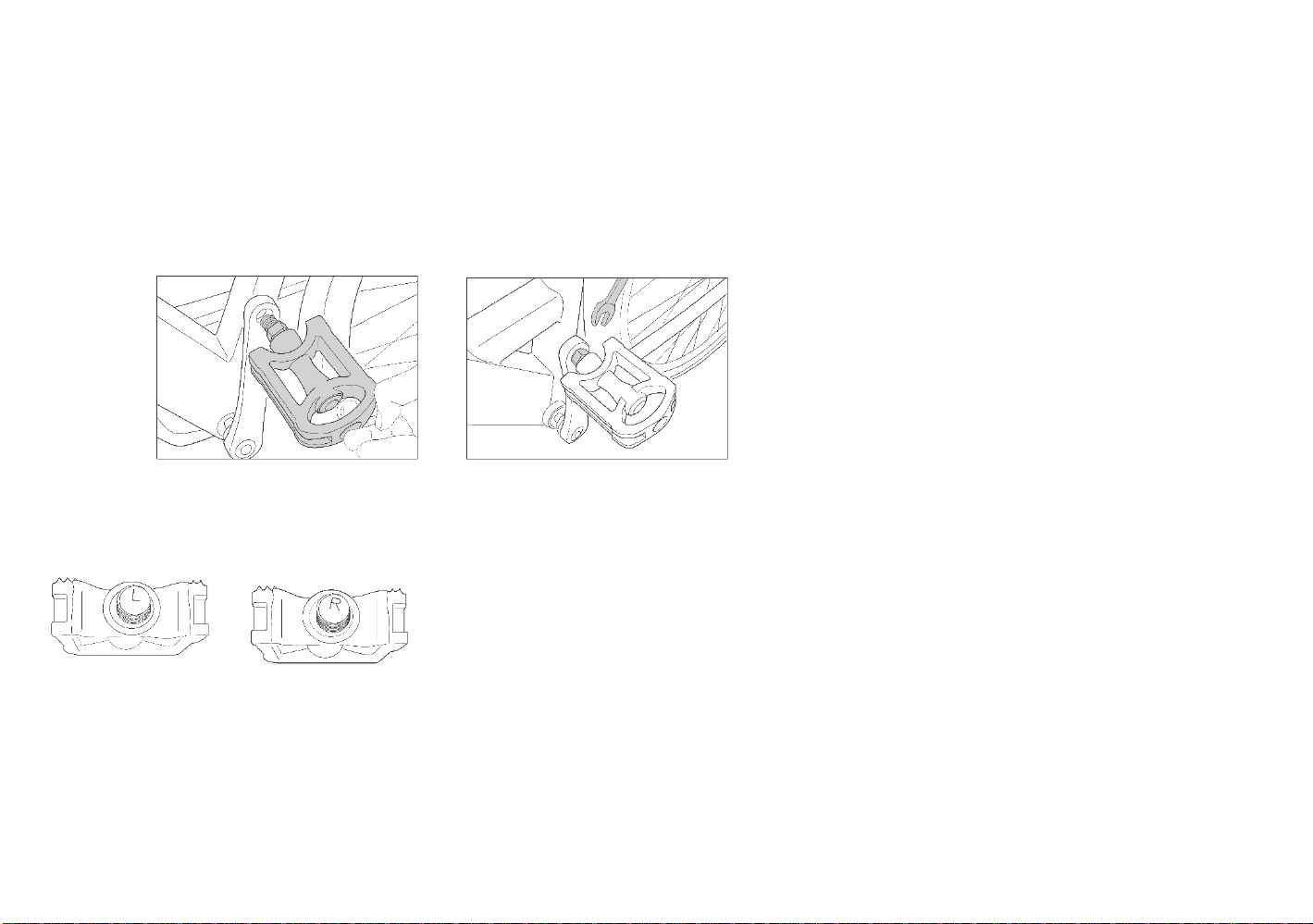
Before fitting the pedals to the crank, grease the threads with a little lubricating grease. The pedals are marked with an “L” (left) and “R”
(right) on the threads that screw into the crank. Make sure you fit the right pedal to the right crank.
IMPORTANT!
Be careful when attaching the pedals to the cranks. Attempting to attach a pedal on the wrong crank, or not aligning them properly, can
damage both the pedal and the crank. Pedals fitted incorrectly or not tightly enough could come loose, which could cause injury or damage
the e-bike.
PLEASE NOTE!
Screw the left-hand pedal anti-clockwise as it has a left-hand thread.
Left Pedal (L) Right Pedal (R)

8
Before each ride
Before each ride, please check that:
The bell and lights are working properly and are properly secured
The brakes are working safely and are properly secured
Both wheels run freely
The tires are free of foreign objects and damage
The tires have sufficient tread depth
All bolts and nuts are tight (See page xxx)
The frame and fork are not damaged
The handlebar and stem are correctly and securely fastened as well as set up in the correct position
The seat post and seat are secure and in the correct position. Try turning the seat or tipping it upwards or downwards. It should not
move
WARNING: If you are unsure of whether your bicycle is in a sound technical condition, take it to an Authorized bicycle workshop to be
checked instead of riding it.
Frame, fork and other parts relevant to your safety such as brakes

4. Your first ride
•Be very careful the first time you ride your e-bike! In power mode, the e-bike is considerably faster than a normal bike!
•Take your first ride on open land so you can get used to the improved acceleration.
•The control unit has a low-voltage protection system which automatically switches off the power assist if the battery voltage falls below a certain level.
•Be careful when braking. Always brake with the rear wheel brake first, it is less aggressive than the front wheel brake.
The power assist is deactivated at 25 km/h. It is automatically switched back on again once the speed drops below 25 km/h.
•Do not use power assist on slippery surfaces and gravel.
•Switch power assist off if the e-bike is not behaving normally to avoid damaging electrical components.
•In order to not damage the electrical components, never load the e-bike luggage carrier with more than 25 kg.

5. Using your E-bike
•Start pedaling; the electric motor will only assist you while you are pedaling.
•If you wish to change the assist level, press the plus or minus buttons.
•The power assists stops when you use the brakes.
•The power assists stops when you reach 25km/h.
•If you leave the e-bike unattended, lock it and removing the battery key.
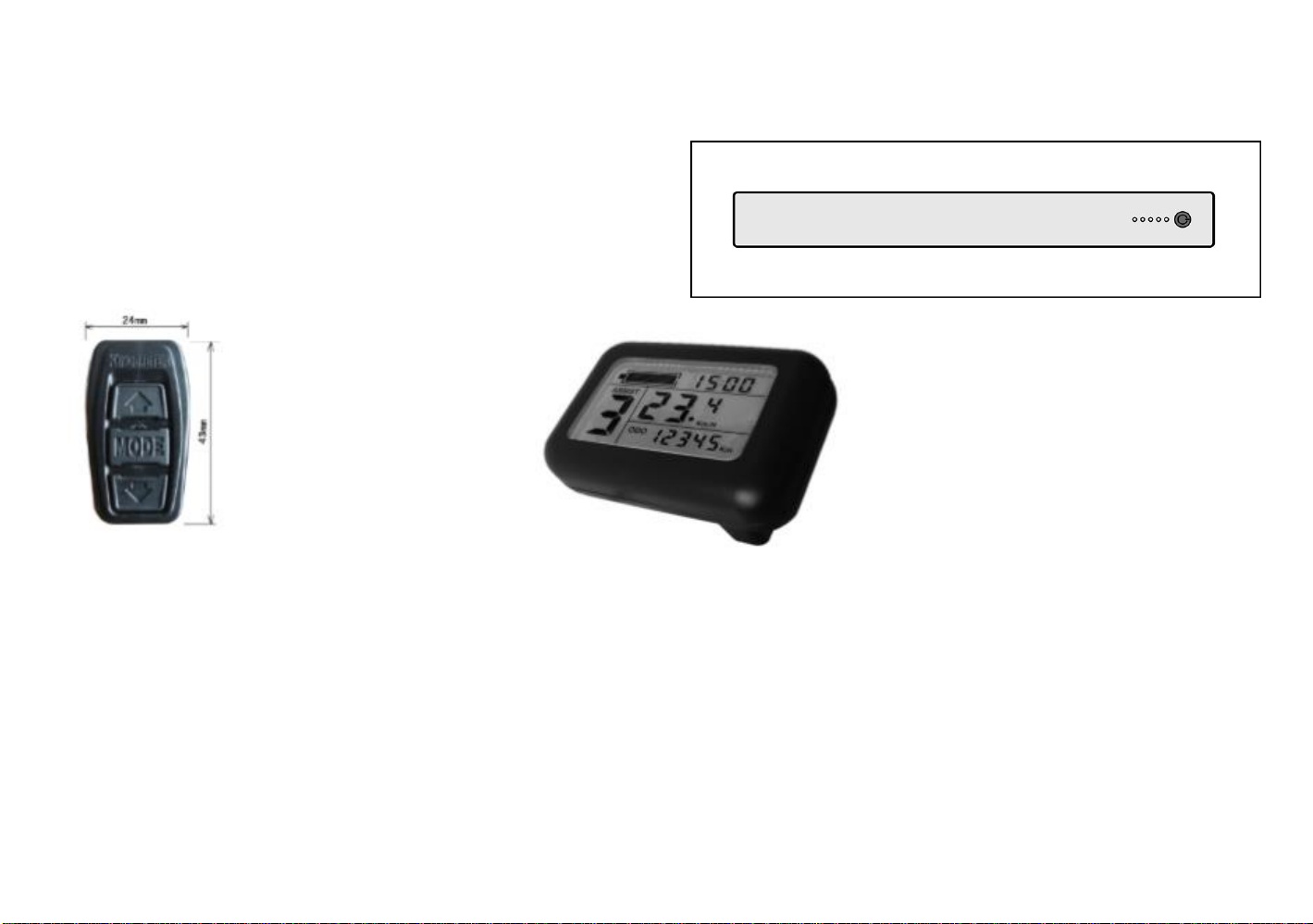
To start the battery, Press the ON button.
To turn on the display, press the MODE button.
Indice
Altri manuali Amigo Scooter

Amigo
Amigo RT Express Guida rapida

Amigo
Amigo RT Express Manuale operativo

Amigo
Amigo TRAVELMATE III Guida rapida

Amigo
Amigo Shabbat Amigo Guida rapida

Amigo
Amigo Ahabbat Amigo Guida rapida

Amigo
Amigo RT Express Guida rapida

Amigo
Amigo TRAVELMATE Guida rapida

Amigo
Amigo SMARTSHOPPER Manuale utente

Amigo
Amigo Classic Manuale utente

Amigo
Amigo FD Manuale utente