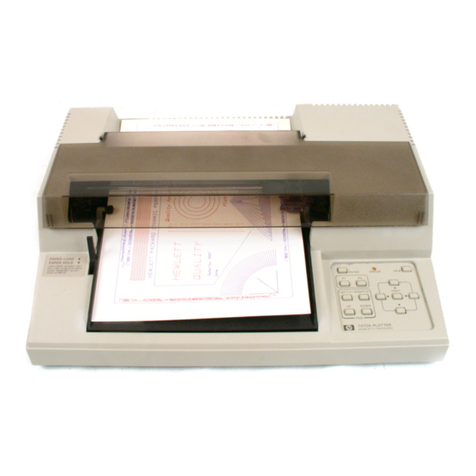
Anhui Liyu Computer Equipment Manufacturing TC Series Manuale utente

TC Series Cutting Plotter
User’s Manual
Thank you very much for purchasing LIYUTM TC Series Cutting Plotter.
To ensure correct and safe usage with a full understanding of this product's
performance, please be sure to read through this manual completel
y
and
store it in a safe location.
The contents of this operation manual and the specifications of this produc
t
are subject to change without notice.
The operation manual and the product have been prepared and tested as
much as possible. If you find any misprint or error, please inform us.
ANHUI LIYU COMPUTER EQUIPMENT MANUFACTURING CO., LTD.
Hefei,Anhui, China

User’s Manual of TC Series Cutting Plotter
Table of Contents
Chap1Attention
.................................................................................…....……….....3
Chap 2 Part Names and Functions
.....................................................……….……..4
2-1Accessories.......................................................................................…..…….......4
2-2Introductionofmainmachine................................................................……...…...4
2-3Parts ofstand andassembly...............................................................…...….…....5
2-4Cutter/Plotter.......................................................................................….….……..6
2-5 Parameters table.............................................................................…….…..........7
Chap 3 Operation Directions
..........................................................…………...….....8
3-1 Installation of the USBdriver....................................................………….…….......8
3-2 Controlling-panel operations.......................................................………………...15
3-3Operationskills....................……....................................................………….…..17
Chap 4 FAQ
......................................................................................……………......19
2

User’s Manual of TC Series Cutting Plotter
Chap 1Attention
Ensure the supply voltage to the TMC Series Cutting Plotter is AC220V and varying
within the range of ±10%, otherwise a voltage stabilizer must be used.
Please don’t place any small iron-magnetic subject near the carriage.
Prevent from dropping foreign matters into cracks such as pins, little screws, etc.
Please pull down the power plug if not using during a long time.
Don’t press the pinch roller on the grit roller, if it is not used.
Always connect the power cord to a grounded outlet.
Ensure the enough space during the Cutting Plotter is working, prevent the paper
impact some object around and make the figure distorted.
3

User’s Manual of TC Series Cutting Plotter
Chap2PartNamesandFunctions
2-1Accessories
2-2 Introduction of main machine
NO. Item Quantity
1 Main machine 1
2 Cutter holder 1
3 Plotter holder 1
4 Refill 1
5 Cutter 3
6 USB cable 1
7 Power cord 1
8 Machine cover 1
9 Operation manual 1
10 Guarantee certificate 1
Note
:
There is a free
special machine stand fo
r
the size 800 and large
r
machines.
1.Left cover
2.Cover of guide
3.Panel
4.Pinch roller
5.Carriage
6.Cutting holder
7.Grit roller
8.Right cover
9.Controlling panel
10.Socket of USB port
11.Rubber pillar
12.Power socket
13.Power switch
4

User’s Manual of TC Series Cutting Plotter
2-3 Parts of stand and assembly
1 Parts of stand
NO. Item Quantity
1 Pillars 4
2 Pillar-bars 2
3 Left column 1
4 Right column 1
5 Crossbeam 1
6 Paper-hold roller of variable distance 2
7 Connection board 2
8 Paper roller 2
9 Screw M4×20 24
10 Screw M4×8 8
2Assembly of machine stand
Referring to the following drawing:
Step 1: Rotate the stand pillars into screw
thread-holes in the pillar bars, and then
connect the pillar bars to left and right
columns with screws respectively.
Step 2: Connect the crossbeam to left and
right columns with screws.
Step 3: Join the paper hanger to the inside
of the left and right columns with screws.
Step 4: Join the connection board to the
top of the left and right columns with
screws.
Step 5: Lay down the four pillars of main machine, place the machine on the connection
board, then insert the pillars into the connection board to connect to the main machine.
Step 6: Place the paper-roller on the roller of paper hanger.
5

User’s Manual of TC Series Cutting Plotter
2-4 Cutter/Plotter
1 Structure of cutter holder and items of components
Rotate the cutter holder to adjust the out-stretching length of the cutter as to ensure that it
doesn’t cut off the bottom layer of stickness (consists of upper and bottom layer).
1.
Cutter-exiting staff
2. Cutter holder body
3. Locking-screw
4. Cutter holder shell
5. Blade
or cutter
(diameter is 2mm)
2 Installation and adjustment
1. Before installing the blade, you must carefully clean the cutter holder body, the
blade and your hands. Even very slight dirt powder can affect the rotating
sensitivity. Insert the blade into the cutter holder body with care, then push the
blade to the bottom with a flexile plastic or rubber, but don’t damage the blade
tip.
2. Rotate the shell of the cutter holder and make the out-stretching length of the
blade tip not larger than the thickness of the stickness.
3 Plotter holder
You can use the cheap ball-pen to plot with the given plotter holder.
1. Loose the screw on the holder with a screwdriver anti-clockwise.
2. Insert a ball-pen and let the refill tip out of proper length.
3. Clockwise fasten the screw.
4 Installation
1. Turn off the power.
2. Loose the locking-screw of the cutter-bracket, then put the cutter holder or
plotter holder in the “V” breach and ensure the blade tip or refill to reach to the
plastic pressing-strip. Fasten the locking-screw clockwise at last.
3. After turning on the machine, the tip should be raised about 1 to 2mm away
from pressing-strip.
6

User’s Manual of TC Series Cutting Plotter
2-5 Parameters table
Maximum cutting size 630mm/800mm 1060mm/1260
Maximum media size 710mm/880mm 1130 mm/1350
Cutting speed
Cutting force
Mechanical resolution
Buffer capacity
Repeatability
Motor type
Interface
Commands set
Power requirements
Environmental temperature
Environmental humidity 5%~95%(Non-condensing)
800 mm/s
USB & SER
Step motor, driven by detailed constant current
DM/PL,HP/GL
AC220V,50Hz
(8—800)g
0.025mm/step
8MB
0.1mm
ITEMS / MODEL
0 ~35℃
TC631 /801 TC1061/1261
Note: Specifications are subject to change without prior notice.
7

User’s Manual of TC Series Cutting Plotter
Chap3OperationDirections
3-1 Installation of the USB driver
During the installing of the USB driver, any operate to the controlling-panel is invalidation.
1 Turn on the power and connect the USB cable with the computer.
2 The Device Manager will find a new hardware and run the Found New Hardware Wizard
automatically, select , then click ;
8

User’s Manual of TC Series Cutting Plotter
3 Select , then click ;
4 Select , then click ;
9

User’s Manual of TC Series Cutting Plotter
5 Select as following drawing, then click ;
6 Click ;
10
Indice