
Ask Technology HDMX0008M1 Manuale utente

Ask Technology Co.,Ltd-Top leading in Audio & Video industry
www.ask-corps.com Service Hotline:400-007-5518 0755-81753086 Fax:0755-81751802
Model No: HDMX0008M1
Operating Instructions
Thanks for purchasing our product.
Please be sure to read this instruction manual
carefully before using our product.

Introduction
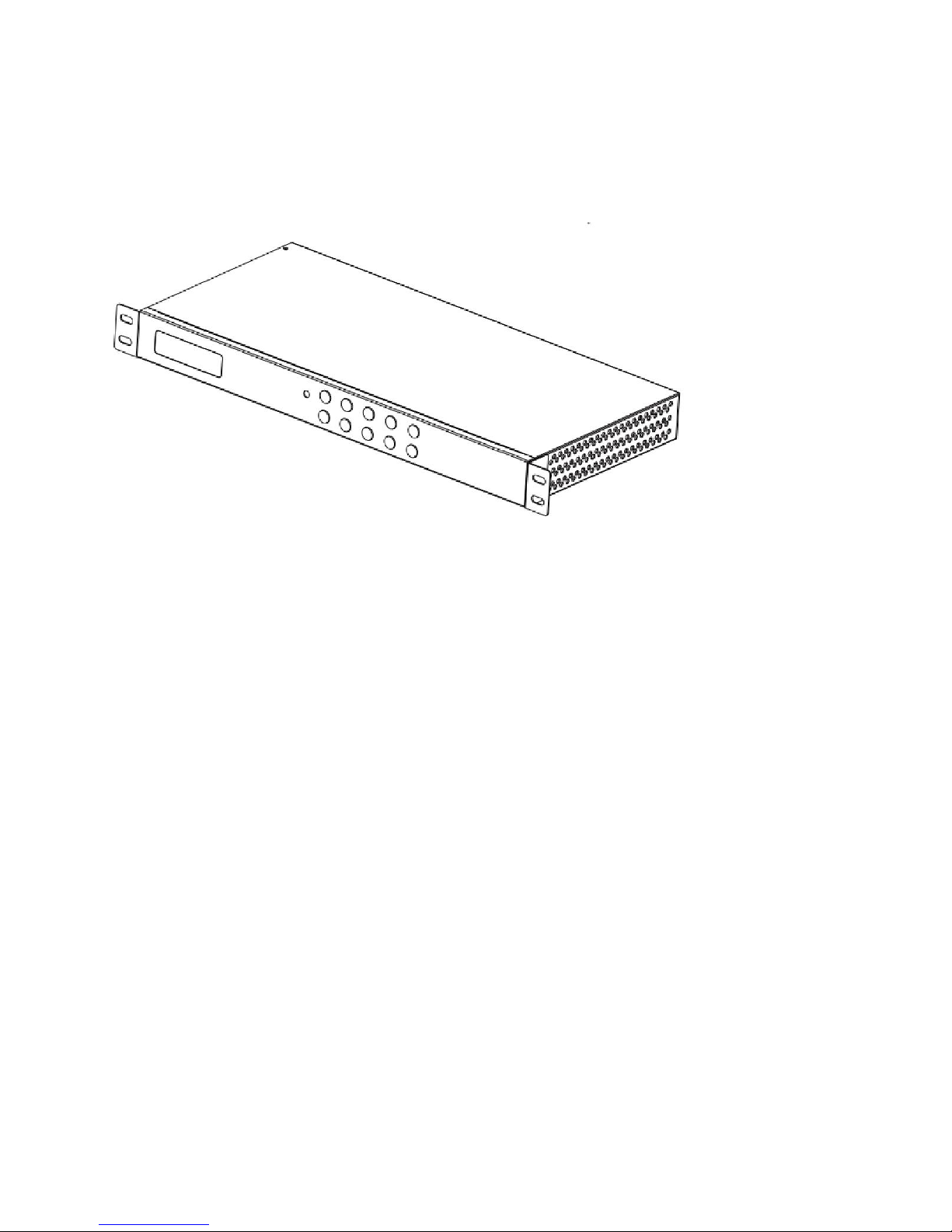
HDMX0008M1 is an 8-by-8 HDMI matrix. It allows any of the eight Input Channels
(HDMI) to be routed to any of the eight Output Channels (HDMI), no matter the
source is HDCP or not. Users can choose several different ways to control the
matrix: by using infrared, RS232, and LAN and supplied remote control.
HDMX0008M1 internal EDID library features default EDID configurations, in
addition to native EDID data for any output/display.
HDMX0008M1 offers solutions for digital entertainment center, HDTV retail and
show site, HDTV, STB, DVD and projector factory, noise, space and security
concerns, data center control, information distribution, conference room
presentation, school and corporate training environments.
Ask Technology Co.,Ltd-Top leading in Audio & Video industry
www.ask-corps.com Service Hotline:400-007-5518 0755-81753086 Fax:0755-81751802
HDMI Matrix (Routing Type)
■ Product Overview
Dear customer
Thank you for purchasing this product. For optimum performance and safety,
please read these instructions carefully before connecting, operating or adjusting
this product. Please keep this manual for future reference.
■ Features
Allows up to eight HDMI audio/video devices to be independently switched to
eight HDMI monitors, HDTV’s, or projectors.
The eight output channels could show the same or different source
simultaneously no matter the source is HDCP or not.
Reading and saving EDID function from displays.
Support high definition resolutions, including:
1080p@60Hz@36 b/pixels, 3D, 1080i, 720p and other standard video
formats.
Each port support both HDMI and DVI inputs.
With extra infrared extension receiver.
Four switching modes: panel buttons, local IR, RS232 and Ethernet.
HDCP compliant
HDMI 1.3 supported.
Notice
Grandbeing Inc. reserves the right to make changes in the hardware, packaging
and any accompanying documentation without prior written notice.
Warning
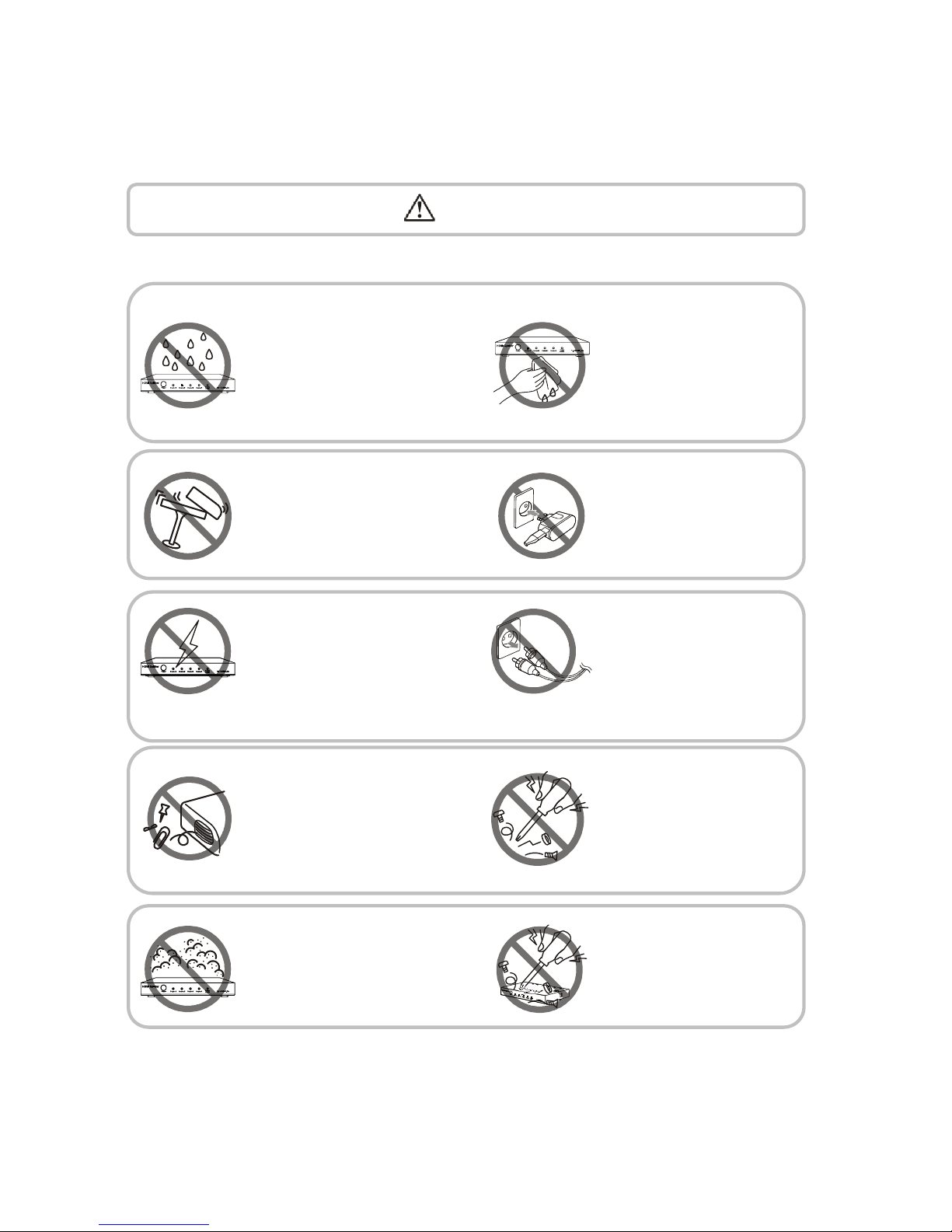
To reduce the risk of fire, electric shock or product damage:
1. Do not expose this apparatus
to rain, moisture, dripping or
splashing and that no objects
filled with liquids, such as vases,
shall be placed on the apparatus.
6. Clean this apparatus
only with dry cloth.
2. Do not install or place this unit
in a bookcase, built-in cabinet or
in another confined space.
Ensure the unit is well ventilated.
3. To prevent risk of electric
shock or fire hazard due to
overheating, do not obstruct
the unit’s ventilation openings
with newspapers, tablecloths,
curtains, and similar items.
4. Do not install near any heat
sources such as radiators, heat
registers, stoves, or other
apparatus (including amplifiers)
that produce heat.
5. Do not place sources of naked
flames, such as lighted candles,
on the unit.
7. Unplug this apparatus
during lightning storms or
when unused for long
periods of time.
8. Protect the power cord
from being walked on or
pinched particularly at
plugs.
9. Only use attachments /
accessories specified by
the manufacturer.
10. Refer all servicing to
qualified service
personnel.
Ask Technology Co.,Ltd-Top leading in Audio & Video industry
www.ask-corps.com Service Hotline:400-007-5518 0755-81753086 Fax:0755-81751802
■ Package Contents
① 1x Main unit. P/N_ HDMX0008M1.
② 1x Remote.
③ 1x IR RX (IR receiver cable).
④ 1x RS232 converter.
⑤ 12V/DC Power Supply. P/N_VDC01205.
⑥ Operating Instructions. P/N_INS HDMX0008M1.
⑦ Mounting ears.
NOTE: PART NUMBER (Abbreviation as P/N).
■ Panel Descriptions
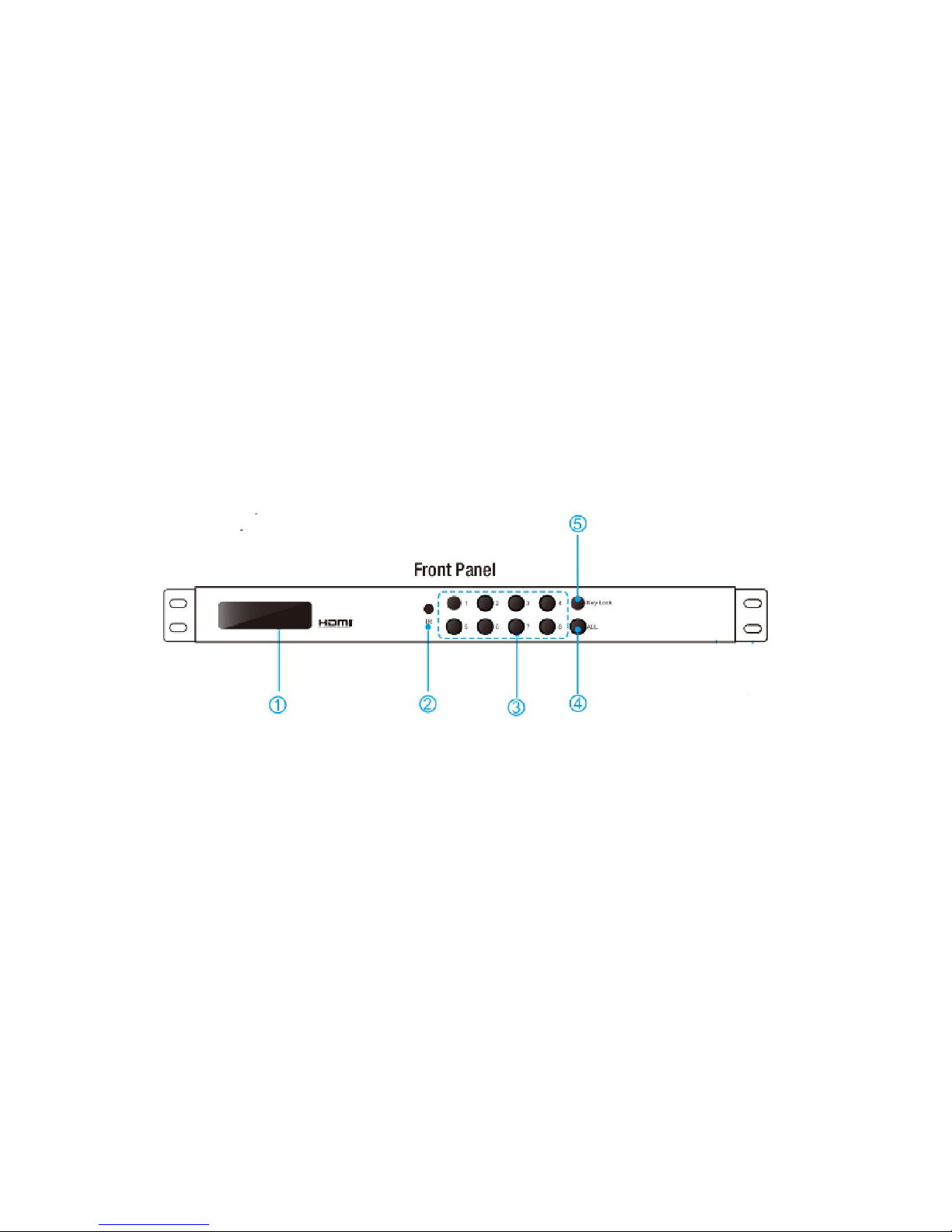
① LCD indicator, displays the status of each output port.
② IR receive window.
③ OUT1~8 & IN1~8: Press the output source selection button in order to choose
which input port corresponds to the desired output port. First select your output
port form 1~8, then choose the desired input port from ports 1~8.
④ ALL: Press this button to set all the outputs to display with the same input. First
press the “ALL” button then press an input number to confirm the selection.
⑤ LOCK: Press this button to lock all the functions and press it again to release
the lock.
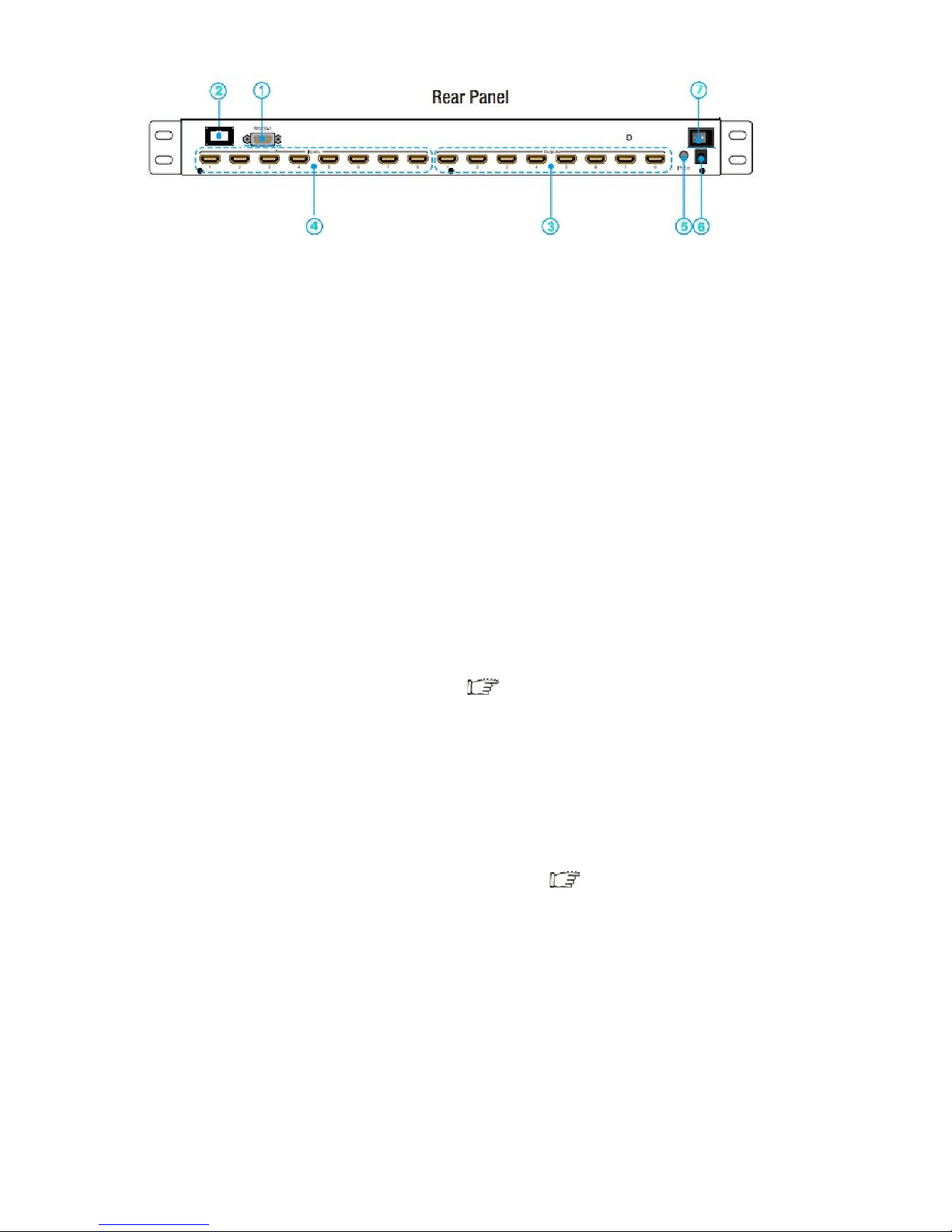
① RS232 port.
② LAN port.
③ HDMI output port.
④ HDMI input port (HDMI or DVI).
⑤ Power: Press this button to turn the system on.
⑥ IR extender: This slot is where you can extend your IR receiver with an IR
extender cable that supports only 38KHz.
⑦ Power input: Plug the 12V DC power supply into the unit and connect the
adaptor to an AC wall outlet.
■ Connections and Operations
1) Connect the HDMI input source ( such as HD-DVD/ PS3/STB etc.)Into
HDMX0008M1.
2) Connect HDMI OUT of HDMX0008M1 to display equipment.
3) Connect the Broadband IR receive cable into HDMX0008M1 IR RX ports.
4) Power on the input source you want to show. ( Keep the unused input power
off, otherwise it may interfere the normal display).
5) Plug the power cable into HDMX0008M1.
6) Turn on the power, when the LED panel stops flashing circularly, the
initialization of the matrix are ready.
7) Turn on the displays you want to watch.
Ask Technology Co.,Ltd-Top leading in Audio & Video industry
www.ask-corps.com Service Hotline:400-007-5518 0755-81753086 Fax:0755-81751802
8) Use the remote to control the matrix, or using Front Panel, RS232 and LAN
port to control.
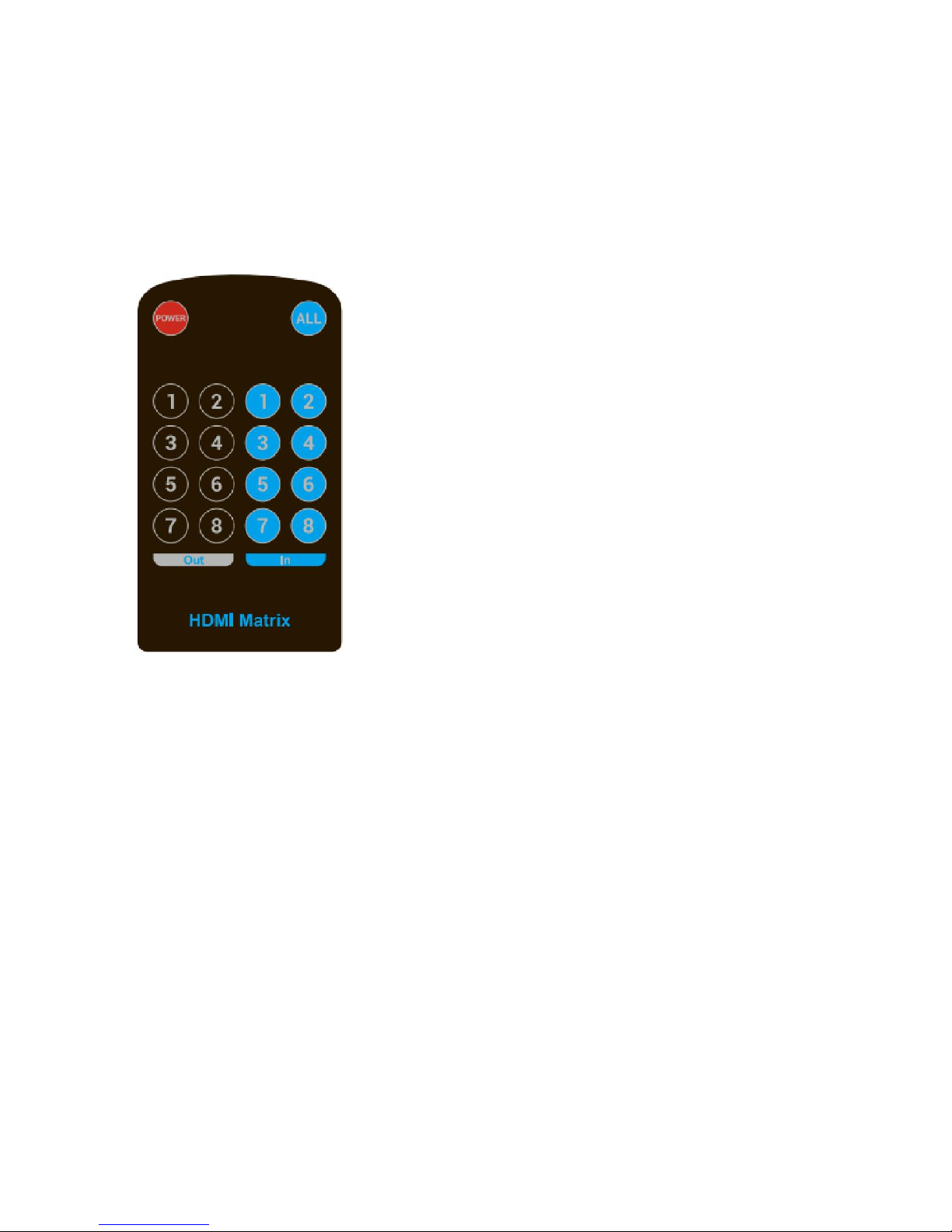
2. Control via IR remote.
User can control the HDMI route of the matrix by using the IR
remote. There are two group key pads for sixteen ports. Press
the output source selection button in order to choose which input
port corresponds to the desired output port. (For example: Output
8 select Input 7, first press output 8, then press input 7, LCD
display 8-7)
NOTE: if the IR remote isn’t work, please press the” system code switch key”, but please do not put the
remote against theXZ0808-001
3. Control via RS232.
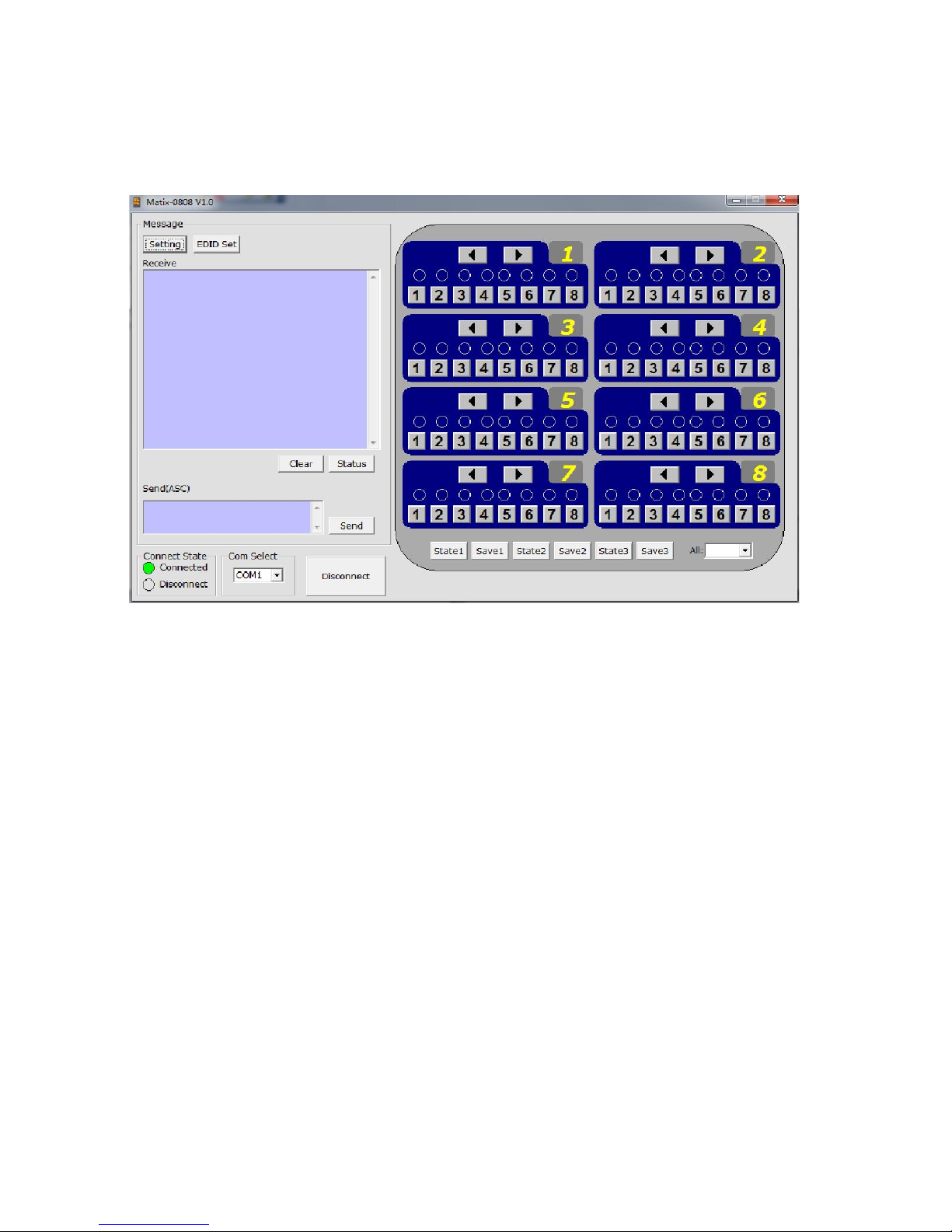
1) The Interface of HDMX0008M1 comctl
Ask Technology Co.,Ltd-Top leading in Audio & Video industry
www.ask-corps.com Service Hotline:400-007-5518 0755-81753086 Fax:0755-81751802
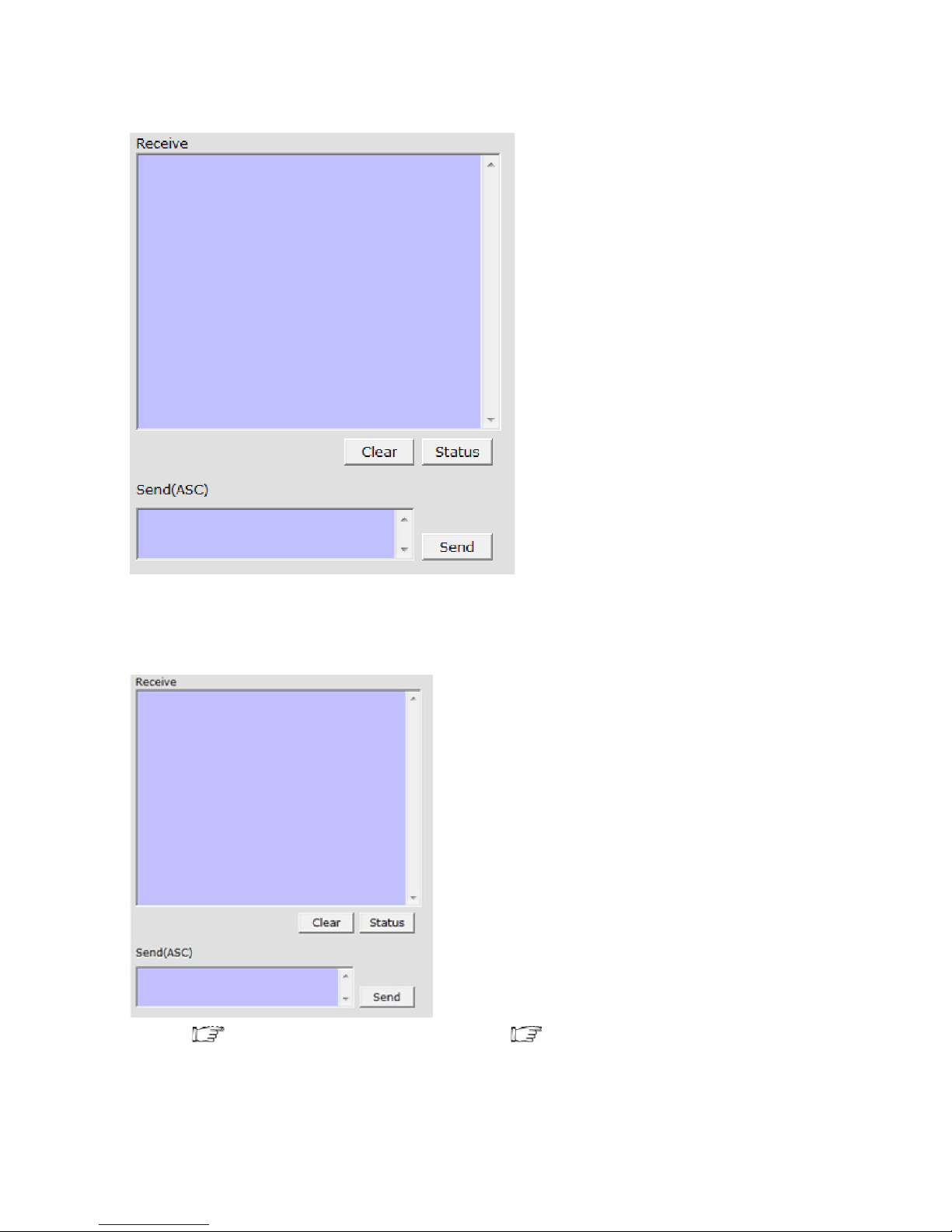
2) The Message Window
2.1) Receive Window
The “receive window” will show the message received from MX0808. When you click the Control
Buttons ( see step 4) or send Control Command ( see 2.3) to MX0808, it will send out the
message about “operation results” as below:
2.2) Status Button
Click this button to read the status of MX0808. The status is about which input is selected by the
output.
2.3) Send Window
Input the control command in this window. The control command use ASCII.
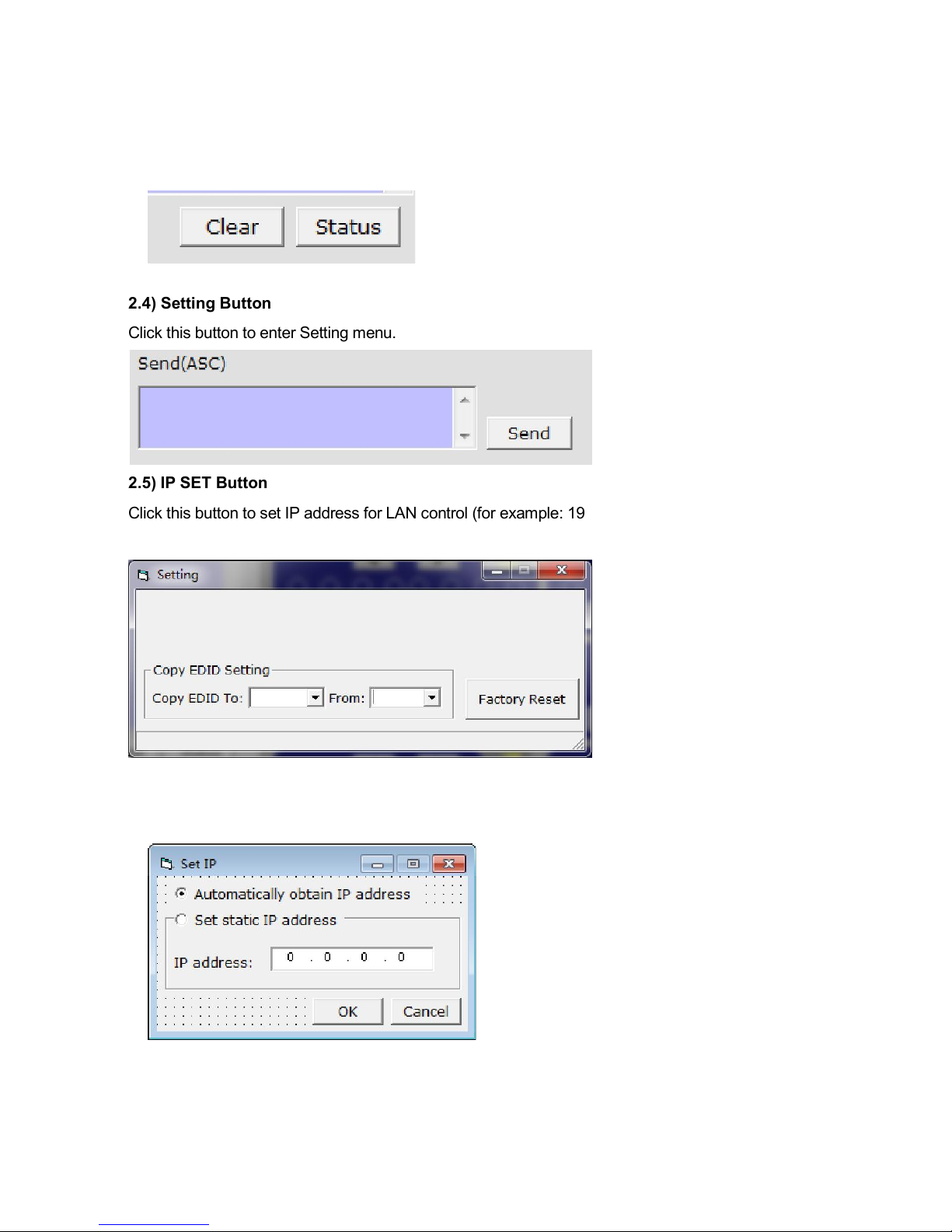
2.4) Setting Button
Click this button to enter Setting menu.
2.5) IP SET Button
Click this button to set IP address for LAN control (for example: 192.168.0.3).
2.7) EDID Set button
Indice
Altri manuali Ask Technology Commutatore a matrice


