Asus P6-M4A3000E Manuale utente

P6-M4A3000E
ASUS PC (Desktop Barebone)
User’s Manual

ii
Copyright © 2010 ASUSTeK Computer Inc. All Rights Reserved.
No part of this manual, including the products and software described in it, may be reproduced,
transmitted, transcribed, stored in a retrieval system, or translated into any language in any form or by any
means, except documentation kept by the purchaser for backup purposes, without the express written
permission of ASUSTeK Computer Inc. (“ASUS”).
Product warranty or service will not be extended if: (1) the product is repaired, modied or altered, unless
such repair, modication of alteration is authorized in writing by ASUS; or (2) the serial number of the
product is defaced or missing.
ASUS PROVIDES THIS MANUAL “AS IS” WITHOUT WARRANTY OF ANY KIND, EITHER EXPRESS
OR IMPLIED, INCLUDING BUT NOT LIMITED TO THE IMPLIED WARRANTIES OR CONDITIONS OF
MERCHANTABILITY OR FITNESS FOR A PARTICULAR PURPOSE. IN NO EVENT SHALL ASUS, ITS
DIRECTORS, OFFICERS, EMPLOYEES OR AGENTS BE LIABLE FOR ANY INDIRECT, SPECIAL,
INCIDENTAL, OR CONSEQUENTIAL DAMAGES (INCLUDING DAMAGES FOR LOSS OF PROFITS,
LOSS OF BUSINESS, LOSS OF USE OR DATA, INTERRUPTION OF BUSINESS AND THE LIKE),
EVEN IF ASUS HAS BEEN ADVISED OF THE POSSIBILITY OF SUCH DAMAGES ARISING FROM ANY
DEFECT OR ERROR IN THIS MANUAL OR PRODUCT.
SPECIFICATIONS AND INFORMATION CONTAINED IN THIS MANUAL ARE FURNISHED FOR
INFORMATIONAL USE ONLY, AND ARE SUBJECT TO CHANGE AT ANY TIME WITHOUT NOTICE,
AND SHOULD NOT BE CONSTRUED AS A COMMITMENT BY ASUS. ASUS ASSUMES NO
RESPONSIBILITY OR LIABILITY FOR ANY ERRORS OR INACCURACIES THAT MAY APPEAR IN THIS
MANUAL, INCLUDING THE PRODUCTS AND SOFTWARE DESCRIBED IN IT.
Products and corporate names appearing in this manual may or may not be registered trademarks or
copyrights of their respective companies, and are used only for identication or explanation and to the
owners’ benet, without intent to infringe.
E5388
First Edition V1
March 2010

iii
Table of contents
Notices......................................................................................................... vi
Safety information ....................................................................................... v
About this guide ......................................................................................... vi
System package contents........................................................................ viii
Chapter 1: System introduction
1.1 Welcome! ...................................................................................... 1-2
1.2 Front panel ................................................................................... 1-2
1.3 Rear panel..................................................................................... 1-4
1.4 Internal components.................................................................... 1-6
1.5 QualiedVendorsLists(QVL) .................................................... 1-7
Chapter 2: Starting up
2.1 Installing an operating system ................................................... 2-2
2.2 Powering up.................................................................................. 2-2
2.3 SupportDVDinformation............................................................ 2-2
2.3.1 Running the support DVD ............................................... 2-3
2.3.2 Utilities menu .................................................................. 2-4
2.3.3 Manual menu .................................................................. 2-5
2.3.4 ASUS Contact information .............................................. 2-6
2.3.5 Other information ............................................................ 2-6
Chapter 3: Motherboard info
3.1 Introduction .................................................................................. 3-2
3.2 Motherboard layout...................................................................... 3-2
3.3 Jumpers ........................................................................................ 3-3
3.4 Connectors ................................................................................... 3-4
Chapter 4: BIOS setup
4.1 Managing and updating your BIOS ............................................ 4-2
4.1.1 ASUS Update utility ........................................................ 4-2
4.1.2 ASUS EZ Flash 2............................................................ 4-5
4.1.3 ASUS CrashFree BIOS................................................... 4-6
4.2 BIOS setup program .................................................................... 4-7
4.2.1 BIOS menu screen.......................................................... 4-8

iv
Table of contents
4.2.3 Navigation keys............................................................... 4-8
4.2.2 Menu bar......................................................................... 4-8
4.2.4 Menu items ..................................................................... 4-9
4.2.5 Sub-menu items.............................................................. 4-9
4.2.6 Conguration elds ......................................................... 4-9
4.2.7 Pop-up window ............................................................... 4-9
4.2.8 Scroll bar......................................................................... 4-9
4.2.9 General help ................................................................... 4-9
4.3 Main menu .................................................................................. 4-10
4.3.1 System Time ................................................................. 4-10
4.3.2 System Date ................................................................. 4-10
4.3.3 SATA1~3 ........................................................................4-11
4.3.4 System Information ....................................................... 4-12
4.4 Advanced menu ......................................................................... 4-13
4.4.1 CPU Conguration ........................................................ 4-13
4.4.2 Chipset.......................................................................... 4-14
4.4.3 Onboard Devices Conguration.................................... 4-16
4.4.4 PCIPnP ......................................................................... 4-16
4.4.5 USB Conguration ........................................................ 4-17
4.5 Power menu................................................................................ 4-18
4.5.1 Suspend Mode.............................................................. 4-18
4.5.2 ACPI 2.0 Support .......................................................... 4-18
4.5.3 ACPI APIC Support....................................................... 4-18
4.5.4 APM Conguration........................................................ 4-19
4.5.5 Hardware Monitor ......................................................... 4-19
4.6 Boot menu .................................................................................. 4-20
4.6.1 Boot Device Priority ...................................................... 4-21
4.6.2 Boot Settings Conguration .......................................... 4-21
5.6.3 Security ......................................................................... 4-22
4.7 Tools menu ................................................................................. 4-24
4.7.1 ASUS EZ Flash 2.......................................................... 4-24
4.7.2 Express Gate ................................................................ 4-25
4.7.3 AI NET 2........................................................................ 4-25
4.8 Exit menu.................................................................................... 4-26

v
Notices
Canadian Department of Communications Statement
This digital apparatus does not exceed the Class B limits for radio noise emissions
from digital apparatus set out in the Radio Interference Regulations of the
Canadian Department of Communications.
This class B digital apparatus complies with Canadian ICES-003.
REACH
Complying with the REACH (Registration, Evaluation, Authorisation, and
Restriction of Chemicals) regulatory framework, we published the chemical
substances in our products at ASUS REACH website at
http://green.asus.com/english/REACH.htm.
Safety information
Electrical safety
• To prevent electric shock hazard, disconnect the power cable from the electric
outlet before relocating the system.
•
When adding or removing devices to or from the system, ensure that the power
cables for the devices are unplugged before the signal cables are connected. If
possible, disconnect all power cables from the existing system before you add
a device.
•
Before connecting or removing signal cables from the motherboard, ensure
that all power cables are unplugged.
•
Seek professional assistance before using an adapter or extension cord.
These devices could interrupt the grounding circuit.
• Ensure that your power supply is set to the correct voltage in your area. If you
are not sure about the voltage of the electrical outlet you are using, contact
your local power company.
• If the power supply is broken, do not try to x it by yourself. Contact a qualied
service technician or your retailer.

vi
About this guide
Audience
This guide provides general information and installation instructions about the
ASUS P6-M4A3000E barebone system. This guide is intended for experienced
users and integrators with hardware knowledge of personal computers.
How this guide is organized
This guide contains the following parts:
1. Chapter 1: System introduction
This chapter gives a general description of the ASUS P6-M4A3000E. The
chapter lists the system features, including introduction on the front and rear
panel, and internal components.
Operation safety
•
Before installing the motherboard and adding devices on it, carefully read all
the manuals that came with the package.
•
Before using the product, ensure that all cables are correctly connected and
the power cables are not damaged. If you detect any damage, contact your
dealer immediately.
•
To avoid short circuits, keep paper clips, screws, and staples away from
connectors, slots, sockets and circuitry.
•
Avoid dust, humidity, and temperature extremes. Do not place the product in
any area where it may become wet.
•
Place the product on a stable surface.
•
If you encounter technical problems with the product, contact a qualied
service technician or your retailer.
DO NOT throw the motherboard in municipal waste. This product has been
designed to enable proper reuse of parts and recycling. This symbol of the
crossed out wheeled bin indicates that the product (electrical and electronic
equipment) should not be placed in municipal waste. Check local regulations for
disposal of electronic products.
DO NOT throw the mercury-containing button cell battery in municipal waste.
This symbol of the crossed out wheeled bin indicates that the battery should not
be placed in municipal waste.

vii
2. Chapter 2: Starting up
This chapter helps you power up the system and install drivers and utilities
from the support DVD.
3. Chapter 3: Motherboard info
This chapter gives information about the motherboard that comes with the
system. This chapter includes the motherboard layout, jumper settings, and
connector locations.
4. Chapter 4: BIOS setup
This chapter tells how to change system settings through the BIOS Setup
menus and describes the BIOS parameters.
Conventions used in this guide
WARNING: Information to prevent injury to yourself when trying to
complete a task.
CAUTION: Information to prevent damage to the components when
trying to complete a task.
IMPORTANT: Instructions that you MUST follow to complete a task.
NOTE: Tips and additional information to aid in completing a task.
Wheretondmoreinformation
Refer to the following sources for additional information and for product and
software updates.
1. ASUS Websites
The ASUS websites worldwide provide updated information on ASUS
hardware and software products. Refer to the ASUS contact information.
2. Optional Documentation
Your product package may include optional documentation, such as warranty
yers, that may have been added by your dealer. These documents are not
part of the standard package.

viii
System package contents
Check your P6-M4A3000E system package for the following items.
If any of the items is damaged or missing, contact your retailer immediately.
Item description
1. ASUS P6-M4A3000E barebone system with
• ASUS motherboatd
• Power supply unit
• ASUS chassis
2. Cable
• AC power cable
3. Support DVD
4. Quick Installation Guide

System introduction
This chapter gives a general description
of the ASUS P6-M4A3000E. The
chapter lists the system features
including introduction on the front and
rear panel, and internal components.
Chapter 1

1-2 Chapter 1: System introduction
1.1 Welcome!
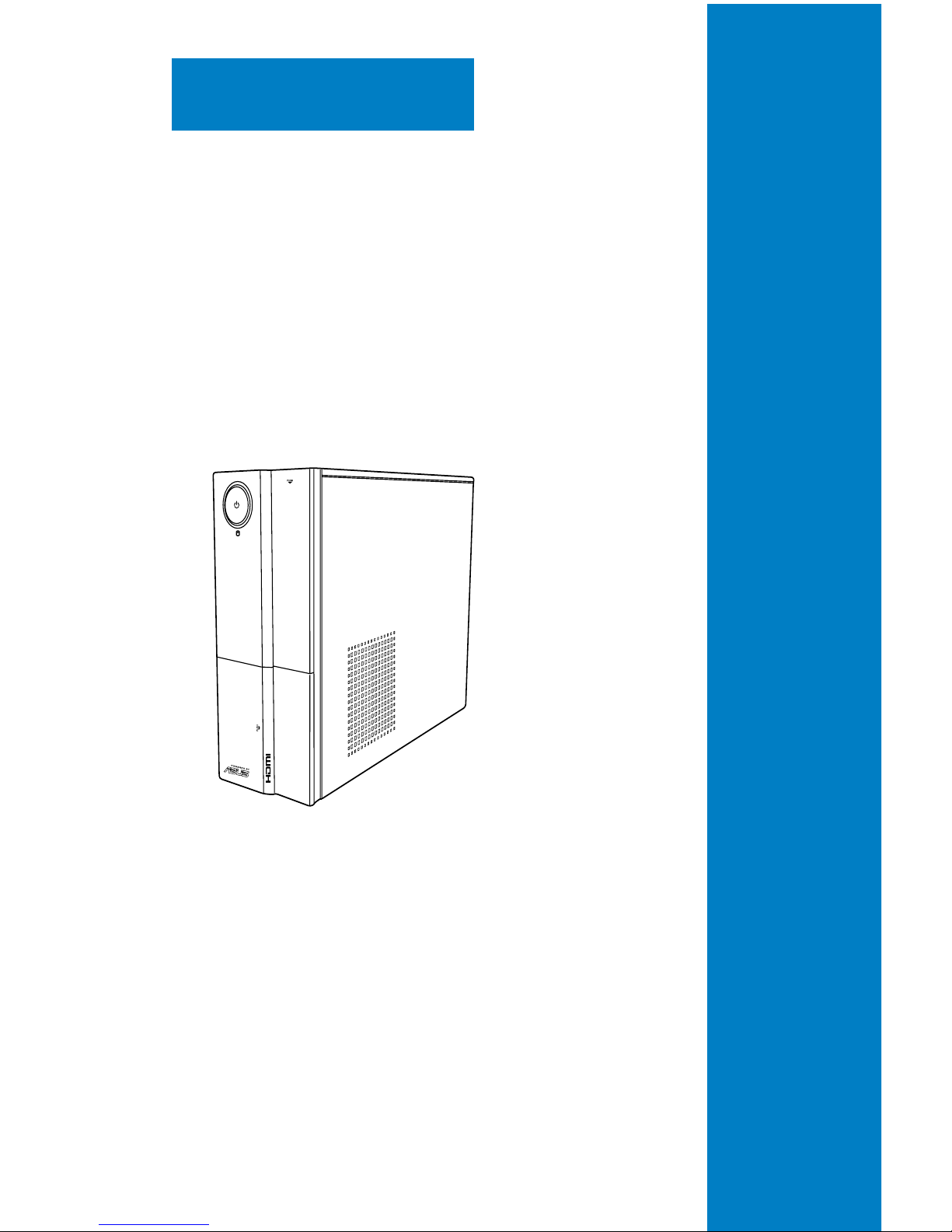
Thank you for choosing the ASUS P6-M4A3000E!
The ASUS P6-M4A3000E is an all-in-one barebone system with a versatile home
entertainment feature.
The system comes in a stylish casing and powered by the ASUS motherboard
that supports the AMD®AM3 socket for Phenom™ II / Phenom™ / Athlon™ 64 /
Athlon™ X2 / Athlon™ FX / Sempron™ processors.
The system supports up to 8 GB of system memory using DDR3-1800(O.C.)/ 1333/
1066 MHz DIMMs. High-resolution graphics via integrated graphics controller
or PCI Express x16 slot, Serial ATA, USB 2.0, and 8-channel audio feature the
system and take you ahead in the world of power computing.
1.2 Front panel
The front panel includes the optical drive bays, power button, and several I/O ports
are located at the front panel.
Front panel
1
2
3
1
4
3
5
6
7
Indice
Altri manuali Asus Scrivania

Asus
Asus M32 Series Manuale utente

Asus
Asus V7-P8H77E Manuale utente

Asus
Asus ROG GR8 II Series Manuale utente

Asus
Asus AS-D772 Manuale utente

Asus
Asus ET2203 - Eee Top - 4 GB RAM Manuale utente

Asus
Asus D415MT Manuale utente

Asus
Asus PN42 Series Manuale utente

Asus
Asus AS-D692 Manuale utente

Asus
Asus PN61 Series Manuale utente

Asus
Asus D700TCES Manuale utente

Asus
Asus V2-M2V890 Manuale utente

Asus
Asus Pundit P1-AH2 Manuale utente

Asus
Asus V241 Series Manuale utente

Asus
Asus D510MT Manuale utente

Asus
Asus Gaming Station GS50 Manuale utente

Asus
Asus EeeTop ET1610P Manuale utente

Asus
Asus Essentio CM1830 Manuale utente

Asus
Asus VC60 Series Manuale utente

Asus
Asus A20BF Manuale utente

Asus
Asus AAEON BOXER-8231AI Manuale utente