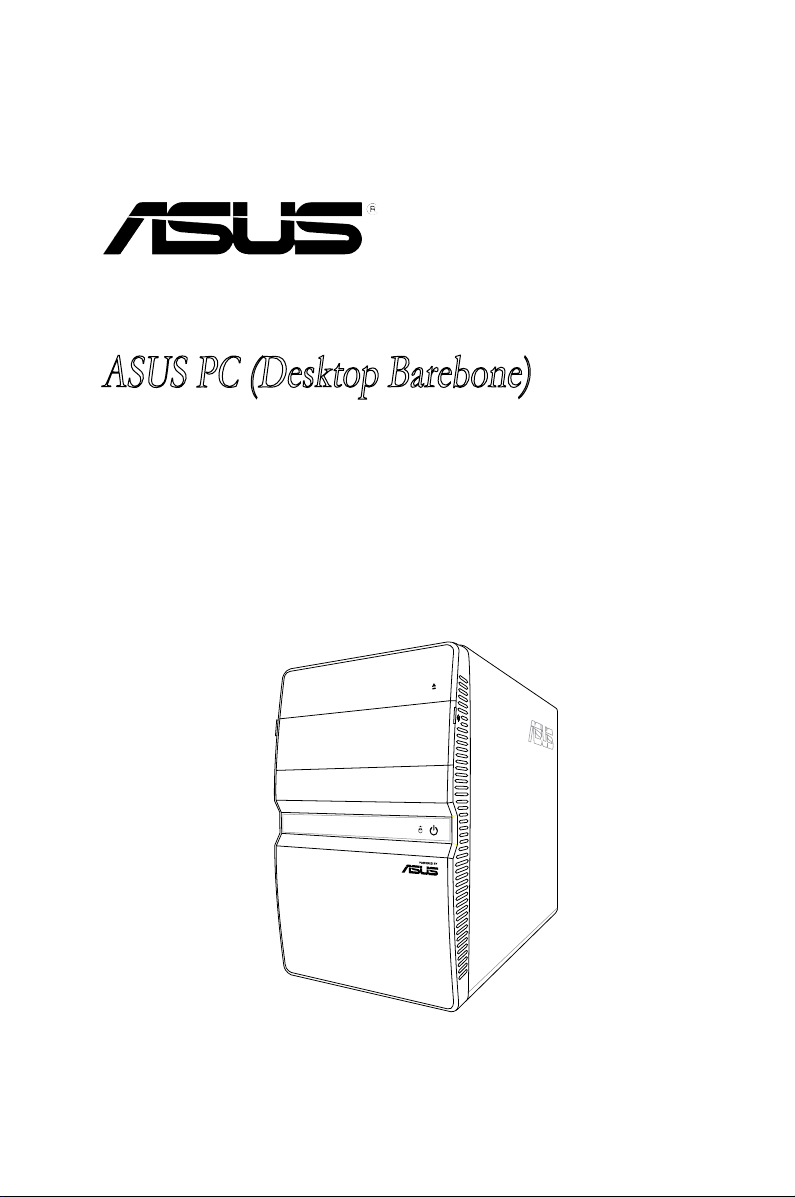
Asus T4-P5945GCX Manuale utente

T4-P5945GCX
ASUS PC (Desktop Barebone)

ii
Copyright © 2007 ASUSTeK COMPUTER INC. All Rights Reserved.
No part of this manual, including the products and software described in it, may be reproduced,
transmitted, transcribed, stored in a retrieval system, or translated into any language in any form or by any
means, except documentation kept by the purchaser for backup purposes, without the express written
permission of ASUSTeK COMPUTER INC. (“ASUS”).
Product warranty or service will not be extended if: (1) the product is repaired, modied or altered, unless
such repair, modication of alteration is authorized in writing by ASUS; or (2) the serial number of the
product is defaced or missing.
ASUS PROVIDES THIS MANUAL “AS IS” WITHOUT WARRANTY OF ANY KIND, EITHER EXPRESS
OR IMPLIED, INCLUDING BUT NOT LIMITED TO THE IMPLIED WARRANTIES OR CONDITIONS OF
MERCHANTABILITY OR FITNESS FOR A PARTICULAR PURPOSE. IN NO EVENT SHALL ASUS, ITS
DIRECTORS, OFFICERS, EMPLOYEES OR AGENTS BE LIABLE FOR ANY INDIRECT, SPECIAL,
INCIDENTAL, OR CONSEQUENTIAL DAMAGES (INCLUDING DAMAGES FOR LOSS OF PROFITS,
LOSS OF BUSINESS, LOSS OF USE OR DATA, INTERRUPTION OF BUSINESS AND THE LIKE),
EVEN IF ASUS HAS BEEN ADVISED OF THE POSSIBILITY OF SUCH DAMAGES ARISING FROM ANY
DEFECT OR ERROR IN THIS MANUAL OR PRODUCT.
SPECIFICATIONS AND INFORMATION CONTAINED IN THIS MANUAL ARE FURNISHED FOR
INFORMATIONAL USE ONLY, AND ARE SUBJECT TO CHANGE AT ANY TIME WITHOUT NOTICE,
AND SHOULD NOT BE CONSTRUED AS A COMMITMENT BY ASUS. ASUS ASSUMES NO
RESPONSIBILITY OR LIABILITY FOR ANY ERRORS OR INACCURACIES THAT MAY APPEAR IN THIS
MANUAL, INCLUDING THE PRODUCTS AND SOFTWARE DESCRIBED IN IT.
Products and corporate names appearing in this manual may or may not be registered trademarks or
copyrights of their respective companies, and are used only for identication or explanation and to the
owners’ benet, without intent to infringe.
E3633
Second Edition V2
December 2007

iii
Contents
Notices......................................................................................................... vi
Safety information ..................................................................................... vii
About this guide ....................................................................................... viii
System package contents........................................................................... x
Chapter 1: System introduction
1.1 Welcome! ...................................................................................... 1-2
1.2 Front panel (external) .................................................................. 1-2
1.3 Front panel (internal) ................................................................... 1-3
1.4 Rear panel..................................................................................... 1-4
1.5 Internal components.................................................................... 1-6
Chapter 2: Basic installation
2.1 Preparation ................................................................................... 2-2
2.2 Before you proceed ..................................................................... 2-2
2.3 Removing the cover..................................................................... 2-3
2.4 Power supply unit ........................................................................ 2-4
2.5 CPU installation............................................................................ 2-5
2.5.1 Installing the CPU ........................................................... 2-5
2.5.2 Reinstalling the CPU fan and heatsink assembly ........... 2-7
2.6 Installing a DIMM.......................................................................... 2-8
2.6.1 Memory congurations.................................................... 2-8
2.6.2 DIMM installation ...........................................................2-11
2.7 Installing an expansion card..................................................... 2-12
2.7.1 Expansion slots............................................................. 2-12
2.7.2 Expansion card installation ........................................... 2-13
2.8 Installing an optical drive.......................................................... 2-14
2.9 Installing a Serial ATA disk drive .............................................. 2-15
2.10 Reinstalling the power supply unit........................................... 2-16
Voltage selector............................................................................ 2-16
2.11 Replacing the cover................................................................... 2-17
Chapter 3: Starting up
3.1 Installing an operating system ................................................... 3-2
3.2 Powering up.................................................................................. 3-2
3.3 Support CD information .............................................................. 3-3
3.3.1 Running the support CD ................................................. 3-3

iv
Contents
3.3.2 Drivers menu................................................................... 3-4
3.3.3 Utilities menu .................................................................. 3-5
3.3.4 ASUS contact information............................................... 3-6
Chapter 4: Motherboard info
4.1 Introduction .................................................................................. 4-2
4.2 Motherboard layout...................................................................... 4-2
4.3 Jumpers ........................................................................................ 4-3
4.4 Connectors ................................................................................... 4-5
Chapter 5: BIOS setup
5.1 Managing and updating your BIOS ............................................ 5-2
5.1.1 ASUS EZ Flash utility...................................................... 5-3
5.1.2 AFUDOS utility................................................................ 5-4
5.1.3 ASUS CrashFree BIOS 2 utility ...................................... 5-6
5.1.4 ASUS Update utility ........................................................ 5-8
5.2 BIOS setup program .................................................................. 5-11
5.2.1 BIOS menu screen........................................................ 5-12
5.2.2 Menu bar....................................................................... 5-12
5.2.3 Navigation keys............................................................. 5-12
5.2.4 Menu items ................................................................... 5-13
5.2.5 Sub-menu items............................................................ 5-13
5.2.6 Conguration elds ....................................................... 5-13
5.2.7 Pop-up window ............................................................. 5-13
5.2.8 Scroll bar....................................................................... 5-13
5.2.9 General help ................................................................. 5-13
5.3 Main menu .................................................................................. 5-14
5.3.1 System Time ................................................................ 5-14
5.3.2 System Date ................................................................ 5-14
5.3.3 SATA1, SATA2, and SATA3 .......................................... 5-15
5.3.4 IDE Conguration.......................................................... 5-16
5.3.5 System Information ....................................................... 5-17
5.4 Advanced menu ......................................................................... 5-17
5.4.1 USB Conguration ........................................................ 5-18
5.4.2 CPU Conguration ........................................................ 5-19
5.4.3 Chipset.......................................................................... 5-20

v
Contents
5.4.4 Onboard Devices Conguration.................................... 5-21
5.4.5 PCI PnP ........................................................................ 5-22
5.5 Power menu................................................................................ 5-23
5.5.1 Suspend Mode ............................................................. 5-23
5.5.2 ACPI 2.0 Support ......................................................... 5-23
5.5.3 ACPI APIC Support ...................................................... 5-23
5.5.4 APM Conguration........................................................ 5-24
5.5.5 Hardware Monitor ......................................................... 5-25
5.6 Boot menu .................................................................................. 5-26
5.6.1 Boot Device Priority ...................................................... 5-26
5.6.2 Boot Settings Conguration .......................................... 5-27
5.6.3 Security ......................................................................... 5-28
5.7 Exit menu.................................................................................... 5-30
Appendix
Power supply specications ...................................................................A-2

vi
Notices
Federal Communications Commission Statement
This device complies with Part 15 of the FCC Rules. Operation is subject to the
following two conditions:
•
This device may not cause harmful interference, and
•
This device must accept any interference received including interference that
may cause undesired operation.
This equipment has been tested and found to comply with the limits for a
Class B digital device, pursuant to Part 15 of the FCC Rules. These limits are
designed to provide reasonable protection against harmful interference in a
residential installation. This equipment generates, uses and can radiate radio
frequency energy and, if not installed and used in accordance with manufacturer’s
instructions, may cause harmful interference to radio communications. However,
there is no guarantee that interference will not occur in a particular installation. If
this equipment does cause harmful interference to radio or television reception,
which can be determined by turning the equipment off and on, the user is
encouraged to try to correct the interference by one or more of the following
measures:
•
Reorient or relocate the receiving antenna.
•
Increase the separation between the equipment and receiver.
•
Connect the equipment to an outlet on a circuit different from that to which the
receiver is connected.
•
Consult the dealer or an experienced radio/TV technician for help.
Canadian Department of Communications Statement
This digital apparatus does not exceed the Class B limits for radio noise emissions
from digital apparatus set out in the Radio Interference Regulations of the
Canadian Department of Communications.
This class B digital apparatus complies with Canadian ICES-003.
Macrovision Corporation Product Notice
This product incorporates copyright protection technology that is protected by
U.S. patents and other intellectual property rights. Use of this copyright protection
technology must be authorized by Macrovision, and is intended for home and other
limited viewing uses only unless otherwise authorized by Macrovision. Reverse
engineering or disassembly is prohibited.
The use of shielded cables for connection of the monitor to the graphics card is
required to assure compliance with FCC regulations. Changes or modications
to this unit not expressly approved by the party responsible for compliance
could void the user’s authority to operate this equipment.

vii
Safety information
Electrical safety
•
To prevent electrical shock hazard, disconnect the power cable from the
electrical outlet before relocating the system.
•
When adding or removing devices to or from the system, ensure that the power
cables for the devices are unplugged before the signal cables are connected.
•
If the power supply is broken, do not try to x it by yourself. Contact a qualied
service technician or your retailer.
Operation safety
•
Before installing devices into the system, carefully read all the documentation
that came with the package.
•
Before using the product, ensure that all cables are correctly connected and
the power cables are not damaged. If you detect any damage, contact your
dealer immediately.
•
To avoid short circuits, keep paper clips, screws, and staples away from
connectors, slots, sockets and circuitry.
•
Avoid dust, humidity, and temperature extremes. Do not place the product in
any area where it may become wet. Place the product on a stable surface.
•
When using the product, do not block any air inlet/outlet in the chassis.
•
The maximum environmental temperature is 35ºC.
•
If you encounter technical problems with the product, contact a qualied
service technician or your retailer.
Lithium-Ion Battery Warning
CAUTION: Danger of explosion if battery is incorrectly replaced. Replace
only with the same or equivalent type recommended by the manufacturer.
Dispose of used batteries according to the manufacturer’s instructions.
VORSICHT: Explosionsgetahr bei unsachgemäßen Austausch der Batterie.
Ersatz nur durch denselben oder einem vom Hersteller empfohlenem
ähnljchen Typ. Entsorgung gebrauchter Batterien nach Angaben des
Herstellers.
LASER PRODUCT WARNING
CLASS 1 LASER PRODUCT

viii
About this guide
Audience
This guide provides general information and installation instructions about ASUS
T4-P5945GCX barebone system. This guide is intended for experienced users and
integrators with hardware knowledge of personal computers.
How this guide is organized
This guide contains the following parts:
1. Chapter 1: System introduction
This chapter gives a general description of ASUS T4-P5945GCX. The
chapter lists the system features, including introduction on the front and rear
panel, and internal components.
2. Chapter 2: Basic installation
This chapter provides step-by-step instructions on how to install components
in the system.
3. Chapter 3: Starting up
This chapter helps you power up the system and install drivers and utilities
from the support CD.
4. Chapter 4: Motherboard information
This chapter gives information about the motherboard that comes with the
system. This chapter includes the motherboard layout, jumper settings, and
connector locations.
5. Chapter 5: BIOS information
This chapter tells how to change system settings through the BIOS Setup
menus and describes the BIOS parameters.
6. Appendix
The Appendix includes the power supply unit specication for this system.

ix
Conventions used in this guide
WARNING: Information to prevent injury to yourself when trying to
complete a task.
CAUTION: Information to prevent damage to the components when
trying to complete a task.
IMPORTANT: Instructions that you MUST follow to complete a task.
NOTE: Tips and additional information to aid in completing a task.
Where to nd more information
Refer to the following sources for additional information and for product and
software updates.
1. ASUS Websites
The ASUS websites worldwide provide updated information on ASUS
hardware and software products. Refer to the ASUS contact information.
2. Optional Documentation
Your product package may include optional documentation, such as warranty
yers, that may have been added by your dealer. These documents are not
part of the standard package.

x
System package contents
Check your T4-P5945GCX system package for the following items.
If any of the items is damaged or missing, contact your retailer immediately.
Item description
1. ASUS T4-P5945GCX barebone system with
• ASUS motherboard
• 250 W PFC power supply unit
• Front I/O card
• LAN card
• 6-in-1 storage card reader
2. Cables
• AC power cord
• ATA cable
• Serial ATA cable
• Serial ATA power cable
3. Support CD and Recovery Pro CD
4. Installation Manual
5. Optional items
• Telephone Adapter card
Indice
Altri manuali Asus Scrivania

Asus
Asus M11AA Manuale utente

Asus
Asus V220IB Manuale utente

Asus
Asus T3-P5G31A Manuale utente

Asus
Asus PL63 Manuale utente

Asus
Asus AAEON RTC-1200SK Manuale utente

Asus
Asus G35CA Manuale utente

Asus
Asus ExpertCenter D5 Tower Manuale utente

Asus
Asus B5081ZD Manuale utente

Asus
Asus Essentio Manuale utente

Asus
Asus T3-P5G965A Manuale utente

Asus
Asus AS-D570 Manuale utente

Asus
Asus Essentio CM6431 Manuale utente

Asus
Asus PN Series Manuale utente

Asus
Asus Eee Top ET1611 Manuale utente

Asus
Asus BM6AF Manuale utente

Asus
Asus ET2400XVT Manuale utente

Asus
Asus M51BC Manuale utente

Asus
Asus G10AC Manuale utente

Asus
Asus Terminator A7VT Manuale utente

Asus
Asus Z272S Manuale utente