Asus Eee PC 1002HA Manuale utente

Eee PC
User Manual
Windows®XP Edition
Eee PC 1002HA/S101H
E4338
15G06Q059001

ii
Table of Contents
Table of Contents
Table of Contents ................................................................................................ii
About This User’s Manual............................................................................... iv
Notes for This Manual...................................................................................... iv
Safety Precautions ..............................................................................................v
Transportation Precautions ......................................................................... vi
Charging Your Batteries................................................................................ vii
Airplane Precautions .....................................................................................vii
Knowing the Parts
Top Side ............................................................................................................. 1-2
Bottom Side...................................................................................................... 1-5
Right Side.......................................................................................................... 1-7
Left Side............................................................................................................. 1-8
Rear Side............................................................................................................ 1-8
Keyboard Usage............................................................................................1-10
Touchpad Usage...........................................................................................1-12
Getting Started
Powering on your Eee PC............................................................................ 2-2
First-time Startup ........................................................................................... 2-3
Desktop.............................................................................................................. 2-4
ASUS EeePC Tray Utility................................................................................ 2-5
Enabling and Disabling Devices.............................................................. 2-5
Adjusting the display resolution............................................................. 2-6
Network Connection..................................................................................... 2-7
Configuring a wireless network connection....................................... 2-7
Local Area Network...................................................................................... 2-8
Browsing web pages .................................................................................2-11
Using the Eee PC
ASUS Update.................................................................................................... 3-2
Updating the BIOS through the Internet ............................................. 3-2
Updating the BIOS through a BIOS file................................................. 3-3
Bluetooth Connection.................................................................................. 3-4
Super Hybrid Engine..................................................................................... 3-6
Super Hybrid Engine Modes..................................................................... 3-6
Eee Storage....................................................................................................... 3-7

ASUS Eee PC
iii
Support DVD & System Recovery
Support DVD information........................................................................... 4-2
Running the support DVD......................................................................... 4-2
Drivers menu.................................................................................................. 4-3
Utilities menu................................................................................................. 4-3
Contact ........................................................................................................... 4-3
Other information ........................................................................................ 4-3
System Recovery ............................................................................................ 4-4
Using the Support DVD.............................................................................. 4-4
Using Recovery Partition ........................................................................... 4-5
Boot Booster .................................................................................................... 4-6
Appendix
Declarations and Safety Statements .......................................................A-2
Federal Communications Commission Statement...........................A-2
FCC Radio Frequency (RF) Exposure Caution Statement...............A-3
Declaration of Conformity(R&TTE directive 1999/5/EC).................A-4
CE Mark Warning...........................................................................................A-4
IC Radiation Exposure Statement for Canada ....................................A-4
Wireless Operation Channel for Different Domains.........................A-6
France Restricted Wireless Frequency Bands .....................................A-6
UL Safety Notices..........................................................................................A-7
Power Safety Requirement .......................................................................A-8
Nordic Lithium Cautions (for lithium-ion batteries).........................A-9
Copyright Information .............................................................................. A-11
Limitation of Liability................................................................................. A-12
Service and Support................................................................................... A-12

iv
Table of Contents
About This User’s Manual
You are reading the Eee PC User’s Manual.This User’s Manual
provides information regarding the various components in the Eee
PC and how to use them.The following are major sections of this
User’s Manual:
1. Knowing the Parts
Provides information on the Eee PC’s components.
2. Getting Started
Provides information on getting started with the Eee PC.
3. Using the Eee PC
Provides information on using the Eee PC’s utilities.
4. Support DVD and System Recovery
Gives you information on support DVD contents and system
recovery.
5. Appendix
Gives you safety statements.
The actual bundled applications differ by models and territories.
There may be differences between your Eee PC and the pictures
shown in this manual. Please accept your Eee PC as being correct.
Notes for This Manual
A few notes and warnings are used throughout this guide, allowing
you to complete certain tasks safely and effectively.These notes have
different degrees of importance as follows:
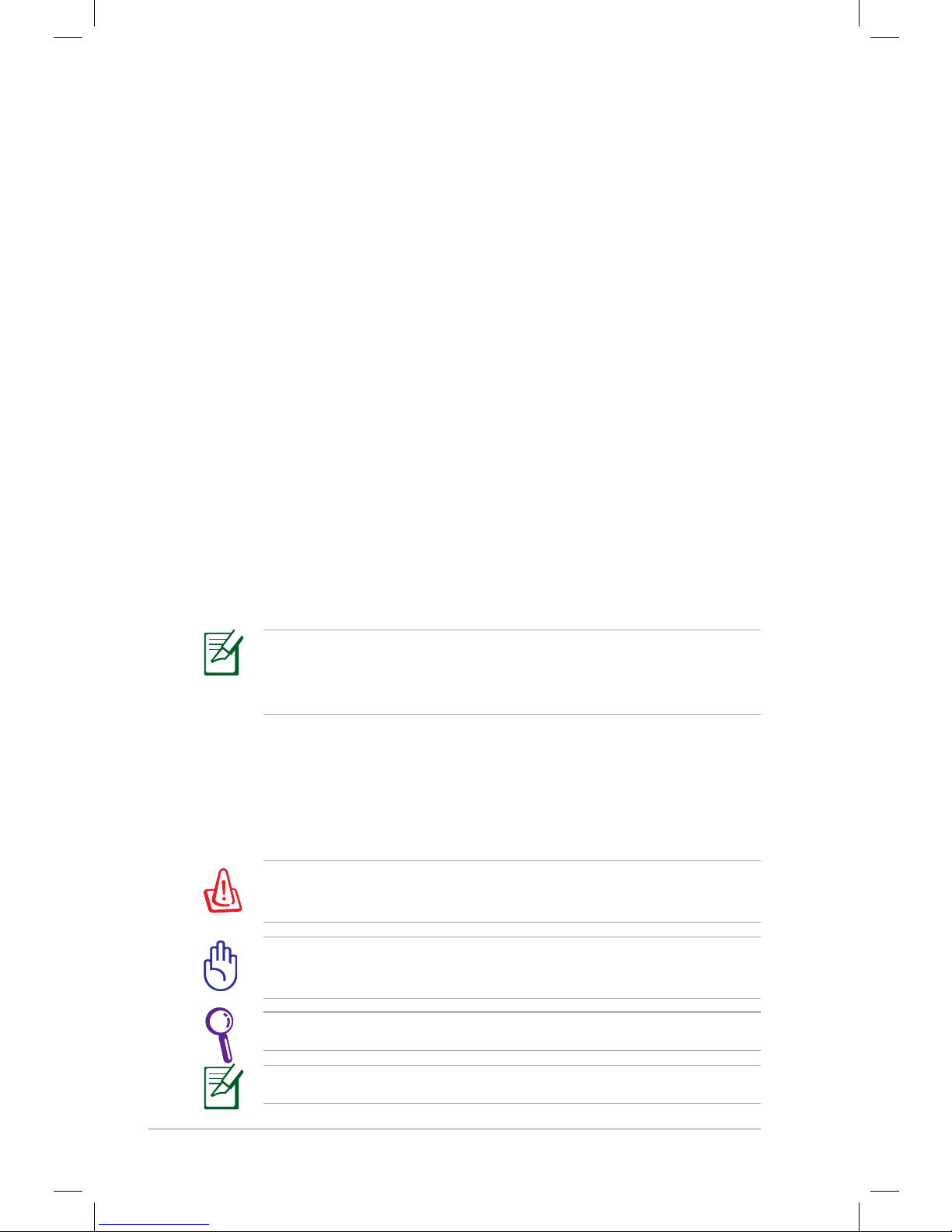
WARNING! Important information that must be followed for safe
operation.
NOTE: Information for special situations.
IMPORTANT! Vital information that must be followed to prevent
damage to data, components, or persons.
TIP:Tips for completing tasks.

ASUS Eee PC
v
Safety Precautions
The following safety precautions will increase the life of the Eee
PC. Follow all precautions and instructions. Except as described in
this manual, refer all servicing to qualified personnel. Do not use
damaged power cords, accessories, or other peripherals. Do not use
strong solvents such as thinners, benzene, or other chemicals on or
near the surface.
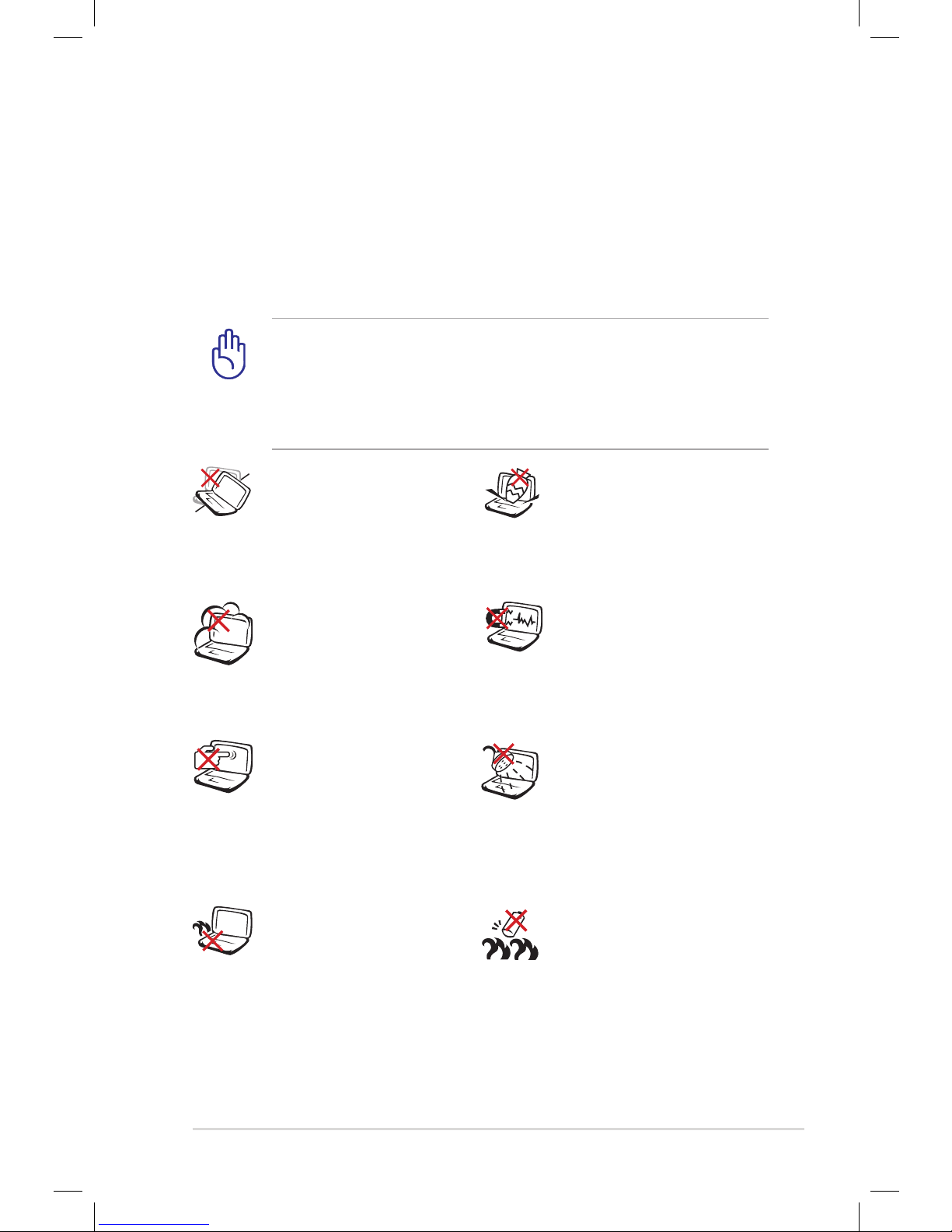
Battery safety warning: DO
NOT throw the battery in
fire. DO NOT short circuit
the contacts. DO NOT
disassemble the battery.
DO NOT leave the Eee PC on
your lap or any part of the
body to prevent discomfort
or injury from heat exposure.
DO NOT expose to dirty or
dusty environments. DO NOT
operate during a gas leak.
DO NOT expose to strong
magnetic or electrical fields.
DO NOT expose to or
use near liquids, rain, or
moisture. DO NOT use the
modem during electrical
storms.
DO NOT press or touch the
display panel. Do not place
together with small items
that may scratch or enter the
Eee PC.
DO NOT place on uneven or
unstable work surfaces. Seek
servicing if the casing has
been damaged.
DO NOT place or drop
objects on top and do not
shove any foreign objects
into the Eee PC.
Disconnect the AC power and remove the battery pack(s)
before cleaning. Wipe the Eee PC using a clean cellulose sponge
or chamois cloth dampened with a solution of nonabrasive
detergent and a few drops of warm water and remove any extra
moisture with a dry cloth.

vi
Table of Contents
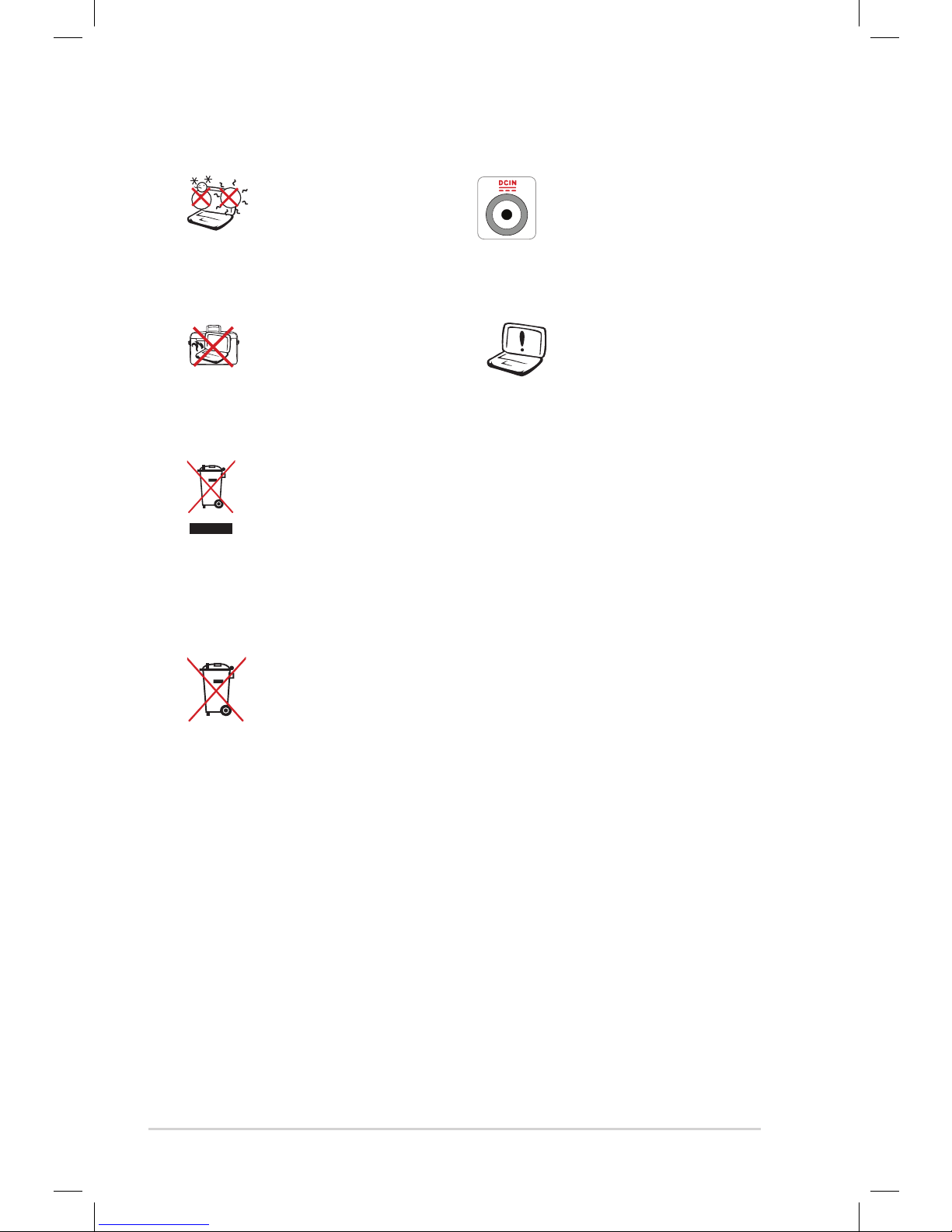
SAFE TEMP:This Eee PC
should only be used in
environments with ambient
temperatures between 5°C
(41°F) and 35°C (95°F)
INPUT RATING: Refer to the
rating label on the bottom
of the Eee PC and be sure
that your power adapter
complies with the rating.
DO NOT carry or cover a
Eee PC that is powered ON
with any materials that will
reduce air circulation such
as a carrying bag.
Incorrect installation
of battery may cause
explosion and damage
the Eee PC.
DO NOT throw the Eee PC in municipal waste.This product
has been designed to enable proper reuse of parts and
recycling.The symbol of the crossed out wheeled bin
indicates that the product (electrical, electronic equipment
and mercury-containing button cell battery) should not
be placed in municipal waste. Check local regulations for
disposal of electronic products.
DO NOT throw the battery in municipal waste.The symbol
of the crossed out wheeled bin indicates that the battery
should not be placed in municipal waste.
Transportation Precautions
To prepare your Eee PC for transport, you should turn it OFF and
disconnect all external peripherals to prevent damage to the
connectors.The hard disk drive’s head retracts when the power is
turned OFF to prevent scratching of the hard disk surface during
transport. Therefore, you should not transport your Eee PC
while the power is still ON. Close the display panel to protect the
keyboard and display panel.
The Eee PC’s surface is easily dulled if not properly cared for. Be
careful not to rub or scrape surfaces when transporting your Eee PC.
You can put your Eee PC in a carrying case for protection from dirt,
water, shock, and scratches.

ASUS Eee PC
vii
Charging Your Batteries
If you intend to use battery power, be sure to fully charge your
battery pack and any optional battery packs before going on long
trips. Remember that the power adapter charges the battery pack as
long as it is plugged into the computer and an AC power source. Be
aware that it takes much longer to charge the battery pack when the
Eee PC is in use.
Remember to fully charge the battery (8 hours or more) before
first use and whenever it is depleted to prolong battery life.The
battery reaches its maximmum capacity after a few full charging and
discharging cycles.
Airplane Precautions
Contact your airline if you want to use the Eee PC on the airplane.
Most airlines have restrictions for using electronic devices. Most
airlines allow electronic use only between and not during takeoffs
and landings.
There are three main types of airport security devices: X-ray
machines (used on items placed on conveyor belts), magnetic
detectors (used on people walking through security checks),
and magnetic wands (hand-held devices used on people or
individual items).You can send your Eee PC and diskettes
through airport X-ray machines. However, it is recommended
that you do not send your Eee PC or diskettes through airport
magnetic detectors or expose them to magnetic wands.

viii
Table of Contents

Top Side
Bottom Side
Right Side
Left Side
Rear Side
Keyboard Usage
Touchpad Usage
1
Knowing the Parts

1-2
Chapter 1: Knowing the Parts
Top Side
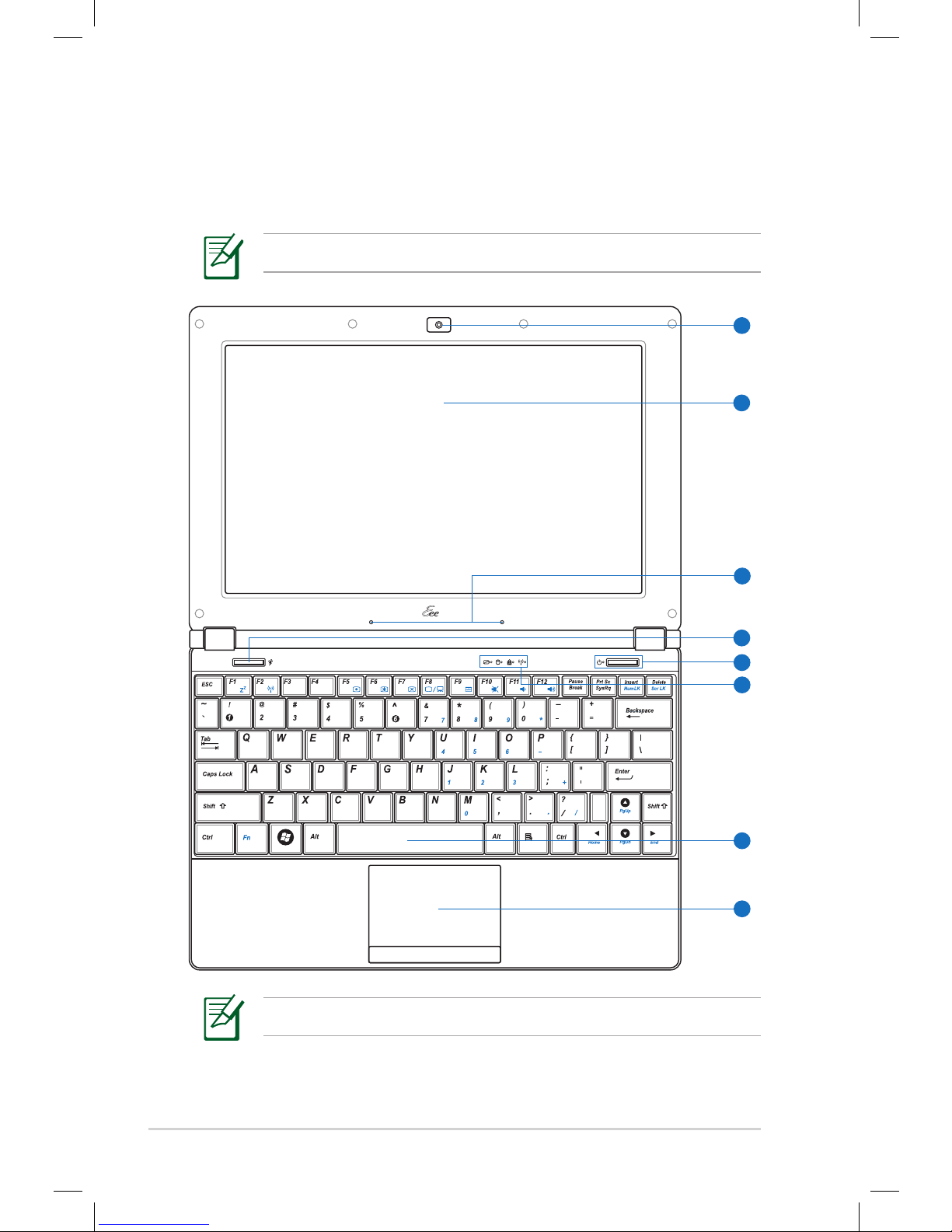
Refer to the illustration below to identify the components on this
side of the Eee PC.
The keyboard differs for each territory.
The top side may vary in appearance depending on model.
PC
5
6
7
8
1
2
3
4
Altri manuali per Eee PC 1002HA
1
Questo manuale è adatto per i seguenti modelli
2
Indice
Altri manuali Asus Computer portatile