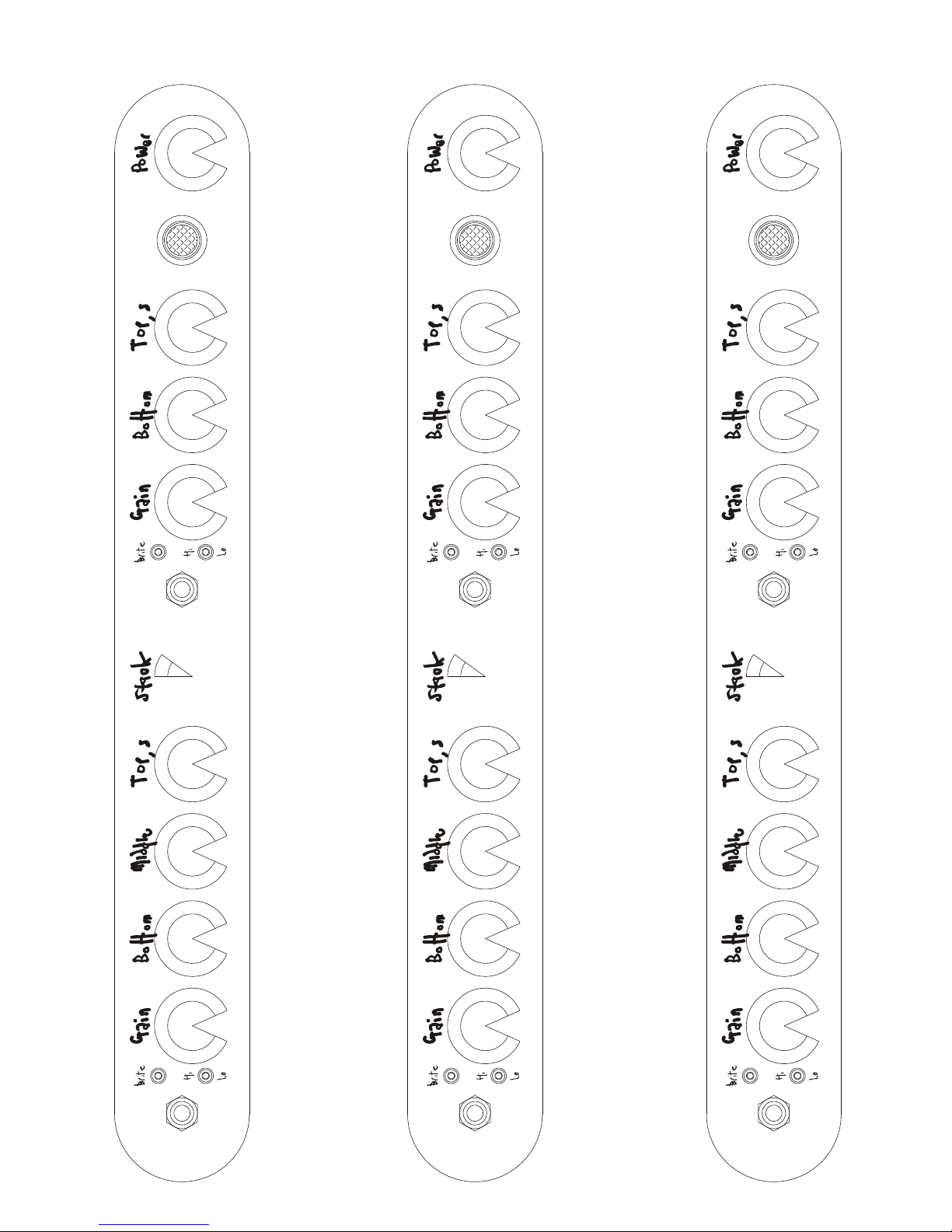
How do I use the Big Chopper?
Like the Little Chopper, the Big Chopper is happy to be used as a studio amp,
and as such has found favour with many of the top producers, engineers and
artists all over the World. The Big Chopper though, has enough of a bark to
enable it to play anything from small venue gigs to stadia, festivals and all stops
in between.
You may have noticed that the Big Chopper has a second channel which, with
one of our a/b/y boxes can be used as an alternate, or in tandem with, the first
'Little Chopper' channel to create different textures and effects.
Connect a speaker cabinet to one of the output jacks, plug your guitar into an
input, turn up the Gain, and off you go!
The power switch on the back is Off in the bottom position, Standby in the
middle, and On in the top position.
Channel One:
Gain works as you would expect; Bottom, Middle, Tops likewise.
Stack disables Bottom and Middle, and re-purposes Tops as a high end roll-
off.
Channel Two:
Gain functions as you would imagine, but the EQ on this channel is a bit
different, in that you get a great deal of cut and boost on both Tops and Bottom.
Power is a headroom control for the output stage: as you turn it down the
volume decreases but you get an increase in break-up. Gain and Power are
very interactive, so play around with them together.
The Big Chopper sounds 'all there' as soon as you plug in, so you won't need to
spend time hunting for the sweet spot , but there are so many sounds available,
that I strongly recommend spending time with the amp, playing and
experimenting with the controls to familiarise yourself with the possibilities:
I can assure you this will NOT feel like a chore.
4