Audix TVD6040 Manuale utente

Please read this manual carefully
before using this TV set and keep it
for future reference.
OWNER'S MANUAL
COMBINED 21" TV AND DVD PLAYER
TV
+
TVD6040

Basic operation
Warning and cautions.............................................................2
Installation............................................................................3
Aerial connection..................................................................3
Preparation of the remotecontrol............................................3
Function buttons and external sockets..................................4
Front panel of the TV set.......................................................4
Rear panel of the TV set.........................................................4
Using the remote control........................................................5
Basic operation
Switching on/off the TV set ....................................................6
Watching TV .........................................................................7
Watching TV program...........................................................7
Program swap and auto scan functions...................................8
Searching channel.................................................................9
Full automatic mode............................................................9
Semi-automatic search.......................................................10
Manual fine tune.................................................................11
Program skip .....................................................................12
Convenient picture and sound control functions..................13
Multiple picture modes ......................................................13
Black stretch and noise reduce............................................14
Mute , Select the language and Fade function.......................15
Time functions.....................................................................16
Clock setting and timer on/off functions..............................16
Sleep timer and program preset .........................................17
Setup function ....................................................................18
Screen saver and childlock functions....................................18
AVL and calendar functions ................................................19
Position exchange function.................................................20
Teletext................................................................................21
DVD Operation
Basic Playback....................................................................23
Advanced Playback..............................................................24
Special Function Playback...................................................25
DVD System Setup...............................................................27
Playable Discs.....................................................................31
Disc Protection and DVD Characteristics.............................32
Others
Connection to the external audio and video equipment........33
Troubleshooting guide.........................................................34
Specifications......................................................................35
CONTENTS

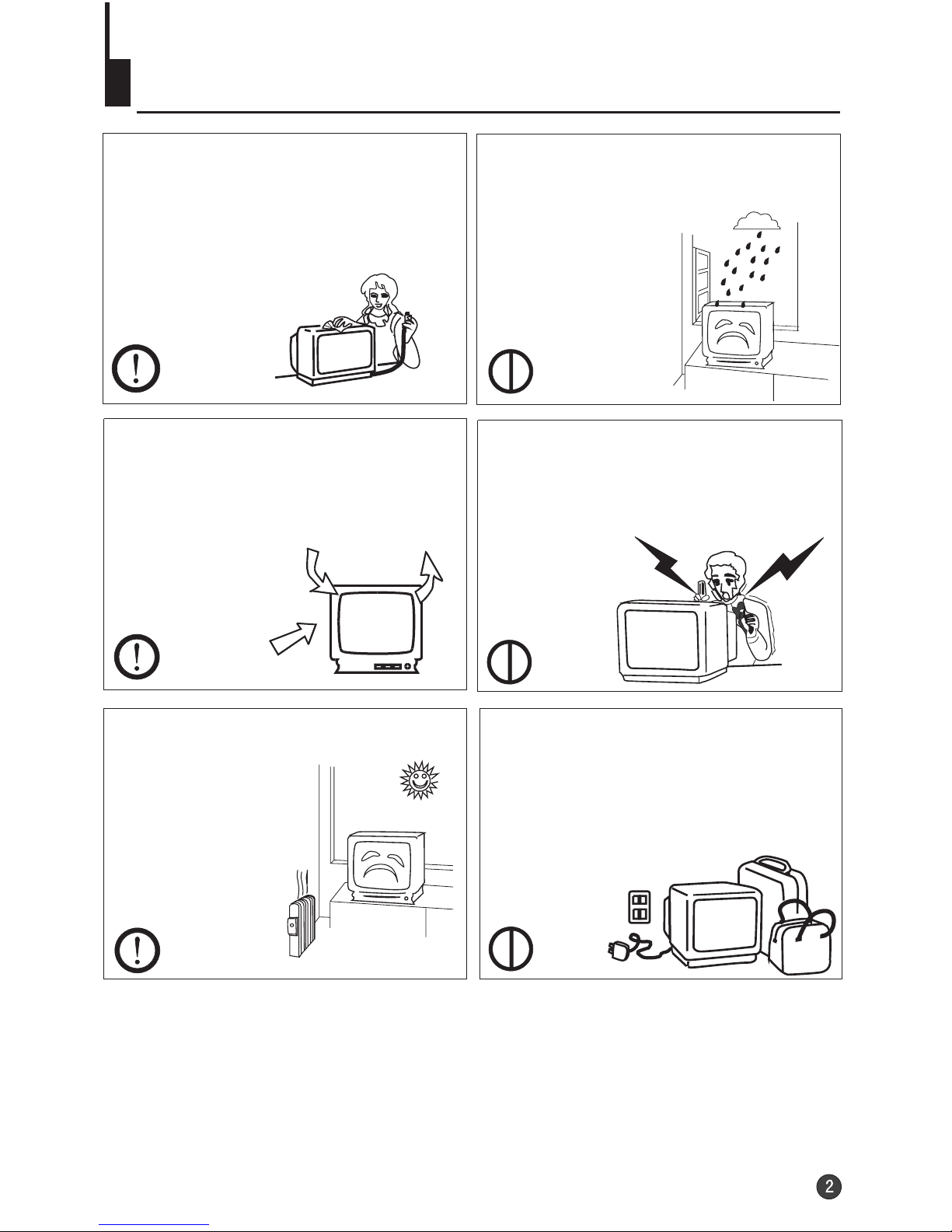
Warning and cautions
1. When you clean the TV set, please
pull out the power plug from AC outlet.
Don't clean the cabinet and the
screen with benzene, petrol and other
chemicals.
4. Do not place the TV set near rain or
moisture as it may cause an electric
shock, or the TV set to catch fire. The
TV set must only
be used in dry in
door locations.
5. The back cover must only be
removed by a registered electrical
service person. Removing the back
cover may result in electric shock, fire
or damage to
the TV set.
3. Don't place the
TV set in direct
sunlight or near a
heat source.
6. If the TV set is not going to be used
for a long time, or there is a severe
thunder & Lighting storm, it is
recommended that the TV set be
disconnected from the AC power outlet
and the aerial plug removed.
Cleaning the tube
If the picture tube require cleaning, disconnect the power and use a dry
soft cotton cloth. Do not use any cleaner or abrasive cloths.
22
2.In order to prolong the live of the
product, please use in a well
ventilated location.

Installation
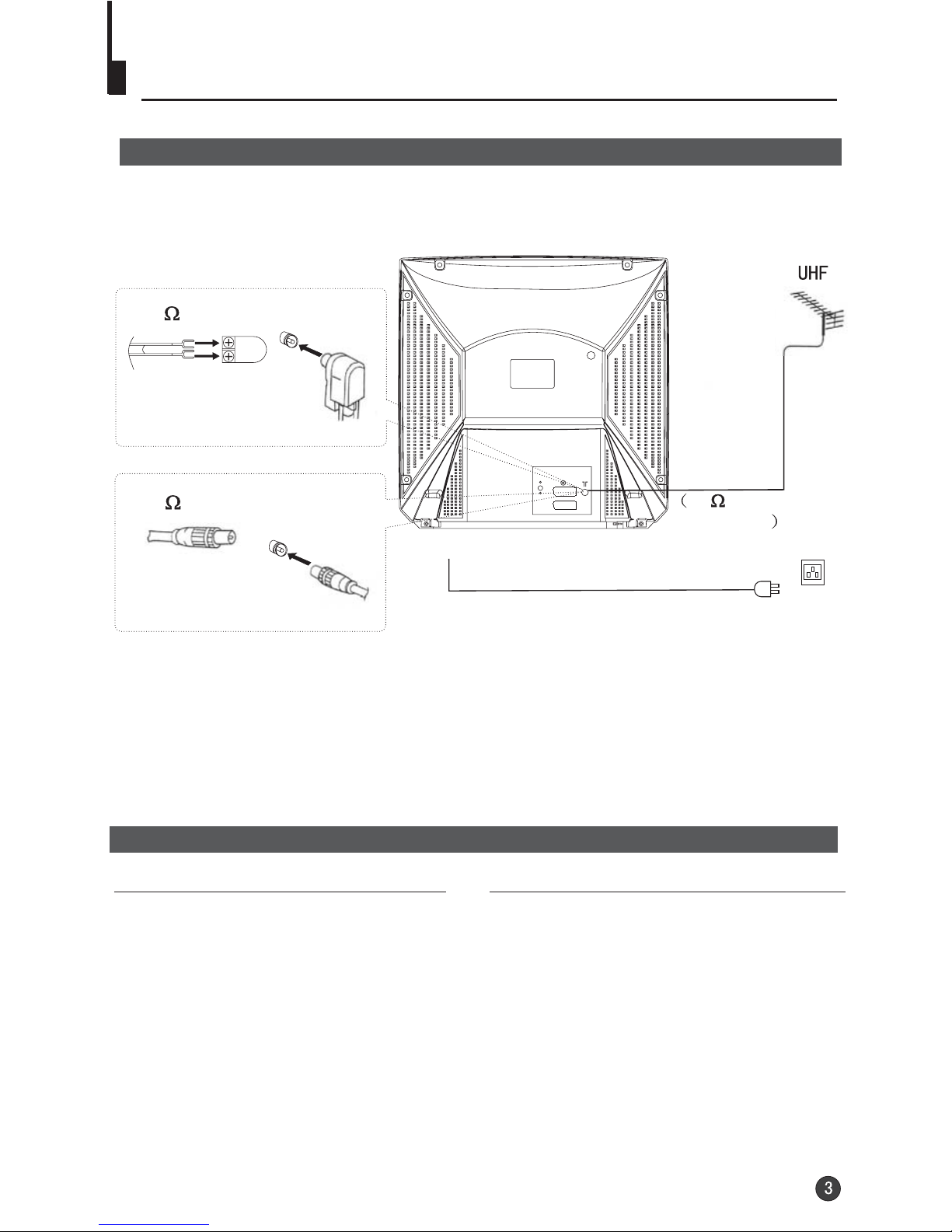
Aerial Connection
If the picture is not clear or snowy, we recommend that you use an outdoor
aerial.In different places, the suitable antenna type and position are different.
Preparation for the remote control
Battery installation Tips for remote operation
Remove the battery cover. When the remote control will not be used
for a long period of time or when the
batteries are worn out, remove the
batteries to prevent leakage.
Do not throw the batteries into fire.
Dispose of used batteries in the specified
manner.
Do not drop, dampen or disassemble
the remote control.
Insert two size AAA batteries matching
the +/-polarities of the battery to the +/-
marks inside the battery compartment.
Note:
* It is recommended that a 75 ohm coaxial antenna is used to avoid
interference.
*To avoid interference from electrical signals, do not bind the antenna
cable together with any mains lead.
300 twin-lead cable
Antenna adapter
75 coaxial cable
Plug
AC power socket
Aerial input
75 standard
coaxial type
(Not supplied)
(Not supplied)
COAXIAL

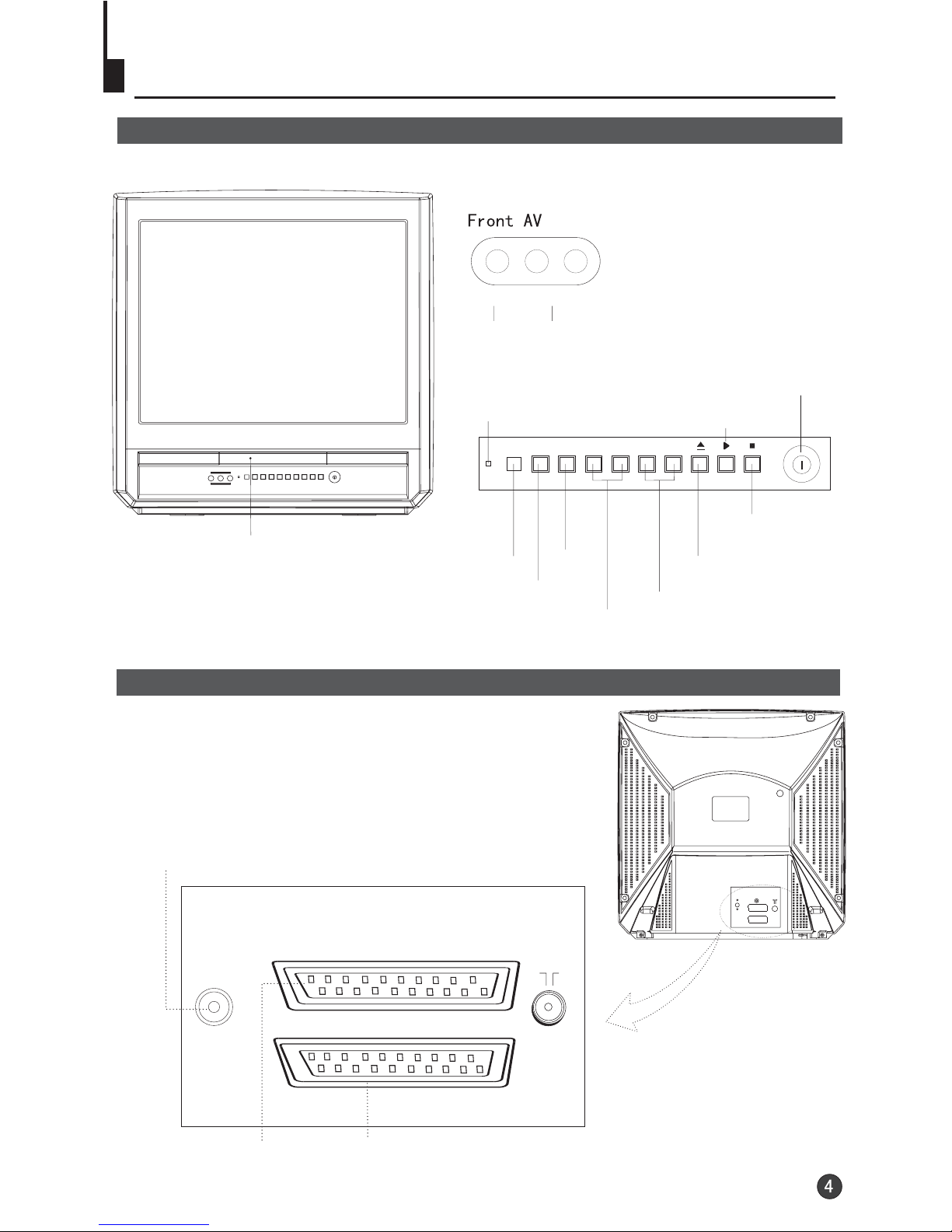
Function Buttons and External Sockets
Front panel the TV set
Rear panel of the TV set
DVD EXT
TV EXT
COAXIAL
DVD SCART Terminal TV SCART Terminal
Digital audio coaxial output terminal
VIDEO L-AUDIO-R
TV/DVD MENU V- V+ P- P+
Video R/LAudio
The DVD Player
Power Indicator
Signal Receiver
TV/DVD Switching
Menu
Volume up/ down
Channel Position up/down
Open/close the DVD
Stop the DVD
Power Switch
Play the DVD
COAXIAL


4
AUTO
BG
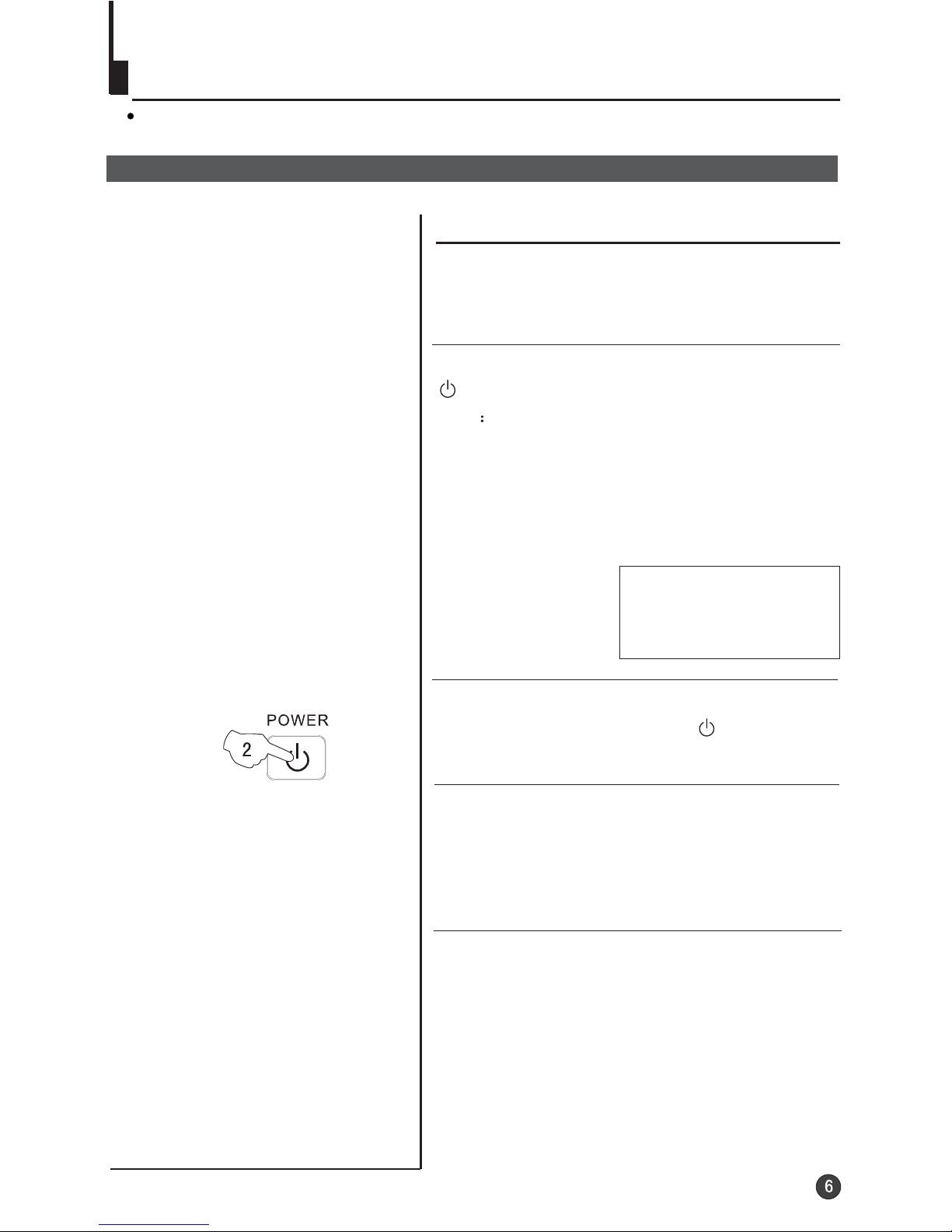
Switching on/ off the TV set
1 Please press the power switch to switch on AC
power supply and the power indicator will light.
2 If the indicator is lighting in red, press the button
on the remote control again.
Note
1 When you don't operate the TV set with a
remote control, you can turn on it directly
through pressing the channel on the TV set
(Child Lock must be turned off).
buttons
2 If you want to exchange to standby status,
please press down the button on the remote
control.
3 If you want to fully switch off the power supply
for the TV set, please press the power switch
button on the TV set.
Auto switch-off function
This section explains the use of the power button and remote handset
to turn your unit on and off.
If transmissions are finished for the day, the
Automatic Power Off feature will put the TV to
standby automatically. The Automatic Power
Off feature will not operate in AV mode or
when the background is set to off (see page
18).

Watching TV
Watching TV program
How to select TV program
Select the desired program
Select the desired sound
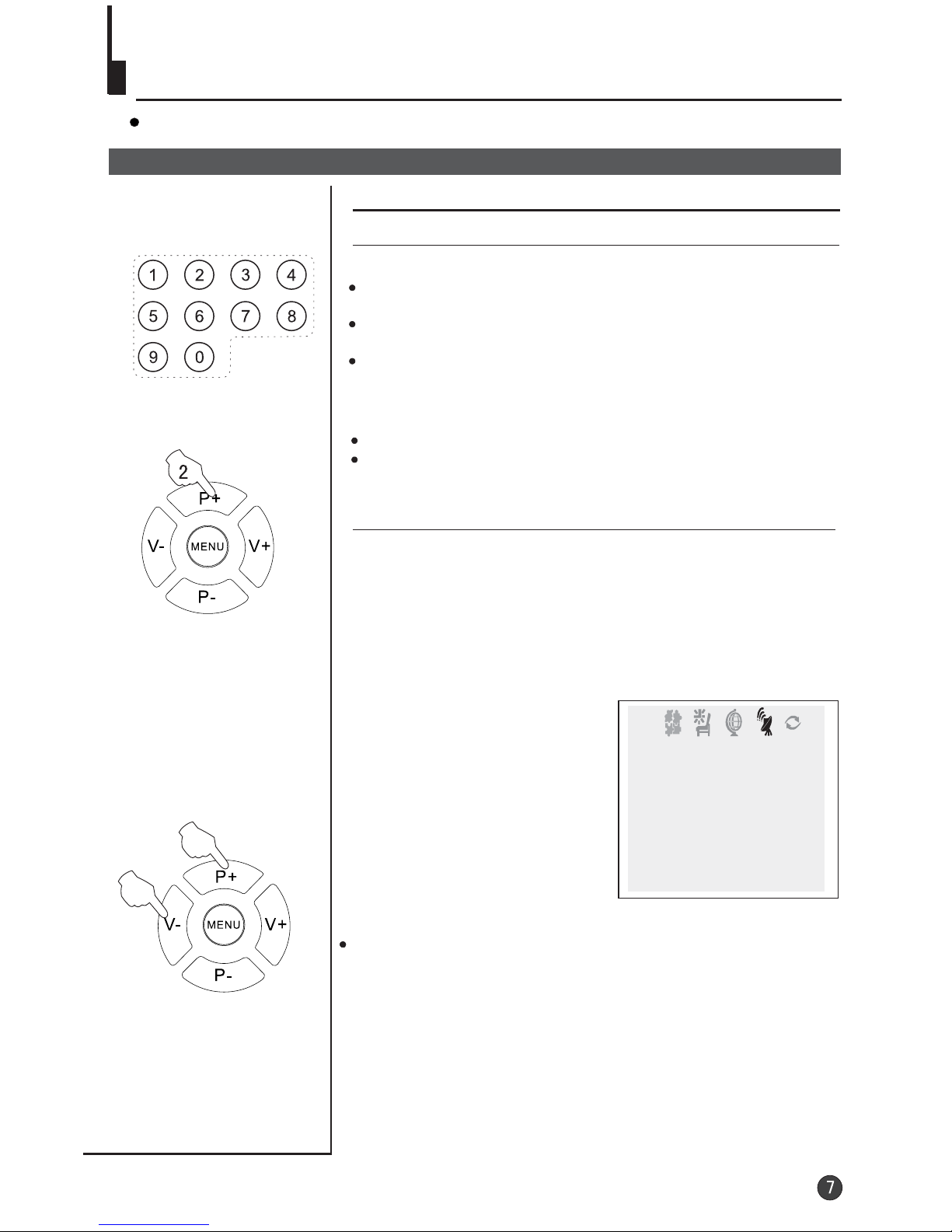
You can watch TV program in a preset channel.
1 Using "Program number" buttons
Press the V-/+ buttons on the remote or the front of the TV
set to adjust the volume level. The range is 0~100. When the
volume buttons are pressed the volume level is displayed
automatically on the TV screen.
If picture colo r is abnormalu
Use the P+/- buttons to select Colour then the V-/+
buttons to change between Auto,
. Press the EXIT button to save the setting.
PAL, NTSC and
NTSC443
TUNE
BAND VHFL
SKIP OFF
PROGRAM 0
SEARCH
FINE TUNE
AUTO SEARCH
COLOUR AUTO
Directly enter thechannel number with the numeric keypad
on the remotecontrol.
Toselect channel numbers from 10 ~ 99 press [-/--]button
and enter thetwo digit channel number
Toselect channel numbers from 100 ~ 218 press [-/--]button
twice and enterthe 3 digit channel number
2 Using the P+/- buttons
Press the P+button to increase channel number.
Press the P-button to decrease channel number.

18
AUTO
BG
8
AUTO
BG
18
AUTO
BG
Watching TV continued
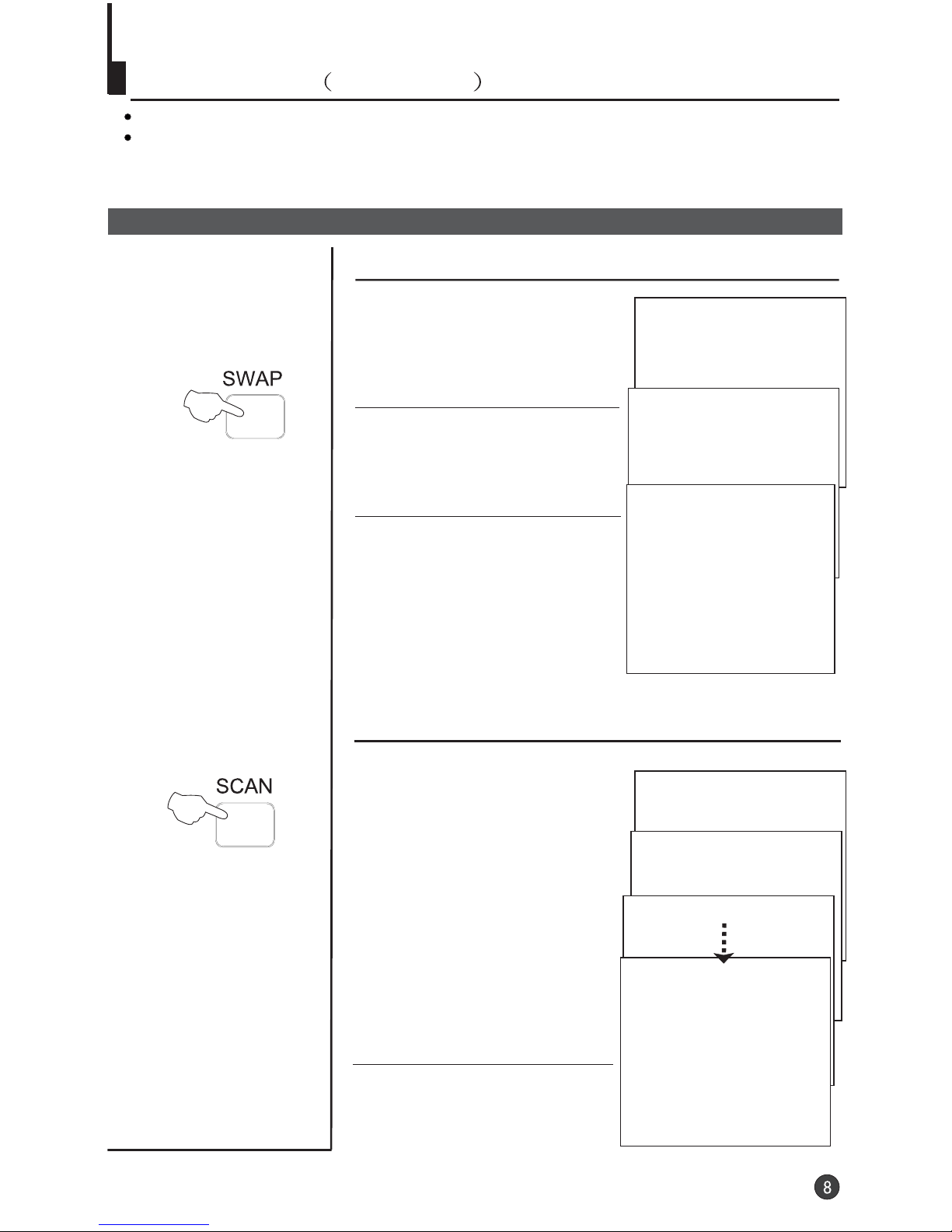
Swap function enables quick swap to the last watched program.
Auto scan function enables automatic successive scanning of all the programs in
memory with (each channel will last about 2 seconds)."OFF" skip status
Program swap and auto scan functions
Program swap
1 Suppose the channel number
you used just now is 8 and the
channel number you are using
is 18 (as shown in the figure).
2 If you want to return to the
last watched program channel
8, you can simply press the
SWAP button.
3 If you want to return to
channel 18, press the button
again. Through this function,
you can easily change
between the channel you are
using and the channel you
used last time.
Auto program scan
2 If you want to stop the function
during auto scanning, simply
press the SCAN button again.
1
AUTO
BG
SCAN
2
AUTO
BG
SCAN
3
AUTO
BG
SCAN
1
AUTO
BG
SCAN
1 Press the SCAN button to
scan through all the memorized
TV channels. The scan will
pause for about 2 seconds on
each channel.

Searching channel
This TV set has three methods to set the channels, which are respectively full
automatic, semi automatic and manual fine tune.
-
In this section, how to use the remote control to set the channel is explained. You
can also use the buttons on the TV set to set channel.
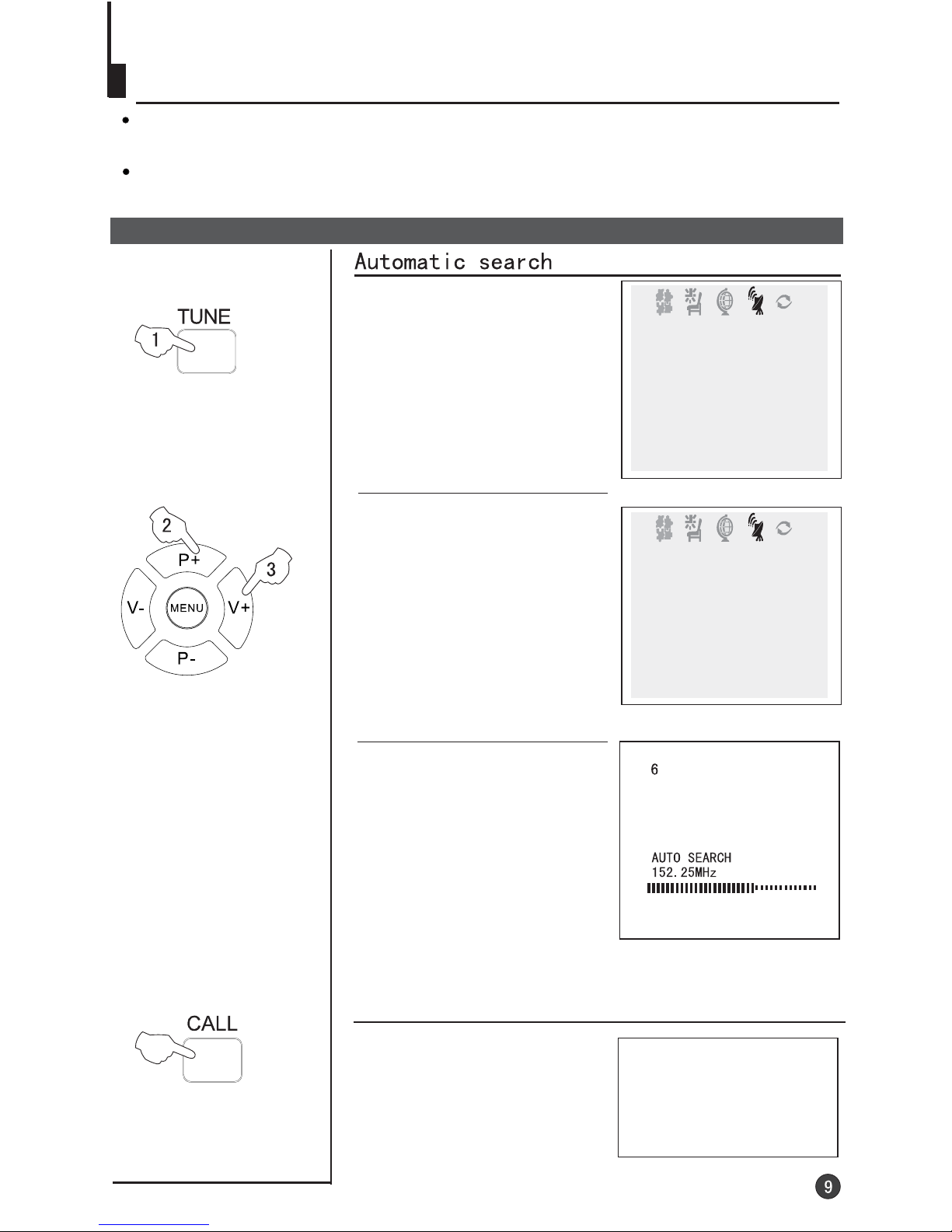
Full automatic mode
1 Press the TUNE button, the
TUNE menu shown on the right
display on the screen.
2 buttons to
select "AUTO SEARCH".
Press the P+/-
3 Press the V+ button to
ensure automatic search
function operates. All channels
now playing program will be
automatically preset in order .
,
the first program number will
display on the screen.
After the search has finished
TUNE
BAND VHFL
SKIP OFF
PROGRAM 0
SEARCH
FINE TUNE
AUTO SEARCH
COLOUR AUTO
Display function
Press the CALL button, then
the channel number and the
systems will be displayed on
the screen.
3
AUTO
BG
TUNE
COLOUR AUTO
BAND VHFL
SKIP OFF
PROGRAM 0
SEARCH
FINE TUNE
AUTO SEARCH
Indice