
Ayra OSO Maestro Manuale utente

OSO Maestro
DMX controller
User manual
The information in this user manual is subject to change at any time without notice.
Version: 1.0 Date of creation and author's initials:31-03-2018 RV Revision date and author's initials: -

Introduction
Thank you for purchasing the Ayra OSO Maestro. This user-friendly DMX controller is designed for
professionals and amateur light jockeys alike. The controller is unique ecause it is configured for use with a
wide variety of Ayra fixtures. It is also fully pre-programmed so you can get started right away without having
to create any programs first.
We advise that you read this user manual in its entirety efore unpacking the contents of the ox, so that you
are familiar with all of the functionality that this product has to offer. Please e sure to check that all of the
parts and accessories listed elow under 'Box contents' are included in the package. In the event that the
OSO Maestro 406 does not function properly, or if you have any issues while operating it, please remove the
plug from the power socket and contact your dealer for assistance.
Box contents:
- OSO Maestro DMX controller
- connection ca le from IEC C13 to Schuko, 1.5 mm²
- connection ca le from IEC C13 to UK plug, 1.5 mm²
Please inspect the device and the included accessories.
Should you discover that either the device or one or more of the included parts have een damaged or
rendered defective while in transit, please contact your dealer directly.
Please note that the pictures in this user manual serve illustrative purposes only and may differ from the
product you receive.
The information in this user manual is subject to change at any time without notice.
Version: 1.0 Date of creation and author's initials:31-03-2018 RV Revision date and author's initials: -
Safety instructions
Everyone involved with the installation, operation and maintenance of this device must:
- Be qualified
- Be skilled
- Have read the instructions in this user manual
- Be sure that neither the device nor the included accessories are damaged. Should the device or the
included accessories e damaged, please contact your dealer for more information.
- Ensure that the device is in good working condition and is safe to operate. Please follow the advice and
instructions as they are descri ed in this user manual.
Damage caused y misuse and/or modifications made to the device are not covered y the warranty.
This device does not contain any parts that need to e repaired or replaced y the user. Should maintenance
or repairs e necessary, they must e handled y a qualified technician.
Important information re ardin health and safety:
- Do not remove any la els or stickers from this device.
- Do not leave any ca les lying around.
- The device should not e opened up, and any hardware or software that may e present should not e
modified.
- To achieve optimal performance, inputs on this device should not e fed with a signal higher than
necessary.
- The device should only e used indoors; contact with water, rain and moisture should always e avoided.
Do not place any o jects containing liquid on top of the device.
- Remove the device from any near y flames or heat sources; do not place it near flamma le fluids, gasses
or o jects.
- Disconnect this device from the power supply if it will not e used for a longer period of time, if maintenance
is necessary, or if the device needs to e cleaned.
- Do not pull on the ca le to remove a connector, as this could cause damage.
The information in this user manual is subject to change at any time without notice.
Version: 1.0 Date of creation and author's initials:31-03-2018 RV Revision date and author's initials: -
WARNING!
Keep this device away from moisture, water and rain to avoid the chance of electric shocks.
WARNING!
Only connect this device to a suitable power socket. This device functions on a specific power
volta e. If it is plu ed into a power socket with a different volta e, it could result in permanent
dama e and even dan erous situations such as fire or electric shocks.
WARNING!
Be careful when operatin this device. Touchin the wires that are connected to the mains,
inside or outside the device, could result in electric shocks.

- Do not use any ca les other than the ones descri ed in this manual. Do not use defective ca les. Please
contact your dealer if the included or necessary ca les do not function properly with this device.
- Only use this device with a sta le AC power supply.
- Only use this device with power from a grounded power source.
- In the event that the device is exposed to extreme temperature changes (e.g. transported through a cold
outdoor environment into a warm indoor environment), it should not e turned on until it has reached room
temperature. This is necessary to prevent moisture from forming in the device, which could lead to electric
shocks.
Guidelines and operation of this device:
- This device is intended for use y professionals on stage, in theatres, in clu s, and in similar entertainment
locations.
- This device is not suita le for use y children, and should always e operated y an adult.
- This device is designed for controlling light effects for entertainment purposes that are referred to in this
user manual. Connecting any other devices can cause permanent damage to the equipment.
- This device may only e used in a suita le environment where no damage to the device can occur. Do not
use the device in moist or dusty environments such as:
- indoor swimming pools where chlorine is used
- eaches where there is sand and salt
- outdoors
- indoors in spaces where intense heat sources are present, or where it reaches temperature levels
that would e considered uncomforta le for a person
- Avoid impacts and collisions during use and transport. Do not transport the device while it is in use. Avoid
using excessive force when installing and operating the device.
- The user should ecome familiar with the functions of the device efore using it.
- Should the device not e used in the manner descri ed in this user manual, damages or even injuries could
occur. Ayra cannot e held responsi le for any injuries or damages that occur as a result of improper use of
this product.
Stora e and transport:
- This product is designed for mo ile use. Always transport the device in its original packaging or in a flight
case (mounted in a 19-inch rack or secured y means of foam inlays.)
- This device is not designed for permanent (24/7) use. The expected lifespan of the device will not e
affected y occasionally turning the device off. Disconnect the device or turn off the power when it is not
actively in use.
- If the device will not e used for a longer period of time, it should e disconnected and stored in a dust-free
environment.
- Do not expose the device to extreme temperature differences.
Housin
- Inspect the device's housing frequently, and always just efore use. Avoid operating the device if there are
large dents or cracks, or if screws are missing. Do not use the device if the housing is not in good condition.
Contact your dealer or a qualified technician if you are unsure a out the state of the device.
- Check the device and the screws for corrosion. Corrosion must not e present on this device. Contact your
dealer or a qualified technician if you find any corrosion on the screws.
Every power and signal connector should e securely mounted. Do not use the device if the connectors are
not secure.
Avoid dust and dirt uild-up. Clean the device once a month y disconnecting it from the power supply and
wiping it down with a dry or slightly moist cloth. If the device is used frequently, the cleaning intervals should
increase.
Symbol explanation:
The information in this user manual is subject to change at any time without notice.
Version: 1.0 Date of creation and author's initials:31-03-2018 RV Revision date and author's initials: -

WEEE: Ensure that this device is disposed of properly. This product falls under the WEEE
(Waste Electrical and Electronic Equipment) directive. The requirements of this directive apply
to all manufacturers and producers of electronic devices in the EU. Do not throw this product
away with regular ru ish. Please contact your local authority for more information a out how
to recycle and dispose of these products in your region. By recycling this product in the proper
manner, we can work together to ensure that we can continue to enjoy these kinds of
products and still protect the environment as much as possi le from pollution.
CE: The CE logo indicates that this product meets the European norms and requirements to
which it must legally conform.
Only suitable for indoor use: this product was only designed for indoor use. The maximum
environmental temperature must not exceed 40 degrees Celsius (104 degrees Fahrenheit).
Contact:
Ayra professional lighting products
Verrijn Stuartweg 18
4462 GE Goes
The Netherlands
Please do not send any products to this correspondence address.
Should you wish to send in a product for repair or for a refund, please contact your dealer for an RMA
Return Merchandise Authorisation).
The information in this user manual is subject to change at any time without notice.
Version: 1.0 Date of creation and author's initials:31-03-2018 RV Revision date and author's initials: -

Guidelines and operation of this device
1. Select X/Y type movement program 12. Select Stro oscope speed
2. Select X/Y step time speed 13. Master Dimmer fader (0-100% intensity)
3. Select X/Y fade time speed 14. Preset uttons 1-9
4. Select Colour chase 15. Manual mode utton
5. Select Colour 1 (main colour) 16. UV activation utton
6. Select Colour 2 (su colour) 17. Stro oscope activation utton
7. Select Go o chase 18. Tap Speed function utton
8. Select Go o 1 (main go o) 19. Sound mode activation utton
9. Select Go o 2 (su go o) 20. Fog machine activation utton
10. Select Shutter chase 21. Blackout activation utton
11. Select Shutter speed 22. Central display
The information in this user manual is subject to change at any time without notice.
Version: 1.0 Date of creation and author's initials:31-03-2018 RV Revision date and author's initials: -
1
2
3
4
5
6
7
8
9
10
11
12
13 14
15
16 17
18 19
20 21
22

1. DMX output (3-pin XLR) 4. On/off switch
2. DMX output (3-pin XLR) 5. IEC C5 power input with fuse holder
3. Microphone for audio-controlled mode
The information in this user manual is subject to change at any time without notice.
Version: 1.0 Date of creation and author's initials:31-03-2018 RV Revision date and author's initials: -
12345

Operation and mountin
The OSO Maestro works differently than most DMX controllers. It is very user-friendly in that you don't need
to create an entire program to put together an impressive light show.
It's important to know which devices are most compati le with the OSO Maestro DMX controller. Generally
speaking, it only works with specific Ayra lighting fixtures. Devices that are not listed in this user manual or
that are not explicitly indicated to e compati le will not function properly with this DMX controller.
Patchin your li htin
Use the patch list elow to ensure that the compati le device is programmed to start from the correct
channel and set to the correct channel mode. The OSO Maestro is pre-programmed to send a signal from
these specific channels. For each compati le product type, a total of 4 fixtures can e operated individually.
This results in etter, more dynamic light shows ecause colour and shutter chases can e programmed
over four separate fixtures.
Patch list:
PLEASE NOTE: future Ayra products may also be compatible with this controller. Compatibility with
this DMX controller is indicated per product. Contact your local dealer for more information about
product compatibility.
Specific Ayra products:
This DMX controller is designed specifically for Ayra lighting products. At this time, only the devices indicated
in this manual are compati le with this DMX controller. Always ensure that the products are set to the correct
channel mode and addressed to the right starting channel.
With moving fixtures like scanners and moving heads, it's possi le to assign pan and tilt inverts to the
fixtures themselves. A light show with eight moving heads can ecome even more dynamic when you assign
two of them to the same address and invert the pan and/or tilt of either one. The possi ilities are endless!
Compatibility with universal products:
It is possi le to use certain universal third-party lighting fixtures with the OSO Maestro DMX controller. Below
is an overview of all compati le DMX-controlled lighting.
The information in this user manual is subject to change at any time without notice.
Version: 1.0 Date of creation and author's initials:31-03-2018 RV Revision date and author's initials: -
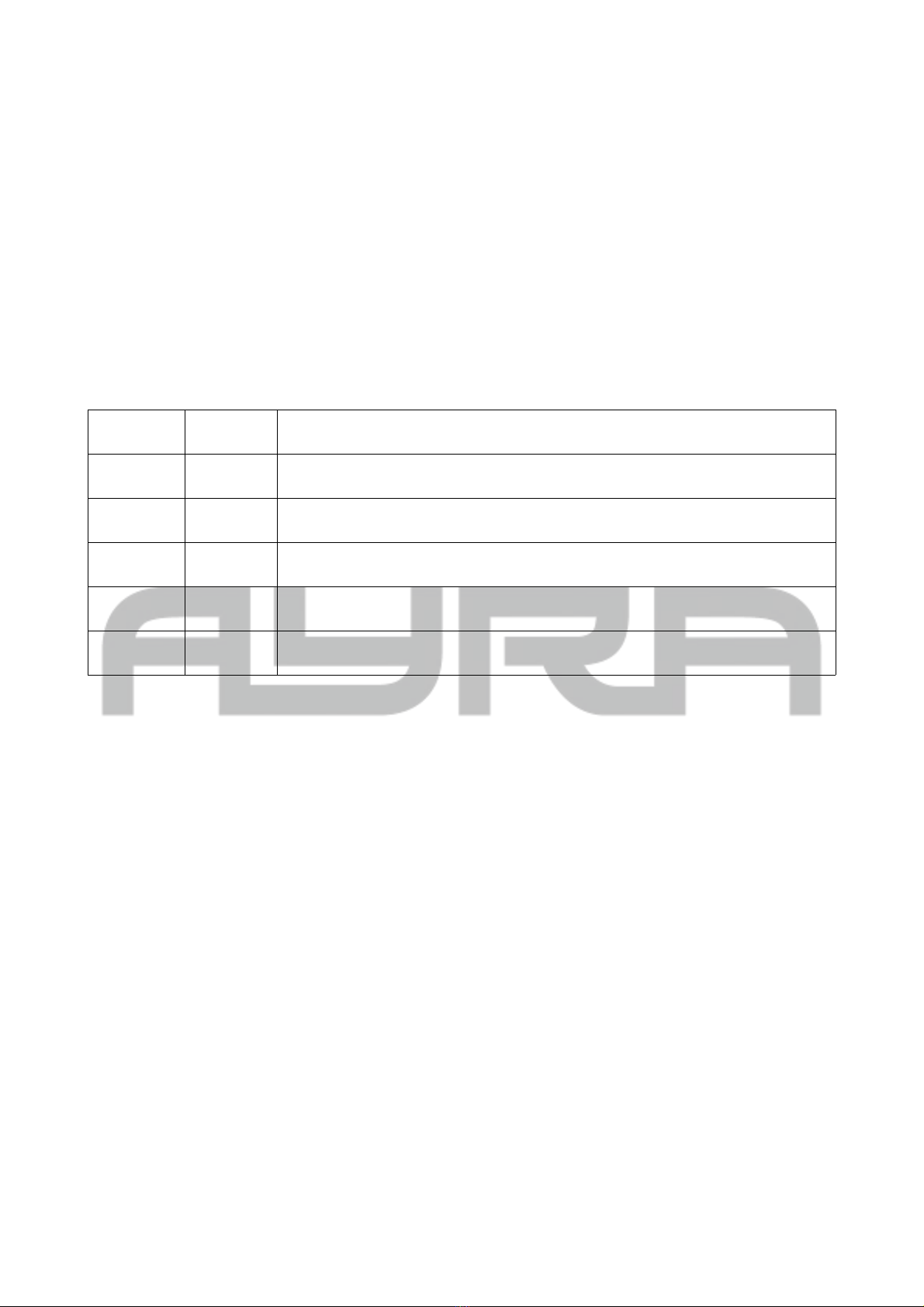
Product type
Universal/specific fixtures
FLASH 30/60 (dimmer + stro e channel) 2 1 - - -
UV ON (dimmer + stro e channel) 2 3 - - -
Fog machine (1 channel 0-100) 1 5 - - -
Movin fixtures Ayra
ALO Micro Scan 8 6 14 22 30
ERO Micro Spot 8 38 46 54 62
ERO 404 / ERO 704 13 70 83 96 109
ERO 406 / ERO 506 / ERO 706 15 122 137 152 167
ALO 030 8 182 190 198 206
ALO 060 11 214 225 236 247
Static fixtures Ayra
Q-Par 4 / Q-Par 6 / Compar 30 (RGBW) 4 77 90 103 116
Compar 1 / Compar 10 / Compar 50 / Compar 60 6 129 144 159 174
Channel
mode
Fixture 1
start address
Fixture 2
start address
Fixture 3
start address
Fixture 4
start address

Type of product from the patch list Universal compatible product
FLASH 30/60 stro oscope Every DMX stro oscope with the following channel
division:
2-channel mode (CH1 dimmer, CH2 stro e speed)
UV ON Every DMX-controlled UV product with the following
channel division:
1-channel mode (CH1 dimmer)*
2-channel mode (CH1 dimmer, CH2 stro e speed)
*Can also be a traditional blacklight fixture
connected to a DMX switchpack. Be careful not to
turn the device repeatedly on and off!
Fog machine (Ayra WSM MKIII and WSM Black
compati le)
Every DMX-controlled smoke machine with the
following channel division:
1-channel mode (CH1 intensity 0-100%)
Q-Par 4 / Q-Par 6 / Compar 30 (RGBW) Every RGBW LED fixture with the following channel
division:
4-channel mode (CH1 R, CH2 G, CH3 B, CH4 W)
Compar 1 / Compar 10 / Compar 50 / Compar 60 Every RGBAW or RGBAW+UV LED fixture with the
following channel division:
5-channel mode (CH1 R, CH2 G, CH3 B, CH4 W,
CH5 A)
6-channel mode (CH1 R, CH2 G, CH3 B, CH4 W,
CH5 A, CH6 UV)
If in dou t, please contact your dealer for more information regarding third-party product compati ility.
Bear in mind that DMX-controlled equipment that has extra DMX channels (for instance 8 channels, 5 of
which are corresponding channels) as well as a compati le DMX channel division may not function properly
with this DMX controller.
General operation of the controller
If you are familiar with how to use a universal DMX controller, or if you have never worked with a DMX
controller efore, it will take some time to get used to the OSO Maestro's unique functionality.
The step- y-step instructions elow will teach you how to utilise the rotary
kno functions so you can create your first preset light show. A preset
consists of a specific composition of movements, colours, go os, shutter
effects and can e called up directly.
Turnin on the DMX controller
Make sure that the OSO Maestro is plugged into an active power socket.
There is a switch on the rear to turn on the controller.
During start-up, the Ayra rand name will appear in the display together
with the firmware version. The display will then show a grid and various
values.
Select a movement pro ram and enter the Fade Time and Step Time values
correctly.
The OSO Maestro has already een equipped with various movement programs for you to choose from. Of
course, some movement programs only work with fixtures that have moving capa ility such as scanners or
moving heads. If you're working with static fixtures, then this step is not applica le.
The information in this user manual is subject to change at any time without notice.
Version: 1.0 Date of creation and author's initials:31-03-2018 RV Revision date and author's initials: -
To select a movement program and determine the speed, use the 3 rotary kno s under the 'X/Y move'
section. Each of these controls has its own function:
- X/Y Type: Use this kno to select one of the 11 different uilt-in movement programs. Each program
consists of pre-programmed X and Y positions that are played in a continuous loop.
- X/Y Fade Time: Use this rotary kno to select the speed in which step 1 transitions into step 2 within the
specified movement program.
This value can e set from 1 to 255, with 1 eing very fast and 255 eing very slow. A value of a out 30 is a
good place to start.
- X/Y Step Time: As mentioned with the X/Y Type function, each movement program plays a continuous loop
of X and Y positions. With the X/Y Fade Time, you can determine how long the transition etween the two
steps should take.
With X/Y Step Time, you can indicate how quickly the steps alternate. To create fluid, smooth movement,
enter the same value as the X/Y Fade Time function. You can also enter another value, which can have the
following effect:
Fade Time
value
Step Time
value
Effect
30 30 Fluid, smooth movement due to correct alignment of the Fade Time and Step
Time values
30 15 Fast movement with limited range ecause there is not enough time for the
ultimate step position to e reached efore the next step is activated.
15 30 Fast movement and full range, ut the moving fixture stands still in the ultimate
position for a (short) period of time.
15 15 Relatively fast, smooth movement due to correct alignment of the Fade Time
and Step Time values.
50 50 Relatively calm, smooth movement due to correct alignment of the Fade Time
and Step Time values.
There is really no wrong way to create different com inations and the effects vary greatly depending on the
values you enter. Don't e afraid to experiment with different values and see what happens!
Selectin colours, obos and chases
To make your show even more dynamic, create colour com inations that move to the eat of the music or
use static colours. All moving and static fixtures are equipped with various colour options.
This is also the case with go os. A go o is a stencil wheel that is placed in front of the light source so that a
figure or pattern is projected. Not every fixture has a go o wheel on oard so e sure to check if your fixture
is equipped with one efore use. Devices like scanners and spotlight moving heads have go o wheels as
standard.
The Colour and Go o sections function the same way, so we will go through them together.
The information in this user manual is subject to change at any time without notice.
Version: 1.0 Date of creation and author's initials:31-03-2018 RV Revision date and author's initials: -
Questo manuale è adatto per i seguenti modelli
1
Indice
Altri manuali Ayra Controllori


