
Bad Elf BE-GPS-2200 Manuale utente

BE-GPS-2200
Shared Bluetooth® Wireless Connectivity
GPS Tracker with Data Logging
Backlit LCD Display
Long Battery Life
Fits in the Palm of Your Hand
Water Resistant for Outdoor Use

© 2012 Bad Elf, LLC
Bad Elf, LLC
Contents of This Package
This package contains the following items:
• Bad Elf GPS Pro GPS receiver with Bluetooth® wireless technology
• USB charging cable
• Vehicle Charging Adapter (suitable for 12V cigarette sockets)
• User Guide
Note: Apple device refers to the supported iPod touch, iPhone, or iPad
equipped with Bluetooth® wireless technology that you will be using for navi-
gation.
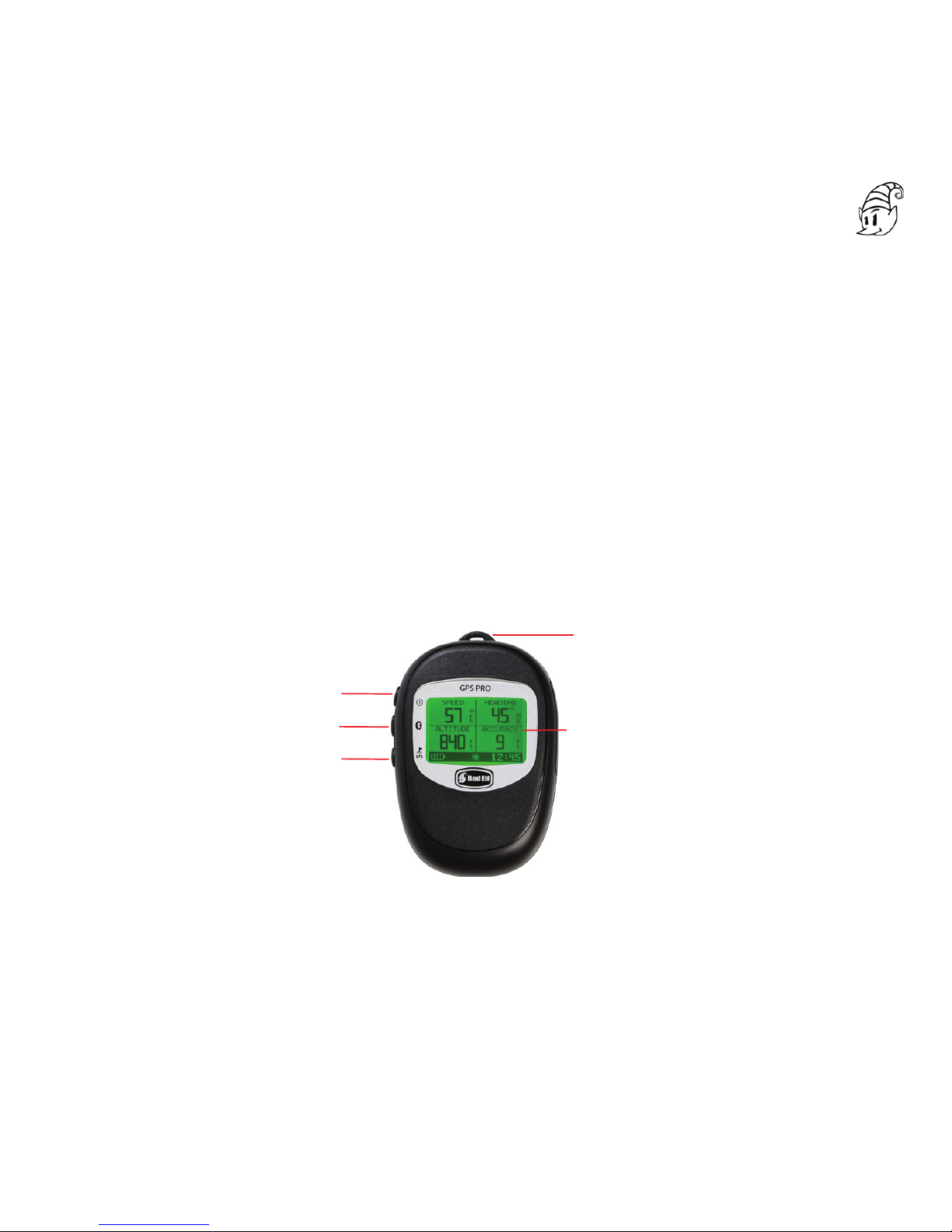
Meet the Bad Elf GPS Pro
Power Button
Bluetooth Button
GPS Button
LCD Display
Lanyard Loop
Figure 1 - Front View of the GPS Pro
Page 1
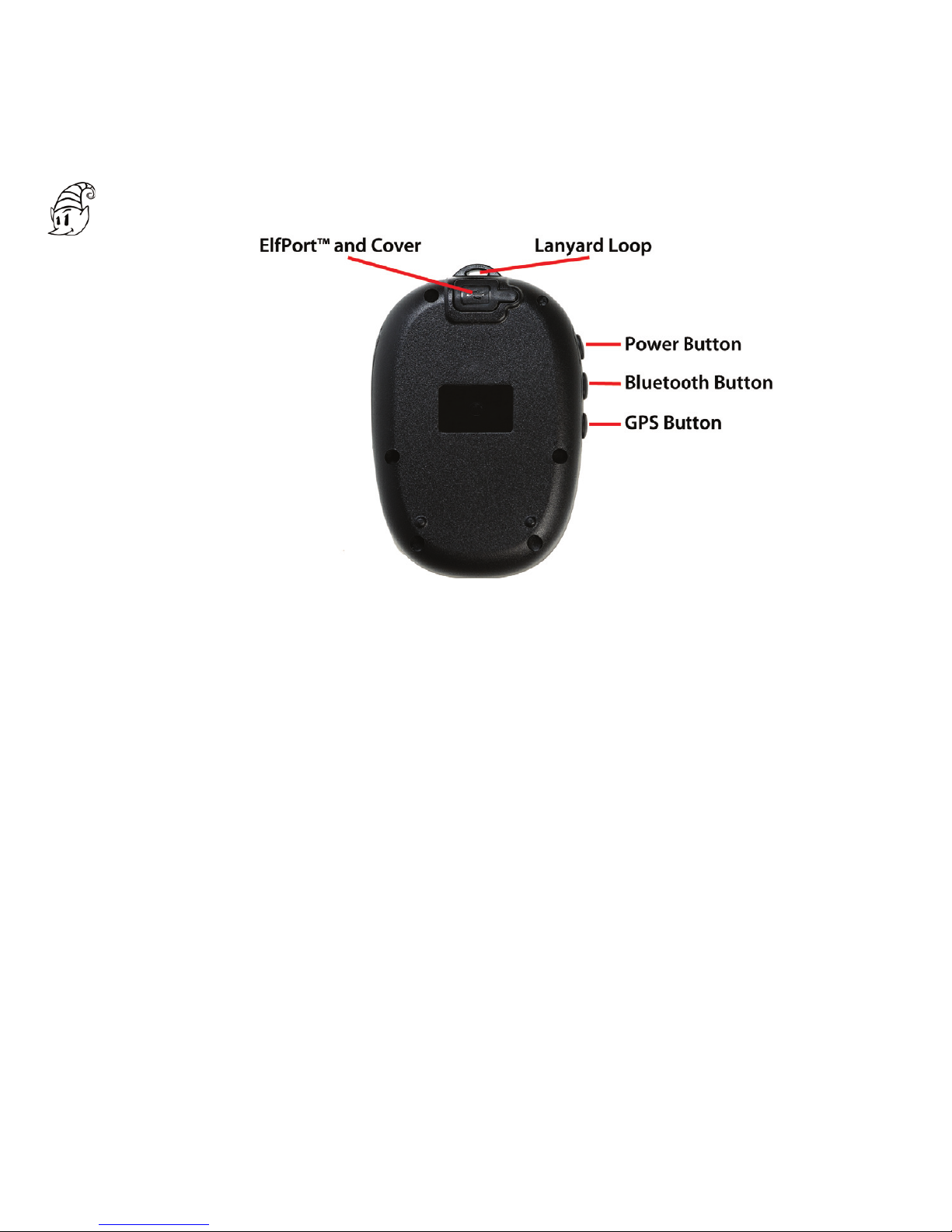
Dimensions
The Bad Elf GPS Pro is small and lightweight, but with a rugged, solid feel.
Its dimensions and weight are:
Dimensions: 3.0 x 2.4 x 0.7 inches (76.5 x 61.5 x 17.5 mm)
Weight: 3.2 ounces (90 grams)
Enclosure
The Bad Elf GPS Pro enclosure offers IPX4 water resistance, making it splash
proof when used in many common outdoor application environments.
Figure 2 - Back View of the GPS Pro
Page 2
Backlit LCD Display Interface
The Bad Elf GPS Pro offers the fi rst Apple approved GPS with an informative
user interface. Prior GPS devices used simple LEDs to indicate status, leaving
the user guessing about status details. The Bad Elf GPS Pro makes it easy for
the user to check location details (latitude, longitude, altitude, heading, speed,
and universal time) directly on the GPS without requiring connectivity to the
iPod touch, iPhone, or iPad. Further information concerning the quality of data
and satellite usage is also available directly on the device. Additionally, users
may check Bluetooth connection status, battery levels, and data log storage us-
age at a glance. The display also has a backlight for readability at night.
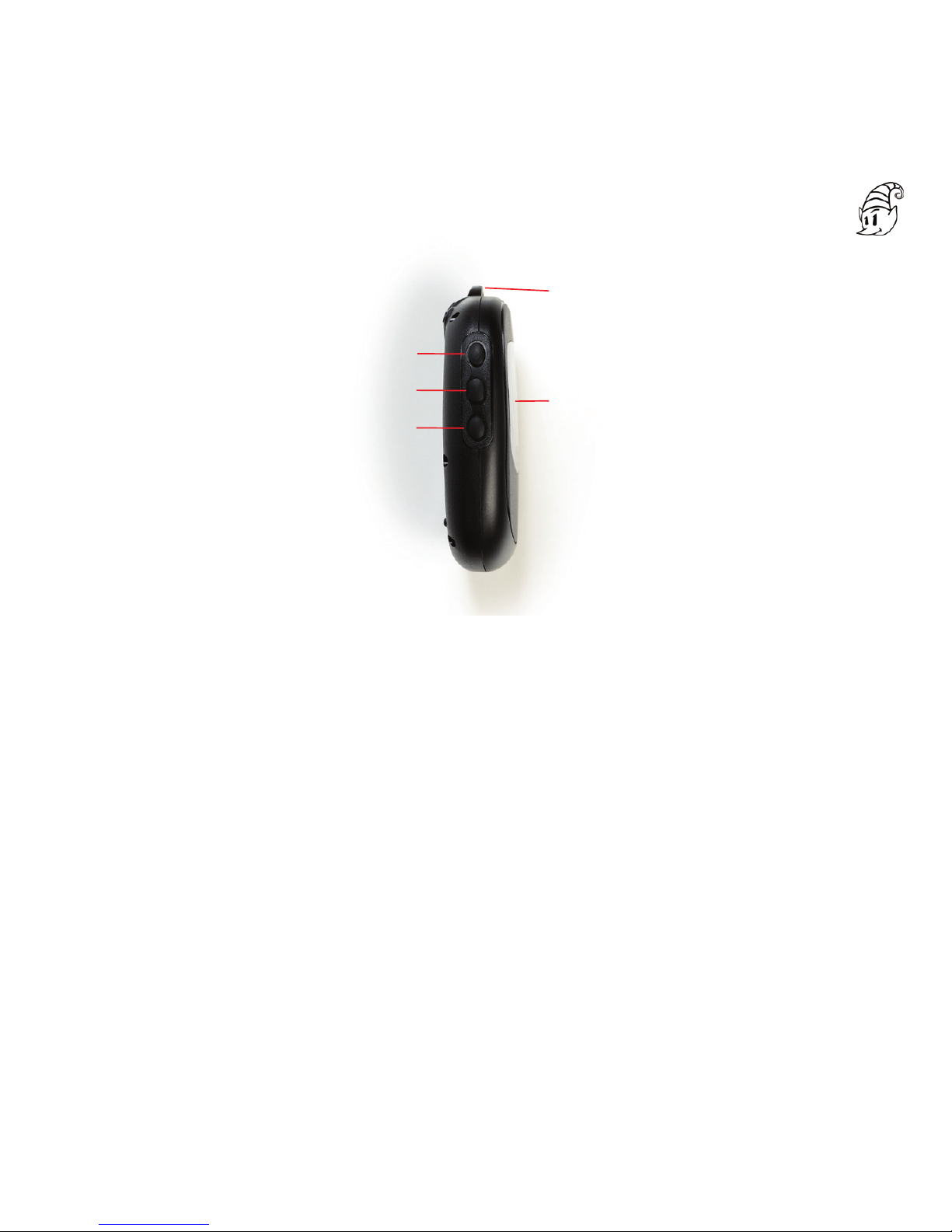
Power Button
Bluetooth Button
GPS Button
LCD Display
Lanyard Loop
Figure 3 - Side View of the GPS Pro
Page 3

Buttons
The Bad Elf GPS Pro uses three simple buttons for device control. More ex-
tensive capabilities are available through the free, downloadable Bad Elf utility
app available through iTunes.
1. Power Button
a. Press and hold this button for 3 seconds to toggle the Bad Elf GPS
device ON or OFF.
b. Press this button momentarily to toggle the LCD backlight ON or OFF.
2. Bluetooth Button
a. Press and hold this button for 3 seconds to toggle the Bluetooth radio
ON or OFF.
b. Press this button momentarily to move through the Bluetooth related
screens.
3. GPS Button
a. Press and hold this button for 3 seconds to toggle the GPS Data Logging
ON or OFF.
b.Press this button momentarily to move through the GPS related screens.
Each button can be used as a simple click or as a press and hold action. See the
scenarios below for details of operation using the buttons in each context.
Additional confi guration and features are controlled wirelessly via the Bad Elf
GPS utility app (see below).
Page 4

Page 5
USB Port / ElfPort™
The standard USB mini-B port on the back of the Bad Elf GPS Pro operates
primarily as a standard charging port for recharging the GPS Pro’s internal
battery. This port also supports Bad Elf’s ElfPort™technology, which enables
communication with supported peripheral devices when combined with custom
Bad Elf cables and the enabling software.
Data Storage
The Bad Elf GPS Pro contains 64MB of fl ash memory for storage of trip data.
At a standard sampling rate of one position recorded per second (1Hz), the
device can store up to 100 hours of trip data. The data can be divided into
separate trips or collected as one single data log. The Bad Elf Utility app read-
ily offl oads trip data logs for storage on the Pod touch, iPhone, or iPad. The
data can then be emailed and shared.
Power System
The Bad Elf GPS Pro includes a long life, embedded lithium ion battery. When
both the Bluetooth® radio and the GPS are active, the battery offers up to 16
hours of continuous operation on a single charge. When operating in stand-
alone data logging mode, that is, with the Bluetooth radio OFF, the Bad Elf
GPS Pro can operate for over 30 hours.

Page 6
Charge the Bad Elf GPS Pro
The Bad Elf GPS Pro is charged via the mini-USB connector on the back of the
device.
Before using the Bad Elf GPS Pro, fully charge the device. To charge, simply
use the provided cable and plug the Bad Elf GPS Pro into any standard USB
power source, such as a computer, wall charger, or the included car charger. It
takes up to 4 hours to fully charge the Bad Elf GPS Pro.
Power On the Bad Elf GPS Pro
To turn it on, press and hold the Power Button for 3 seconds until the display
shows the splash screen.
Once powered on, the device is ready to accept incoming Bluetooth® connec-
tions from your Apple device. Follow the pairing instructions below.
Download the Bad Elf GPS utility app and any other location-based apps you
want to use with your Bad Elf GPS Pro.
In the meantime, the unit will start searching for GPS satellites. Once a GPS
lock is acquired, location data will be displayed on the LCD. The accessory will
also begin sharing received location data with any devices (and apps) that have
been connected via the Bluetooth connection.

Page 7
Pair an Apple Device with the Bad Elf GPS Pro
The Bad Elf GPS Pro only needs to be paired once with your iPod touch,
iPhone, or iPad. After your Apple device and Bad Elf GPS Pro are paired, they
will connect automatically when both units have their Bluetooth radios ON and
are within range of each other.
To pair the Bad Elf GPS Pro with an iPad, iPhone, or iPod touch, follow these
simple steps:
1. On the Apple device, start the Settings app, then select General > Blue-
tooth. Make sure Bluetooth is turned ON.
2. This page will then show accessories that are within range and available
for pairing.
3. Turn on your Bad Elf GPS Pro (if it is not ON already).
4. Within 10 seconds, you should see the Bad Elf GPS Pro appear in the list
of devices, with a status of “Not Paired”. Tap this item in the list to start
the pairing process.
5. Within 10 seconds, you should see a dialog on your Apple device offering
a PIN number. This PIN will also be displayed on the LCD display. This
allows both sides of the connection to authorize the pairing with the re-
mote device. Matching the PIN numbers ensures that you can confi rm that
you are pairing the correct devices. Data entry is not required.
6. On the Bad Elf GPS Pro, press the GPS Button to authorize the pairing.
On your Apple device, press the “Pair” button.
7. In the Settings app, under General > Bluetooth, you should now see the
Bad Elf GPS Pro listed with a “Connected” status.

Page 8
Up to six (6) Apple devices can be paired and connected to the Bad Elf GPS
Pro simultaneously. Just follow the steps above for each Apple device that you
wish to connect to the Bad Elf GPS Pro.
You can turn Bluetooth off by pressing and holding the Bluetooth button for
3 seconds. While Bluetooth is turned off, the GPS and data logging will still
function, but communications with your Apple device will not be possible. You
can turn Bluetooth on again by pressing and holding the Bluetooth button again
for 3 seconds.
Download the App from the App Store
The Bad Elf GPS Utility app is a free app available in iTunes. The app allows
you to verify the accessory is paired and correctly connected to your Apple de-
vice. It shows the raw GPS data being received by the GPS receiver and allows
you to confi gure the GPS logging features. Once you have logged some trips,
the app allows you to transfer these logs to your Apple device for visualization
and sharing.
Finally, if any fi rmware updates become available, the app will download them
to your Apple device for installation into the accessory hardware.
After you have paired your Bad Elf GPS Pro to your Apple device for the fi rst
time, you will be prompted to download the Bad Elf GPS Utility app from the
iTunes App Store. If you do not have Internet connectivity, or do not wish to
download the app at that time, you can ignore this prompt. Your Bad Elf GPS
Pro does not require the Bad Elf Utility app to operate with apps and will work
out of the box with any location-based apps you have installed.
Please visit the Bad Elf website (http://bad-elf.com) for recommendations on
compatible apps for various activities such as aviation, marine, fi tness, hiking,
running, cycling, geocaching and more. The Bad Elf GPS Pro fi ts all lifestyles.
Questo manuale è adatto per i seguenti modelli
1
Indice
Altri manuali Bad Elf GPS


