B&K AV6125 Manuale utente

AV6125
Six Channel Amplifier
OWNER’S MANUAL
B&K Components, Ltd.
13002 rev 0004

13002 rev 0004
B&K Components, Ltd 2100 Old Union Road Buffalo, New York 14227

Page 1 13002 rev 0004
Table of contents
Safety Precautions page 2
Purpose and function page 3
Design and construction page 3
Features page 3
Rear panel view page 4
Rear panel description page 4 - 6
Level controls page 5
Inputs page 5 - 6
Outputs page 6
Control Muting page 8 - 9
System installation page 7
Making the connection page 7 - 8
Troubleshooting page 10
Care and cleaning page 10
Specifications page 11
Warranty page 12
Accessories included: Manual and Power cord

Page 2 13002 rev 0004
SAFETY PRECAUTIONS
PLEASE READ BEFORE INSTALLING
WARNING: TO PREVENT FIRE OR SHOCK HAZARD, DO NOT EXPOSE THIS UNIT
TO RAIN OR MOISTURE.
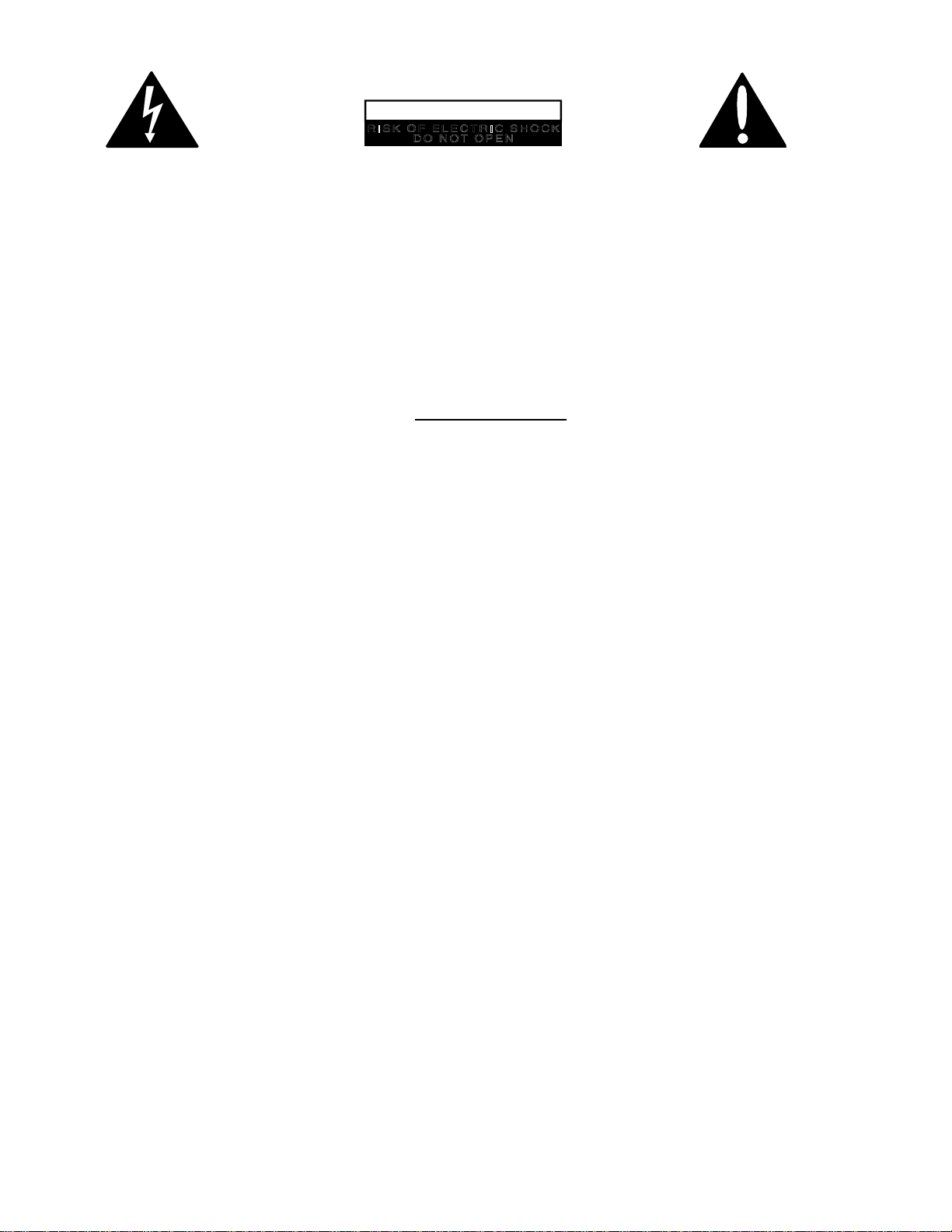
The lightning flash with arrowhead, within an equilateral triangle, is intended to alert the
user of the presence of uninsulated “dangerous voltage” within the product’s enclosure
that may be sufficient magnitude to constitute a risk of electric shock to you.
The exclamation point within an equilateral triangle is intended to alert the user of the
presence of important operating and maintenance (servicing) instructions in the
literature accompanying the unit.
Observance of polarity is essential. Double-check connections before turning the
amplifier on. The amplifier can be damaged if polarities are incorrect.
Damage can occur to your speakers if the power rating* of each individual driver
is exceeded by the amplifier. Ensure that all the drivers in your speaker system
are capable of handling not only the power being delivered by the amplifier, but
the energy that is likely to be generated during strong passages.
Turn amplifier ‘off’ when plugging in or unplugging input and speaker cables!!!
The AV6125 is equipped with raised feet so that continuous ventilation can be
maintained. They help to maintain acoustic feedback into the amplifier at a
minimum. They also provide a measure of protection against scratching any
surface the unit might be resting on. Do not alter or remove them.
Do not stack anything on top of the amplifier (preamplifier, processor,
source...etc.).
Leave at least 2-3 inches clearance from the top of the amplifier to the next shelf,
component, etc., to ensure proper ventilation.
* If you are at all unsure of what the speaker ‘ratin
g
s’ are, contact your dealer.

Page 3 13002 rev 0004
The AV6125's purpose and function
The AV6125 is a compact, very efficient, six channel power amplifier. It is designed to
be used in all types of audio or audio/video systems.
Design and construction
The AV6125 utilizes high quality electronic circuitry to achieve an environment wherein
a detailed, transparent, and highly musical sound can be realized. The high quality
parts complement include state-of-the-art solid state devices, 1% metal film resistors,
computer grade electrolytic power supply capacitors, and a high capacity toroidal
transformer.
The AV6125 operates class A predriver and AB high current MOSFET power output
stages. It is capable of reproducing the most demanding audio signals at rated power
levels. Features
Toroidal Transformers - Efficient high current transformer for improved dynamics.
Discrete Circuitry - More accurate and three dimensional reproduction of source
material.
Class A Predriver - Improves low level detail for smoother, more musical sound.
AB MOSFET Output Stage - For efficient and linear power delivery.
Limited Protection - Provides short term protection from accidental shorting of output
devices and protection from thermal overload.
Gold Plated Connectors - Improve connections for better sound and minimized signal
loss and degradation.
1% Metal Film Resistors - Low noise resistors for better sound and a greater degree of
repeatability.
High Current - Ability to reproduce demanding recordings.
Computer Grade Capacitors - Large capacity computer grade electrolytic capacitors
for extended low frequency control and improved dynamics.

Page 4 13002 rev 0004
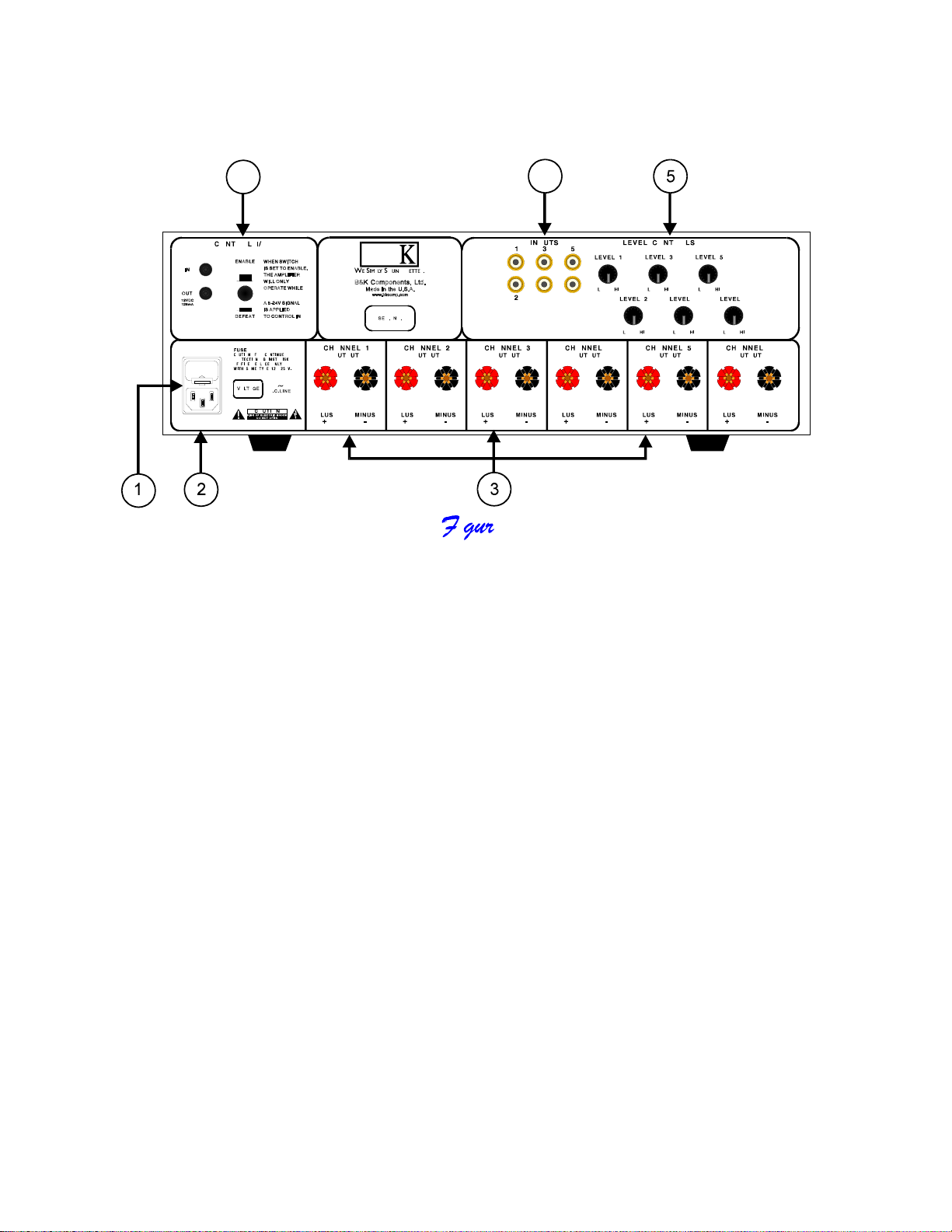
Rear Panel View
1. AC fuse holder 4. Amplifier control muting input/output
2. AC Input receptacle 5. Level controls
3. Speaker outputs 6. Inputs
Rear panel description
1. AC fuse holder - Holds the AC Line fuse. This fuse is an 12 Amp / 250 Volt
Slow Blow fuse. Replace with same type and value fuse
only.
2. AC Input receptacle - For attaching the supplied AC power cord to the
amplifier.
3. Speaker outputs - For connecting the speakers to the amplifier. Explained
further on page 6.
4. Amplifier control muting input/output -
To provide remote switching of mute on/off of the amplifier.
Explained further on page 8.

Page 5 13002 rev 0004
)LJXUH%
5. Level controls - For adjusting the input level of each channel into the
amplifier. There are five level controls on the back of the
amplifier. One level control for each channel. Explained
further below.
6. Inputs - For connecting signal patch cables (interconnects) from the
preamplifier to the amplifier to pass signal. Explained further
below.
Level controls
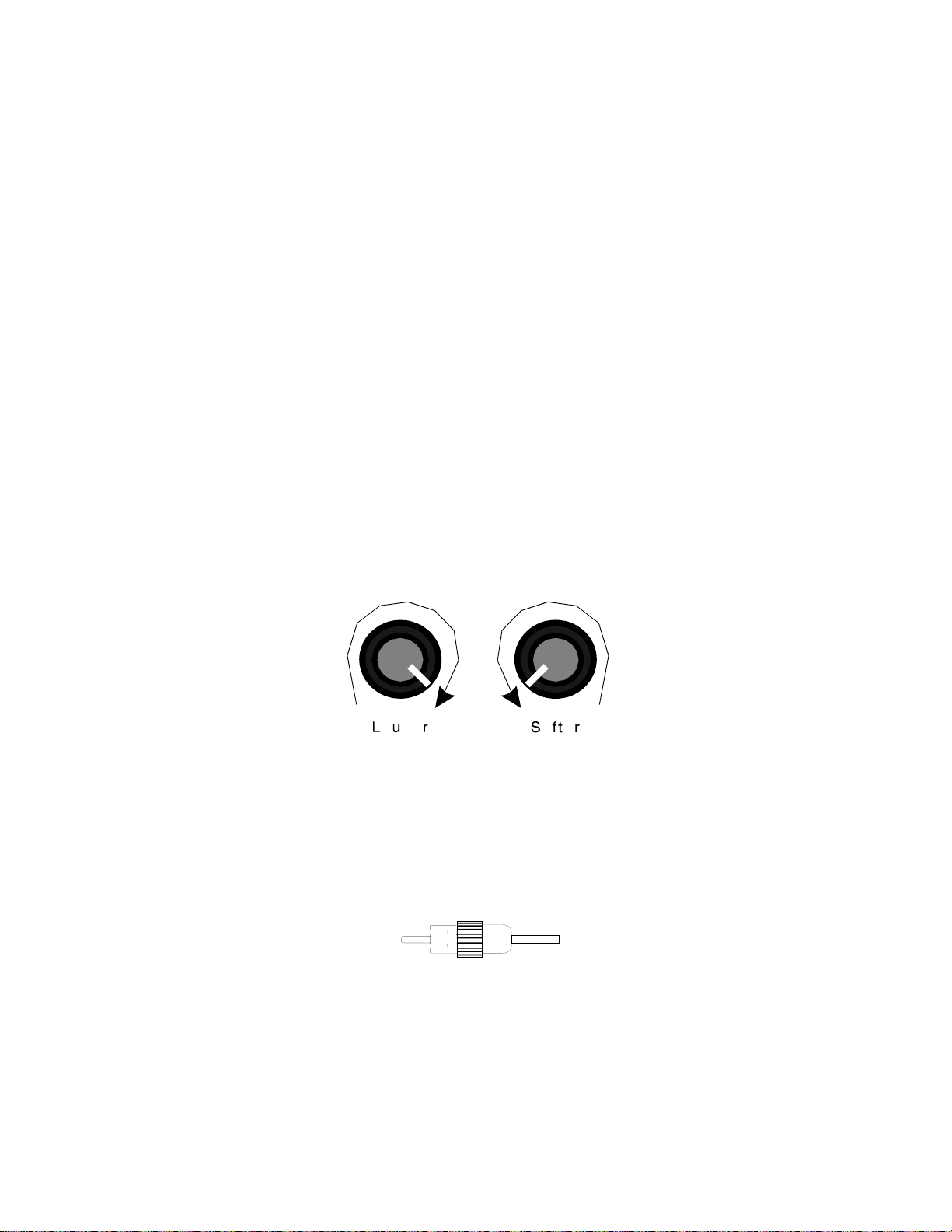
When using the level controls, first start with them turned all the way up (clockwise).
Then adjust them according to your system requirements to match the sound level
coming from each speaker. This is a rough adjustment for matching different driver
impedances. Any fine tuning should be done by the preamplifier.
Example: When using 4 ohm and 8 ohm speakers together, the 4 ohm may sound
louder than the 8 ohm at a given volume level. The level controls on the amplifier are
used to match the speakers volume levels. Clockwise will increase the output. Counter
Clockwise will decrease the output.
Inputs
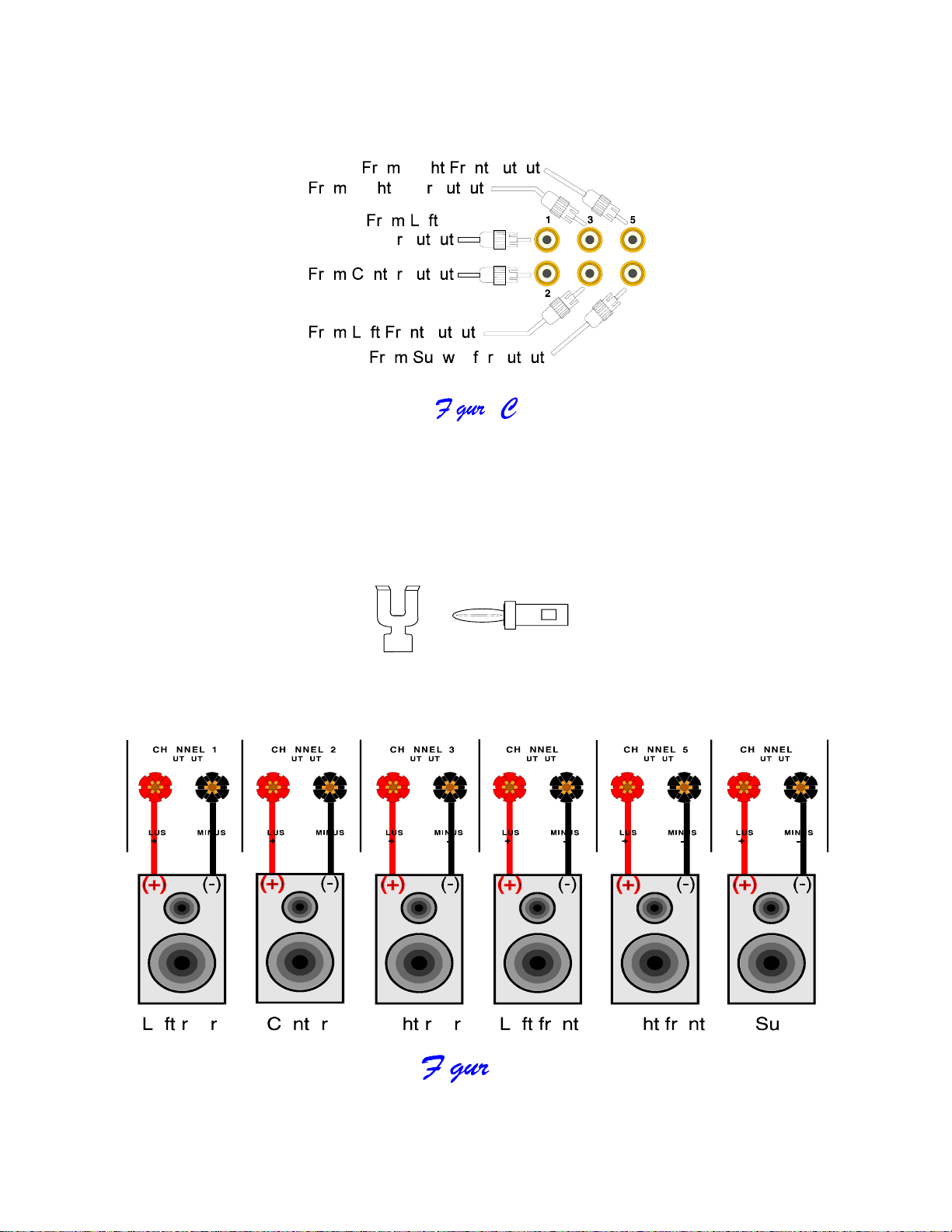
RCA type connectors accept line input from the preamplifier’s output connectors. There
are five input connectors, one for each channel, that may be used to connect the
amplifier to the preamplifier.
RCA cable connector

Page 6 13002 rev 0004
Here is a typical preamplifier to amplifier setup:
Outputs
Five way binding posts are provided. One pair for each channel. They are designed to
accept a banana-type plug or spade lug connector (shown below) and are color coded
for easy identification. The red (+) post should always be connected to the speakers (+)
jack. The black (-) post should always be connected to the speakers (-) jack.
Spade connector Banana jack
Here is a typical amplifier output setup:

Page 7 13002 rev 0004
System installation
There will most likely be a number of cables involved in the installation of your home
entertainment system. Pre-planning is essential in order to maximize system efficiency.
We recommend the following as a means of helping you reach that goal:
Make a diagram of your proposed system by laying out the relative location of
each component in the system. Then lay out the proposed cable runs between
them. Number each cable and record its length on the diagram for future
reference.
Cable runs are critical in that they must be kept away from sources of power
radiation (amplifiers, power cords, heaters, etc...). For the sake of safety, they
should also be kept out of traffic areas.
The process of optimizing the system will include the type of cable, the length of
the run, and the obstructions it must deal with along its run. Your dealer can
advise you on the products available and their relative merits. If building custom
length audio cables is not your strength, your dealer should be able to help you
with that as well.
When possible, use a separate AC power line for the amplifier, one that is not
shared by any other component in the system of any other house hold
component.
Tip: Take a piece of stout strin
g
(lon
g
er than the lon
g
est cable run) and mark it at each foot of len
g
th.
Then do a mock cable run usin
g
the strin
g
, dressin
g
it neatly alon
g
the way. Count the divisions to the
next full foot, and add one foot to allow for some movement of the components. This will provide you with
the ideal cable len
g
th.
Making the connection
Before doing anything, ensure that the power switch on the amplifier’s front panel
is in the ‘off’ position.
Again, it is recommended that you locate a separate AC power outlet for the
amplifier, one that is not shared by any other audio component in the system or
any other house hold component. This will eliminate the possibility of the
amplifier ‘modulating’ the power being supplied to the component and
compromising the signal originating from that component.
Locate the AC power cord provided with the amplifier and plug it into the power
input receptacle in the rear panel. Do not connect it to the AC power source
yet!

Page 8 13002 rev 0004
Connect the audio cables from your preamplifier’s output to the corresponding
input connector on the amplifier.
Connect the wires from your speakers to the appropriate outputs on the amplifier.
It is absolutely essential that you observe correct polarity in these connections.
Example:
If you connect your left front output of your preamplifier to channel 4 input
on the amplifier, remember to connect your left front speaker wires to channel 4's
outputs. Always observe polarity when connectin
g
speakers, connect amplifiers (+)
to the speakers (+) and amplifiers (-) to speakers (-).
Double check all connections.
Connect a playback unit (CD, VLD, Tuner, etc...) to the preamplifier. Turn the
volume on the preamplifier to minimum. Turn on the preamplifier, then the
amplifier (in that order). Set source on the preamplifier to the playback unit
you’ve just connected. Turn volume up slowly and music should be heard from
all channels. If this is not the case, double check your installation.
Should you encounter any problems that cannot be traced to the source or the
material being played, consult the “TROUBLESHOOTING” section on page 10.
Note: When turnin
g
equipment ‘off’, the amplifier should alwa
y
s be turned off first,then
the preamplifier. When turnin
g
equipment ‘on’, the preamplifier should alwa
y
s be turned
on first,then the amplifier. Before turnin
g
an
y
thin
g
on, ensure the preamplifier is at a
low volume level.
Control muting
A control is provided on each AV6125 amplifier to allow remote switching of mute on/off.
The preamplifier’s control output, such as is provided with B&K series preamplifiers, can
be utilized to provide a control signal to the AV6125. If more than one amplifier is being
controlled, the control signal can be extended to include each successive unit by simply
running a 3.5mm mini-jack cable from the CTRL OUT connector of the first amplifier to
the CTRL IN connector of the next unit (commonly referred to as ‘daisy chaining’). An
example of how to connect two amplifiers is illustrated if figure E.
Indice
Altri manuali B&K Amplificatore

B&K
B&K REFERENCE 200.5 S2 Manuale utente

B&K
B&K AV1230 Manuale utente

B&K
B&K ST2140 Manuale utente

B&K
B&K ST1200 Manuale utente

B&K
B&K Reference 220M Manuale utente

B&K
B&K AV2600 Manuale utente

B&K
B&K ST3140 Manuale utente

B&K
B&K mc-101 sonata Manuale utente

B&K
B&K ST140M Manuale utente

B&K
B&K Reference 220M Manuale utente

B&K
B&K PT3 Manuale utente

B&K
B&K ST1400M Series II Manuale utente

B&K
B&K FIVE OR SEVEN CHANNEL 125.5 S2 Manuale utente

B&K
B&K Reference 70 HT 70 Manuale utente

B&K
B&K CT300.3 Manuale utente

B&K
B&K AV1260 Manuale utente

B&K
B&K Reference 200.1 Manuale utente

B&K
B&K ST1200 Manuale utente

B&K
B&K P/N13445 Manuale utente

B&K
B&K Reference 125.2 Manuale utente