
BeBook E-READER Manuale utente

BEBOOK®E-READER
USER GUIDE
© 2008 Endless ideas B.V.

2

3
Welcome...
To your BeBook electronic reader
• Clear,paperlikedisplayforperfectreadability,
eveninbrightsunlight
• Lighttocarry,simpletouse
• Readbooksanddocumentsinallpopularformats
includingpdf,word,txtandhtml.
• Changetypefaceandtypesizewhilereading
• OneBeBookholdsawholebookcase
• SDcardslotletsyouexchangebooksanddocuments
withfriends
• Freesoftwareupgrades
• Over20,000freeclassiceBooksavailablefor
downloadatthewww.mybebook.com
• PlayMP3tracks
Got everything?
• BeBookreader
• Leathercase
• 1xAAANiMHrechargeablebattery
• USBcable
• Earphones
Need more information?
Visit www.mybebook.com

4
Contents
YourBeBookataglance ..................................................7
Gettingstarted...............................................................9
Installthebattery...........................................................9
Chargingthebattery.......................................................9
Battery status .............................................................. 10
Switchon/off ............................................................... 11
Keypadlock ................................................................. 12
USB connection ......................................................... 12
AddingneweBooks....................................................... 13
Installing an SD card ................................................. 13
CopyinglestoSD
usingWindows2000,XPorMac ..................................... 14
Reading eBooks ......................................................... 15
Openanebook............................................................. 15
Pageturning ................................................................ 15
First/Lastpage ............................................................. 16
Jumptoapage ............................................................ 16
Zoominandout........................................................... 16

5
Bookmarks ................................................................ 17
Addabookmark...........................................................17
Replaceabookmark .....................................................17
Deleteabookmark .......................................................17
Viewandgotobookmarks.............................................17
Index..........................................................................18
Search .......................................................................18
Searchforabook .........................................................18
Searchbyfoldercategory ..............................................19
Searchbyorder ...........................................................19
Findarecentlyviewedebookordocument.......................20
SwitchbetweenyourBeBook
andSDcardbookshelves...............................................20
ebookinformation ........................................................21
MP3 tracks ................................................................22
MP3controls ................................................................22
Settings.....................................................................23
Settingsmenu .............................................................23
Keytoneson/off...........................................................23

6
Changelanguage..........................................................23
Changefont.................................................................24
Systeminformation ......................................................24
Help...........................................................................24
Safety information.....................................................25
Cleaning......................................................................26
Productdisposalinstructions ..........................................26
Warranty .....................................................................27
FAQ ...........................................................................28

7
Your BeBook at a glance
Structure
Structure
Front View
Indicator
Screen
N
umber key
Go to index/ 7
Zoom/8
Exit
N
ext Page
Previous Page
Bookmark/6
N
ext Page/0
Previous Page/9
Indicatorlight
Screen
NextPage
Index/7
Zoom/8
PreviousPage/9
NextPage/0
Exit
OK/Menu
PreviousPage
Number
and
Bookmarkkeys
Front

8
Back
Reset
PowerOn/Off
KeyboardLock
Headphonesocket USBport
SDCardslot
AAA
Rechargeable
Battery
Structure
Structure
Structure
Structure
Side View
Top View
Bottom View

9
Getting started
1. Install the battery
Openthebatterycover.
Installthebatteryasindicatedonthebatteryslot.
2. Charge battery for at least 12 hours
Operation
Operation
Installing the battery
Open the battery cover on the back of the
device.
Install the battery
according to the
instructions on the
b
atter
y
slot.
Charge
ĆThe BeBook is powered by a rechargeable
battery. (included).
ĆThe battery should be charged for at least
1 2
• PlugtheUSB1cableintoyourPCorMacandconnectthe
otherendtoyourBeBook.
• Tochargethebatteryforthersttime,pleaseallow12
hourscontinuouscharging.Subsequently,ittakesabout
threehourstofullychargethebatteryfromat.
Charging indicator light
• Whilechargingthelightashesorange.
• Whenfullychargedthelightisgreen.
YourBeBookcanbeusedwhilecharging,butthecharging
takeslonger.
Onefullchargelastsupto7000pageturnsorupto5hours
ofmp3playback.
10
Important
Do not use a different type of battery or charger, this can
cause damage to your BeBook.
Do not remove the battery when charging.
Note
Your BeBook can be also charged by a power adapter2
(not supplied).
Connect the BeBook to the power adapter, and plug the
power adapter into a mains power socket.
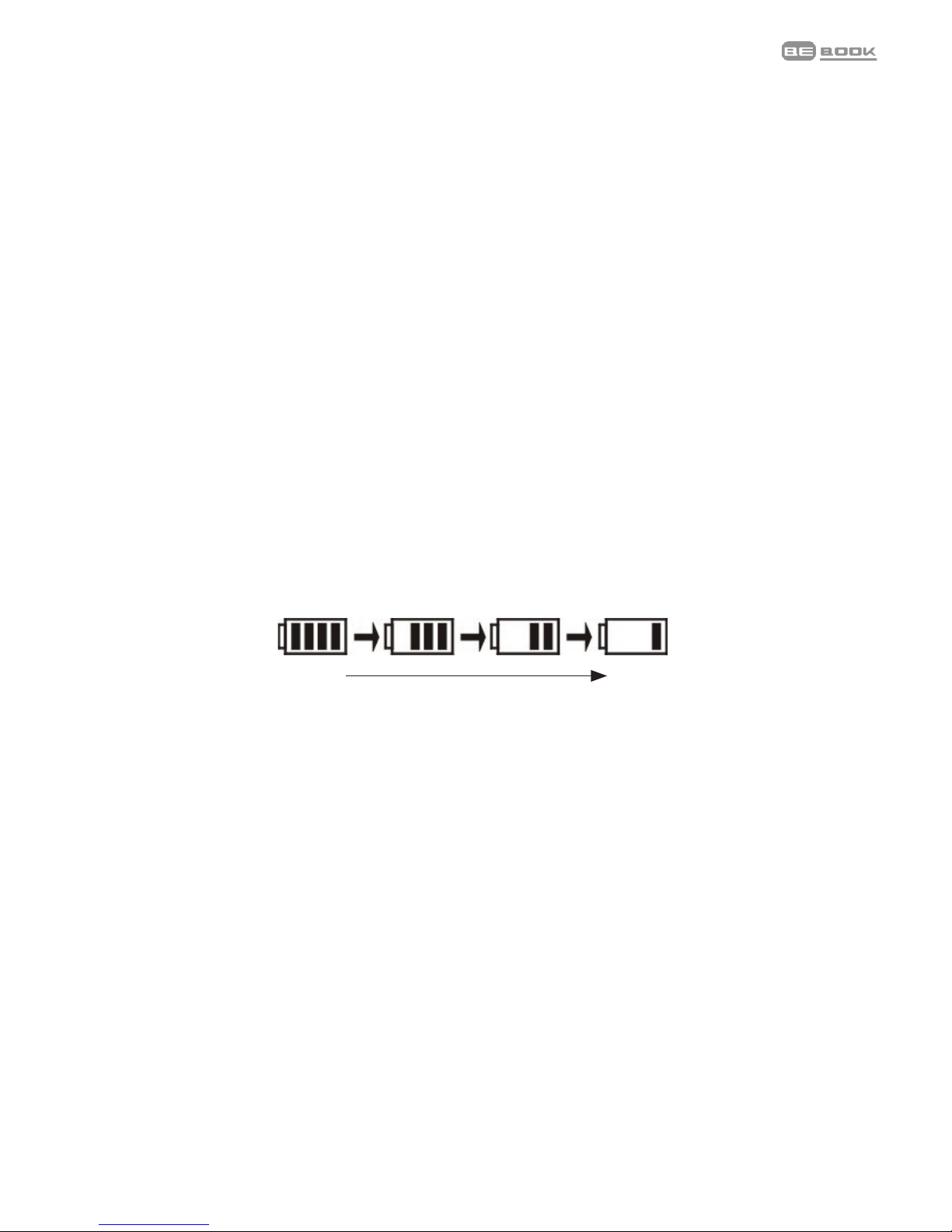
Battery status
Thebatterystatusiconisdisplayedatthebottomrightcorner
ofthescreen.Whenonlyonepowerbarisdisplayedoryou
hearthelowbatterywarning,chargethebattery.
Operation
battery warning, please charge the battery.
Full Low
The BeBook can be used while charging,
but the charging time will be increased.
One full charge of the battery, lasts 7000
pages, or up to 5 hours Mp3.
Do not use an unauthorized battery and/or
charger, this can cause damage to your
BeBook.
Do not remove the battery except when
replacing.
Full Low
Indice
Altri manuali BeBook Lettore di e-book


