BeeSecure BEE-MS Manuale utente

V1.0
www.beesecure.eu
English
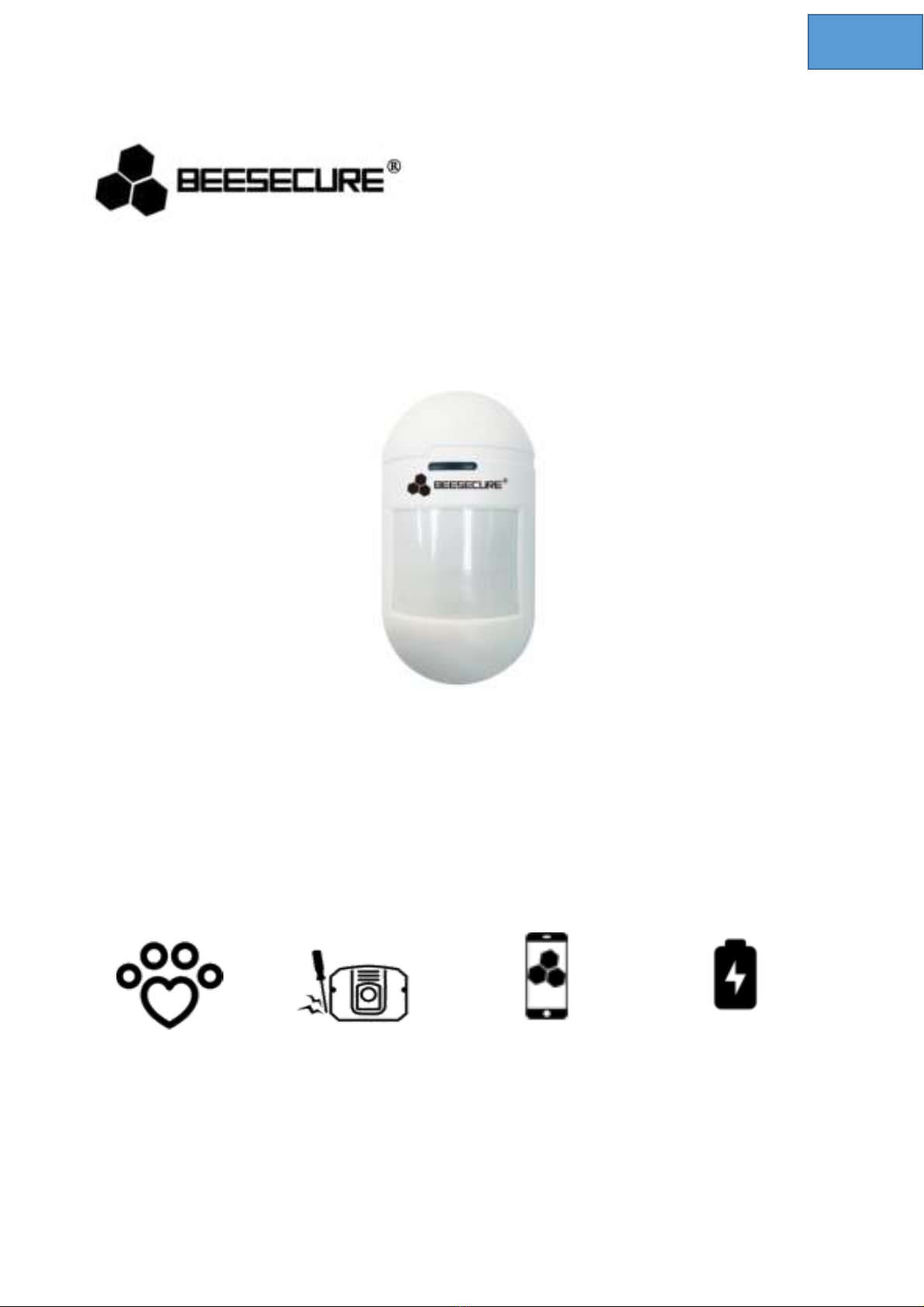
BEE-MS
Wire Free PIR Motion Sensor
Pet
Friendly
Anti-Tamper
App Control
Battery (CR123a)
included

V1.0
www.beesecure.eu
English
Thank you for choosing BeeSecure BEE-MS Pet Friendly Motion Sensor.
BEE-MS is a wire free pet friendly passive infrared motion sensor with high accuracy to detect the
motion within an assigned monitored area. The motion sensor will ignore a pet that weighs up to
approximately 25 kg to prevent false alarms. Whenever a larger motion (25kg and above) is
detected, you will immediately receive an alarm notification on your mobile phone. You can
remotely set up your motion sensor from the BeeSecure App (BEE-HUB is required).
Please ensure you read the user manual before using the BEE-MS. Read the full version of user
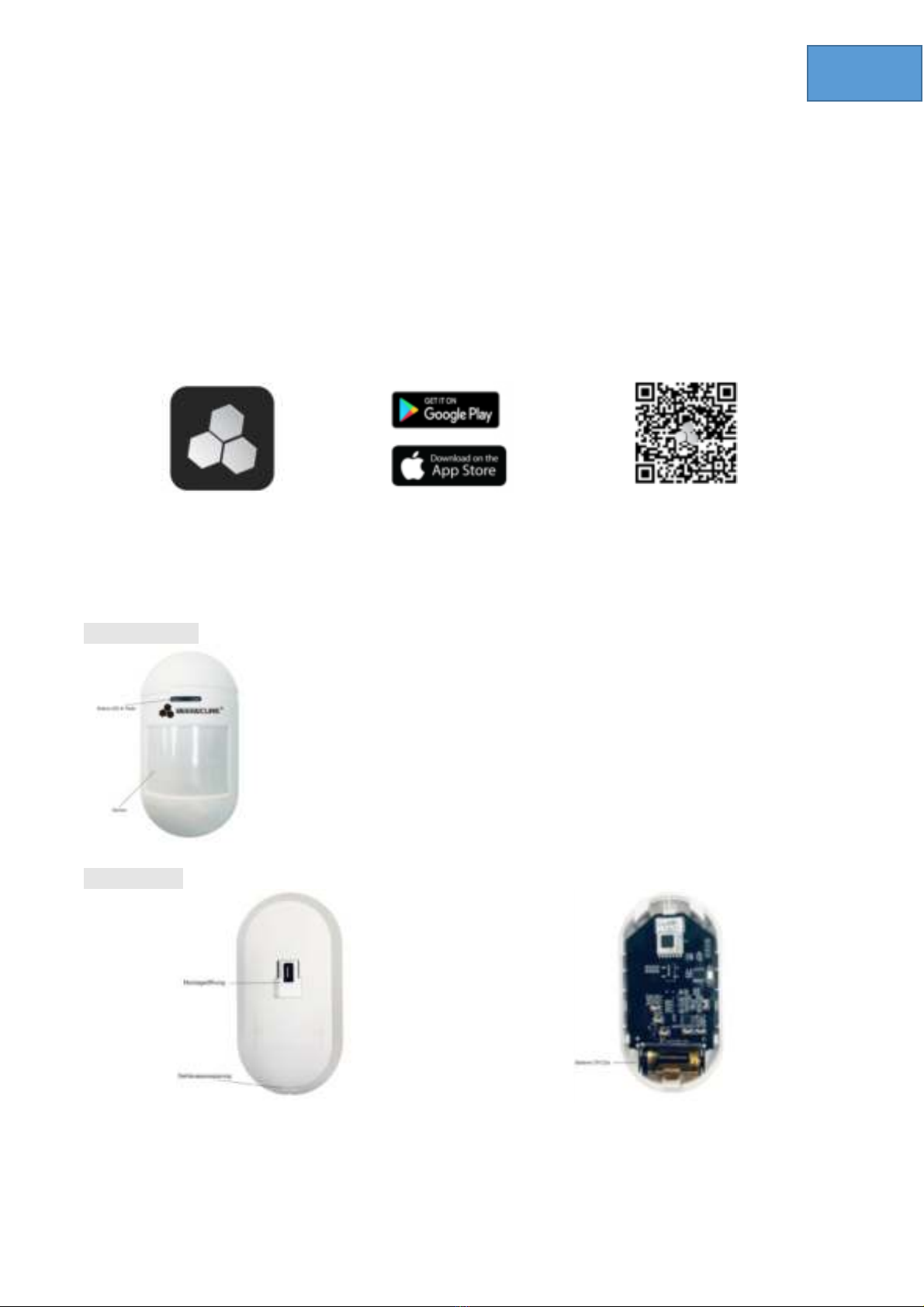
manual online to add and set up your BEE-MS from the app, scan the QR code below.
Download
BeeSecure App
Read
Full User Manual
1. Introduction
1.1 Product Description
Front View
Back View

V1.0
www.beesecure.eu
English
1.2 Specifications
Dimensions
115mm (L)×60mm(W)* 37.8mm (Height)
Battery
DC 3V (CR123a)
Alarm Current
15mA
Standby Current
25 μA
Detecting Distance
12 meters (when mounted at 2 meters above ground)
Detecting Angle
90 degree (-45 ~ +45 degree)
Pet Friendly Level
<25 kg
Suggested Mounting Height
2.0 meters
Alarming
LED flash + Mobile Notification
Transmission Protocol
ZigBee
The product should not be modified in any way except in accordance with those modifications
described in the instructions
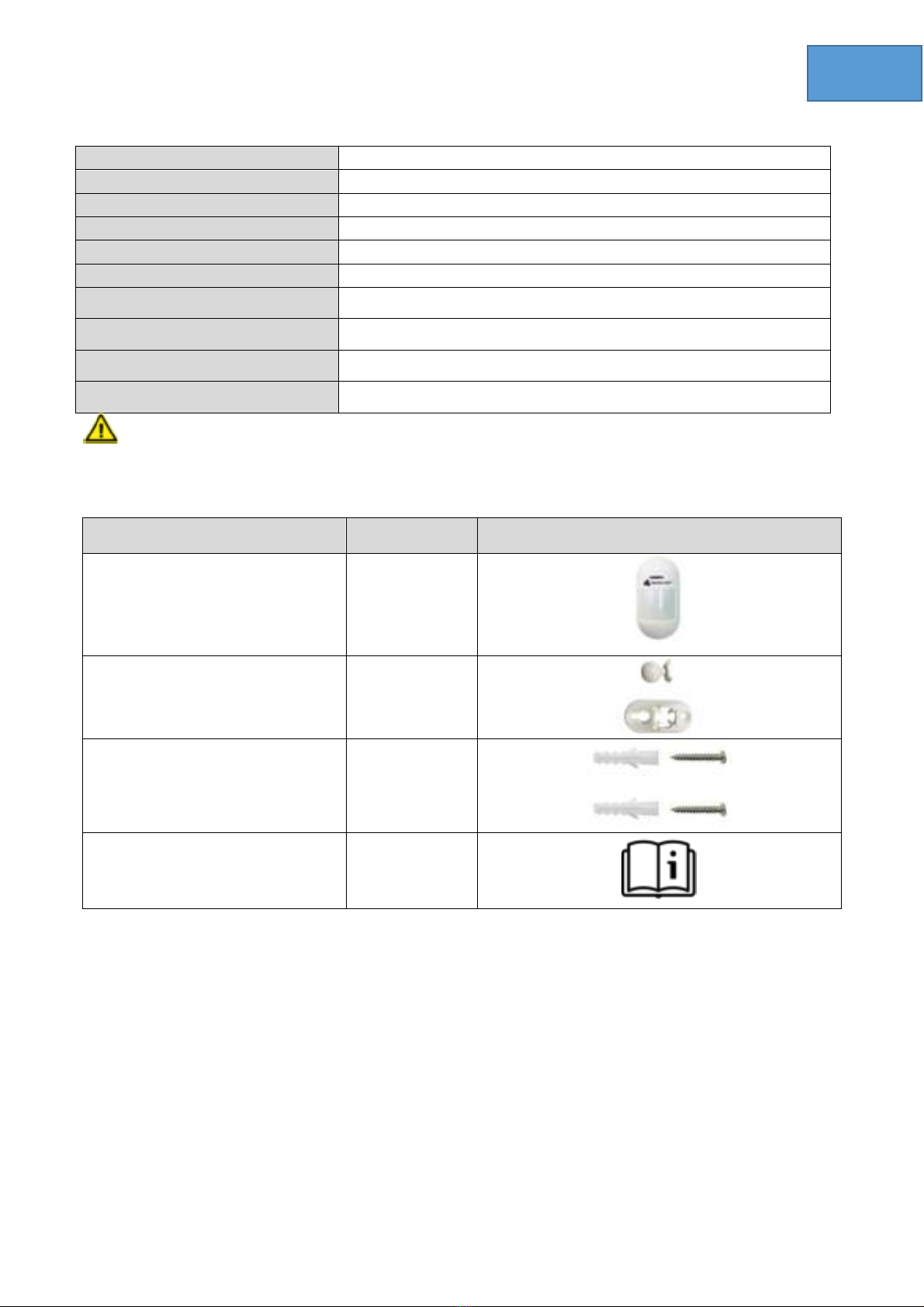
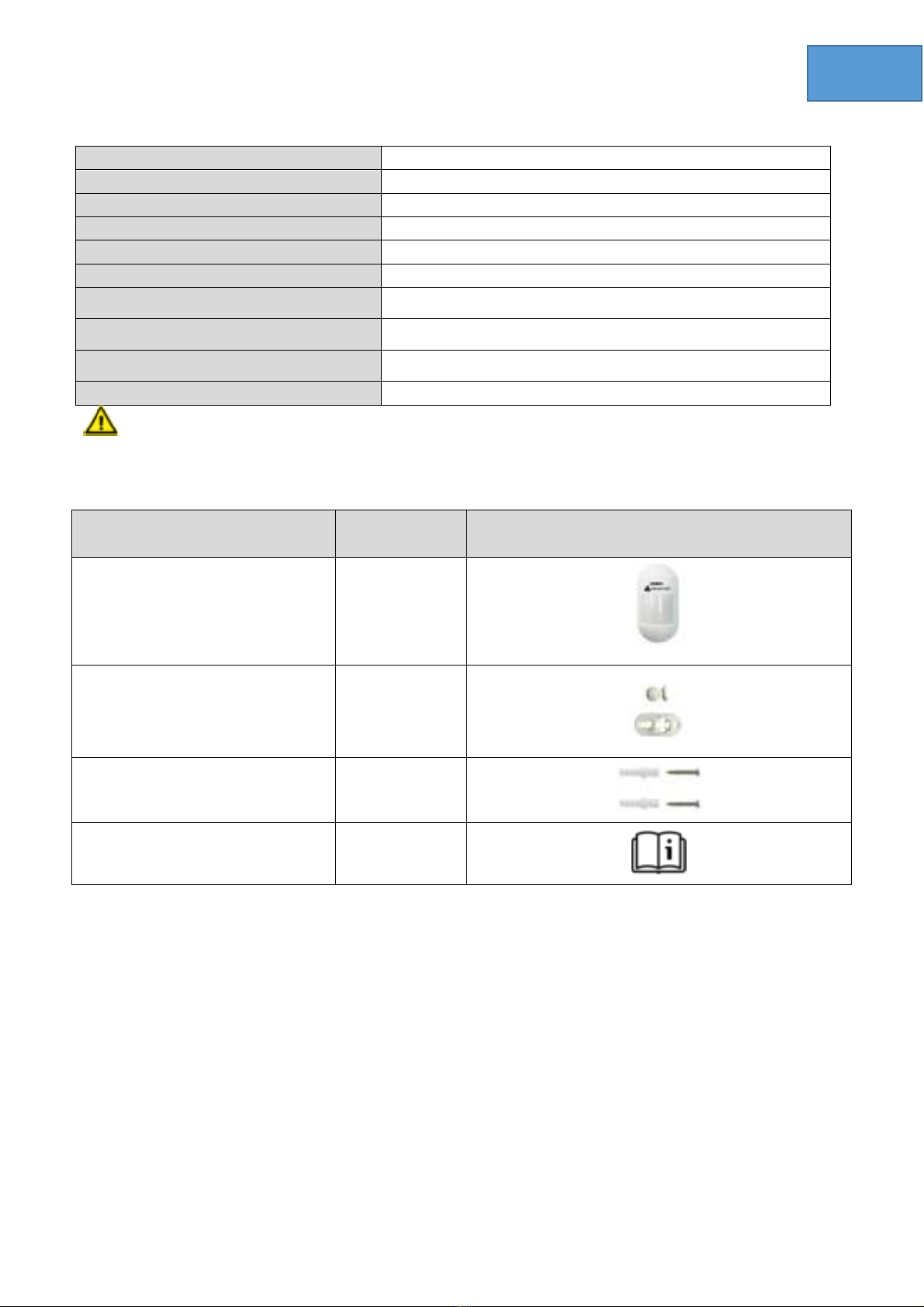
1.3 What’s in the Box
Name
Quantity
Picture
Motion Sensor
1
Mounting Base
1
Screw + Anchor Plug
2
User Manual
1
1.4 Product Features
The motion sensor will send instant notifications whenever larger size motions (bigger than 25kg) is
detected, or whenever someone tries to detach the sensor from the mounting base and deactivate
it. Together with the BEE-HUB (purchased separately), you can set up your motion sensor remotely,
including features such as:
•Rename the sensor
•Receive instant notifications
•Low battery warning
•View history events
•Anti-Tamper Notification

V1.0
www.beesecure.eu
English
1.5 Steps to Follow
•Step 1: Download the BeeSecure App and Register
•Step 2: Install the Battery of the sensor
•Step 3: Add the BEE-HUB to the Wi-Fi from the App
•Step 4: Pair BEE-MS with the BEE-HUB from the App
•Step 5: Install the BEE-MS
•Step 6: Set up the BEE-MS from the APP
Read the full version of user manual online or follow BeeSecure in-app instructions to add and set
up your BEE-MS
2. Install the Battery
1. Press the tab slot on the back of the sensor and open it from the sides
2. Remove the insulating film between the battery and the metallic blade.
3. Put the cover back
After installing the battery, the LED light on the sensor will blink 3 times, the sensor will start to
initiate. The process will take about 9 seconds.
3.Install the BEE-MS
After pairing the motion sensor and the hub, the motion sensor can be installed up to 20 meters
from the hub (depending on the working environment). To ensure the distance between the
motion sensor and the hub is within communication range, you can check the status next to the
sensor in the Home page of BeeSecure App. Green light indicates the sensor is online and
functioning, orange light indicates the sensor is offline/outside of the communication range.
1. Connect the mounting base by pressing the roller ball towards the base and punch through
the holes provided to mount the sensor on walls or at the corner of a room.
2. Attach the motion sensor with the mounting base
It is suggested to follow the steps to install and set up your device. While connecting the BEE-MS with
the hub, please keep the distance between the sensor and the hub as close as possible. After
successfully connecting the hub and motion sensor, you can install the sensor up to 20 meters from
the hub (depending on the working environment).

V1.0
www.beesecure.eu
English
1
2
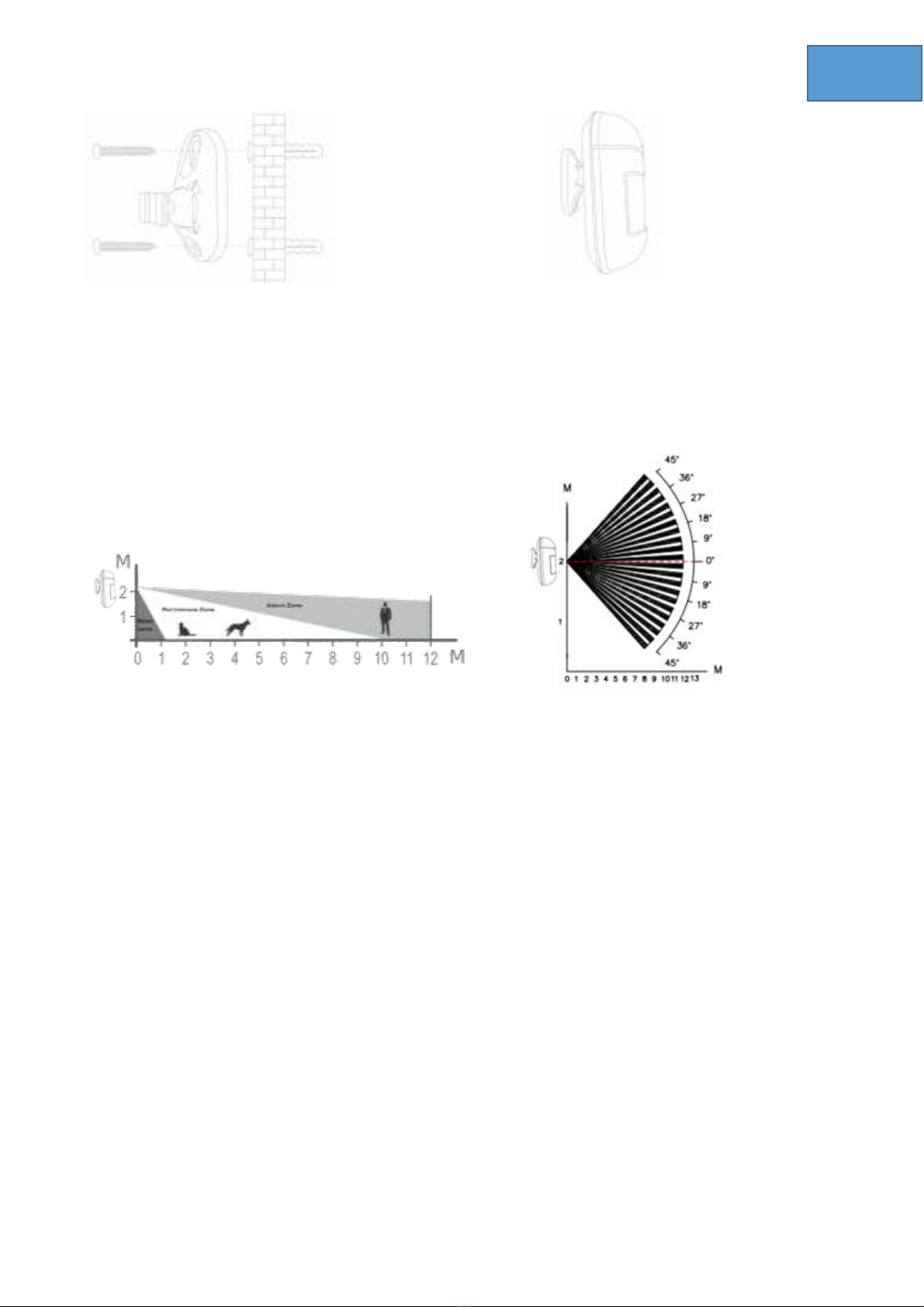
Mounting Location:
BEE-MS is designed to give a typical detection range of 12 meters with human motion and an
immune area of 10 meters for pets (below 25 kg) when mounted at 2 meters above the ground (see
the diagram below). It is recommended to install the motion sensor at 1.8 -2.1 meters above the
ground for the best performance.
Detection Distance
Detection Angle
Whenever motion is detected, the LED light will flash red once and send an instant notification
(when the alarm status on the BeeSecure App is on). Please note, to avoid receiving constant
alarms, BEE-MS will trigger a push notification to your phone every 2 minutes when motion is
detected.
•Keep the distance between the motion sensor and the hub within communication range.
•Mount the motion sensor in a position where an intruder is most likely to pass through
•It is suggested to mount the motion sensor in a corner to give the widest view
•Take into consideration the blind spot. The blind spot underneath the motion sensor
enlarges proportionally to the installation height. At a height of 2 meters, detection range
starts from 1 meter.
•Do not install the motion sensor directly facing the sunlight
•Do not install the motion sensor for outdoor use
•Mount the motion sensor where the field of view will not be obstructed by other objects e.g.
curtains

V1.0
www.beesecure.eu
English
•Avoid installing the motion sensor in areas where the temperature might change rapidly, e.g.
air conditioners, heaters etc.
4.Reset the Device
If the device is not functioning, you can try to reset the device by long pressing the button on the
motion sensor for more than 5 seconds until the LED light flashes in red, release the button now.
After resetting, the motion sensor will flash once in red to indicate reset has been successful. The
device is now restored to manufacturing settings but all the data stored on the BeeSecure cloud will
remain, including device name and history messages.
5. Device Status
The status of the LED on the motion sensor indicates the device status.
LED
Device Status
Flash green for 3 times
Battery Activated
Flash once in red
Motion Detected
Reset succeeded
No flash
Working/Normal
Flash once in green
Pair with BEE-HUB succeeded
6. Battery Replacement
Whenever the battery level of the motion sensor is low, you will receive a notification on the app.
You can easily replace the battery following the same steps used when installing the battery. After
replacing the battery, all user data including history message, sensor settings will remain. You will
not lose any data.
7. Maintenance and Care
1. Carry out a test by moving within the detection range of the motion sensor weekly to ensure
the device is functioning
2. Do not touch the sensor screen to avoid impacting the sensitivity accuracy
3. Avoid high humidity areas which can cause condensation
4. Relocate the motion sensor if it generates unwanted alarms. Refer to section 3 on ‘Mounting
Locations’ for more details on which locations to avoid
5. Clean the sensor at least once every couple of months with a dry or slightly damp
microfiber cloth

V1.0
www.beesecure.eu
Deutsch
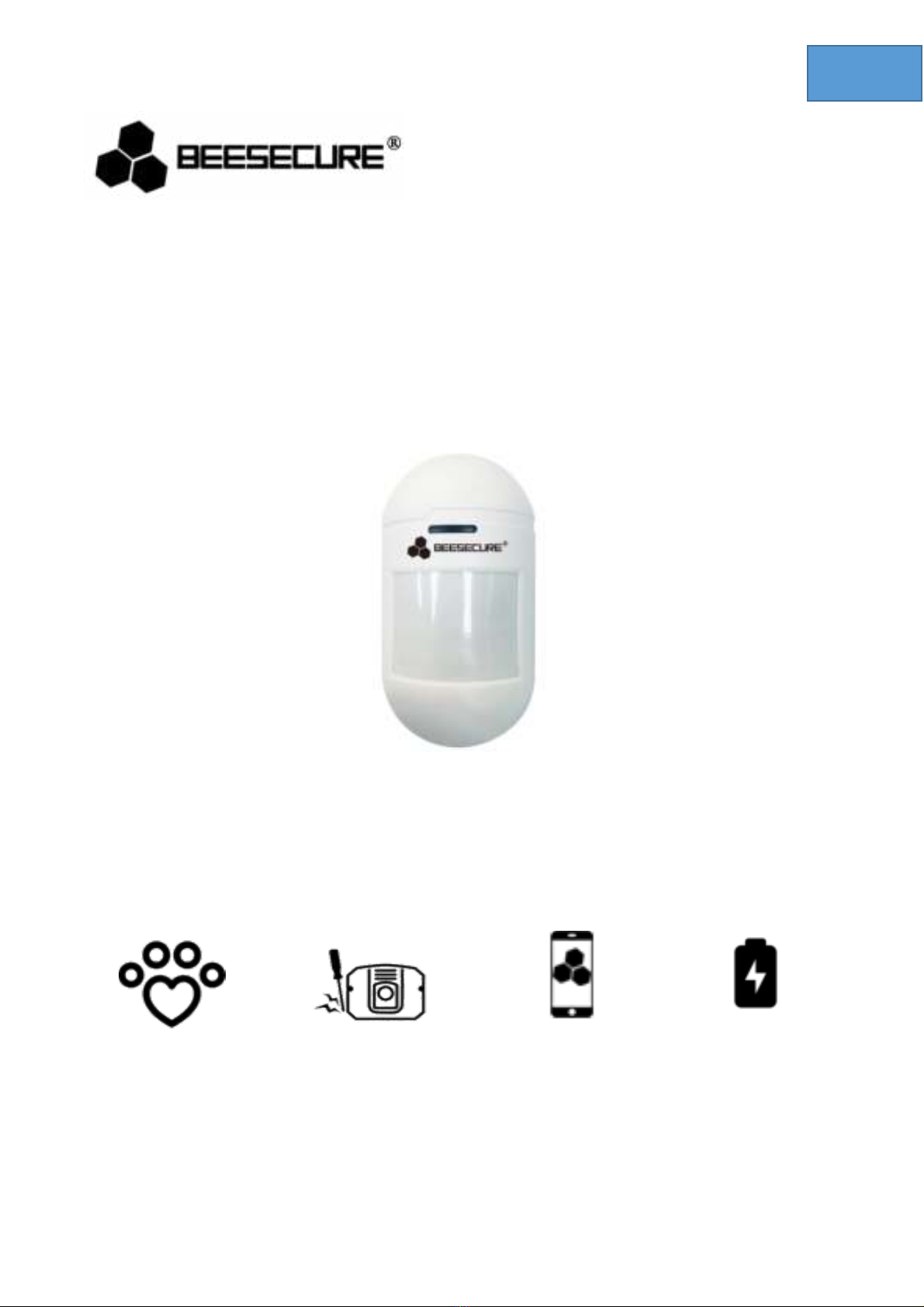
BEE-MS
PIR-Bewegungssensor ohne Kabel
Haustierfreundlich
Manipulationsschutz
App-Steuerung
Batterie
(CR123a)
enthalten

V1.0
www.beesecure.eu
Deustch
Danke, dass sie sich für den BeeSecure BEE-MS PIR-Bewegungssensor entschieden haben.
Der BEE-MS ist ein kabelloser, haustierfreundlicher PIR (Passiv-Infrarot) - Bewegungssensor mit
hoher Genauigkeit zur Erfassung von Bewegung innerhalb des überwachten Bereiches. Der
Bewegungssensor ignoriert ein Haustier mit einem Gewicht von bis zu ca. 25 kg, um einen
Fehlalarm zu vermeiden. Sobald eine größere Bewegung (25kg und mehr) erkannt wird, erhalten sie
sofort eine Alarmbenachrichtung auf ihr Mobiltelefon. Sie können ihren Bewegungssensor über die
BeeSecure App ferneinrichten (BEE-HUB erforderlich).
Bitte stellen sie sicher, dass sie die Bedienungsanleitung durchlesen, bevor sie den BEE-MS in
Betrieb nehmen. Lesen sie die vollständige Bedienungsanleitung online, um den BEE-MS
hinzuzufügen und einzurichten. Scannen sie hierfür den untenstehenden QR Code.
Laden sie die
BeeSecure App
Lesen sie die vollständige
Bedienungsanleitung
1.Einleitung
1.1 Produktbeschreibung
Vorderansicht
Rückansicht

V1.0
www.beesecure.eu
Deutsch
1.2 Spezifikationen
Abmessungen
115mm (L)×60mm(B)* 37.8mm (Höhe)
Batterie
DC 3V (CR123a)
Stromspannung bei Alarm
15mA
Stromspannung im Ruhezustand
25 μA
Sensorreichweite
12 Meter (bei Anbringung 2 Meter über dem Boden)
Erfassungswinkel
90 Grad (-45 ~ +45 Grad)
Haustier Maximalgewicht
<25 kg
Empfohlene Befestigungshöhe
2.0 Meter
Alarm Modus
LED blinkt + Sofortbenachrichtigung über App Alarm
Datenübertragung
ZigBee
Dieses Produkt darf in keiner Weise modifiziert werden, außer in Übereinstimmung mit den
hier beschriebenen Anweisungen.
1.3 Paketinhalt
Bauteil
Anzahl
Abbildung
Bewegungsmelder
1
Befestigungssockel
1
Schraube + Dübel
2
Bedienungsanleitung
1
1.4 Produkteigenschaften
Der Bewegungssensor BEE-MS wird sie sofort benachrichtigen, sobald eine Bewegung (>25kg)
registriert wird oder falls versucht wird, den Befestigungssockel zu entfernen oder das Gerät zu
deaktivieren. Zusammen mit dem BEE-HUB (separat erhältlich), können sie den Bewegungssensor
über die BeeSecure App steuern. Dies beinhaltet:
•Bewegungssensor umbenennen
•Sofortnachrichten erhalten
•Warnung über niedrigen Batteriestand
•Überblick über vergangene Ereignisse
•Warnung über Manipulationsversuche

V1.0
www.beesecure.eu
Deutsch
1.5 Kurzübersicht
•Schritt 1: Laden sie die BeeSecure App herunter und registrieren sie sich
•Schritt 2: Einsetzen der Batterien
•Schritt 3: Fügen sie den BEE-HUB ihrem Wlan hinzu aus der App
•Schritt 4: Koppeln sie ihren BEE-MS mit dem BEE-HUB aus der App
•Schritt 5: Richten sie den BEE-MS ein
•Schritt 6: Konfigurieren sie ihren BEE-MS mittels der APP
Lesen sie die vollständige Bedienungsanleitung online oder befolgen sie die Instruktionen in der
BeeSecure App, um ihr/ihren BEE-MS hinzuzufügen und einzurichten.
2.Einsetzen der Batterie
1. Verwenden sie die Gehäuseaussparung auf der Rückseite des Bewegungssensors, um das
Gehäuse zu öffnen
2. Entfernen sie die Schutzfolie zwischen der Batterie und der Metallschiene
3. Setzen sie die Gehäuseabdeckung wieder auf
Nach dem Einsetzen der Batterie wird die Status LED 3-mal blinken. Dies zeigt an, dass der Sensor
aktiviert wurde. Dieser Vorgang benötigt ca. 9 Sekunden.
3. Anbringen des BEE-MS
Nach der Einrichtung kann der BEE-MS in bis zu 20 Meter Entfernung vom BEE-HUB angebracht
werden (abhängig von der Gebäudestruktur). Um sicherzustellen, dass eine Verbindung zwischen
dem BEE-MS und dem BEE-HUB gewährleistet ist, können sie den Status des Bewegungssensors auf
der Startseite der App überprüfen. Grün zeigt an, dass der BEE-MS ordnungsgemäß funktioniert.
Orange zeigt an, dass das Gerät außer Reichweite oder ausgeschaltet ist.
1. Drücken sie den Kugelkopf in die Öffnung des Befestigungssockels und benutzen sie die
mitgelieferten Schrauben, um den Befestigungssockel an einer Wand oder Ecke anzubringen
(Abb. 1).
2. Bringen sie nun den Bewegungssensor am Befestigungssockel an (Abb. 2).
Während des Koppelns sollten der BEE-MS und der BEE-HUB nicht weiter als 1 Meter
voneinander entfernt sein. Nachdem erfolgreichem Koppeln können sie den BEE-MS in bis zu 20
Meter Entfernung vom BEE-HUB anbringen (abhängig von der Gebäudestruktur).
Indice
Lingue:
Altri manuali BeeSecure Sensore di sicurezza