
Berkeley Audio Design Alpha USB Manuale utente

1
PRELIMINARY USER GUIDE v1.1
Berkeley Audio Design
®
Alpha USB
®
The Alpha USB is an asynchr n us High Speed USB t digital audi interface designed t
pr vide the highest p ssible audi quality fr m c mputer audi s urces. Please take a few
minutes t familiarize y urself with this User Guide bef re c nnecting p wer t the Alpha USB.
D ing s will help ensure the best p ssible perf rmance.
INSTALLATION
The Alpha USB sh uld be installed in a space with several inches f clearance ab ve, behind
and n b th sides f the chassis t pr vide adequate ventilati n. Av id placement directly
ab ve ther equipment that pr duces significant heat.
Power Connection
The Alpha USB is designed t run c ntinu usly when c nnected t AC mains p wer. There is
n p wer switch and as s n as AC p wer is c nnected the unit is p wered n. Units f r sale
in the United States are set internally f r 120VAC perati n. An Alpha USB dealer can select
240VAC perati n f r use utside f the United States by setting an internal switch and adding
a 240V label t the rear panel. 100VAC p wer perati n requires a specific p wer transf rmer.
P wering the Alpha USB fr m the same p wer s urce as the D t A c nverter and ther
anal g c mp nents is rec mmended. Its p wer supply has several layers f is lati n between
the p wer c rd and the digital circuitry, s it behaves best when treated as an anal g
c mp nent. The c mputer sh uld be p wered fr m a separate circuit where p ssible t
minimize p wer line n ise.
Signal Connections
Alpha USB ear Panel
The Alpha USB has a High Speed USB 2.0 input data c nnecti n and has switch selectable
utput signal type – either c axial SPDIF using a BNC c nnect r r balanced AES using an
XLR c nnect r. Sampling rates up t 192 kHz and w rd lengths up t 24 bit are supp rted.
Lead Dress
It is g d practice t keep vari us types f signal and p wer cables physically separated fr m
each ther. This is especially imp rtant f r the USB cable t the c mputer. It sh uld be r uted
away fr m the chassis f the Alpha USB and any ther c mp nent r cable that is part f the
audi system. 1.5 meters is a g d default length f r USB, SPDIF and AES cables.
2
OPE ATION
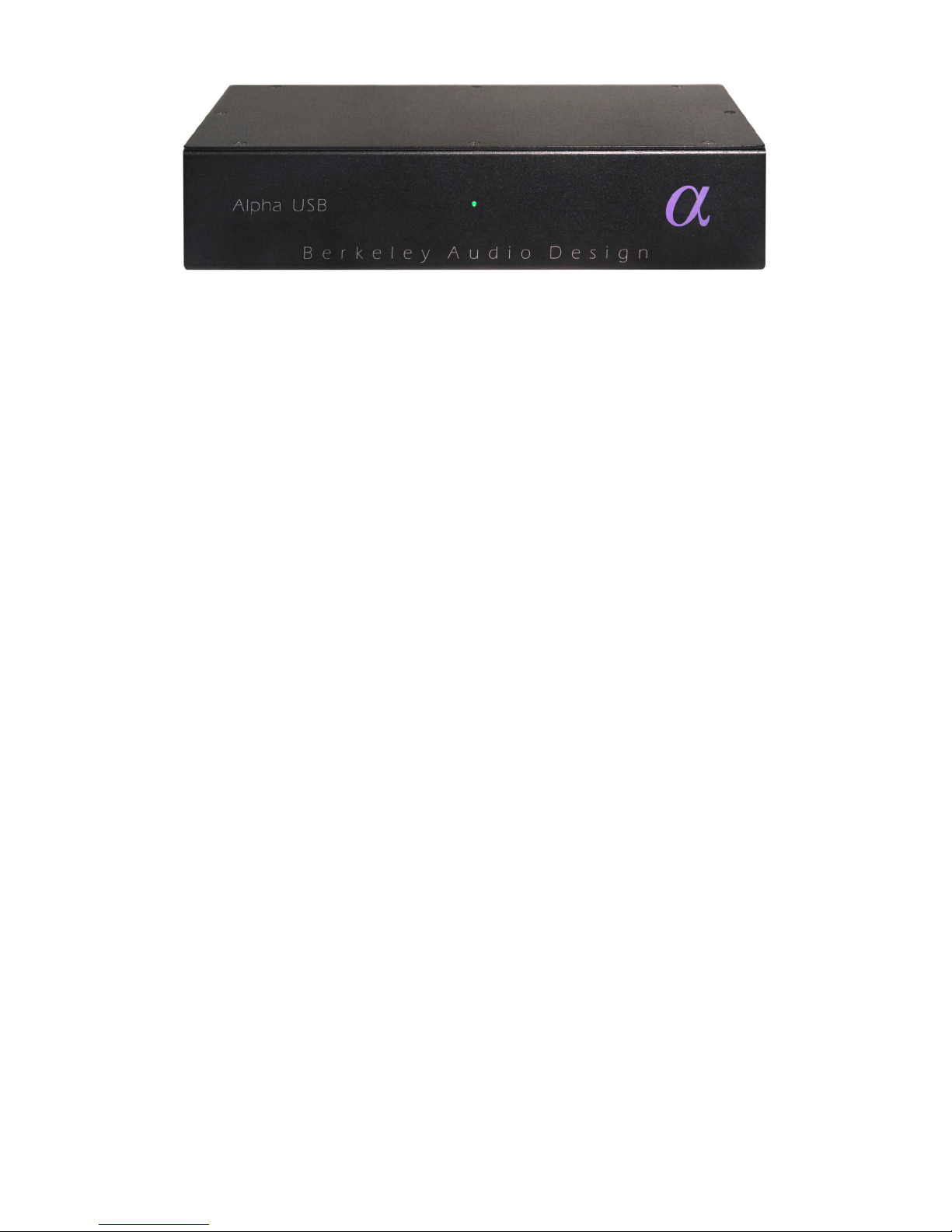
Alpha USB Front Panel
Controls & Indicators
• Output Select: switch selects c axial SPDIF r balanced AES type utput
• Status LED: Green indicates USB L ck, Amber indicates Standby
The Alpha USB has ne c ntr l and ne bi-c l r indicat r LED. The digital audi utput is
available as either a 75 hm SPDIF signal n a BNC c nnect r r as a 110 hm balanced
AES type signal n an XLR c nnect r. A switch n the rear panel selects which utput is
active. Only ne utput is active at a time in rder t minimize jitter. Whenever p ssible, use
f the balanced AES signal utput is rec mmended f r best perf rmance.
The indicat r LED n the fr nt panel is amber when AC line p wer is n but the USB
c nnecti n is n t active. As s n as the USB c nnecti n t the c mputer is established and
the c mputer and the Alpha USB are talking t each ther, the LED turns green.
In n rmal use, AC p wer t the Alpha USB sh uld be applied first. Then the c mputer sh uld
be p wered up r the USB cable c nnected. N thing catastr phic happens if the c mputer
side is p wered up first, but since the Alpha USB audi master scillat rs are n t p wered, the
USB driver in the c mputer may bec me c nfused. If this happens, unplug the USB cable and
then plug it back in.
The Alpha USB has n AC p wer switch and is designed t be left p wered n. It draws nly
3 watts f p wer and when the USB input is n t active, the unit g es int a standby m de.
Computer Configuration
The Alpha USB is designed t w rk with b th Apple Macint sh and Wind ws PC c mputers
and als w rks with s me versi ns f Linux. F r Linux, the perating system must be ALSA
1.0.23 r ab ve. It must als have the ability t select the utput device.
Apple Macintosh Computers
The Alpha USB interface c nf rms t the new USB 2.0 High Speed audi interface standard
that supp rts sample rates up t 192 kHz/24-bit. This means that f r Apple Macint sh
c mputers using the Sn w Le pard r later perating system, the USB Audi Driver fr m
Apple interfaces pr perly t the Alpha USB. It is n t necessary t install a cust m driver. This
is als true f r s me versi ns f Linux, but n t Wind ws at this time. F r ptimum audi quality
with a Mac, use f high res luti n music server s ftware such as Pure Music
®
is highly
rec mmended.

3
The Pure Music applicati n uses iTunes t manage files and as a user interface, but the audi
data is played thr ugh its wn engine, bypassing c re audi in the Mac f r bit-perfect utput. It
als has the ability t switch sample rates n the fly in full c rdinati n with the Alpha USB and
Alpha DAC, while maintaining bit accurate transparency.
Please follow the steps below in exact order t install and ptimize Pure Music f r use with
the Alpha USB.
• Plug the Alpha USB int ne f the USB p rts n the Mac. See N te bel w.
• Under the Apple Menu, click n “Ab ut This Mac”.
• Click n “M re Inf ”.
• In the C ntents c lumn under Hardware, click n “USB”.
• In the USB Device Tree “Alpha USB Digital Output” sh uld appear.
• Make sure it is the nly active device n its USB High-Speed Bus. See N te bel w.
• If necessary, m ve the USB cable t a different p rt, r disable the c nflicting device
and check again.
• Quit the System Pr filer.
• Open the Audi MIDI Setup applicati n in the Utilities f lder.
• “Alpha USB Digital Output” sh uld appear n the list f devices.
• It sh uld NOT be selected as an utput device. Select “Built-in Output” f r music and
system s unds.
• Quit the Audi MIDI Setup applicati n.
• Launch Pure Music.
• If y u have altered the default settings, g t Preferences under the Pure Music Menu.
• Click the “Defaults” butt n near the b tt m, and accept the acti n. PM will re-launch.
• On the Pure Music menu bar under Metering, click n “Signal Metering” t un-select it.
• Under the Music Server menu, click n “Mem ry Play” and “Disable DSP Opti ns” t
select them.
• Under the Pure Music menu, click n “Audi Setup…”
• In the Output Device area, select “Alpha USB Digital Output” in the dr p-d wn list.
• Check the b x “Enable Exclusive Access (“H g” M de)”.
• Near the b tt m f the wind w, click n the “Click t Apply Changes” butt n.
• After PM re-launches, nce again g t Pure Music > Audi Setup…
• T the right f the H g M de check-b x is a b x f r “Native Integer F rmat Supp rt”.
• Click t check the b x. N te: Native Integer F rmat Supp rt is n t available at present
with the Li n perating system. F r the Li n perating system d n t check the b x.
• The menu sh uld cl se and take y u t iTunes with the message “N nmixable Integer
Output Stream” (if selected) and “Select track and press return”.
• Select a track and press play r return.
• The track sh uld start playing thr ugh the Alpha USB, and n the Pure Music bar ab ve
iTunes there sh uld be a series f status messages in small green letters:
• Alpha USB Digital Output
• Native Sample Rate (xxx kHz)
• Playing fr m Mem ry
• Native Integer Device Stream (if selected)
• DSP Opti ns disabled
• Pure Music setup is c mplete.
N te: n t all USB c nnecti ns n a c mputer are equal. USB d es n t have a guaranteed

4
latency m de, s f r a real time task like audi delivery, it is imp rtant t c nnect the Alpha
USB interface t a lightly l aded hub. All USB devices and where they are c nnected can be
seen under “Ab ut This Mac” under the Apple Menu. Click n it, and then n “M re Inf ”,
which launches the system pr filer. Click n “USB” under Hardware t see the full list.
Windows PC Computers
Micr s ft has n t yet supplied a driver c nf rming t the new USB 2.0 High Speed audi
interface standard. Theref re Micr s ft Wind ws PC’s require the included Alpha USB
Wind ws driver which w rks with Wind ws XP, Vista and 7. Vista is n t rec mmended.
Wind ws 7 w rks very well as an audi server and is preferred ver XP.
T install the Wind ws driver, insert the Alpha USB Wind ws Driver CD, view its c ntents,
pen the AlphaUSB_Wind ws_Driver_1v26 f lder, and run ‘setup.exe’. F ll w the
instructi ns, which include c nnecting the Alpha USB t a USB p rt, and, usually, exiting any
Micr s ft Wizard that tries t d things aut matically. During the installati n tw dial g b xes
will appear warning that Micr s ft has n t blessed the s ftware. Click n the “Install Anyway”
butt n in b th cases.
Free Wind ws c mpatible music players such as Media M nkey and F bar, r f r-purchase
music players such as JRiver Media Center sh uld be used t pr vide bit-perfect utput.
Wind ws Media Player is n t rec mmended.
F r Wind ws XP, ASIO must be used t c nnect the music player t the USB utput t get bit-
perfect data. The Alpha USB ASIO driver identifies itself as “TUSBaudi ASIO driver” in the
music player’s utput select setup dial g. A “Kernel Streaming” utput may als appear. D
n t select it. Kernel streaming is an experimental pr t c l that is nly l sely specified, and it
d es n t w rk with the Alpha USB. Media M nkey, F bar and JRiver Media Center all
supp rt ASIO f r Wind ws XP
F r Wind ws 7, the preferred c nnecti n is WASAPI. It pr vides l w- verhead, bit-perfect
data utput with aut matic sample rate switching, and w rks very well. Media M nkey 3 d es
n t supp rt WASAPI s F bar r JRiver Media Center sh uld be used with Wind ws 7. When
MediaM nkey 4 is released it will supp rt WASAPI and sh uld als w rk well with Wind ws 7.
When using JRiver Media Center 15 r later, WASAPI - Event Style utput m de sh uld be
used.
SPECIFICATIONS
• Input: High Speed USB 2.0 c nnecti n - type B receptacle
• Output: switch selected, c axial SPDIF - BNC, 75Ω r balanced AES type - XLR, 110Ω
• Supp rted sampling rates: 44.1 kHz, 48 kHz, 88.2 kHz, 96 kHz, 176.4 kHz, 192 kHz
• Supp rted w rd lengths: up t 24 bit
• Supp rted perating systems: Apple Macint sh and Micr s ft Wind ws
• Encl sure dimensi ns: 2.3”H X 10.5”W x 5”D, 2.55”H including feet
• Mains p wer: 100 r 120 r 240 VAC, 50/60 Hz, IEC p wer input c nnect r
• P wer c nsumpti n: 3 Watts line, 1.5 Watts USB, designed f r c ntinu us perati n
F r further inf rmati n n the Alpha USB, please c ntact Berkeley Audi Design, LLC at:
inf @berkeleyaudi design.c m r call 1-510-277-0512
© 2011 Berkeley Audi Design, LLC
Indice
Manuali Apparecchiature di registrazione popolari di altre marche


Strymon
Strymon NIGHTSKY Manuale utente

Mitsubishi Electric
Mitsubishi Electric 16CH DIGITAL RECORDER DX-TL5000U Manuale utente

Tews Technologies
Tews Technologies TPMC465 Manuale utente

Honeywell
Honeywell Excel 50 Manuale utente

SeaLevel
SeaLevel COMM+8.LPCI Manuale utente

Arturia
Arturia AUDIOFUSE STUDIO Manuale utente


