
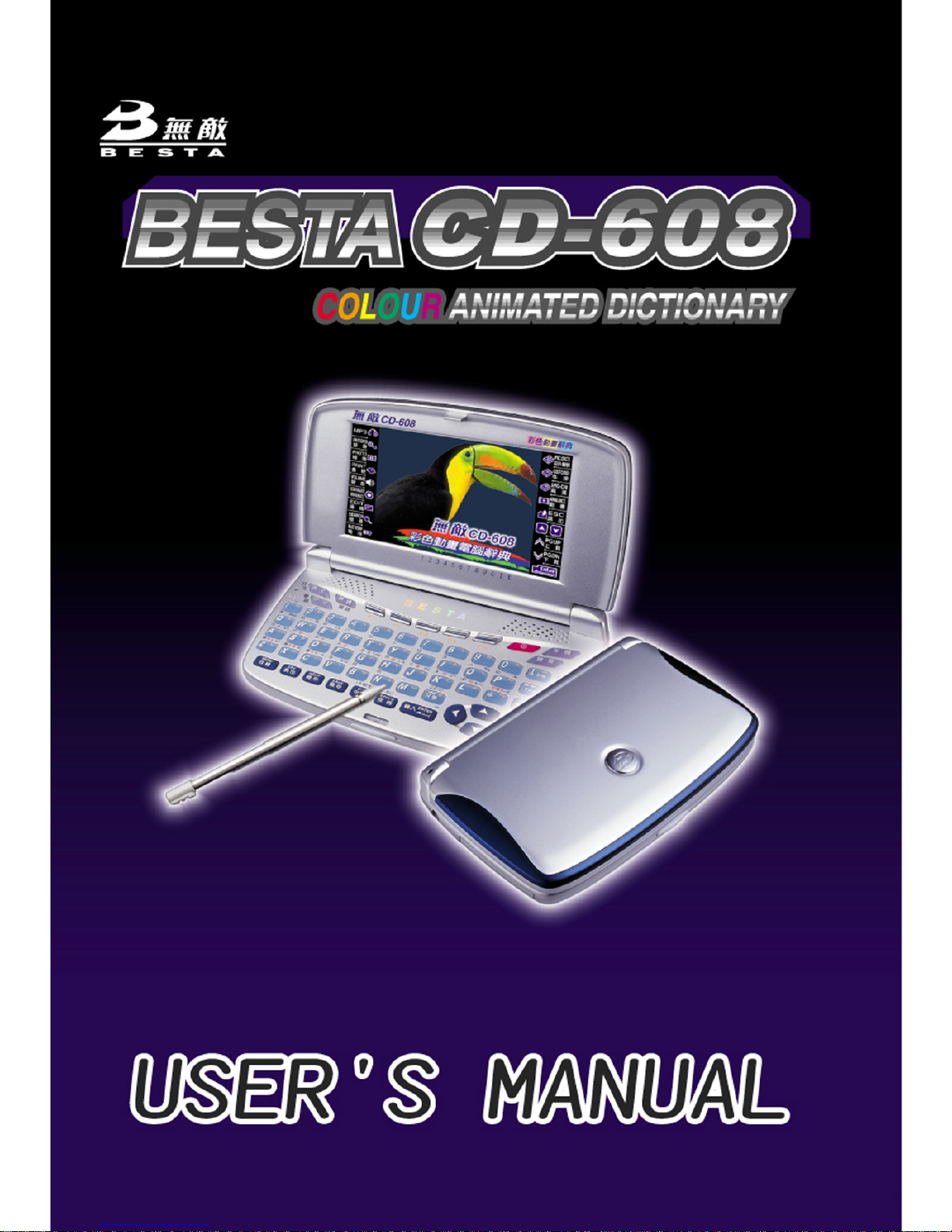
Besta C-608 Manuale utente

I
Index
Chapter 1. Introduction to the Electronic Dictionary
1. Product Layout ................................................................................ 3
2. Keyboard Buttons ........................................................................... 5
3. Key Description ..............................................................................12
4. On-screen Control Keys ................................................................12
5. Indicator Descriptions ....................................................................13
6. Switching the Hot Key Functions ...................................................13
7. The stylus ......................................................................................14
8. The panel .......................................................................................14
User Guide
1. Main Power ..................................................................................15
1.1 How to Replace the Battery ............................................................ 15
1.2 How to Replace the Card ................................................................ 16
1.3 To Recharge the Battery on the Device ........................................... 16
1.4 Checking the Battery Power ........................................................... 17
2. Main Menus ..................................................................................18
3. Input Methods .................................................................................19
3.1 Inputting English with Keyboard ..................................................... 19
3.2 Inputting Special Symbols with Keyboard ...................................... 20
3.3 Inputting Chinese with Keyboard .................................................... 20
3.4 Inputting Japanese ......................................................................... 25
3.5 Handwriting Recognition ................................................................. 25
3.6 Hints for Handwriting Recognition ................................................... 26
3.6.1 How to Increase Recognition Rate ............................................. 26
3.6.2 Write in Standard Chinese Strokes ............................................. 26
3.7 English Soft Keyboard ................................................................... 26
3.8 Symbol Soft Keyboard ................................................................... 26
3.9 Phonetic Symbol Soft Keyboard .................................................... 27

II
Index
4. Editing Data ..................................................................................27
4.1 Data Selecting ............................................................................... 27
4.2 Data Copying ................................................................................. 28
4.3 Data Cutting ................................................................................... 28
4.4 Data Pasting .................................................................................. 28
4.5 Data Clearing ............................................................................................28
5. Data Searching ..............................................................................29
6. Select the Date ..............................................................................30
7. Input the number ............................................................................31
8. Set the Time ..................................................................................31
9. System Reset for the First Use .....................................................32
9.1 Touch Panel Correction .................................................................. 32
9.2 Reset the Device ............................................................................ 32
10. USB Disk .......................................................................................34
11. Menu Manage .................................................................................35
Chapter 2. Dictionary
1. Data Index ......................................................................................41
1.1 Index Screen .................................................................................. 41
1.1.1 Item Index .................................................................................... 42
1.1.2 Path .............................................................................................. 42
1.1.3 Language Switch .........................................................................43
2. Definition Content ..........................................................................43
2.1 The Definition Screen ..................................................................... 43
2.1.1 Font Switch .................................................................................. 45
2.1.2 Reading Repeat ..........................................................................45
2.1.3 Repeat after the Device ............................................................... 45
2.1.4 Other Data .................................................................................... 47
2.1.5 Storing Data ................................................................................. 49
2.1.6 Pronunciation .............................................................................. 49

III
Index
3. Searching ......................................................................................50
3.1 Smart Input Method Search ........................................................... 50
3.2 Wildcard Search ............................................................................ 51
3.3 Cross Search ................................................................................. 53
3.4 Secondary Search ......................................................................... 54
3.5 Multilayer Window Search ............................................................. 56
3.6 Special data Search ....................................................................... 58
4. Illustrated Dictionary .......................................................................58
5. Travel Dialogue ..............................................................................59
5.1 Travel Dialogues ............................................................................. 59
5.2 Full Text Search ............................................................................. 60
6. Smart Media Card ..........................................................................61
Chapter 3. Study
1. Animation Grammar .......................................................................65
2. English Proficiency Test .................................................................66
2.1 Simulated Exam ............................................................................ 66
2.2 Practice ......................................................................................... 67
3. Interactive English ..........................................................................68
3.1 Scene .......................................................................................... 68
3.2 Conversations ................................................................................ 69
3.2.1 Full Text Mode .............................................................................. 70
3.2.2 To Be One of the Characters ....................................................... 70
4. Review and Self-Test .....................................................................72
4.1 Review .......................................................................................... 72
4.2 Self-test ......................................................................................... 72
4.3 Word Browser ................................................................................ 73
4.4 Sentence Making ........................................................................... 74
4.5 Sentence Review ........................................................................... 75

IV
Index
5. Words World .................................................................................76
5.1 Words Browsing ............................................................................ 76
5.2 Words Test .................................................................................... 76
6. Pronunciation .................................................................................77
7. Illustrated .......................................................................................78
8. Word Component ..........................................................................78
Chapter 4. PIM
1. Data Input ......................................................................................83
1.1 Input data in column ....................................................................... 83
1.2 Custom Category ........................................................................... 84
1.3 Edit Category ................................................................................. 85
2. Data Index ......................................................................................85
3. Detail Browse ................................................................................86
4. Name Card .....................................................................................88
4.1 Settings ......................................................................................... 88
4.2 Portrait/ Photo ............................................................................... 89
4.3 Securing / Unlocking Data .............................................................. 90
5. Memorandum .................................................................................90
6. Schedule ........................................................................................91
6.1 Repeat Period ................................................................................ 91
6.2 Index .............................................................................................. 92
7. To Do List .......................................................................................92
8. World Time ....................................................................................93
9. Calendar ........................................................................................94
10. Anniversary ....................................................................................95
11. Curriculum Schedule .....................................................................95

V
Index
12. Paintbrush......................................................................................96
13. Calculator ......................................................................................97
14. Conversion.....................................................................................98
15. Income & Expense ........................................................................99
Chapter 5. System
1. Phonetic Repeat ..........................................................................102
2. Memory Management ...................................................................102
2.1 Card Format ................................................................................. 103
3. Password Setting ......................................................................... 103
4. Power Management .....................................................................103
5. Startup Picture ............................................................................. 104
6. Menu Setting ................................................................................105
7. Communication with PC ..............................................................105
8. Alarm ...........................................................................................105
9. After Service ................................................................................106
10. Input Setting ................................................................................106
11. Handwriting Setting ......................................................................106
12. Personal Setting ..........................................................................107
Chapter 6. Multi
1. Games World ...............................................................................109
2. eBook City....................................................................................109
3. MP3 Granary ................................................................................ 110
4. My Photo Album ........................................................................... 110
5. Text Viewer ................................................................................... 110
6. Recorder ...................................................................................... 111

1
Chapter 1. Introduction to the Electronic Dictionary
Data Backup
All your personal data should be copied to separate permanent printed records. Resetting the
device will cause permanent personal data loss.
Touch Panel & Display
To avoid scratching on the screen, use the stylus that comes with this device only.
When cleaning, rub the screen lightly with a clean, dry and soft cloth (do not use volatile liquids).
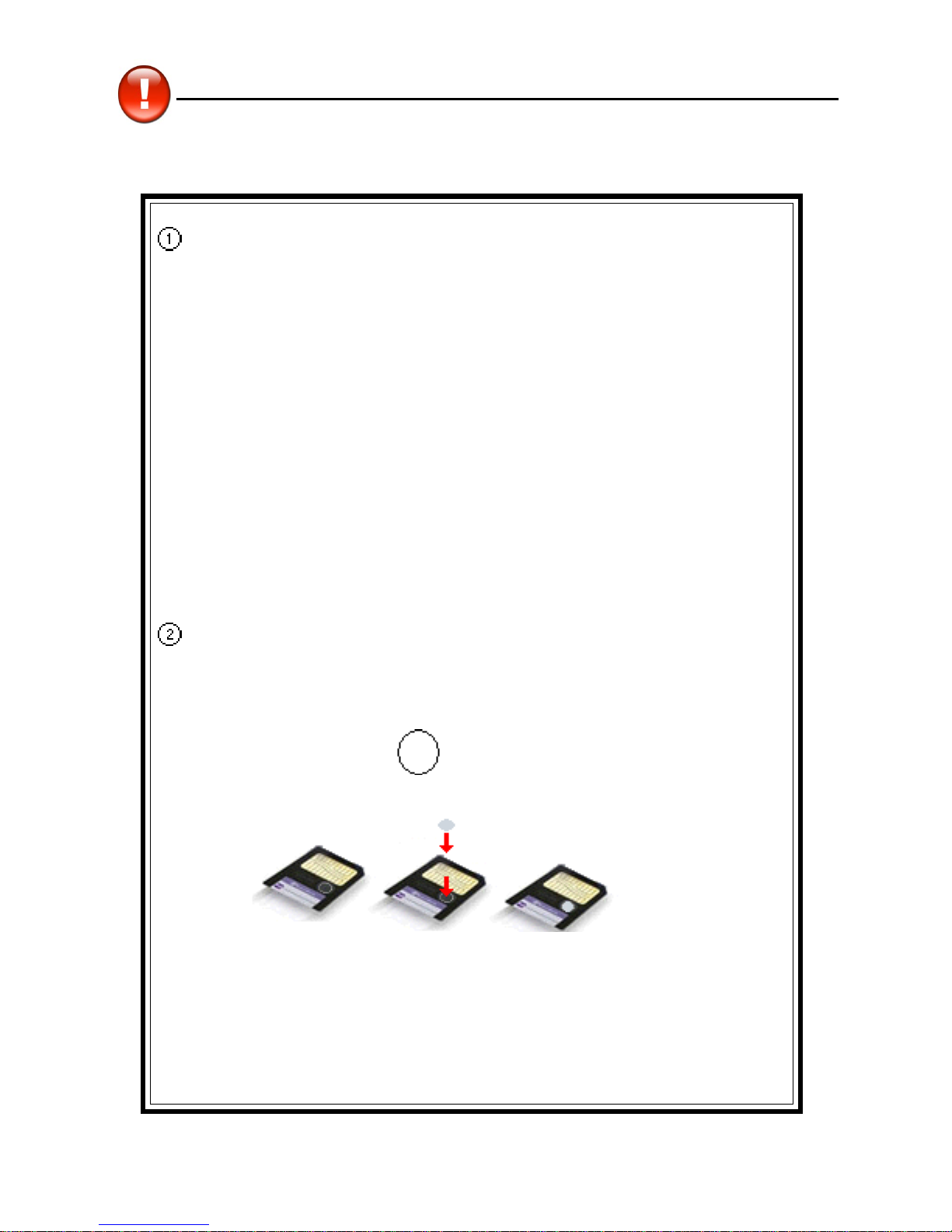
Expansion Card
Insert the Smart Media card into SM Card slots. Do not turn off the power or remove the SMC cover
the card during data saving.
Non Waterproof
The device is non waterproof, please keep it away from any liquid. In case it happens, please dry
the surface and send the device to our service center for checking.
Magnetism
The microphone of the product possess magnetism design, so please do not place it with others
which have magnetism design together lest loss magnetism and inherent functions.
Note:
We are obliged to charge user maintenance fee if the device is damaged due to the
breakage on the screen or liquid percolation, for the man-made damages are not
covered by warranty.
Precautions
2
Expansion Card
Power on:
! Do not remove the cover, otherwise the power will turn off.
! Do not remove/insert the card.
! Remove/insert the card, the data will lose.
The power will not turn off at such situation:
* Natural voice pronunciation sounded.
* Data operation.
* Memory rearrangement.
System will remind you with durative voice of putting back the SM card
Cover in time.
Writing impossible label for SM card:
* Stick the writing impossible label (Data Rewriting impossible)
on the instruction “ ” of SM card.
Precautions
SM card stick the writing Complete
impossible label
3
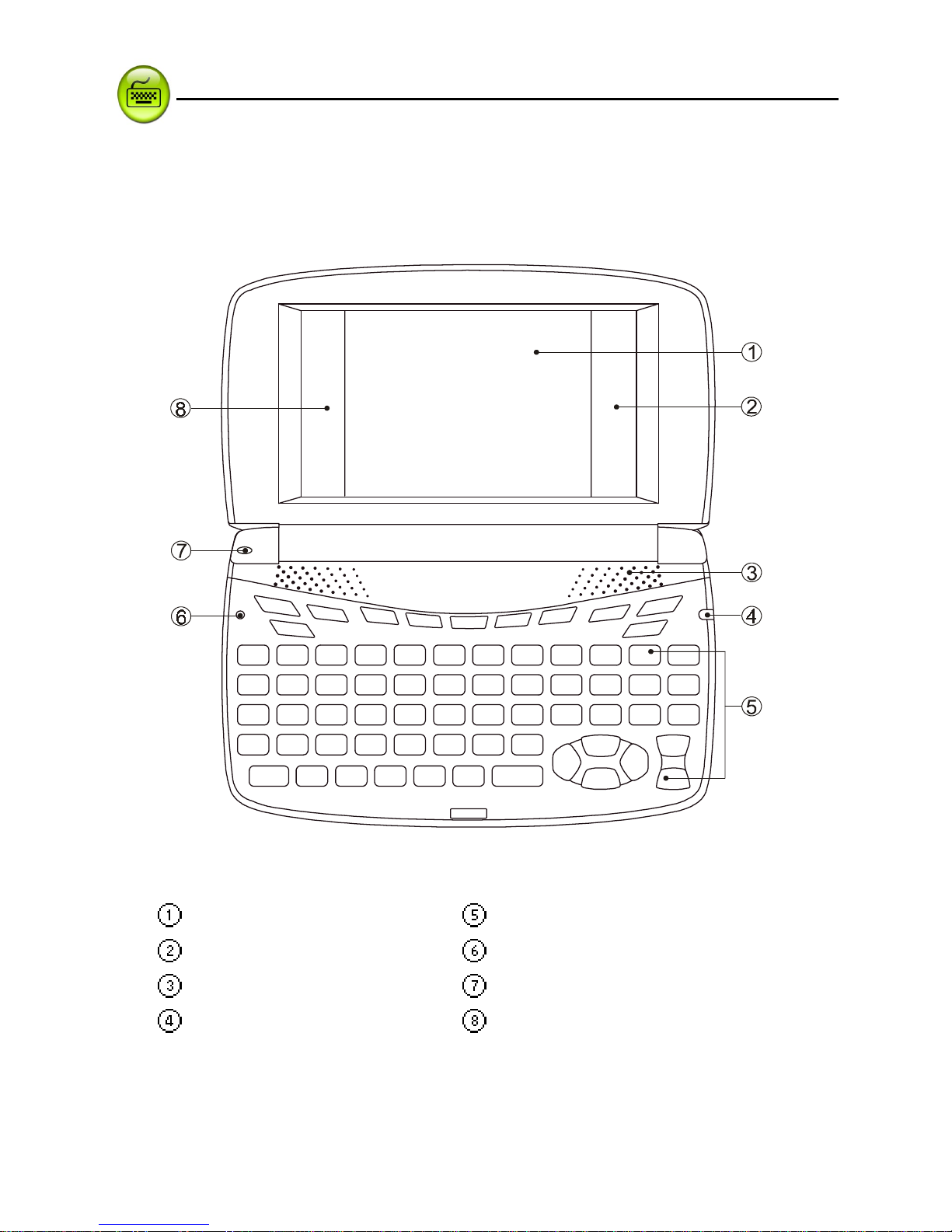
1. Product Layout
* Obverse side:
Screen Keyboard
Right on-screen control keys RESET Key
Speaker Microphone
LED Light Left on-screen Control Keys
Product Layout
Introduction to the Unit

4
* Reverse side:
Earphone Socket Mini USB Socket
SMC Slot LED Light
Stylus DC Adaptor Socket
Stylus Slot Battery Cover (Compartment)
Introduction to the Unit Product Layout
Questo manuale è adatto per i seguenti modelli
1
Indice
Altri manuali Besta Dizionario elettronico

Besta
Besta cd 739p Manuale di istruzioni

Besta
Besta MT-7000 Manuale utente

Besta
Besta All Pass S1 Manuale utente

Besta
Besta CD-1088s Manuale utente

Besta
Besta CD128M Manuale utente

Besta
Besta CD668M Manuale utente

Besta
Besta CD-737 Manuale utente

Besta
Besta CyberDict 8 Manuale utente

Besta
Besta CD576M Manuale utente

Besta
Besta CD-616 Manuale utente


