
Beyond Lighting BY-P11 Manuale utente
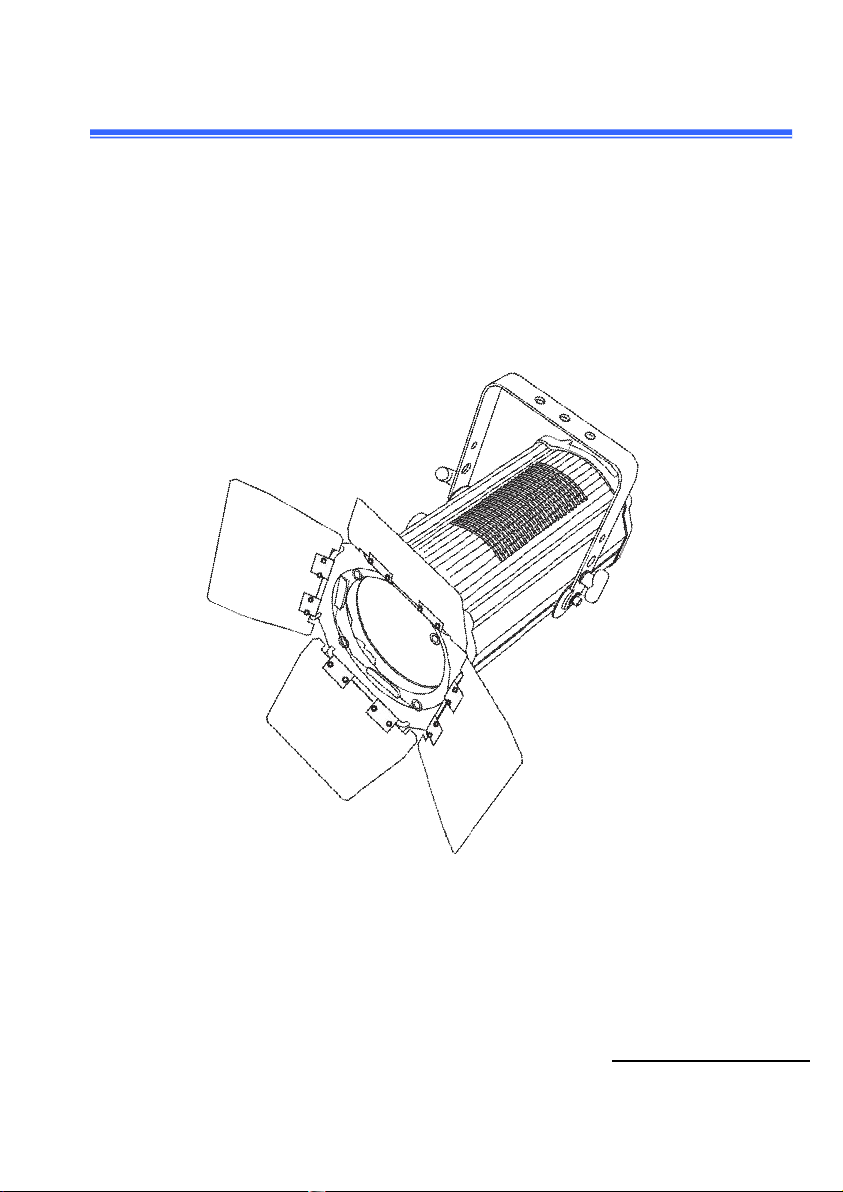
BY-P11 LED Fresnel Light
300W CW Or WW LED Fresnel Light
(Auto zoom 15-50°)
User manual
P
le
ase
rea
d
t
he
ins
t
r
u
ction
s
ca
refu
ll
y before use

2
TABLE OF CONTENTS
1. Technical Specifications ...........................................................3-4
2. Description .................................................................................4
3. Unpacking ................................................................................5-6
4. Menu...........................................................................................6-9
5. DMX Channels................. ........................................................9-10
6. Photographic Charts................................................................10-11
7. LUX Date.......................................................................................11
8. Size................. ..........................................................................12
9. Fixture Cleaning ........................................................................13
10.Warning .....................................................................................13
Statement
It is a powerful LED Fresnel which using a 300W LED COB. A massive
zoom range of 15° to 50° and a beautifully soft, warm white or cool white wash
with high CRI make it an ideal LED replacement for aging incandescent
Fresnels.
You can have it with manual zoom or motorized zoom is easily accessed

3
by DMX512 controller. Enjoy the benefits of LED lighting without being held
back by previous investments made in major dimming systems!
1. Technical Specifications
Light Source:
LED POWER: 300W
Cool White 5600K or Warm White 3200K (300W) COB LED
Led Lamp: Imported LED
Color Rendering Index(CRI): Ra≥90
LED Life Time: over 50,000 hours
Power supply:
Voltage: AC100-240V
Max.power: 300W
Optics:
Zooming Scale: 15-50°
DMX auto zoom optional
Soft and even field of light
Features:
House Material: Aluminum Alloy
House Color: Black
Strobe :1-25times/sec
Control:
Control Protocol: DMX
Control System: DMX, Auto run and Master/Slave
DMX auto zoom: 2/5 CH

4
Manual zoom: 1/3CH
Working Environment :
Environment Temperature: -30°C~40°C
Cooling system : No noise fan of Pccooler
IP Grade: IP20
Package :
Dimensions: 397(D)*211(W)*378(H)mm
Net weight: 8.5kgs
Gross weight: 11kgs
Packing Size: 58x32.5x32cm (1pc/carton)
2. Descriptions
··Works perfectly on conventional dimmers or constant power with DMX
·Motorized zoom angle between 15° to 50°, via DMX
·Ultra smooth 16-bit dimming of master dimmer
·Soft and even field of light
·Simple and complex DMX channel profiles for programming versatility
·Warm white and cool white Fresnel-style lighting fixture
·Virtually silent operation for use in studio and theatre applications

5
3. Unpacking
Thank you for choosing our P11. For your own safety, please read this manual
before installing the device. This manual covers the important information on
installation and applications. Please install and operate the fixture with
following instructions. Meanwhile, please keep this manual well for future
needs.
The P11 is made of a new type of high temperature strength of cast aluminum
casing with nice outlook. The fixture is designed and manufactured strictly
following CE&RoHS standards, complying with international standard
DMX512 protocol. It's available independently controlled and linkable with
each other for operation. And it is applicable for large-scale live performances,
theater, studio, nightclubs and discos.
The P11 adopts 1PCS 300W COB LED (available for CW Or WW) which
features high brightness and stability. Please carefully unpack it when you
receive the fixture and check whether it is damaged during the transportation.
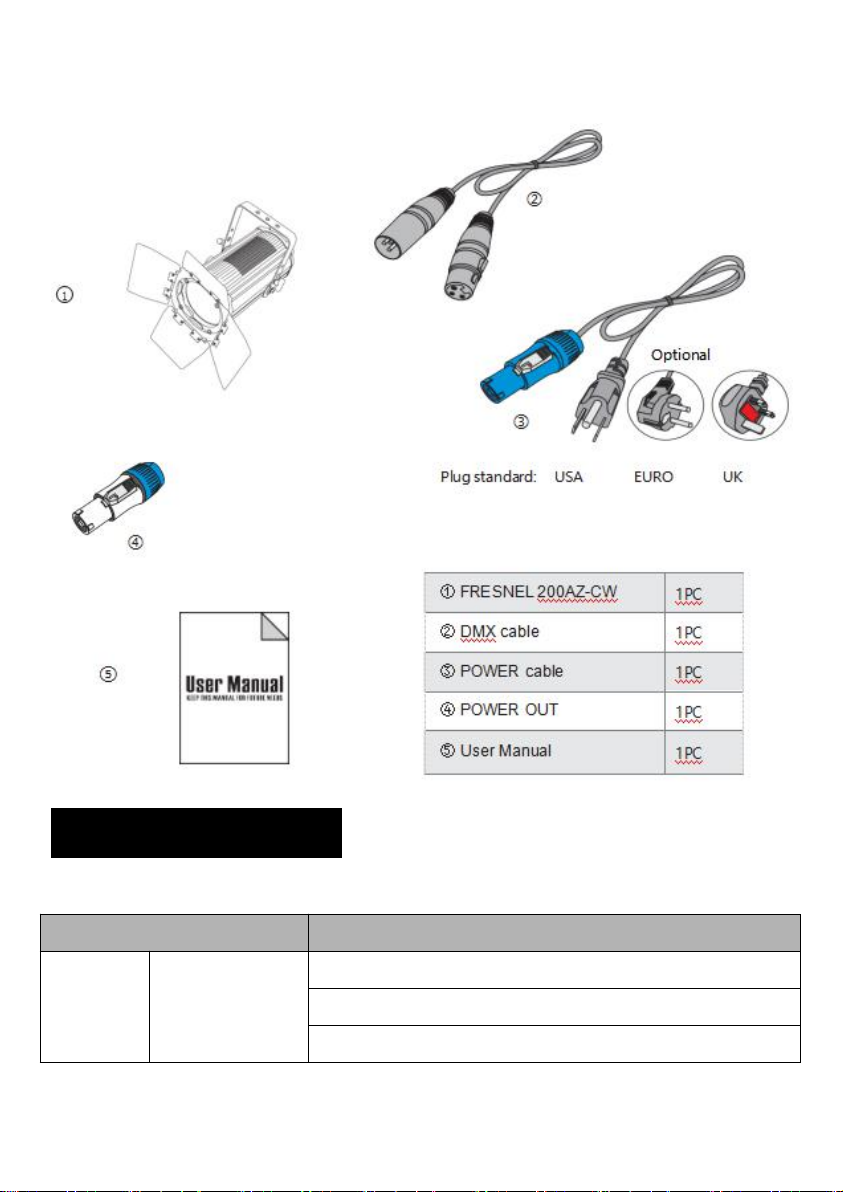
And please check whether the following items are included inside the box:
6
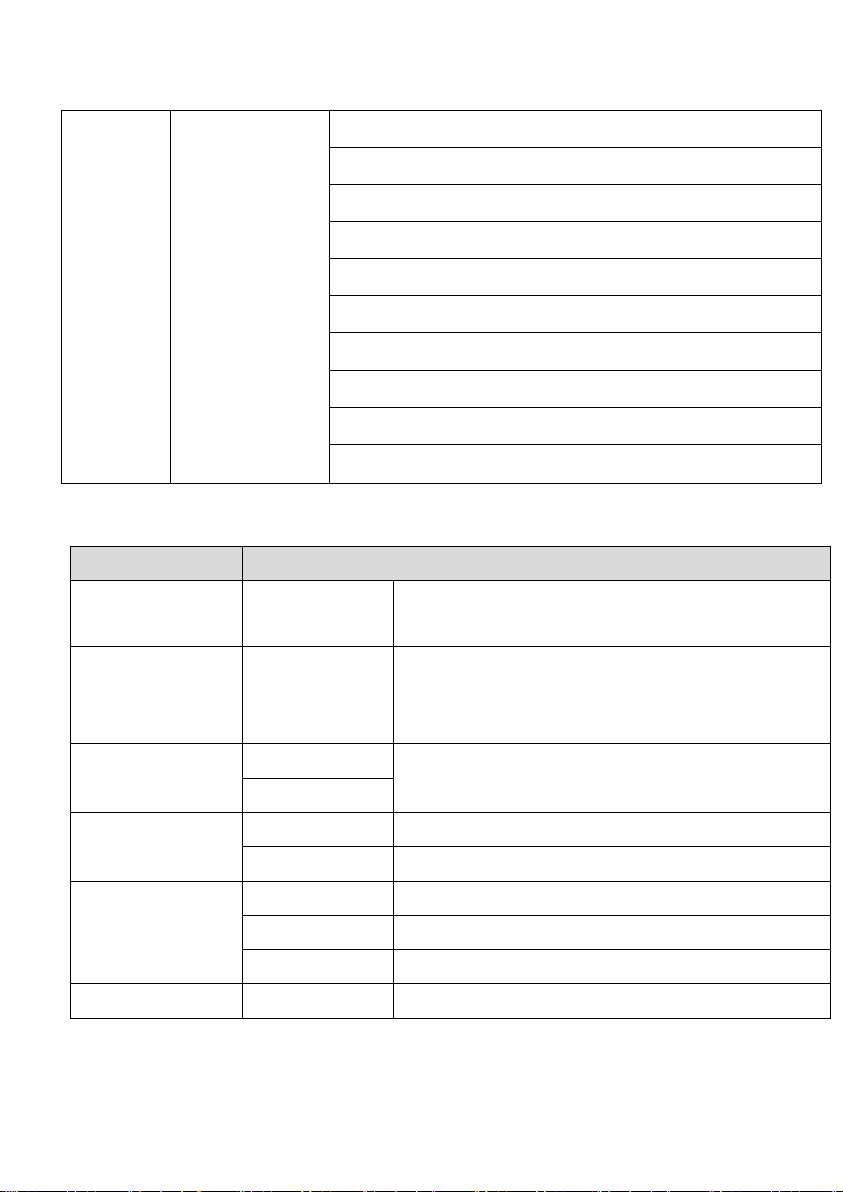
4. Menu Operations
Menu Data
Menu
State
Operative Mode
DMX address
DMX channel Mode
7
Main
Menu
Vice Menu
Speed of Dimmer
No DMX signal
Screen Savers
Screen Rotation
Language switching
Speed of Dimmer
Manual mode
System information
Reset
Restore the default settings
Key Operation
Vice Menu
State
Operative Mode
DMX
Master/Slave Mode:Receive DMX signal from
control console or host
DMX address
1~512
Press “ENTER” to edit state. Adjust ID address
by the Key of Up/Down. Press “ENTER” to
ensure again
DMX channel
mode
5CH
5 DMX Default channel
2CH
No DMX signal
maintain
Running by Original state
Clear
Stop running
Screen Savers
Turn off
Backlight always on
blank screen
Backlight turn off after idle 10 seconds
DMX address
ID address displayed after idle 10 seconds
Screen Rotation
Press“ENTER”twice, 180°flip screen display
8
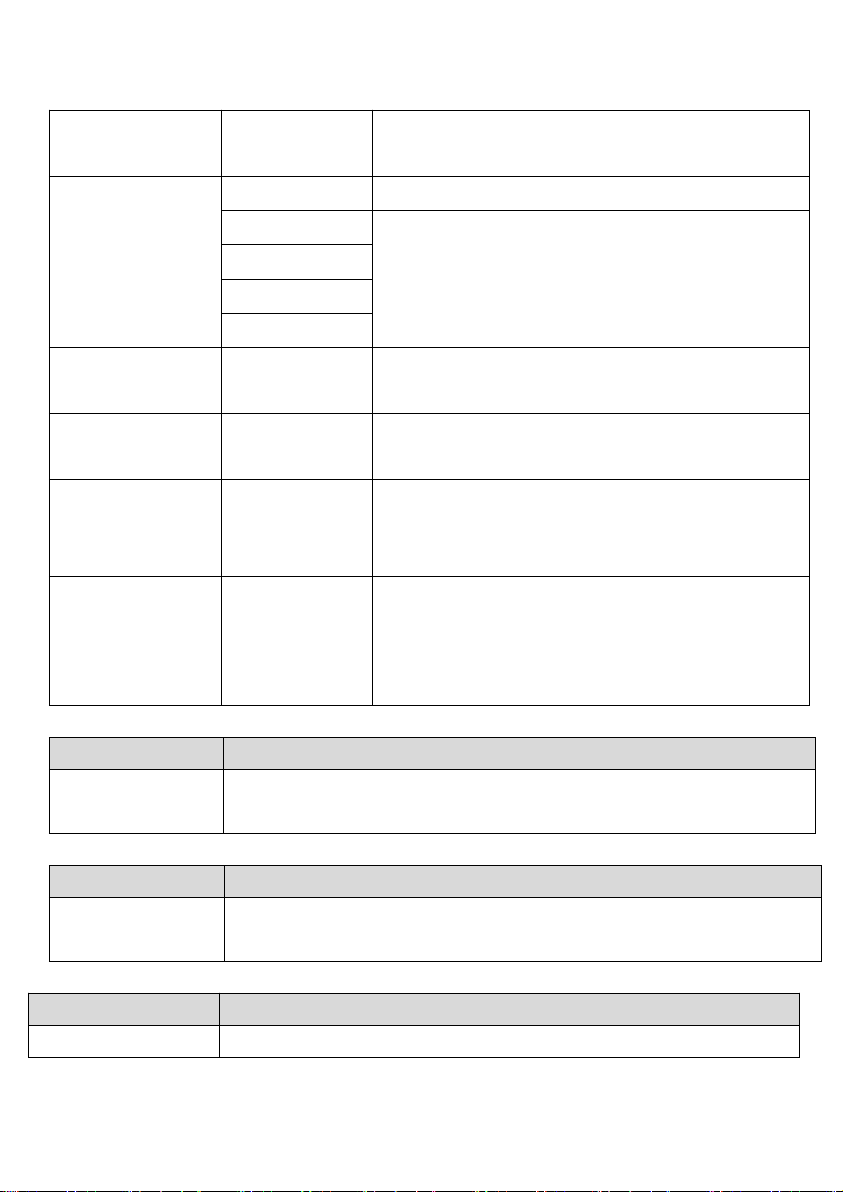
Language
switching
Press”ENTER” twice, switch between Chinese
and English
Speed of
Dimmer
Turn off
Close without delay, fast on/off
Dimmer 1
4 linear dimmer pattern:1~4 (the fastest and
slowest )
Dimmer 2
Dimmer 3
Dimmer 4
Manual mode
Press “ENTER” to Manual mode, Not receive
control signals
System
information
Press “ENTER” to ensure ,View the version
number and the elapsed time
Reset
Ensure/Cance
l
Press “ENTER”to confirmation dialog box, then
press”ENTER” again to reset motor. Press
"Cancel" to exit the dialog box.
Restore the
default settings
Ensure/Cance
l
Press “ENTER”to confirmation dialog box, then
press”ENTER” again to restore the default
settings.Press "Cancel" to exit the dialog box.
Language switching
Option
State
English/ Chinese
Pressed twice in a row "ENTER" button, switch in
English/Chinese
Screen Rotation
Option
State
180°flip screen
display
Pressed twice in a row "ENTER" button, 180°flip screen display
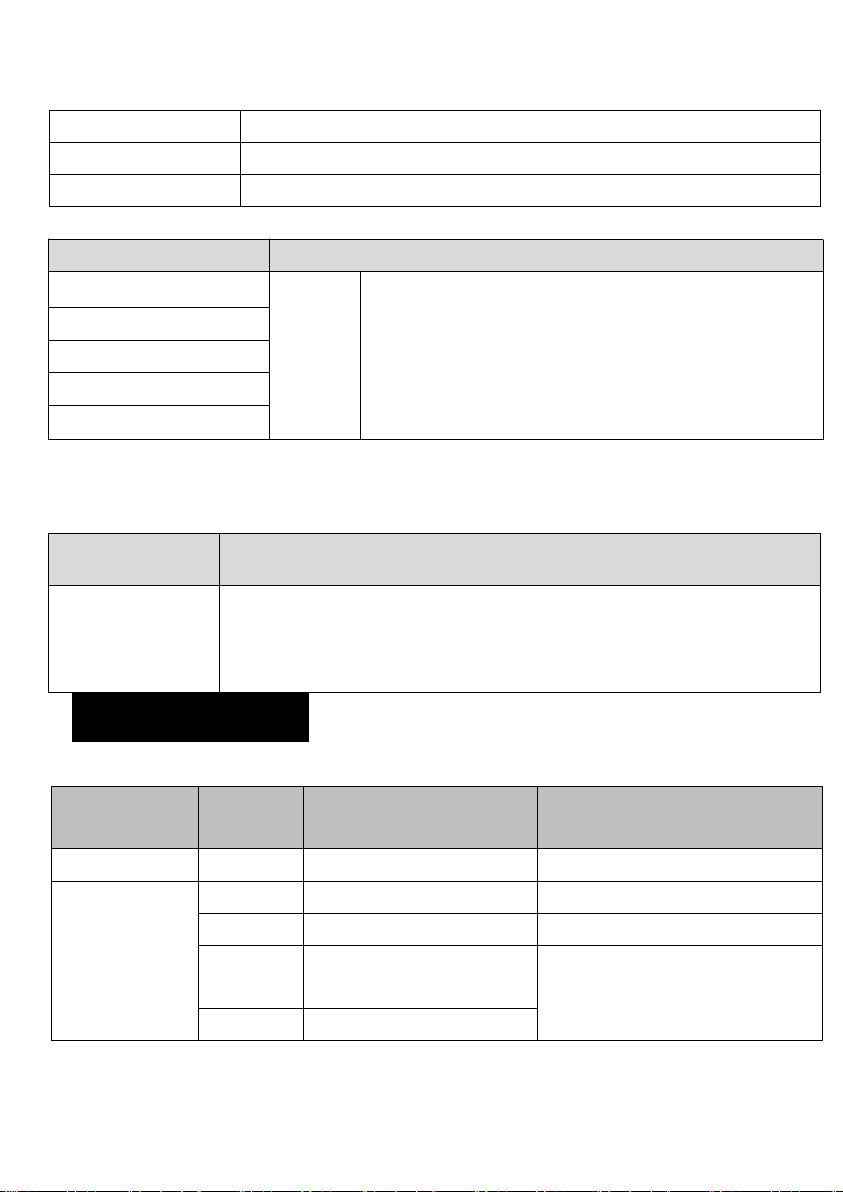
System information
Option
State
Software Version
Displays the current version number of the software
9
NO.(Ver)
Using of time
Displays the total using time information
Total using time
Displays the time using of this
Manual mode
Option
State
Dimmer
0~255
Press”ENTER”to edit. Change value by press
UP/DOWN, press “ENTER” to ensure .
Speed of dimmer
Strobe
zoom
Speed of zoom
Special Instructions
At the main menu, press “ENTER” to get in to Reset Calibration Interface, to
micro debugging Gobo location. (Hide feature)
State
Operation
Focus
Calibration
Press”ENTER”to edit, Calibration values can be set by the Key of
UP/DOWN. Press “ENTER” to ensure .
5.DMX Channels
5 CH Mode (Standard channel model)
Channel
Data
Function
Mark
1
0~255
dimmer
0-255 linear dimmer
2
speed of dimmer
0~9
speed of dimmer 2
Default
10~29
Turn off speed of
dimmer
speed of dimmer 4 (the
slowest and softest)
30~69
speed of dimmer 1
10
70~129
speed of dimmer 2
130~189
speed of dimmer 3
190~255
speed of dimmer 4
3
0~10
no strobe
11~255
the speed of strobe (255 is
the fastest)
4
0-255
focus
5
0-255
Speed of focus (0 is the
fastest)
2 CH Mode (Basic channel model)
channel
data
Function
Mark
1
0~255
Dimmer
0-255 linear dimmer
2
0~255
focus
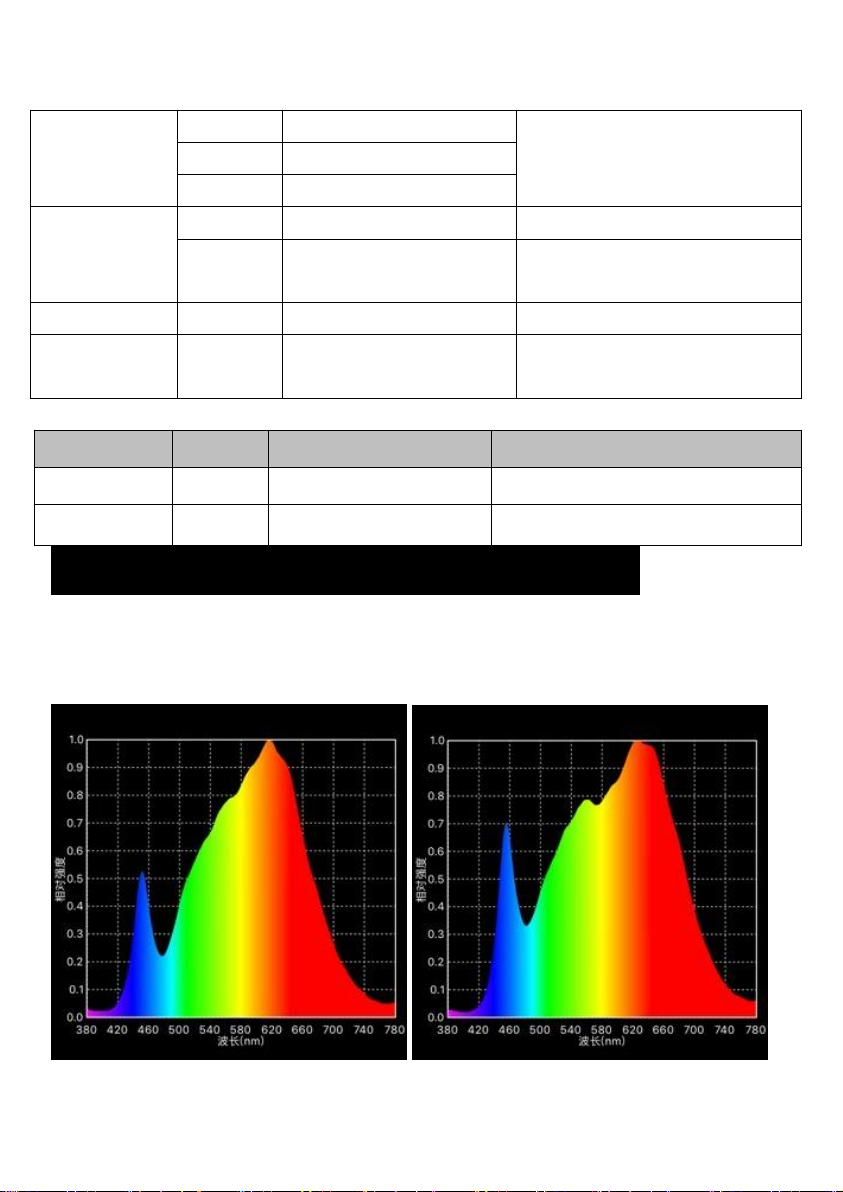
6.Photographic Chart(Spectrogram & CRI)
Ra
≥
90 Ra
≥
95
Indice
Altri manuali Beyond Lighting Attrezzatura di illuminazione


