
Black Box PS568A Manuale utente
1000 Park Drive • Lawrence, PA 15055-1018 • 724-746-5500 • Fax 724-746-0746
© Copyright 2005. Black Box Corporation. All rights reserved.
CUSTOMER
SUPPORT
INFORMATION
Order toll-free in the U.S.: Call 877-877-BBOX (outside U.S. call 724-746-5500)
FREE technical support 24 hours a day, 7 days a week: Call 724-746-5500 or fax 724-746-0746
Mailing address: Black Box Corporation, 1000 Park Drive, Lawrence, PA 15055-1018
DECEMBER 2005
PS568A
PS569A
PS582A
PS583A
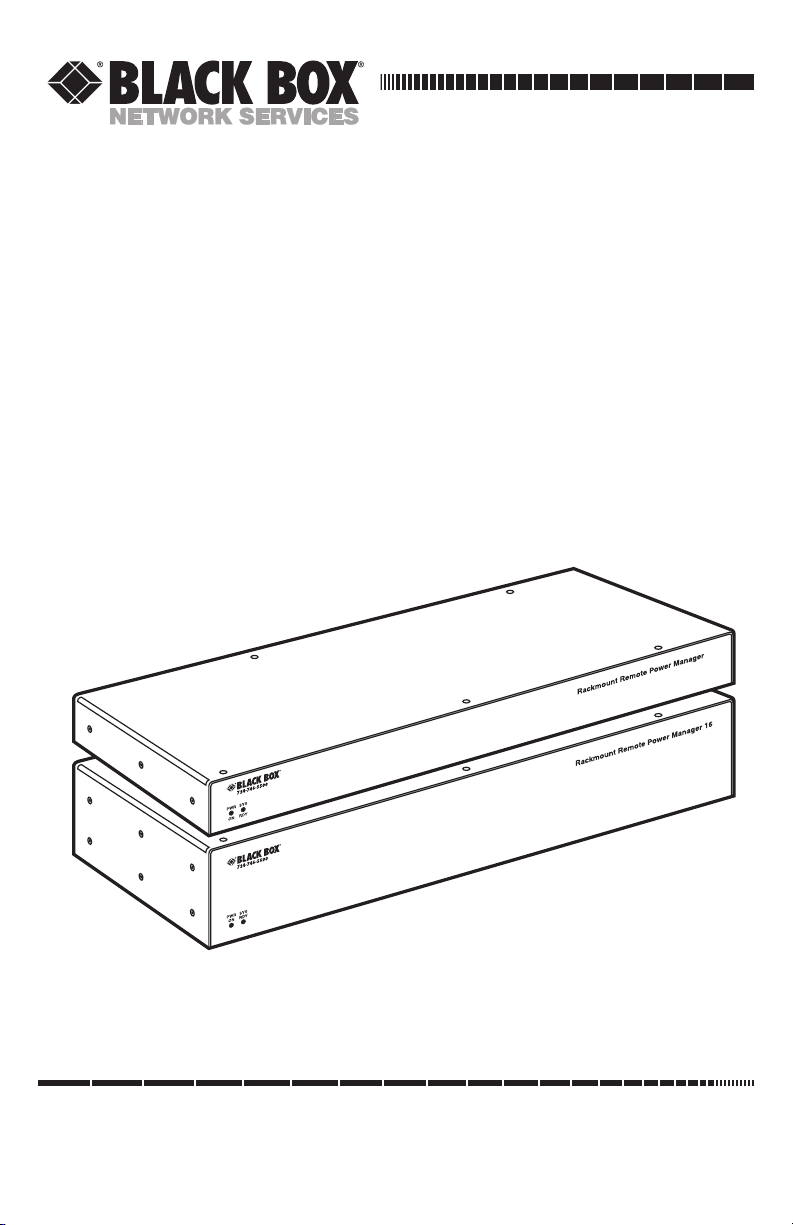
Rackmount Remote Power Manager
Rackmount Remote Power Manager 16
User’s Manual


1
FCC AND IC RFI STATEMENTS/CE NOTICE
FEDERAL COMMUNICATIONS COMMISSION
AND
INDUSTRY CANADA
RADIO FREQUENCY INTERFERENCE STATEMENTS
This equipment generates, uses, and can radiate radio-frequency energy, and if not
installed and used properly, that is, in strict accordance with the manufacturer’s
instructions, may cause interference to radio communication. It has been tested
and found to comply with the limits for a Class A computing device in accordance
with the specifications in Subpart B of Part 15 of FCC rules, which are designed to
provide reasonable protection against such interference when the equipment is
operated in a commercial environment. Operation of this equipment in a
residential area is likely to cause interference, in which case the user at his own
expense will be required to take whatever measures may be necessary to correct
the interference.
Changes or modifications not expressly approved by the party responsible
for compliance could void the user’s authority to operate the equipment.
This digital apparatus does not exceed the Class A limits for radio noise emission from
digital apparatus set out in the Radio Interference Regulation of Industry Canada.
Le présent appareil numérique n’émet pas de bruits radioélectriques dépassant les limites
applicables aux appareils numériques de la classe A prescrites dans le Règlement sur le
brouillage radioélectrique publié par Industrie Canada.
EUROPEAN UNION DECLARATION OF CONFORMITY
This equipment complies with the requirements of the European EMC Directive
89/336/EEC.

2
RACKMOUNT REMOTE POWER MANAGERS
NORMAS OFICIALES MEXICANAS (NOM)
ELECTRICAL SAFETY STATEMENT
INSTRUCCIONES DE SEGURIDAD
1. Todas las instrucciones de seguridad y operación deberán ser leídas antes de
que el aparato eléctrico sea operado.
2. Las instrucciones de seguridad y operación deberán ser guardadas para
referencia futura.
3. Todas las advertencias en el aparato eléctrico y en sus instrucciones de
operación deben ser respetadas.
4. Todas las instrucciones de operación y uso deben ser seguidas.
5. El aparato eléctrico no deberá ser usado cerca del agua—por ejemplo, cerca
de la tina de baño, lavabo, sótano mojado o cerca de una alberca, etc..
6. El aparato eléctrico debe ser usado únicamente con carritos o pedestales que
sean recomendados por el fabricante.
7. El aparato eléctrico debe ser montado a la pared o al techo sólo como sea
recomendado por el fabricante.
8. Servicio—El usuario no debe intentar dar servicio al equipo eléctrico más allá
a lo descrito en las instrucciones de operación. Todo otro servicio deberá ser
referido a personal de servicio calificado.
9. El aparato eléctrico debe ser situado de tal manera que su posición no
interfiera su uso. La colocación del aparato eléctrico sobre una cama, sofá,
alfombra o superficie similar puede bloquea la ventilación, no se debe colocar
en libreros o gabinetes que impidan el flujo de aire por los orificios de
ventilación.
10. El equipo eléctrico deber ser situado fuera del alcance de fuentes de calor
como radiadores, registros de calor, estufas u otros aparatos (incluyendo
amplificadores) que producen calor.
11. El aparato eléctrico deberá ser connectado a una fuente de poder sólo del
tipo descrito en el instructivo de operación, o como se indique en el aparato.

3
NOM STATEMENT
12. Precaución debe ser tomada de tal manera que la tierra fisica y la polarización
del equipo no sea eliminada.
13. Los cables de la fuente de poder deben ser guiados de tal manera que no
sean pisados ni pellizcados por objetos colocados sobre o contra ellos,
poniendo particular atención a los contactos y receptáculos donde salen del
aparato.
14. El equipo eléctrico debe ser limpiado únicamente de acuerdo a las
recomendaciones del fabricante.
15. En caso de existir, una antena externa deberá ser localizada lejos de las lineas
de energia.
16. El cable de corriente deberá ser desconectado del cuando el equipo no sea
usado por un largo periodo de tiempo.
17. Cuidado debe ser tomado de tal manera que objectos liquidos no sean
derramados sobre la cubierta u orificios de ventilación.
18. Servicio por personal calificado deberá ser provisto cuando:
A: El cable de poder o el contacto ha sido dañado; u
B: Objectos han caído o líquido ha sido derramado dentro del aparato; o
C: El aparato ha sido expuesto a la lluvia; o
D: El aparato parece no operar normalmente o muestra un cambio en su
desempeño; o
E: El aparato ha sido tirado o su cubierta ha sido dañada.

4
RACKMOUNT REMOTE POWER MANAGERS
TRADEMARKS USED IN THIS MANUAL
BLACK BOX and the Double Diamond logo are registered trademarks of BB
Technologies, Inc.
ProComm is a registered trademark of DATASTORM TECHNOLOGIES, INC.™
Crosstalk is a registered trademark of Digital Communications Associates, Inc.
VT100 is a trademark of Digital Equipment Corporation.
AT is a registered trademark of International Business Machines Corporation.
Netscape Navigator is a registered trademark of Netscape Communications
Corporation.
JavaScript is a registered trademark of Sun Microsystems, Inc.
Telnet is a trademark of Telnet Communications, Inc.
UNIX is a registered trademark of UNIX System Laboratories, Inc.
Any other trademarks mentioned in this manual are acknowledged to be the property of the
trademark owners.

5
WARNINGS AND CAUTIONS
WARNINGS AND CAUTIONS
Secure Racking
If secure racked units are installed in a closed or multi-unit rack
assembly, they may require further evaluation by certification agencies.
Consider the following items:
1. The ambient temperature within the rack may be greater than the
room ambient temperature. Installation should be such that the
amount of airflow required for safe operation is not compromised.
The maximum temperature for the equipment in this environment is
122°F (50°C).
2. Install the unit so that it doesn’t become unstable from uneven
loading.
Input Supply
Check nameplate ratings to ensure that there is no overloading of
supply circuits that could have an effect on overcurrent protection and
supply wiring.
Grounding
Maintain reliable grounding of this equipment. Give particular attention
to supply connections when connecting to power strips, rather than
direct connections to the branch circuit.
Shock Hazard
Do not attempt to repair or service this device yourself. Internal
components must be serviced by authorized personnel only.
Disconnect Power
If any of the following events occurs, immediately disconnect the unit
from the outlet and contact Black Box at 724-746-5500.
1. The power cord is frayed or damaged.
2. Liquid has been spilled into the device or the device has been
exposed to rain or water.
Disconnect Both Power Supply Cables
This unit includes two separate power circuits with a power supply
cable for each circuit. Before attempting to service or remove this unit,
make certain that both power cables are disconnected.

6
RACKMOUNT REMOTE POWER MANAGERS
Contents
Chapter Page
1. Specifications . . . . . . . . . . . . . . . . . . . . . . . . . . . . . . . . . . . . . . . . . . . . . . . . . . . . 8
2. Overview . . . . . . . . . . . . . . . . . . . . . . . . . . . . . . . . . . . . . . . . . . . . . . . . . . . . . . . . 9
2.1 What’s Included . . . . . . . . . . . . . . . . . . . . . . . . . . . . . . . . . . . . . . . . . . . . 10
2.2 Hardware Description . . . . . . . . . . . . . . . . . . . . . . . . . . . . . . . . . . . . . . . 10
2.2.1 Rear Panel . . . . . . . . . . . . . . . . . . . . . . . . . . . . . . . . . . . . . . . . . . 10
2.2.2 Front Panel . . . . . . . . . . . . . . . . . . . . . . . . . . . . . . . . . . . . . . . . . 12
3. Installation . . . . . . . . . . . . . . . . . . . . . . . . . . . . . . . . . . . . . . . . . . . . . . . . . . . . . 13
3.1 Power Cable (and Cable Keeper) Connection . . . . . . . . . . . . . . . . . . . 13
3.2 Connection to Switched Outlets . . . . . . . . . . . . . . . . . . . . . . . . . . . . . . . 14
3.3 Serial COM/RS-232 Port Connection . . . . . . . . . . . . . . . . . . . . . . . . . . 14
3.4 Connecting the Network Cable . . . . . . . . . . . . . . . . . . . . . . . . . . . . . . . 15
4. Configuration. . . . . . . . . . . . . . . . . . . . . . . . . . . . . . . . . . . . . . . . . . . . . . . . . . . 16
4.1 System Mode and User Mode . . . . . . . . . . . . . . . . . . . . . . . . . . . . . . . . . 16
4.2 Communicating with the Rackmount Remote Power Manager. . . . . . 17
4.2.1 Accessing the Web Browser Interface . . . . . . . . . . . . . . . . . . . . 17
4.2.2 Accessing the Text Interface . . . . . . . . . . . . . . . . . . . . . . . . . . . 18
4.3 Configuration Menus. . . . . . . . . . . . . . . . . . . . . . . . . . . . . . . . . . . . . . . . 20
4.3.1 General Parameters Menus . . . . . . . . . . . . . . . . . . . . . . . . . . . . 21
4.3.2 Plug Parameters Menus . . . . . . . . . . . . . . . . . . . . . . . . . . . . . . . 24
4.3.3 Serial Parameters Menus . . . . . . . . . . . . . . . . . . . . . . . . . . . . . . 28
4.3.4 Network Parameters Menus . . . . . . . . . . . . . . . . . . . . . . . . . . . . 30
4.3.5 Telnet Parameters Menus. . . . . . . . . . . . . . . . . . . . . . . . . . . . . . 34
4.3.6 Web Server Parameters Menus. . . . . . . . . . . . . . . . . . . . . . . . . . 35
4.3.7 Save Parameters Button . . . . . . . . . . . . . . . . . . . . . . . . . . . . . . . 37
4.3.8 Switch Panel Button . . . . . . . . . . . . . . . . . . . . . . . . . . . . . . . . . . 37
4.3.9 Log Out Button . . . . . . . . . . . . . . . . . . . . . . . . . . . . . . . . . . . . . . 37
4.4 Saving Configuration Parameters . . . . . . . . . . . . . . . . . . . . . . . . . . . . . . 37
5. Operation . . . . . . . . . . . . . . . . . . . . . . . . . . . . . . . . . . . . . . . . . . . . . . . . . . . . . . 38
5.1 Operation via the Web Browser Interface . . . . . . . . . . . . . . . . . . . . . . . 38
5.1.1 The Plug Status Screen . . . . . . . . . . . . . . . . . . . . . . . . . . . . . . . . 38
5.1.2 Test Switching Functions . . . . . . . . . . . . . . . . . . . . . . . . . . . . . . 39
5.1.3 Invoking Commands. . . . . . . . . . . . . . . . . . . . . . . . . . . . . . . . . . 39

7
CONTENTS
Chapter Page
5.2 Operation via the Text Interface . . . . . . . . . . . . . . . . . . . . . . . . . . . . . . 40
5.2.1 Test Switching Functions . . . . . . . . . . . . . . . . . . . . . . . . . . . . . . 41
5.2.2 The Plug Status Screen . . . . . . . . . . . . . . . . . . . . . . . . . . . . . . . . 42
5.2.3 Switching and Reboot Commands. . . . . . . . . . . . . . . . . . . . . . . 42
5.2.4 Applying Commands to Several Plugs . . . . . . . . . . . . . . . . . . . . 44
5.3 Logging Out of Command Mode . . . . . . . . . . . . . . . . . . . . . . . . . . . . . . 45
5.4 Automated Mode . . . . . . . . . . . . . . . . . . . . . . . . . . . . . . . . . . . . . . . . . . . 45
5.5 Manual Operation . . . . . . . . . . . . . . . . . . . . . . . . . . . . . . . . . . . . . . . . . . 46
6. Saving and Restoring Configuration Parameters . . . . . . . . . . . . . . . . . . . . . . 47
6.1 Sending Parameters to a File. . . . . . . . . . . . . . . . . . . . . . . . . . . . . . . . . . 47
6.2 Restoring Saved Parameters . . . . . . . . . . . . . . . . . . . . . . . . . . . . . . . . . . 48
6.3 Uploading Saved Parameters to Other Power Managers . . . . . . . . . . . 48
7. Upgrading the Power Manager’s Firmware. . . . . . . . . . . . . . . . . . . . . . . . . . . 49
Appendix: Troubleshooting. . . . . . . . . . . . . . . . . . . . . . . . . . . . . . . . . . . . . . . . . . . 51
A.1 Calling Black Box. . . . . . . . . . . . . . . . . . . . . . . . . . . . . . . . . . . . . . . . . . . 51
A.2 Shipping and Packaging . . . . . . . . . . . . . . . . . . . . . . . . . . . . . . . . . . . . . 51
Questo manuale è adatto per i seguenti modelli
4
Indice
Altri manuali Black Box Alimentazione elettrica

Black Box
Black Box PS581A Manuale utente

Black Box
Black Box PDUBH14-S20-120V Manuale utente

Black Box
Black Box KV7004A Manuale utente

Black Box
Black Box Surge Protector-Telco Manuale utente

Black Box
Black Box PS7412A Manuale utente

Black Box
Black Box Symmetra RM SYH2K6RMT Manuale utente

Black Box
Black Box PS540A Manuale utente


