
Black Diamond Video XPS PRO1000 Manuale utente

XPS PRO1000 User Guide
Edition 1.02
December 7, 2009
BDV
BLACK DIAMOND VIDEO

Edition 1.02 XPS PRO 1000 User Guide
Trademarks
The Black Diamond Video logo and XPS PRO1000 are registered trademarks of Black Diamond Video, Inc.
Warranty
Warranty and Warranty Disclaimer: Black Diamond Video warrants to the original purchaser ("Buyer") that the products
delivered by Black Diamond Video that accompany this manual ("Products") will be in accordance with Black Diamond
Video’s published specifications under normal use and service for a period of one (1) year from delivery. Deviations from
published specifications which do not materially affect performance of Products covered hereby shall not be deemed to
constitute defects of material or workmanship or a failure of Products to comply with such specifications. Warranty claims
and the return of Products under warranty shall be subject to, and governed by, Black Diamond Video’s return material
authorization (RMA) policy. This warranty shall not apply to any Product that has been subject to misuse or neglect or
damaged by weather or accident (including, without limitation, damage due to fall, fire, exposure to water and abnormal
electrical exposure), or that has been modified by anyone other than Black Diamond Video. The warranties contained herein
shall extend only to Buyer and shall not apply to Buyer’s affiliates or customers or subsequent purchasers. SELLER’S
ENTIRE LIABILITY, AND BUYER'S SOLE AND EXCLUSIVE REMEDY, SHALL BE LIMITED SOLELY TO
SELLER, AT ITS OPTION AND ELECTION, REPAIRING OR REPLACING THE DEFECTIVE PRODUCT.
WARRANTY CLAIMS MUST BE MADE WITHIN THE WARRANTY PERIOD OR ARE FOREVER WAIVED.
EXCEPT FOR THE EXPRESS WARRANTY MADE IN THIS PARAGRAPH, BLACK DIAMOND VIDEO
EXPRESSLY DISCLAIMS AND EXCLUDES ALL WARRANTIES, WHETHER STATUTORY, EXPRESS OR
IMPLIED, INCLUDING, BUT NOT LIMITED TO, THE IMPLIED WARRANTIES OF MERCHANTABILITY,
FITNESS FOR A PARTICULAR PURPOSE AND NON-INFRINGEMENT OF THIRD PARTY RIGHTS WITH
RESPECT TO THE PRODUCTS FURNISHED BY BLACK DIAMOND VIDEO HEREUNDER AND ALL
WARRANTIES WHICH, BUT FOR THIS PROVISION, MIGHT ARISE FROM COURSE OF DEALING, CUSTOM OR
TRADE OR THAT ARE OTHERWISE IMPLIED BY LAW. Certain jurisdictions do not permit the disclaimer of certain
warranties, so this limitation may not apply to Buyer.
Limitation of Liability. IN NO EVENT SHALL BLACK DIAMOND VIDEO BE LIABLE FOR ANY
CONSEQUENTIAL, INCIDENTAL, INDIRECT, EXEMPLARY, PUNITIVE OR SPECIAL DAMAGES WHATSOEVER
ARISING OUT OF, IN CONNECTION WITH OR RESULTING FROM THE FURNISHING, PERFORMANCE OR USE
OF THE PRODUCTS, WHETHER DUE TO BREACH OF CONTRACT, BREACH OF WARRANTY, STRICT
LIABILITY, PRODUCT LIABILITY, THE NEGLIGENCE OF SELLER OR OTHERWISE. IN NO EVENT SHALL
SELLER’S LIABILITY EXCEED THE U.S. DOLLAR AMOUNT EQUAL TO THE AMOUNT PAID BY BUYER FOR
THE APPLICABLE PRODUCT. THE DAMAGE LIMITATIONS PROVIDED AND THE REMEDIES STATED HEREIN
SHALL BE EXCLUSIVE AND SHALL BE BUYER’S SOLE REMEDY. THESE LIMITATIONS SHALL SURVIVE
FAILURE OF ANY ESSENTIAL PURPOSE. Certain jurisdictions do not permit the limitation of certain types of liability,
so this limitation may not apply to Buyer.

XPS PRO 1000 User Guide Edition 1.02 Installation i
. . . . .
. . . . . . . . . . . . . . . . . . . . . . . . . . . . . . . . . . .
Contents
Chapter 1 “Welcome” ...............................................1
“About this Manual” ................................................ 1
“Safety Information and Instructions” ..................... 1
“Customer Service and Support” ............................. 2
Chapter 2 “Product Information” .............................3
“Introducing the XPS PRO1000” ............................ 3
“Key Features” ........................................................ 4
“Options” ................................................................. 5
“Front Panel Detail” ................................................ 6
“Rear Panel Detail” ................................................. 7
“XPS PRO1000 Product Specifications” ................ 8
Chapter 3 “Getting Ready to Install” .....................11
“Overview of the Installation Process” ................. 11
“System Test Installation Overview” .................... 12
“Final System Installation Overview” ................... 13
“Using DVI Converters” ....................................... 14
“Using Black Diamond Cable and Cable Kits” ..... 14
Chapter 4 “Installation Instructions” .....................17
“System Test Installation” ..................................... 17
“Final System Installation” .................................... 20
“Startup Macro”......................................................... 29
Chapter 5 “About the Web-Server GUI” ................31
“Appearance and Functions of the GUI” ............... 31
“Custom Labelling of Input/Output Buttons” ....... 32

ii Installation Edition 1.02 XPS PRO 1000 User Guide
Chapter 6 “Matrix Switching” .................................35
“About Matrix Switching” .................................... 35
“Matrix Switching Control- GUI” ......................... 35
“Matrix Switching Control- RS-232/ 10/100T” .... 37
Appendix A “RS-232 and 10/100T Protocol” ...............41
“XPS PRO1000 Command Set” ............................ 41
“RS-232 Pinout” .................................................... 47
Appendix B “Upgrading Firmware”..............................49

XPS PRO 1000 User Guide Edition 1.02 1
. . . . .
. . . . . . . . . . . . . . . . . . . . . . . . . . . . . . . . . . .
W
ELCOME
1
. . . . . . . . . . . . . . . . . . . . . . . . . . . . . . . . . . . . . . . . . . . . . . . . . . . .
ABOUT THIS MANUAL
This manual contains information about the XPS PRO1000 processor. Material is presented
under the following chapters:
. . . . . . . . . . . . . . . . . . . . . . . . . . . . . . . . . . . . . . . . . . . . . . . . . . . .
SAFETY INFORMATION AND INSTRUCTIONS
The following safety instructions are to ensure the safety of personnel using this equipment
and to protect this device and working environment from potential damage.
CAUTION!
1ELECTRIC SHOCK HAZARD. DO NOT OPEN.
2REMOVAL OF COVER MAY RESULT IN ELECTRIC SHOCK. There are no user-
serviceable parts inside. Contact Black Diamond Video for authorized repair service.
IMPORTANT SAFETY INFORMATION:
• Read and follow all instructions – Read all safety and operating instructions before
operating this equipment. Follow all operating instructions in this manual and adhere to
all warnings on this equipment and in this manual.
Chapters Description
.
.
.
.
.
.
.
.
.
.
.
.
.
.
.
.
.
.
.
.
.
.
.
.
.
.
.
.
.
.
.
.
.
.
.
.
.
.
.
.
.
.
.
.
.
.
.
.
.
.
.
.
.
.
.
Chapter 1, “Welcome.”
Chapter 2, “Product Information.” Use this section to get to know this product manual,
understand key safety measures, and learn about the key
features and functionality of the XPS PRO1000.
Chapter 3, “Getting Ready to Install.”
Chapter 4, “Installation Instructions.” Use this section to learn about installing the XPS
PRO1000. Included in this section are both an overview
of the installation process, and detailed, step-by-step
installation instructions.
Chapter 5, “About the Web-Server GUI.”
Chapter 6, “Matrix Switching.” Use this section to learn about the capabilities of the XPS
PRO1000. Get detailed instructions on how to use the
matrix switching feature.
Appendix A, “RS-232 and 10/100T Protocol.”
Appendix B, “Upgrading Firmware.” Use this section to refer to detailed remote control
command set information, firmware upgrade information
and instructions, and a glossary of key terms used in this
manual.

WELCOME
Customer Service and Support
2Edition 1.02 XPS PRO 1000 User Guide
• Keep all documentation – Retain the User Guide and accompanying safety instructions
for future reference.
• Maintain proper ventilation – This equipment should be maintained in a well-ventilated
room with adequate air flow. Do not obstruct the ventilation slots on the device.
• Keep away from heat – Do not place this device near a heat source. Failure to comply
could result in overheating and damage to the equipment.
• Keep away from water and moisture – Do not place this equipment near areas of running
water or dense condensation.
• Cleaning - Unplug the device before cleaning. The device can then be wiped with a
water-dampened soft cloth.
• Proper electrical grounding - This device must be plugged into a properly grounded
outlet in order to avoid electric shock. Do not bypass the grounding features of the power
cable or plug. When using an extension cord, make sure the cord is designed for
grounded plugs.
. . . . . . . . . . . . . . . . . . . . . . . . . . . . . . . . . . . . . . . . . . . . . . . . . . . .
CUSTOMER SERVICE AND SUPPORT
For technical support and service, contact Black Diamond Video at:
Black Diamond Video
1000 Atlantic Ave, Suite 114
Alameda, California, 94501
Phone: (510) 769-2959
Fax: (510) 769-2949
Visit us on the web at www.blackdiamondvideo.com.

XPS PRO 1000 User Guide Edition 1.02 3
. . . . .
. . . . . . . . . . . . . . . . . . . . . . . . . . . . . . . . . . .
P
RODUCT
I
NFORMATION
2
. . . . . . . . . . . . . . . . . . . . . . . . . . . . . . . . . . . . . . . . . . . . . . . . . . . .
INTRODUCING THE XPS PRO1000
The XPS PRO1000 is an all-digital DVI matrix switch. When combined with Black
Diamond Video’s DVI converters, the XPS PRO1000 provides the same level of matrix
switching for many combinations of analog or SDI sources, eliminating the need for multi-
format switched and cables. SDI signal source eliminating the need for multi-format
switches and cables.
The XPS PRO1000 supports DVI operation at the maximum TMDS rate of 1.65 Gb/s. The
XPS PRO1000 works seamlessly with Black Diamond Video's DVI X-treme Cable Kits,
allowing the transmission of DVI signals over 60 meters of copper on both the input and
output sides of the processor.
Phantom-Power
The XPS PRO1000 provides phantom-power to Black Diamond Video’s DVI Converters,
including the standard-definition-to-DVI converter (SD-DVI), the RGB-to-DVI converter
(RGB-DVI), and the SDI-to-DVI converter (SDI-DVI), as well as to DVI Xtreme Signal

PRODUCT INFORMATION
Key Features
4Edition 1.02 XPS PRO 1000 User Guide
Conditioners. The XPS PRO1000 system diagram (Figure 1), gives an example of video
sources and how they can be integrated using the XPS PRO1000.
Control
The XPS PRO1000 processor has three control methods. The processor has both RS-232
and 10/100T Ethernet controls. For remote applications, the XPS PRO1000 is equipped
with a built-in, customizable, web-server graphical user interface (GUI).
. . . . . . . . . . . . . . . . . . . . . . . . . . . . . . . . . . . . . . . . . . . . . . . . . . . .
KEY FEATURES
Features include the following:
SWITCHING
• Non-blocking 8 x 8 DVI matrix switching
• Supports single-link DVI matrix switching at the maximum TMDS rate of 1.65 Gb/s
• Input and output rates from 640 x 480 up to and including 1920 x 1200, interlaced or
progressive
FIGURE 1. XPS PRO1000 System Diagram

. . . . .
PRODUCT INFORMATION
Options
XPS PRO 1000 User Guide Edition 1.02 5
PHANTOM-POWER AND CONVERTER CONTROLS
• Phantom-power to Black Diamond Video’s DVI X-treme Cable Kits
• Phantom-power and control for Black Diamond Video’s DVI Converters
CONTROLS
• RS-232 serial
• 10/100T Ethernet
• Customizable Web-server GUI
GENERAL
• Compact size (2U high)
• Rack mountable
• Remote diagnostic capability
• Test pattern generator
. . . . . . . . . . . . . . . . . . . . . . . . . . . . . . . . . . . . . . . . . . . . . . . . . . . .
OPTIONS
The following options are available for the XPS PRO1000:
•DVI X-treme Cable Kits are phantom-powered and allowed DVI signals to be
transmitted up to 60 meters on both the input and output sides of the switch for a
cumulative distance of 120 meters.
•RGB-DVI Converters convert any analog RGB signal to DVI. They are phantom-
powered and controlled, and integrate seamlessly with the XPS PRO1000.
•SDI-DVI Converters convert any HD-SDI source to DVI. They are phantom-powered
and controlled, and integrate seamlessly with the XPS PRO1000.
•Front Panel Controls are optional.
PRODUCT INFORMATION
Front Panel Detail
6Edition 1.02 XPS PRO 1000 User Guide
. . . . . . . . . . . . . . . . . . . . . . . . . . . . . . . . . . . . . . . . . . . . . . . . . . . .
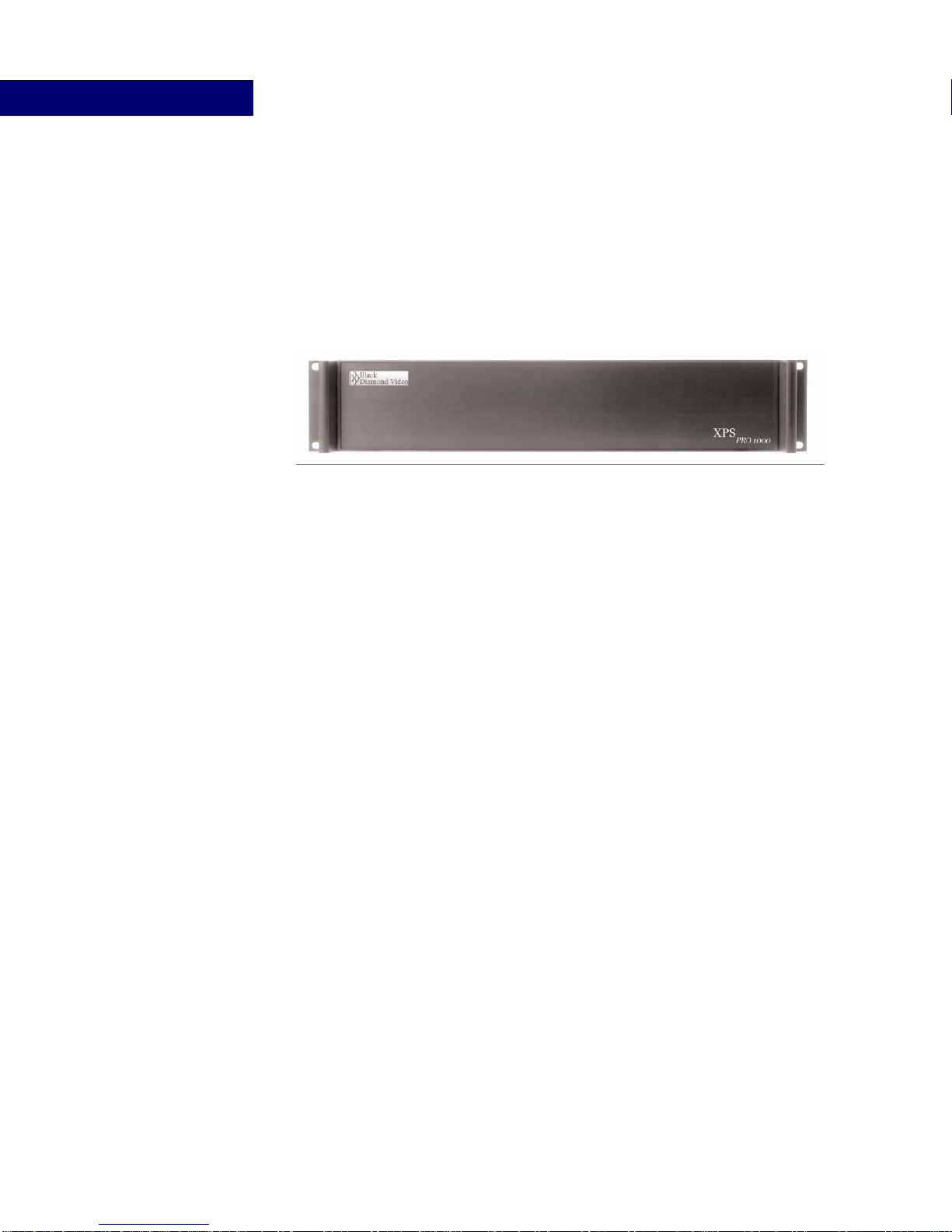
FRONT PANEL DETAIL
Figure 2 details the standard XPS PRO1000 front panel.
FIGURE 2. XPS PRO1000 Front Panel
Indice
Manuali Hardware per computer popolari di altre marche

EMC2
EMC2 VNX Series Manuale del proprietario

Panasonic
Panasonic DV0PM20105 Manuale utente

Mitsubishi Electric
Mitsubishi Electric Q81BD-J61BT11 Manuale utente

Gigabyte
Gigabyte B660M DS3H AX DDR4 Manuale utente

Raidon
Raidon iT2300 Manuale utente

National Instruments
National Instruments PXI-8186 Manuale utente


