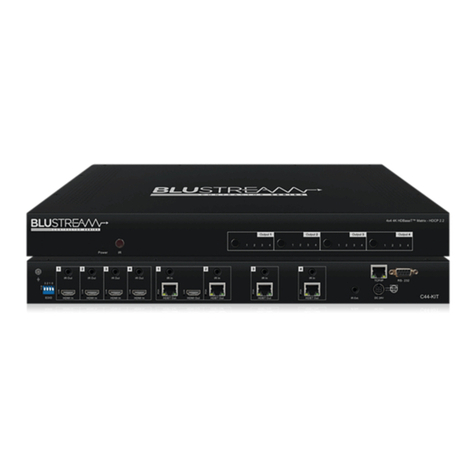
HMXL44CS-KIT USER MANUAL
05
contact support@blustream.co.uk / support@blustream.com.au
IR
4x4 HDBaseT™ Matrix - 4K 60Hz 4:4:4
Front Panel
1 2 3 4 5 6 7 8 9
16151413121110
1LCD display – Shows the status of
input/output selection, EDID etc.
2IR receiver window.
3Power LED indicator.
4Power button – Press to power on/
o the Matrix.
5HDMI output selection button 1 to
4 - To select the output from 1 to 4.
6All button for HDMI outputs – All
outputs will work as one (Selects all
outputs).
7Menu button – Press to enter EDID
set mode (see page 5).
8Up selection button - Press to
change segment’s value.
9ESC – Press to quit EDID set mode.
qLock indicator.
wLock button – Press to lock the
buttons of the front panel.
eHDMI input selection button 1 to 4 –
Press to select the input from 1 to 4.
rPTP button – Press to mirror all
inputs and outputs (e.g. output 1 to
input 1, output 2 to input 2).
tSelection button – Press to select
current setting.
yDown selection button – Press to
change segment’s value.
uEnter button – Press to set EDID
to specified INPUT or copy EDID
from specified OUTPUT to specified
INPUT.
L/R In - 3.5mm Analogue audio
input for embedding audio onto
HDMI outputs.
IR inputs 1 to 4 – 3.5mm stereo jack.
Sends 5V IR out to corresponding
HDBaseT™ zones.
IR outputs 1 to 4 – 3.5mm mono
jack. Routed IR 5V emitter outputs
for discrete source control.
HDMI output 1 – Output for HDMI
display (linked to HDBaseT™ Output
1).
RS-232 pass-through port (x4) -
Sends RS-232 out to corresponding
HDBaseT™ zones.
Coaxial digital audio output (x4) –
Extracted audio will be concurrent
with the corresponding HDMI video
output.
Variable L/R line level analog
audio outputs (3.5mm stereo jack)
(x4) – Extracted audio will be con-
current with the corresponding
HDMI video output. Please note:
input must be PCM 2ch audio as
Matrix does not down-mix 5.1ch
audio signals.
TCP/IP (RJ45) – Connect to LAN for
TCP/IP control of Matrix and Web
GUI.
RS-232 port – For control of the
Matrix from PC or third party control
processor.
EDID DIP switch – Used for global
EDID settings.
HDMI inputs 1 to 4 – Connect HDMI
sources.
HDBT outputs 1 to 4 – Output for
displays. Connect to HDBaseT™
receiver
IR CTRL receiver input – 3.5mm
stereo jack. 5V input for connection
of a remote IR sensor or control
processor for remote IR control of
the matrix.
Power port – Use included 24V/3.5A
DC adaptor to power the matrix
switcher and HDBaseT™ receivers.
Rear Panel
1
2
3
4
6
7
8
9
11
12
1 2
10 1211 13
89
4
14
TCP/IP
DC 24V
IR Ctrl
L/R In IR Input IR Output Coaxial Coaxial Coaxial CoaxialL/R L/R L/R L/R
EDID
HDMI 1 HD MI 2 H DMI 3 HD MI 4 HDBT HDBT HDBT HDBT
Output 1 Output 2 Output 3 O utput 4
RS-232
RS-232
RS-232
RS-232
RS-232
HMXL44CS
4x4 HDBaseT™ Matrix - 4K 60Hz 4:4:4
3 5 67
5
10
13
14