2. TESTING: The installer should afways ensure proper
operation of the BGE-5742 after locating the unit. Testing
of the unit should be done
to ensure good audio
reception at the desired
mounting location. The
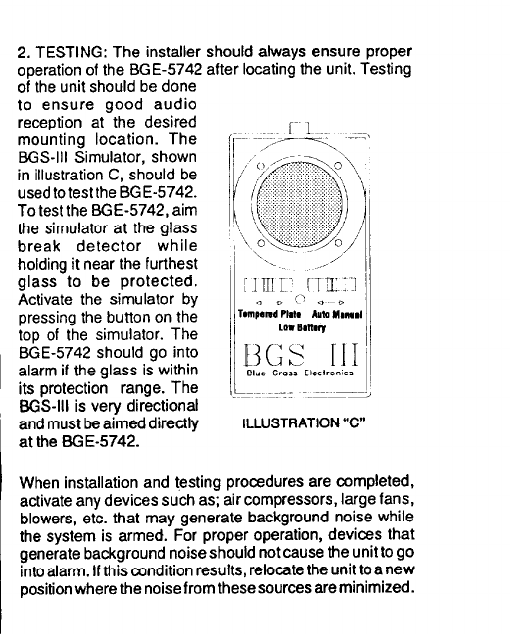
BGS-III Simulator, shown
in illustration C, should be
used to test the BGE-5742.
To test the BGE-5742, aim
the simulator at the glass
break detector while
holding it near the furthest
glass to be protected.
Activate the simulator by
pressing the button on the
top of the simulator. The
BGE-5742 should go into
alarm if the glass is within
its protection range. The
BGS-III is very directional
and must be aimed directly ILLUSTRATION“c”
at the BGE-5742.
When installation and testing procedures are completed,
activate any devices such as; air compressors, large fans,
blowers, etc. that may generate background noise while
the system is armed. For proper operation, devices that
generate background noise should not cause the unit to go
into alann. Ifthis condition results, relocate the unit to a new
position where the noise from these sources are minimized.