
Bosch GSM 908 Manuale utente

GB
GSM 908
User Guide
Cover 908 GB 29/04/99 10:52 Side 2
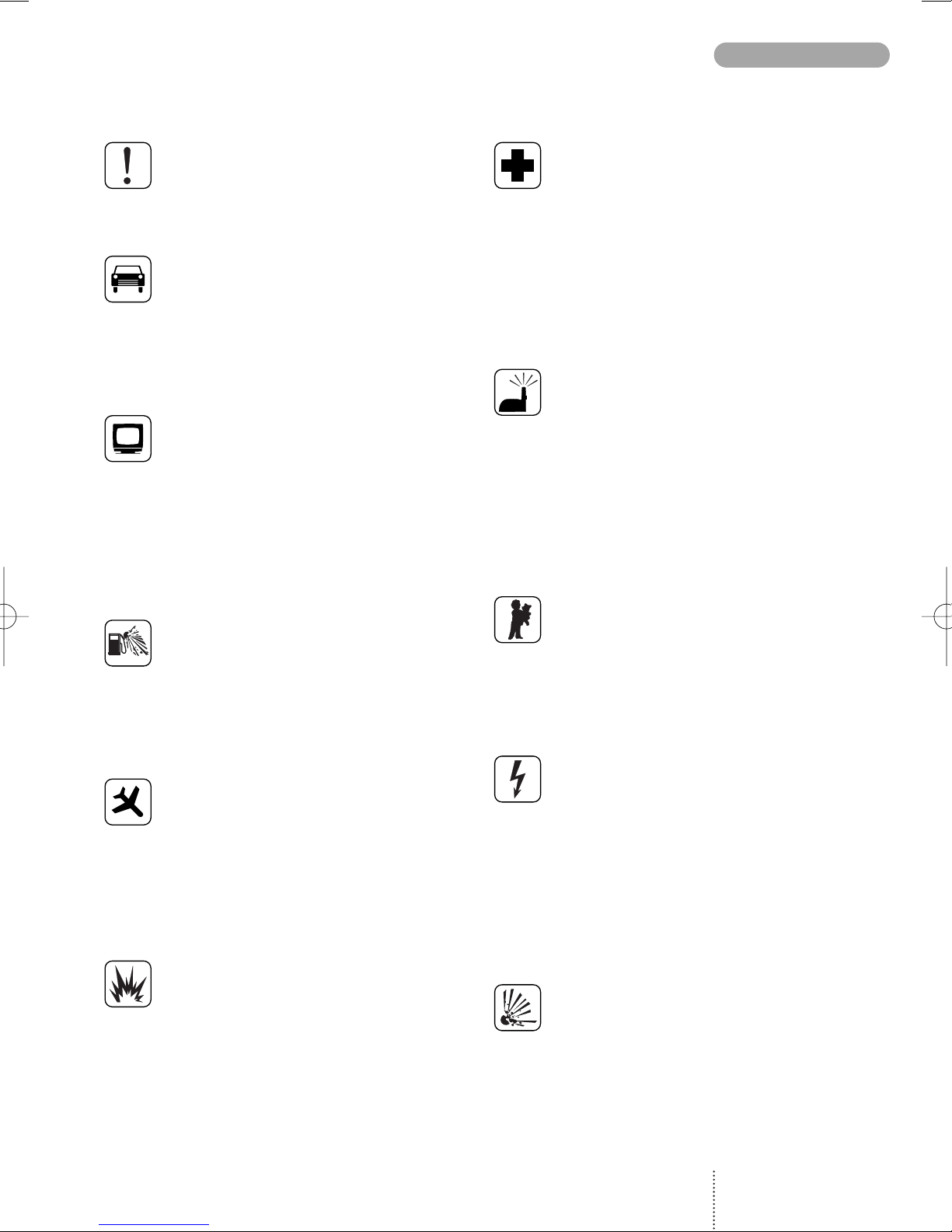
For your safety
Please pay special attention to the fol-
lowing simple guidelines. Breaking the
rules may be dangerous or illegal.
In-car safety
Do not use your mobile phone when
driving a vehicle except from in emer-
gency cases. Always park the vehicle
and take the ignition before using the
phone.
Interference with other
electronics
Mobile phones may interfere with other
nearby electronics if these are not suffi-
ciently protected from radio signals. Do
not use your mobile phone near tele-
phones, televisions, radios, personal
computers, etc.
Risk of explosion
Don’t use your mobile phone at petrol
stations, fuel depots, chemical plants,
etc. Always switch off your telephone
before entering such areas, and observe
any restrictions, regulations and rules.
Aircraft safety
The use of mobile telephones in an air-
craft may be dangerous to the operation
of the aircraft and is illegal. Switch off
your mobile phone before boarding an
aircraft. Before using your mobile phone
near an aircraft, consult the crew.
Blasting
Don’t use your mobile phone where
blasting is in progress. Observe any
restrictions, regulations and rules.
Medical electronics
Mobile telephones may interfere with
the functionality of inadequately pro-
tected medical devices. Consult your
physician or the manufacturer of the
medical device if in doubt. Always
switch off your mobile phone before
visiting a hospital and observe the local
regulations and rules.
Radiation
As with other mobile radio transmitting
equipment, users are advised that for
satisfactory operation of the equipment
and for the safety of personnel, it is re-
commended that no part of the human
body should be allowed to come too
close to the antenna during operation
of the equipment.
Children
A mobile telephone is not a toy. Keep
the phone in a safe place out of child-
ren’s reach. Children may harm them-
selves or others and they may damage
the phone.
Electrical safety
This mobile telephone is intended for
use when supplied with power from
MA 1000, MA 1001, MA 1002,
or MA 1003 chargers. The use of any
other battery charging equipment will
invalidate any approval given to this
apparatus as well as the manufacturer’s
warranty.
Batteries
Batteries may explode if incinerated.
To prevent any injury or burn please
observe that the battery terminals never
get in contact with conducting objects
or are short circuited.
3
PRECAUTIONS
GSM 908 GB 29/04/99 12:04 Side 3
SIM card limitations
Network operators offer different kinds of services
and different kinds of SIM cards. Please contact
your network operator for further details.
Depending on your type of SIM card some fea-
tures described in this user guide may not be
available to you or may not be operated in the way
described. Where a feature relates to the network
you will see this symbol in the user guide.
The memory capacity of your SIM card may differ
from one type of card to another.
Batteries
Never dispose of old batteries in your household
refuse. Return them to the place of purchase or
take them to a recycling centre so that they may
be disposed of in an environmentally friendly
manner.
Accessories
The use of other types of chargers, batteries or
any accessories other than those recommended
for use with this telephone will invalidate any
approval given to this apparatus as well as the
manufacturer’s warranty on the telephone.
Care of your phone
Do not try to open the phone as this might
damage vital parts. The phone contains no com-
ponents which can be repaired by the user. Any
repair requires expertise and should be carried
out only by an authorized service centre.
To clean your phone, wipe over with a soft cloth.
Do not use alcohol or other solvents as these will
harm your phone.
Do not use your mobile phone in high humidity
environments or where the temperature falls
below -10˚ or exceeds +55˚ C.
IMPORTANT NOTICE
4
GSM 908 GB 29/04/99 12:04 Side 4

Precautions ................ Page 3
Important notice ........... Page 4
Keypad functions ........... Page 6
Display symbols ............ Page 7
Before you start ............ Page 8
Making your first call ....... Page 10
Options
when in conversation ...... Page 12
Phone book ................ Page 14
Phone book editing ........ Page 15
Alternative phone books ... Page 17
List menu system ........... Page 18
Outgoing calls ............. Page 19
Answered calls ............. Page 19
Missed calls ................ Page 20
Messages ................... Page 21
Setup menu system ......... Page 24
Call divert .................. Page 26
Call barring ................ Page 28
Call waiting ................ Page 29
Supplementary
network services ........... Page 30
Tones setup ................ Page 31
Phone setup ................ Page 32
Message setup .............. Page 34
Phone book setup .......... Page 35
Call timers and charge ...... Page 35
Security .................... Page 36
Calculator .................. Page 38
Accessories ................ Page 39
Index ....................... Page 44
5
CONTENTS
GSM 908 GB 29/04/99 12:04 Side 5

LED (Status indicator)
Slow green flash: Your phone is in contact with a
network.
Fast green flash: Indicates an incoming call.
Slow red flash: Your phone cannot get in con-
tact with a network.
Fast red flash: The battery needs recharging.
On/off key
Press the key for one second to switch your
telephone on or off.
Function keys
with text line in display
The function of each key varies according to
whether you are in standby, menu or conversation
mode. The text line at the bottom of the display
will inform you of the actual function of each key
at any time.
Arrow keys
In standby mode: Scroll through menus, phone
book, lists, messages etc.
In conversation mode: Volume up/down.
Side key
Same function as the arrow keys.
Voice mail key
Quick access to your voice mail.
Key
Inserts the "+" before international phone num-
bers.
Last outgoing call
Press for one second and the call is initiated
automatically.
Earphone
LED
Microphone
Key
Inserts a pause between the main number and the
extension number.
KEYPAD FUNCTIONS
6
Side key
GSM 908 GB 29/04/99 12:04 Side 6

Introduction
Making a call
Enter phone number. Press
CALL
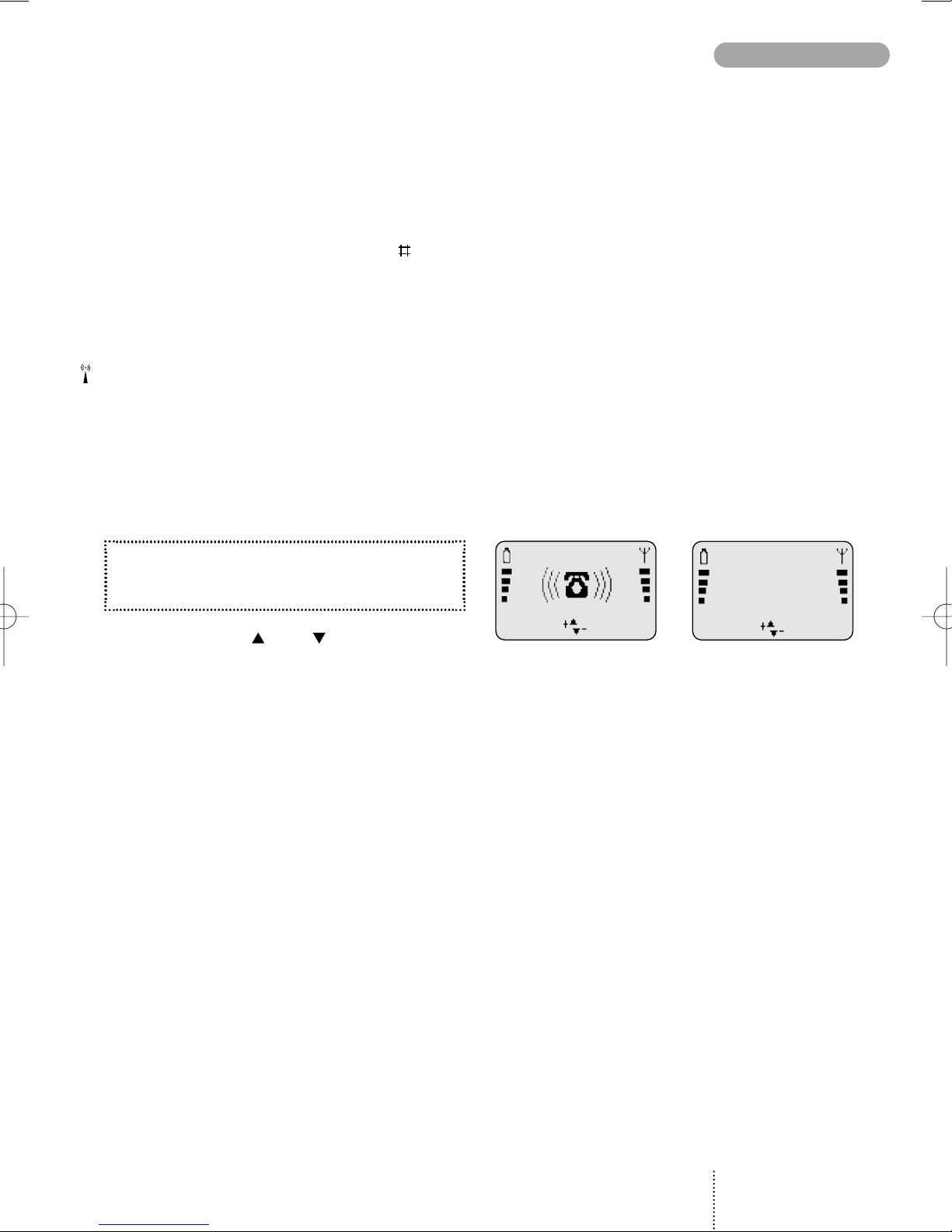
Answering a call
The telephone rings. Press
ANSWER
Ending a call
Press
END
Back to standby mode
Press EXIT
The telephone automatically returns to stand-
by mode when no key has been pressed for 60
seconds.
Battery level indicator
See page 8 for more information.
Signal strength indicator
The stronger the signal (more signal bars
displayed), the better the radio connection.
List menu indicator
Phone book indicator
Scroll indicators
Shows you that there are more functions up
or down which you can access. Also used
for scrolling though the list menus.
Indicates which key to press to increase
and decrease the volume level.
Speech call indicator
Fax call indicator
Data call indicator
SMS message indicators
There is a new message for you.
On: There are still unread messages.
Flashing: The SMS memory is full.
Voice mail indicator
Indicates that there is a voice mail for you.
Call divert indicator
On: All calls to your mobile telephone are diver-
ted to another telephone number.
Flashing: Check the status of your call diverts.
Microphone off indicator
Volume level indicator
Indicates volume level when adjusting.
Ring volume off indicator
All-tones-off indicator
See page 31 for more information.
Calculator
Survey of arithmetic operations in the calculator
menu.
Display and keypad backlighting
The backlight switches on automatically when
you press a key. In standby mode the light will
automatically switch off if no key is pressed for
10 seconds or more.
7
DISPLAY SYMBOLS
GSM 908 GB 29/04/99 12:05 Side 7

Insert rechargeable battery
When changing the battery your phone should
always be switched off.
Charge the battery
The battery supplied with this telephone is com-
pletely discharged. The telephone will initiate
charging as soon as you have inserted the charger
plug. The battery takes 1 to 5 hours to become
fully charged depending on type and size of the
battery.
To obtain optimum battery performance in daily
use, wait until the battery is completely dis-
charged, before recharging to full capacity.
Battery level indicator
During charging the battery symbols will flash on
and off one after another continuously from the
bottom of the display up. When the battery is fully
charged all 4 symbols are permanently displayed
as long as the phone is switched on.
4 batteries: Battery is fully charged.
1- 3 batteries: Battery is partly discharged.
0 batteries: Battery needs recharging. You
have limited conversation time
left. At the same time the phone
will emit a short warning tone and
the LED on top of the phone will
emit a fast red flash.
If you insert another battery, this should be fully
charged in order to read out the battery capacity
accurately.
Insert Remove
BEFORE YOU START
8
1
1
1
2
2
11
2
GSM 908 GB 29/04/99 12:05 Side 8

Insert SIM card
Before you can make a call on your mobile
phone you have to insert the SIM card.
Should you have forgotten to insert the SIM card
the telephone will ask you to do so.
Before inserting the SIM card into the phone
please make sure that any plastic remains from
the frame punching have been removed.
Switch off your phone and remove the battery if
attached on the phone.
1. Open the SIM card holder by sliding the
catch to the left.
2. Lift the holder.
3. Insert the SIM card with its cut corner
pointing up and left.
4. Close the holder and slide the catch back
into place.
5. Insert the battery.
6. Switch on the telephone.
The phone will display a welcome greeting.
7. Enter PIN code, if requested, and
confirm by pressing
OK
The telephone will now start searching for your
home network. When connection is successfully
established, the name of your network operator
will be displayed.
If the telephone cannot get in touch with your
home network it will start searching for another
co-operating network.
If the phone cannot establish contact with any
network at all and you attempt to make a call, the
display will show
please redial later
.
9
BEFORE YOU START
3
1
2
4
GSM 908 GB 29/04/99 12:05 Side 9

Selection of language
The display language of your phone is normally
the national language of the country in which you
purchased your SIM card. If this is not the case the
display language will be English. You have the
option of choosing between different languages.
If by mistake you select a language which you
don't understand you can return to your own
language by pressing the following keys:
0000 .
1. Press
MENU
2. Press 31
3. Select language using
4. Confirm by pressing
OK
5. Press
EXIT
Making your first call
1. Enter the phone number you want to call.
2. Press
CALL
to make the call.
3. Press
END
to end the call.
If you call a phone number which is diverted to
another phone number, the display will show the
phone number to which you are connected and
not the one entered by you.
International calls
When making an international call, enter "+" by
pressing the -key for one second and then
enter the relevant national code number before
the telephone number (e.g. +45 for Denmark).
MAKING YOUR FIRST CALL
10
END
MENU
Calling
+4596738000
Connected to
+4596738000
END MENU
GSM 908 GB 29/04/99 12:05 Side 10
Phone numbers with
extension number
Extension numbers can be dialled by entering a
pause between the main number and the exten-
sion number. To enter a pause, press the -key
for one second until the pause code
P
appears
on the display.
Emergency calls
In most cases emergency calls can be made with
or without a SIM card. To make an emergency
call without a SIM card just enter the worldwide
mobile phone emergency number 112, press
SOS
and confirm by pressing
CALL
.
Answering a call
1. Press
ANSWER
when the phone rings.
2. Press
END
to end the call.
Use the arrow keys and to increase and
decrease the speaker volume.
11
MAKING YOUR FIRST CALL
REJECT
ANSWER
Connected to
+4596738000
END MENU
GSM 908 GB 29/04/99 12:05 Side 11
Indice
Altri manuali Bosch Telefono cellulare

Bosch
Bosch B440 Manuale utente

Bosch
Bosch GMS 509 DUAL Manuale utente

Bosch
Bosch GSM 509 Manuale utente

Bosch
Bosch GSM 909 DUAL S Manuale utente

Bosch
Bosch DS7060 Manuale utente

Bosch
Bosch ITS-DX4020-G Istruzioni operative

Bosch
Bosch B465 Manuale utente

Bosch
Bosch DS7240-UK Manuale utente

Bosch
Bosch SAFECOM SC3100 Guida rapida

Bosch
Bosch Doro Secure 680 Manuale utente

Bosch
Bosch Conettix ITS-300GSM Manuale utente

Bosch
Bosch QSM 1800 Manuale utente

Bosch
Bosch D9068 Guida rapida

Bosch
Bosch GSM-Com 608 Manuale utente

Bosch
Bosch B465 Manuale utente

Bosch
Bosch D6412 Manuale utente

Bosch
Bosch ITS-DX4020-G Manuale utente

Bosch
Bosch WORLD 718 Manuale utente

Bosch
Bosch B441 Manuale utente

Bosch
Bosch GSM 1900 Manuale utente


