
Bridgesecure Technologies Alarmster WFH500 Manuale utente

Alarmster WFH User Manual –EN Rev. 01 © 2020 Bridgesecure Technologies Inc. Page 1 of 10
Alarmster WFH Water & Freeze Detector
User Manual
Model WFH500
Thank you for purchasing a Bridgesecure Technologies product. We take great pride in
the quality, value, and performance of our products. Please follow the proper operation
and maintenance procedures outlined in this manual.
Features
The Alarmster WFH detects water leakages and freezing conditions. It makes an
audible alarm and sends a wireless signal to the Alarmster ONE Smart Alarm Central.
Upon reception Alarmster ONE sends phone calls and SMS / E-mails to each of your
preprogrammed contacts.
•Water Detection alarms
•Freeze Detection alarms
•Test / Pair Button
•Connector for optional Probe
•Audible Warning
•Wireless Transmitter
•Low Battery / Loss of Connection /
High temperature alerts
Alarmster WFH User Manual –EN Rev. 01 © 2020 Bridgesecure Technologies Inc. Page 2 of 10
Contents
First look for apparent damages and make sure that the box you received contains the
following:
•Four (4) Alarmster WFH Water & Freeze Detectors
•Eight (8) AAA Alkaline Batteries
•Four (4) PE Double-sided Adhesive Tapes
•One Alarmster WFH User Manual
Installation
1. Install the supplied batteries. See the Battery Replacement section of this
manual.
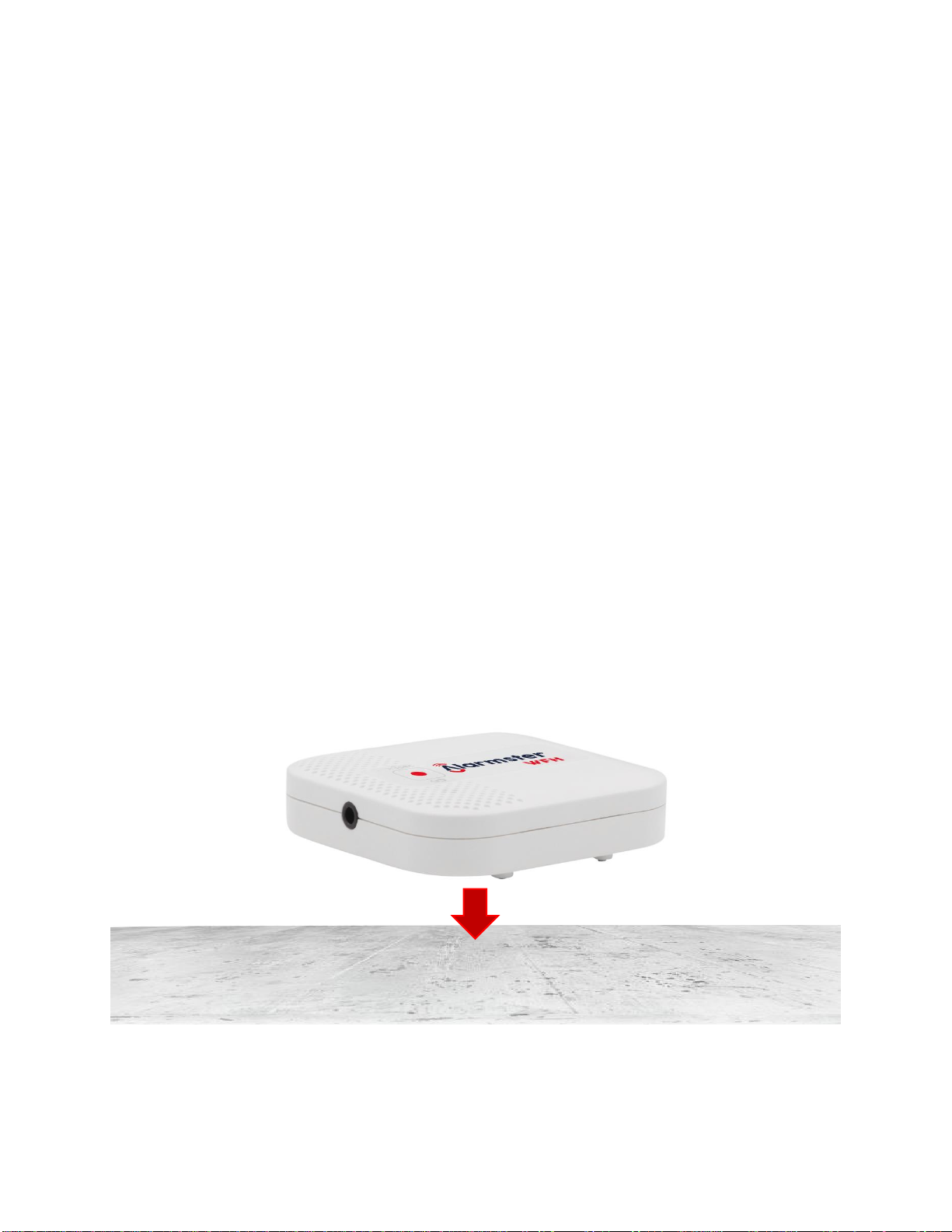
2. Spread a small puddle of water on a countertop. Place the Alarmster WFH onto
the water puddle. You should hear short beeps at 3-second intervals indicating
water detection. Remove water and dry the Alarmster WFH and the countertop.
3. Install the Alarmster WFH detector on a floor near the water source you want to
monitor for leaks (for example main water entry, water heating tank, toilets,
dishwasher, washing machine, water cooling machine, sinks, etc.):

Alarmster WFH User Manual –EN Rev. 01 © 2020 Bridgesecure Technologies Inc. Page 3 of 10
4. Optionally stick the detector on the floor with the supplied double-sided adhesive:
Caution: the double-sided adhesive may damage painted surfaces when removed
5. Pair your Alarmster WFH as described in the Pair with Alarmster ONE Smart
Alarm Central section of this manual.
Optional water probes
Type A water probe
Type B water probe
Optional probes are used to detect in hard to reach locations such as under a
dishwasher or washing machine. They are also useful to avoid locating the Alarmster
WFH under a metal enclosure where the wireless signal can be attenuated. The
probes also extend the detection area of the Alarmster WFH.
Type A probes detect water all along the black / yellow cable portion.
Type B probes detect water at the electrode tips.

Alarmster WFH User Manual –EN Rev. 01 © 2020 Bridgesecure Technologies Inc. Page 4 of 10
1. Insert the 3.5mm plug of the probe into the connector of the Alarmster WFH:
2. Type A probe: unwrap black / yellow cable and place it on the surface you want
to monitor for water leaks.
3. Type B probe: unwrap the cable and place its electrode tips vertically on the floor
surface near the water source you want to monitor for leaks. Use a screw or a
dual-sided adhesive to attach it on an adjacent wall.
4. Spread a small puddle of water on the probe detection element. You should hear
short beeps at 3-second intervals signaling water detection. Remove the water
and dry the surface.
5. Install the Alarmster WFH on an adjacent wall or directly on the floor.
6. Pair your Alarmster WFH as described in the Pair with Alarmster ONE Smart
Alarm Central section of this manual.
Caution: the double-sided adhesive may damage painted surfaces when removed

Alarmster WFH User Manual –EN Rev. 01 © 2020 Bridgesecure Technologies Inc. Page 5 of 10
Pair with the Alarmster ONE Smart Alarm Central
1. Press the Test / Pair button for more than 3 seconds. You should hear 3 long
beeps at 3-second intervals signaling pairing.
2. Go to the Alarmster ONE Smart Alarm Central Webpages and access the
Sensors page.
3. Look for the Alarmster WFH serial number to appear in the sensors list (the
blinking yellow background indicates the pairing status):
4. Enter a name describing the sensor zone for the Alarmster WFH (water cooler,
for example) and click the Save button.
5. To delete a paired sensor, check its trash box icon and click the Save button.

Alarmster WFH User Manual –EN Rev. 01 © 2020 Bridgesecure Technologies Inc. Page 6 of 10
6. Access the Contacts page and configure your contacts to get Water and Freeze
alarms by checking the corresponding alarm category:
7. To receive High Temperature alerts, check the Generic Alarms category for the
contacts you want to be notified:

Alarmster WFH User Manual –EN Rev. 01 © 2020 Bridgesecure Technologies Inc. Page 7 of 10
Test button
1. Shortly press and release the Test / Pair button on the Alarmster WFH. You
should hear 3 short beeps at 3-second intervals signaling testing.
2. Access the Events page and find the Test / Miscellaneous alarm as follows:
3. You may also get a notification of the Test by a phone call, SMS or E-mail if your
own contact is set to receive the System Health category.
Keep-Alive feature
A keep-alive wireless signal is sent twice a day by the Alarmster WFH. If your
Alarmster ONE fails to receive this signal for more than 24 hours, it will send a Loss of
Connection alert to your contacts for which the System Health category is checked.
This makes sure your Alarmster WFH is running and that its wireless connection works
and is in the range of your Alarmster ONE Smart Alarm Central.

Alarmster WFH User Manual –EN Rev. 01 © 2020 Bridgesecure Technologies Inc. Page 8 of 10
Battery Replacement
Your Alarmster WFH is designed to operate for up to 10 years with new alkaline
batteries. However, audible and wireless alarms or frequent use of the Test button can
reduce battery life.
If the batteries are low Alarmster WFH will make a short blip at 8-second intervals and
send a wireless signal to alert your contacts for which the System Health category is
checked.
Replace batteries when you get the Low Battery alert.
Caution: Only use brand new type AAA alkaline batteries.
1. Remove the plastic top cover by applying a gentle pressure on the two sides
opposite to the optional probe connector and pull the cover off as shown:
2. Remove the old batteries and replace with new ones. Install the batteries as shown:
3. Put the top cover back in place.
4. Perform a water leakage test as described in the Installation section of this
manual.

Alarmster WFH User Manual –EN Rev. 01 © 2020 Bridgesecure Technologies Inc. Page 9 of 10
Alarmster WFH Specifications
Model No (HVIN)
WFH500
Firmware Version (FVIN)
1.00
Water detection alarms
wireless + audible beeps at 3-second intervals
Freeze detection alarms
(Low temperature)
< 6 °C wireless
< 3 °C wireless + beeps at 3-second intervals
< 0 °C wireless + beeps at 3-second intervals
High temperature alerts
>42 °C wireless
>47 °C wireless
>52 °C wireless + beeps at 3-second intervals
Low battery alert
< 2,3 V wireless + blips at 8-second intervals
Loss of connection alert
24 hr
Wireless frequency
433.92 MHz
Range (open space)
Up to 45 meters (150 feet)
Sensor type
Two electrode pairs (No moisture retention)
+ Thermistor
Battery type
Two AAA Alkaline
Battery life
Up to 10 years
IP rating
IP54
Dimensions
70 mm W x 70 mm L x 19 mm H
(2.75” W x 2.75” L x 0.75” H)
Weight (no batteries)
46,7 g (1.65 oz)

Alarmster WFH User Manual –EN Rev. 01 © 2020 Bridgesecure Technologies Inc. Page 10 of 10
Certifications
USA
This device complies with part 15 of the FCC Rules. Operation is subject to the
following two conditions:
(1) This device may not cause harmful interference, and
(2) this device must accept any interference received, including interference that may
cause undesired operation.
FCC ID: 2AVQF-WFH500
Canada
CAN ICES-3(B)/NMB-3(B)
IC: 25877-WFH500
Other
Trademarks
Alarmster and Bridgesecure are trademarks of Bridgesecure Technologies Inc. All
other trademarks and registered trademarks are the properties of their respective
holders.
Bridgesecure Technologies Inc.
USA / Canada: 1 (877) 217 8351
International: 1 (418) 476 4251
E-mail: support@bridgesecure.com
Web: bridgesecure.com
Indice
Lingue:


