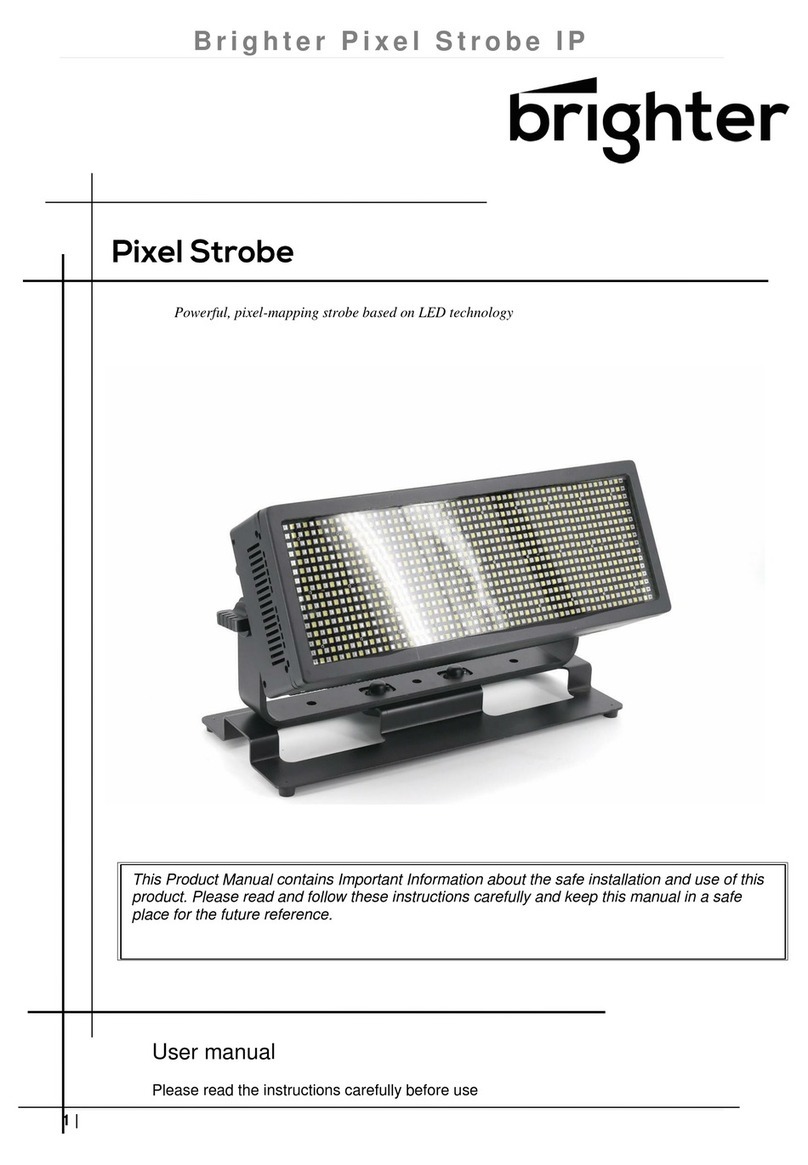
Brighter Eye 900 Pro Manuale utente

User manual
Please read the instructions carefully before use
This product manual contains important information about the safe
installation and use of this projector.
Please read and follow these instructions
carefully and keep this manual in a safe place for future reference.
19x15W RGBW LED Beam Zoom Moving Head
Eye900 Pro

Before Using
What is include
●Equipment x 1
●Power cable with Plug x 1
●User manual x 1
●Iron holder x 2
Open Instruction
Please open the equipment carefully ,and check all the spare parts are included or not.If any
part of the cause of the failure due to improper transportation or carton,please keep the
packing materials and immediately inform the shipper to check.If the equipment must be
returned to the factory,the equipment should be use the original carton and packaging.
AC Power Supply
The equipment power supply is able to adapt to the wide input voltage.Please confirm the input
voltage is in the scale of rated voltage。The equipment can adapt to100V-240V AC voltage,
Frequency 50-60HZ. It can not run a rheostat(variable resistor) or dimmer circuits.
Safety Instruction
This product is I level protection equipment,so it is must be connected well and connected by
the professional people.
●Make sure the volatage don’t be above or below which the user manual rated values.
●Confirm the power cord is not a sword cut or damaged.
●Must be cut off the power supply in the condition of no using or cleaning.
●Only allowed with the power cord plug connection.Please do not force when unplug the
power cord to pull the plug.
●Be careful in the process of installation of equipment.Avoid touching the bare
wire,otherwise it will suffer fatal shocks.。
●Don’t look the light source directly,otherwise it will hurts the eyes.

●When choosing installation position of equipment and the equipment must be more than
0.5m distance between objects.
●Please use the equipment wires appropriate.
●Without the manufacturer’s authorization or laypeople don’t remove,repair and modification
of equipment.
●The maximum operating temperture is 40℃,don’t operate the equipment when it is over
40℃
●Do not connect the equipment to the dimmer equipment。
●Under 120V voltage,output power don’t series more than 10 pcs equipment,voltage
230V.Output power don’t series more than 15 pcs
Introduction
Specification
●Rated Voltage:AC100V~240V 50-60HZ
●Rated Power: 450W
●LED Qty: 19x15W high power 4 in 1 Osram LEDs
●LED Drive Current: 1000mA
●Beam Angle:4-60°Zoom
●IP :IP20
●DMX Mode:21CH(Standard)/35CH(Shapes)/78CH(Extend) /97CH(Extend RGBW)
/92CH(Full)
●Net weight:15 Kg
●Gross weight:18.2Kg
Product feature
●XLR sockets input/output 3Pin
●Power input/output
●3 kinds of control model: DMX512, Sound active,Master/slave
●LCD display screen
●Display screen can be turned upside down with 180°to fit the installation in different
place
●Indoor operation temperature:-20°C~+40°C
●5 DMX modes:21/35 /78/97/92CH
●dimmer:0-100% linear dimmer
●Pan/tilt:
16bit fine pan/tilt control
Smooth and accurate locating
Pan:540°Tilt:210°
Motor rotation in forward and reverse can be setting up
Each LED can be controlled individually,rich colour

Smooth and accurate positioning
Tilt,Pan high-speed infinite rotation,speed can be adjusted.
The scanning position can be memory,it will be automatically reset without expected
movement after rotation.
●0-20HZ Strobe、pulse strobe、Asynchronous stroboscopic effect.
●Super mixed color and rainbow effect.
●7 programmable program is invoked by controller.
●Fan cooling(fan will be change the speed with the temperature variation.
Temperature detecting system(If the temperature detection error,the light doesn’t work).
Installation
Installation Requirements
●This equipment can be used in many places, it can hang and put on the
ground。
●Choosing a suitable place to put or hang the equipment when
installation.Must be use the special screws and hook to make sure the lamp’s
weight is in the weight range。
●When installing the equipment,ensure no inflammable and explosive goods
at 0.5 meter distance.
●Please ask the professionals to install the equipment,any improper
installation will cause personal injury or material damage.
●To prevent others entering the working ares below,the installation or
maintenance of equipment with suitable and stable platform
●The equipment must be placed in ventilated place, at least 50 cm from the
ground,please ensure that the vent without clogging.

Power supply connection
The equipment can be used in the wide voltage input。Please make sure the
voltage is the scale of rated voltage when connecting the power.The equipment
can adapt to 100V to 240 V AC voltage and 50-60 Hz.
The front lens may be infinited rotation in foward and reverse
0-20HZ strobe
Zoom range :4°-60°
DMX Signal Connection
1. Use DMX512 controller, use the DMX signal(male )to plug into the first lamp(female)3 pin。
2. Put out of the equipment of the first signal wire(head),connected to the equipment of the next
3 pin plug(female),so on.See belowed pictures.
Operating Instruction
Control board function
Button
Function
MENU
Choose Menu or function exit
ENTER
Current show menu or enter into the current selected function
UP
Increase the value
DOWN
Decrease the value


DMX Channel Table
EXTENDED RGBW FULL
CHAN-NEL
CHANNEL MODE
1
Red
2
Red fine
3
Green
4
Green fine
5
Blue
6
Blue fine
7
White
8
White fine
9
Linear CTO
10
Macro colour
11
Strobe
12
Dimmer
13
Dimmer Fine
14
PanPan
15
PanPan Fine
16
Tilt
17
Tilt Fine
18
Function
19
Reset
20
Zoom
21
Zoom Rotation
22
Red LED 1
23
Green LED 1
24
Blue LED 1
25
White LED 1
….
Red LED …
….
Green LED …
….
Blue LED …
….
White LED …
90
Red LED 18
91
Green LED 18
92
Blue LED 18
93
White LED 18
94
Red LED 19
95
Green LED 19
96
Blue LED 19
97
White LED 19
CHAN-NEL
CHANNEL MODE
1
Red
2
Red fine
3
Green
4
Green fine
5
Blue
6
Blue fine
7
White
8
White fine
9
Linear CTO
10
Macro colour
11
Strobe
12
Dimmer
13
Dimmer Fine
14
PanPan
15
PanPan Fine
16
Tilt
17
Tilt Fine
18
Function
19
Reset
20
Zoom
21
Zoom Rotation
22
Shape Selection
23
Shape Speed
24
Shape Fade
25
Shape R
26
Shape G
27
Shape B
28
Shape W
29
Shape Dimmer
30
Background Dimmer
31
Shape Transition
32
Shape Offset
33
Foreground Strobe (reserved)
34
Background Strobe(reserved)
35
Background Select(reserved)
36
Red LED 1
37
Green LED 1
38
Blue LED 1
….
Red LED …
….
Green LED …
….
Blue LED …
90
Red LED 19
91
Green LED 19
92
Blue LED 19

STANDARD SHAPES EXTENDED
CHAN-NEL
CHANNEL MODE
1
Red
2
Red fine
3
Green
4
Green fine
5
Blue
6
Blue fine
7
White
8
White fine
9
Linear CTO
10
Macro colour
11
Strobe
12
Dimmer
13
Dimmer Fine
14
PanPan
15
PanPan Fine
16
Tilt
17
Tilt Fine
18
Function
19
Reset
20
Zoom
21
Zoom Rotation
22
Shape Selection
23
Shape Speed
24
Shape Fade
25
Shape R
26
Shape G
27
Shape B
28
Shape W
29
Shape Dimmer
30
Background Dimmer
31
Shape Transition
32
Shape Offset
33
Foreground Strobe (reserved)
34
Background Strobe(reserved)
35
Background Select(reserved)
CHAN-NEL
CHANNEL MODE
1
Red
2
Red fine
3
Green
4
Green fine
5
Blue
6
Blue fine
7
White
8
White fine
9
Linear CTO
10
Macro colour
11
Strobe
12
Dimmer
13
Dimmer Fine
14
PanPan
15
PanPan Fine
16
Tilt
17
Tilt Fine
18
Function
19
Reset
20
Zoom
21
Zoom Rotation
CHAN-NEL
CHANNEL
MODE
1
Red
2
Red fine
3
Green
4
Green fine
5
Blue
6
Blue fine
7
White
8
White fine
9
Linear CTO
10
Macro colour
11
Strobe
12
Dimmer
13
Dimmer Fine
14
PanPan
15
PanPan Fine
16
Tilt
17
Tilt Fine
18
Function
19
Reset
20
Zoom
21
Zoom Rotation
22
Red LED 1
23
Green LED 1
24
Blue LED 1
….
Red LED …
….
Green LED …
….
Blue LED …
76
Red LED 19
77
Green LED 19
78
Blue LED 19

MACRO COLOUR
BIT
LEE
REFERENCE
COLOUR
BIT VALUE
R
G
B
W
209-255
208
207
191-206
184-190
180-183
179
175-178
174
172-173
168-171
162-167
157-161
151-156
149-150
147-148
146
145
142-144
138-141
136-137
134-135
131-133
129-130
128
127
126
125
123-124
121-122
120
119
118
117
115-116
114
113
112
110-111
100-109
89-99
78-88
68-77
62-67
49-61
46-48
45
35-44
--
--
197
181
174
170
169
165
164
162
158
152
147
141
139
137
136
135
132
128
126
124
121
119
118
117
116
115
113
111
110
109
108
107
105
104
103
102
100
90
79
68
58
52
39
36
35
25
White
Dirty White
Alice Blue
Congo Blue
Dark Steel Blue
Deep lavender
Lilac Tint
Daylight Blue
Flame Red
Bastard Amber
Deep Orange
Pale Gold
Apricot
Bright Blue
Primary Green
Special lavender
Pale Lavender
Deep Golden Amber
Medium Blue
Bright Pink
Mauve
Dark Green
Leaf Green
Dark Blue
Light Blue
Steel Blue
Med Blu Green
Peacock Blue
Magenta
Dark Pink
Middle Rose
Light Salmon
English Rose
Light Rose
Orange
Deep Amber
Straw
Light Amber
Spring Yellow
Dark yellow green
Just Blue
Sky Blue
Lavender
Light Lavender
Pink Carnation
Medium Pink
Light Pink
Sunrise Red
255
255
128
77
181
255
255
82
255
255
222
253
255
0
77
219
255
255
0
255
227
84
206
0
74
206
206
51
255
255
217
255
255
255
255
255
230
237
245
41
0
0
243
243
255
255
255
255
235
255
255
0
255
168
199
214
46
181
84
171
143
255
255
197
197
58
255
53
41
255
255
186
255
255
255
255
20
109
130
138
148
141
122
166
160
163
202
219
194
255
117
117
107
87
112
83
66
122
143
255
95
64
49
90
2
28
0
26
13
87
0
79
61
0
143
36
56
13
0
255
82
56
56
51
15
33
28
31
23
31
0
0
0
0
0
0
130
135
133
39
0
0
0
2
255
255
0
0、
0
0
0
0
0
0
0
0
0
0
0
0
0
0
0
0
0
0
0
0
0
0
0
0
0
0
0
0
0
0
0
0
69
0
0
0
0
0
199
197
130
107
141
0

32-34
31
30
29
27-28
23-26
20-22
19
18
17
16
15
14
13
12
11
10
0-9
22
21
20
19
17
13
10
-
-
-
-
-
-
-
-
-
-
-
Dark Amber
Gold Amber
Medium Amber
Fire
Surprise Peach
Straw Tint
Medium Yellow
Black
White 5000 K
White 3700 K
White 7000 K
Magenta
Yellow
Cyan
Blue
Green
Red
Macro color OFF
255
255
255
255
198
152
156
0
255
255
216
255
255
0
0
0
255
-
65
100
135
56
114
115
126
0
137
201
237
0
255
255
0
255
0
-
0
0
0
0
9
9
0
0
0
25
61
255
0
255
255
0
0
-
0
0
0
0
0
0
0
0
193
255
255
0
0
0
0
0
0
-
•FUNCTION
BIT
EFFECT
103 – 255
52 – 57
48 – 52
43 – 47
38 – 42
24 – 37
12 – 24
0 – 11
Reserved
Dimmer Curve 4
Dimmer Curve 3
Dimmer Curve 2
Dimmer Curve 1
Pan Tilt Normal xy
Pan Tilt Fast (Default)
Function off – rearmed
SHAPE SELECTION-SHAPE SPED-SHAPE OFFSET
BIT
SHAPE-SELEC
TION
Description
PANDOM
COLORS 1
SHAPE SPEED
SHAPE
OFFSE
T
SHAPE FADE
BACKGROUN
D SELECT(*3)
0-7
Macro OFF
N.a
N.a
N.a
N.a
N.a
8
Ring 1
Static effects.
The ring or
rings used by
the macro are
turned-on with
the foreground
colour.
N.a
N.a
N.a
0-15=Snap effect
16-255=Fade effect
and gamma
selection
For K10:
0-7=wash
8-15=Bkgnd
rings selection
16-255=wash
9
Ring 2
10
Ring 3
11
No function
12
Ring 1+2
13
Ring 1+3
14
No function
15
Ring Opening
(Closing)
Yes
0-63 = Radius size, static.
64-158 = max to min
speed, Closing effect
159-160 = STOP
161-255 = min to max
speed, Opening effect
0-9 →continuous
10-255→random distribution of
flash from 2 to 20 fixtures 从
2-20
For K10:
0-7=wash
8-15=Bkgnd
rings selection
16-255=wash
16
Ring Opening
(Closing) Filled
Yes
17
Ring Opening
(Close/open)
Yes
0-63 = Radius size, static.
64-158 = max to min
speed, Closing effect
Altri manuali per Eye 900 Pro
1
Indice
Altri manuali Brighter Attrezzatura di illuminazione

Brighter
Brighter Mini Eye Manuale utente
Brighter
Brighter Pixel Strobe Manuale utente
Brighter
Brighter PIXEL Manuale utente

Brighter
Brighter FW 300 Manuale utente

Brighter
Brighter FW200C Manuale utente

Brighter
Brighter MINI EYE P40 Manuale utente

Brighter
Brighter 6X40W Manuale utente

Brighter
Brighter FW200CTO Manuale utente

Brighter
Brighter Smart Spot 150 LED Manuale utente

Brighter
Brighter Smart 280 Manuale utente