
Briza BRZ01 Manuale utente

INSERT TITLE HERE
USER MANUAL

2CONTENTS
Product Components
Operating Guide
Caution
Operation Instruction
Cleaning & Maintenance
Troubleshooting
Technical Information
3
5
5
6
7
8
10

3
PRODUCT COMPONENTS
62.5 cm
Handles
FRONT SIDE TOP
Vent
Screw
Side Panel
Water Tank
Tank Cover
Control Panel
Water Level Scale
31 cm

4PRODUCT COMPONENTS
CONTROL PANEL REMOTE CONTROL
Power ON/OFF
Wind Speed
Cooling by Using Water
Swing
Wind Speed
Swing
Cooling by Using Water
Power ON/OFF

5
OPERATING GUIDE
CAUTION
1. This unit is controlled with a touchscreen control.
2. Please use this unit with adequate air ventilation.
3. Do not exceed “max” water level marker when
filling the tank. Do not run the cooling function
if water level is to low.
4. Drain the water tank when cleaning the unit.
5. Fill tank with water only. Do not add any
chemicals.
IMPORTANT You must unscrew the tank base and remove the plate-sized plastic piece prior to first use.
1. When moving the unit, use caution not to spill
water from the tank.
2. Don’t put anything on top of the unit.
3. Don’t put anything directly in front of the unit.
4. Don’t put anything through the front grill.
5. Unplug the unit before filling with water or
cleaning.
6. Stop operating this unit immediately if it functions
abnormally. Contact info@batten.ca for further
instruction.
6. Make sure your power supply is 120 V / 60 Hz.
The unit will not operate normally if power supply
is too low. Damage may occur if the power is too
high.
7. Unplug the unit from power supply when not
in use.
8. Please note that when the tank is empty the unit
will switch from “Cool” to “Fan” mode. Leave the
unit in “Fan” mode for 30-40 minutes after use to
dry the filters.
7. To reduce the risk of fire or electric shock, do not
use this fan with any solid-state speed control
device.
8. Do not operate any fan with a damaged cord or
plug.
9. Do not run cord under carpeting. Do not cover
cord with throw rugs, runners or similar coverings.
Do not route cord under furniture or appliances.
Arrange cord away from traffic area and where it
will not be tripped over.

6OPERATING INSTRUCTION
Open the tank
cover by pulling up
and out from here
Filling Water Tank
Open the tank cover on the back of the unit as
shown in the illustration below. Use a water jug
to fill. Do not exceed the “max” water level mark.
Power
Press “Power” on the control panel or remote to turn
the fan on. “Power” will illuminate, press again to
power off.
Speed
Press “Speed” on the control panel or remote to
control wind speed. Speeds: Low (1), medium (2),
High (3), selected speed will light up.
Swing
Press “Swing” on the control panel or remote to have
the front grill oscillate. “Swing” will illuminate. Press
again to stop “Swing” mode.
Cool
Press “Cool” on the control panel or remote to
operate cooling function. Light will illuminate.
Press again to switch off.
NOTE
When the “Cool” mode is activated, the pump inside the water tank will pump water to saturate the filters. Heat that flows
through the filters will exchange with the water and cool the air flowing through the filters. Therefore, a decrease in
temperature depends on relative humiditity and ambient temperature when the unit is in “Cool” mode.

7
CLEANING & MAINTENANCE
Cleaning the Unit Body
Use clean water and a soft towel.
Cleaning the Water Tank
Remove the 4 screws from the bottom of the
water tank and clean the tank base with a soft,
non abrasive towel.
Cleaning the Filters
Once a week (recommended), open the rear tank
cover and slide the side panels as shown in the
illustration below.
Remove filters, soak in vinegar-water (1:4 ratio) for
10-15 minutes. Let dry and wipe with soft cloth.
Open the tank
cover from here
IMPORTANT Always unplug the fan before cleaning, disassembling or servicing.

8TROUBLESHOOTING
The remote control is not working.
The unit is making a clicking noise.
The pumpis not functioning properly / no
cool air is circulating.
1. Remote control batteries have run out.
1. Loose pump parts or vents.
1. The filters are clogged or dirty.
2. The pump has become dislodged or
clogged.
3. Excessively high relative humidity.
1. Replace batteries.
1. Make sure all pump parts and vent
horizontal slats are securely in place.
1. Clean or replace the filters.
2. Make sure the pump is fully intact and
fully submerged in water.
3. When the unit is used for long periods
of time, the relative room humidity will
increase, to counteract the humidity and
allow more ventilation in the room, we
suggest opening a window.
PROBLEM POSSIBLE CAUSE CORRECTIVE ACTION

9
TROUBLESHOOTING
Water spitting from the unit.
Undesirable odor.
White sediments in the water tank.
1. Filters are deteriorating.
2. Clogged water ducts.
1. The unit is placed in an area where
undesirable odors are presents, or algae
are present in the water tank.
1. Water has a high content of salt.
1. Change filters.
2. Clean the top water ducts located above
the filters in the unit.
1. Clean the water tank and the filters.
(see page 7)
1. Drain the tank and clean the filters more
frequently.
PROBLEM POSSIBLE CAUSE CORRECTIVE ACTION
For further questions regarding the set up of your Briza or for troubleshooting tips please visit our
website www.brizacomfort.com. You will find an informative video along with help for frequently
asked questions in the FAQ (frequently asked questions) section which is located in the top menu.
10 TECHNICAL INFORMATION
Air volume
Area coverage
Power
Input electricity
Current
Water tank capacity
Water continuous usage
Water evaporation rate
Noise
Fan speed
Vent size
Cooling pad type
Overall dimension
Net weight
Operating weight
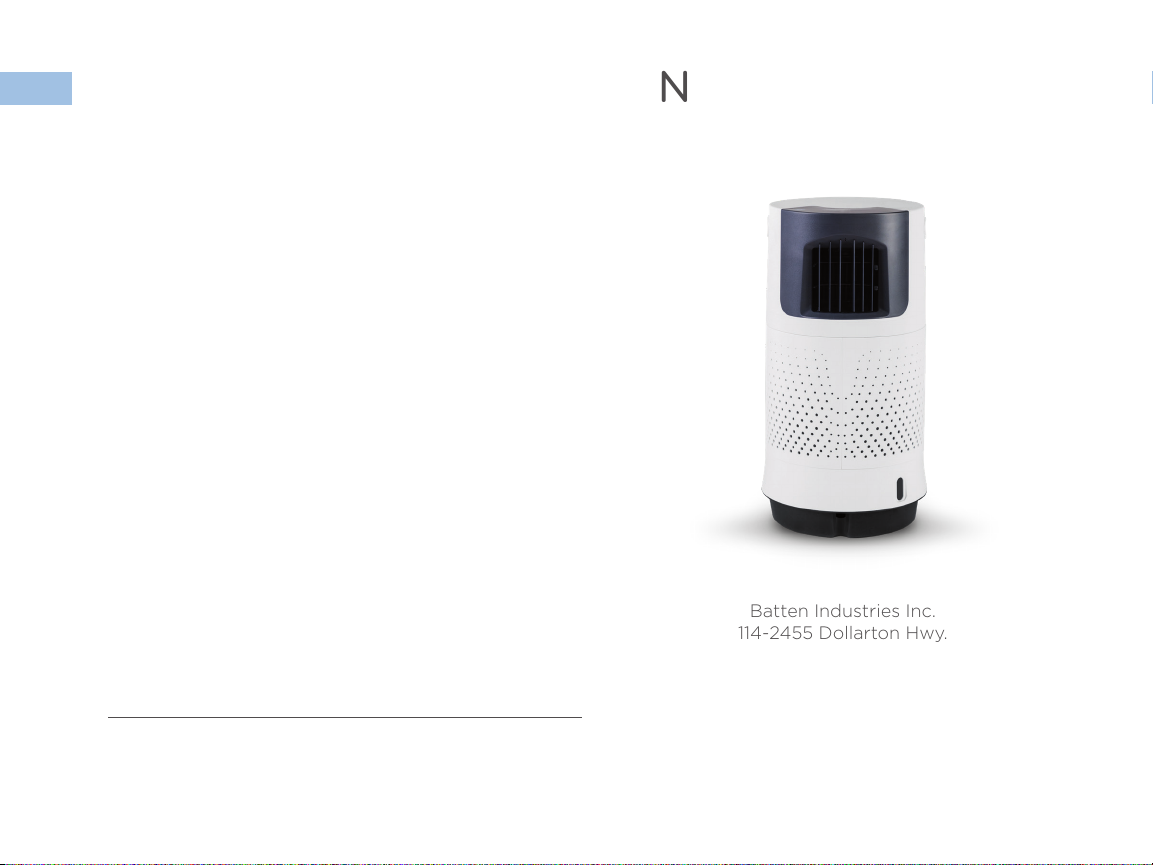
Batten Industries Inc.
114-2455 Dollarton Hwy.
North Vancouver, BC, V7H 0A2
Toll Free 1.888.984.7471
brizacomfort.com
Touch panel & remote control included
700 m3/h
12 m2
80 W
120 V / 60 Hz
0.66 A
8 L
6 - 8 h
0.5 - 0.75 L/h
< 55 dB
3 speeds
12x12 cm
4090
31x31x62.5 cm
5.2 kg
13.2 kg
Indice
Altri manuali Briza Condizionatore d'aria


