
Brother DCP-115C Manuale utente
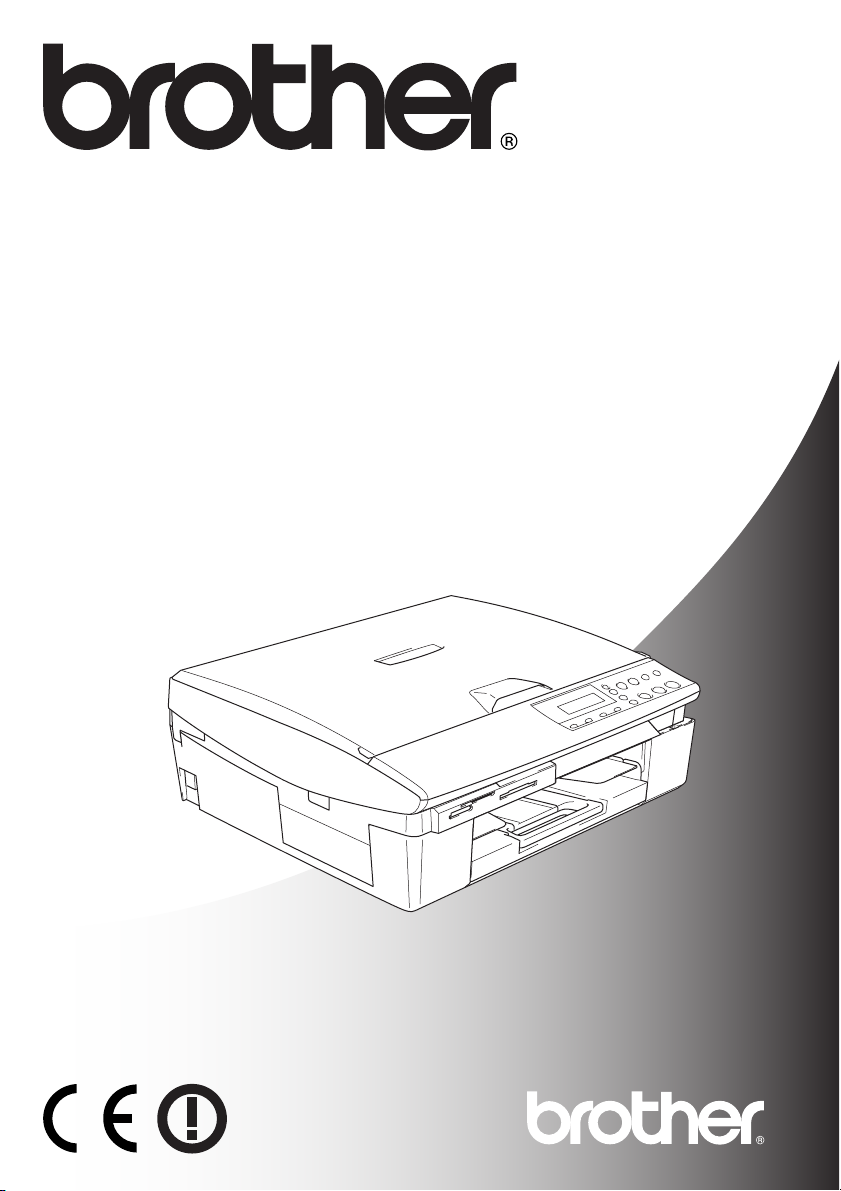
DCP-115C
DCP-120C
DCP-315CN
DCP-340CW
USER’S GUIDE

If you need to call Customer Service
Please complete the following information for future
reference:
Model Number: DCP-115C, DCP-120C, DCP-315CN and
DCP-340CW (Circle your model number)
Serial Number:*
Date of Purchase:
Place of Purchase:
* The serial number is on the back of the unit. Retain this
User’s Guide with your sales receipt as a permanent
record of your purchase, in the event of theft, fire or
warranty service.
Register your product on-line at
By registering your product with Brother, you will be recorded
as the original owner of the product.
http://www.brother.com/registration/
©1996-2005 Brother Industries, Ltd.

i
Compilation and Publication Notice
Under the supervision of Brother Industries Ltd., this manual has
been compiled and published, covering the latest product
descriptions and specifications.
The contents of this manual and the specifications of this product are
subject to change without notice.
Brother reserves the right to make changes without notice in the
specifications and materials contained herein and shall not be
responsible for any damages (including consequential) caused by
reliance on the materials presented, including but not limited to
typographical and other errors relating to the publication.

ii
iii
Safety precautions
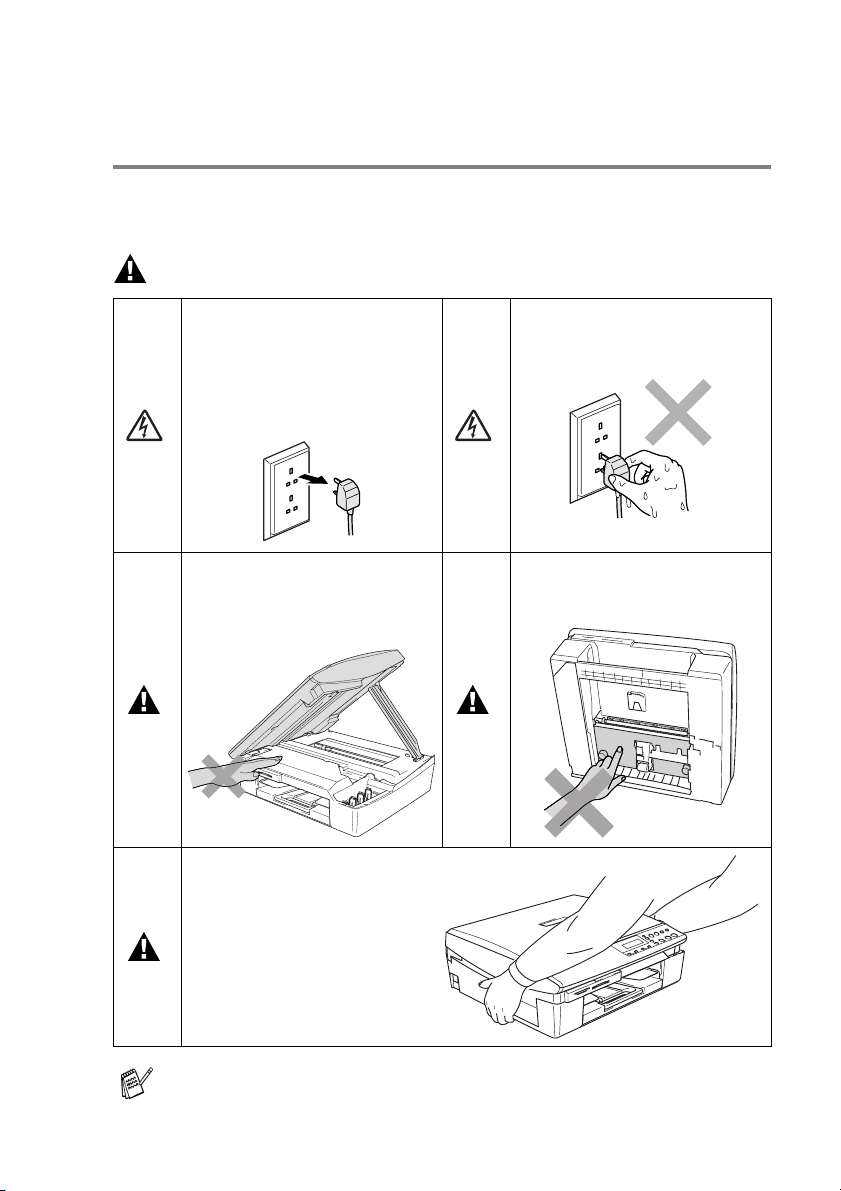
To use the machine safely
Please refer to these instructions for later reference and before
attempting any maintenance.
WARNING
There are high voltage
electrodes inside the machine.
Before you clean the machine,
make sure you have
unplugged the power cord from
the electrical socket.
Do not handle the plug with wet
hands. Doing this might cause
an electrical shock.
To prevent injuries, be careful
not to put your hands on the
edge of the machine under the
scanner cover.
To prevent injuries, be careful
not to touch the area shaded in
the illustration.
When you move the machine,
place a hand at each side of
the unit so you are supporting
the base when you lift it. (See
the illustration on the right.)
Do not carry the machine by
holding the scanner cover.
Most of the illustrations in this User’s Guide show the DCP-115C.

iv
WARNING
This product must be installed near an electrical socket that is easily
accessible. In case of emergencies, you must disconnect the power
cord from the electrical socket in order to shut off power completely.
Caution
To maintain the best print quality, we recommend that you use the
On/Off key to turn off your machine. Do not unplug the power cord
from the electrical socket, unless moving the machine or performing
maintenance. If you need to disconnect your machine from the
power, you will need to set the date and time again. (See Quick
Setup Guide.)
v
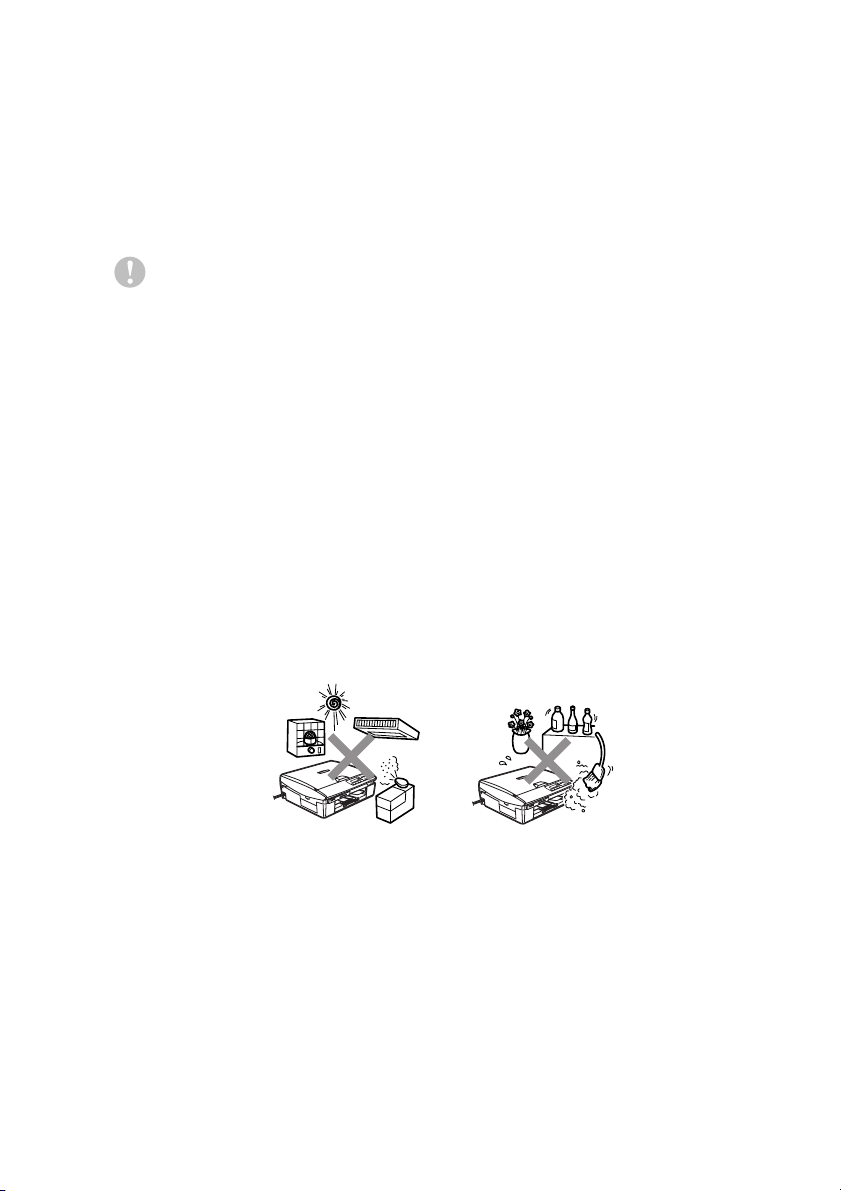
Choosing a location
Place your machine on a flat, stable surface that is free of vibration
and shocks, such as a desk. Put the machine near a standard,
grounded electrical socket. Select a location where the temperature
remains between 10° and 35°C.
Caution
■Avoid placing your machine in a high-traffic area.
■Avoid placing your machine on the carpet.
■Do not place near heaters, air conditioners, water, chemicals, or
refrigerators.
■Do not expose the machine to direct sunlight, excessive heat,
moisture, or dust.
■Do not connect your machine to electrical sockets controlled by
wall switches or automatic timers.
■Disruption of power can wipe out information in the machine’s
memory.
■Do not connect your machine to electrical sockets on the same
circuit as large appliances or other equipment that might disrupt
the power supply.
vi
How to access the complete User’s
Guide
This User’s Guide does not contain all the information about the
machine such as how to use the advanced features of the Printer,
Scanner and Network. When you are ready to learn detailed information
about these operations, read the complete User’s Guide located in the
‘Documentation’ section of the CD-ROM.
To view Documentation (For Windows®)
From the Start menu, select Brother, MFL Pro Suite DCP-XXXX
(where XXXX is your model name) from the Programs Group, and
then select User’s Guide.
—OR—
1
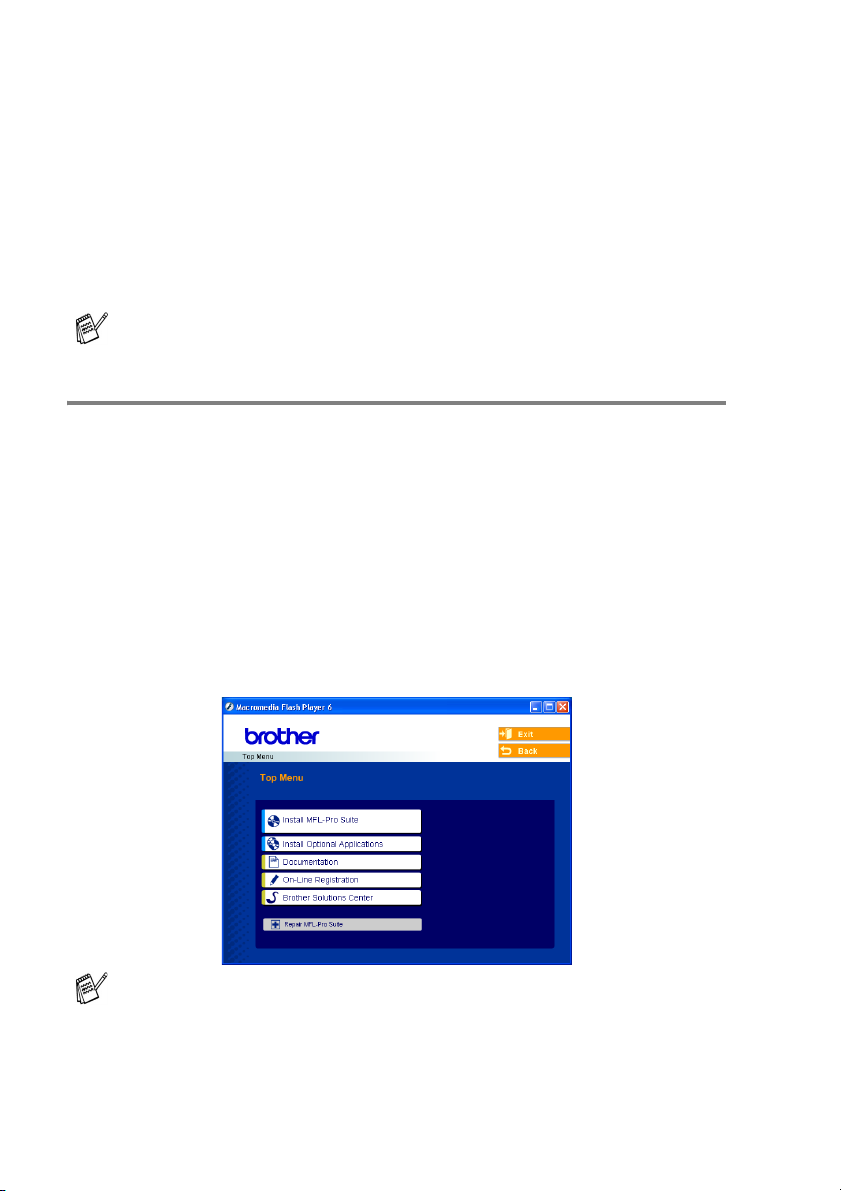
Turn on your PC. Insert the Brother CD-ROM labelled
Windows®into your CD-ROM drive.
2
If the model name screen appears, click your model name.
3
If the language screen appears, click your language.
The CD-ROM main menu will appear.
4
Click Documentation.
Network is available only for DCP-315CN and DCP-340CW.
If this window does not appear, use Windows®Explorer to run
the setup.exe program from the root directory of the Brother
CD-ROM.

vii
5
Click the documentation you want to read.
■Quick Setup Guide: Setup and Software Installation
Instructions
■User’s Guide (3 manuals): User’s Guide for stand-alone
operations, Software User’s Guide and Network User’s
Guide (DCP-315CN and DCP-340CW only)
■PaperPort®User’s Guide: Document Management
Software
How to find Scanning instructions
There are several ways you can scan documents. You can find the
instructions as follows:
Software User’s Guide:
■Scanning on page 2-1
(For Windows®98/98SE/Me/2000 Professional and
Windows®XP)
■ControlCenter2 on page 3-1
(For Windows®98/98SE/Me/2000 Professional and
Windows®XP)
■Network Scanning (DCP-315CN and DCP-340CW only) on page
4-1
PaperPort®User’s Guide
■Instructions for scanning directly from ScanSoft®PaperPort®
How to find Network setup instructions(DCP-340CW only)
Your machine can be connected to a wireless or wired network.
You can find basic setup instructions in Quick Setup Guide.
For more information, or if your access point supports
SecureEasySetup™, please see the Network User's Guide.

viii
To view Documentation (For Macintosh®)
1
Turn on your Macintosh®. Insert the Brother CD-ROM labelled
Macintosh®into your CD-ROM drive. The following window will
appear.
2
Double-click the Documentation icon.
3
The select Language screen appears, double-click your language.
4
Click the documentation you want to read.
■Quick Setup Guide: Setup and Software Installation
Instructions
■User’s Guide (3 manuals): User’s Guide for stand-alone
operations, Software User’s Guide and Network User’s
Guide (DCP-315CN and DCP-340CW only)
How to find Scanning instructions
There are several ways you can scan documents. You can find the
instructions as follows:
Software User’s Guide:
■Scanning on page 9-1
(For Mac OS®9.1-9.2/Mac OS®X 10.2.4 or greater)
■ControlCenter2 (For Mac OS®X 10.2.4 or greater) on page 10-1
■Network Scanning (DCP-315CN and DCP-340CW only)
(For Mac OS® X 10.2.4 or greater) on page 11-1
Presto!®PageManager®User’s Guide
■Instructions for scanning directly from Presto!®PageManager®
How to find Network setup instructions(DCP-340CW only)
Your machine can be connected to a wireless or wired network.
You can find basic setup instructions in Quick Setup Guide.
For more information, or if your access point supports
SecureEasySetup™, please see the Network User's Guide.
(Mac OS®X)
Altri manuali per DCP-115C
3
Questo manuale è adatto per i seguenti modelli
3
Indice
Altri manuali Brother Fotocopiatrice

Brother
Brother DCP 385C - Color Inkjet - All-in-One Manuale utente

Brother
Brother DCP 8085DN Manuale utente

Brother
Brother DCP-115C Manuale utente

Brother
Brother DCP-8040 Manuale utente

Brother
Brother DCP-770CW Manuale utente

Brother
Brother MFC MFC-5440CN Manuale utente

Brother
Brother FAX-2840 Manuale operativo e di manutenzione


