BT BT3950 Nuisance Call Blocker Scheda tecnica

Block Nuisance Calls
Quick Set-up and User Guide
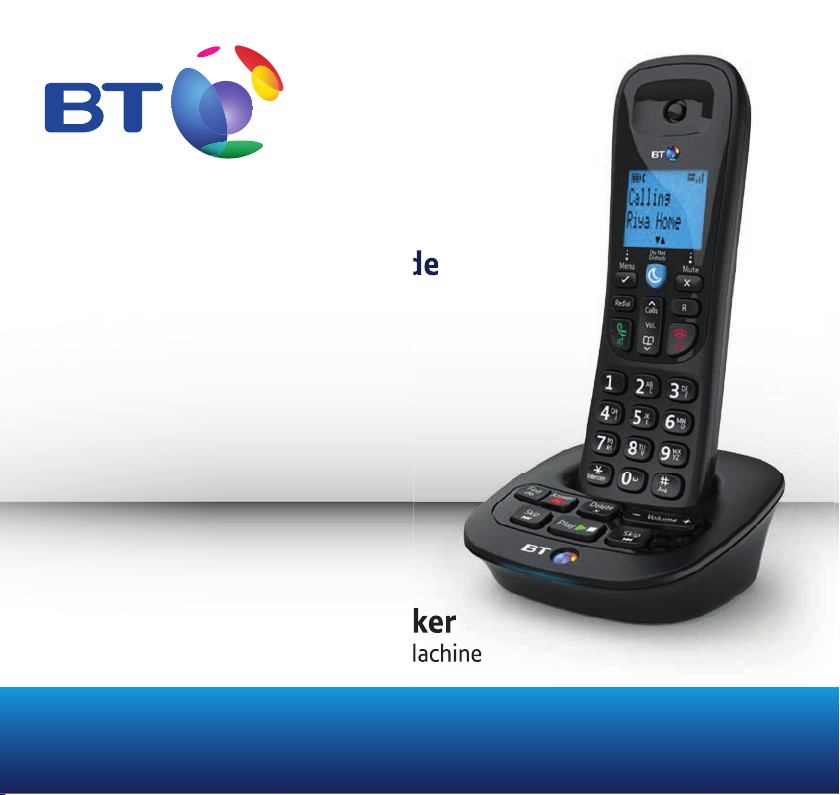
BT3950 Nuisance Call Blocker
Digital Cordless Phone with Answer Machine
Quick Set-up and User Guide
3950 Nuisance Call Blocker
Digital Cordless Phone with Answer Machine

If you need some help, call us on 0800 145 6789* or go to bt.com/producthelp
Important2
• Only use the line cord, power supply and rechargeable batteries that come with
your phone.
• Make sure the power supply is connected to a socket that you know works.
• Connect your phone to the power supply and let the batteries charge for 16 hours
before connecting your phone to the phone socket.
• The base should always be plugged in to the mains power supply.
Your Answer Machine
Make sure the phone is set to Answer + Rec and that the ring delay is set to
If you want to change it, take a look at page 41.
Where to put your phone
To make sure your handset gives you the best range and reception, avoid
interference by placing it away from any large metal objects like fridge-freezers,
microwave ovens, or electronic products such as computers and TVs.
If you need some help, call us on 0800 145 6789* or go to bt.com/producthelp

3
If you need some help, call us on 0800 145 6789* or go to bt.com/producthelp
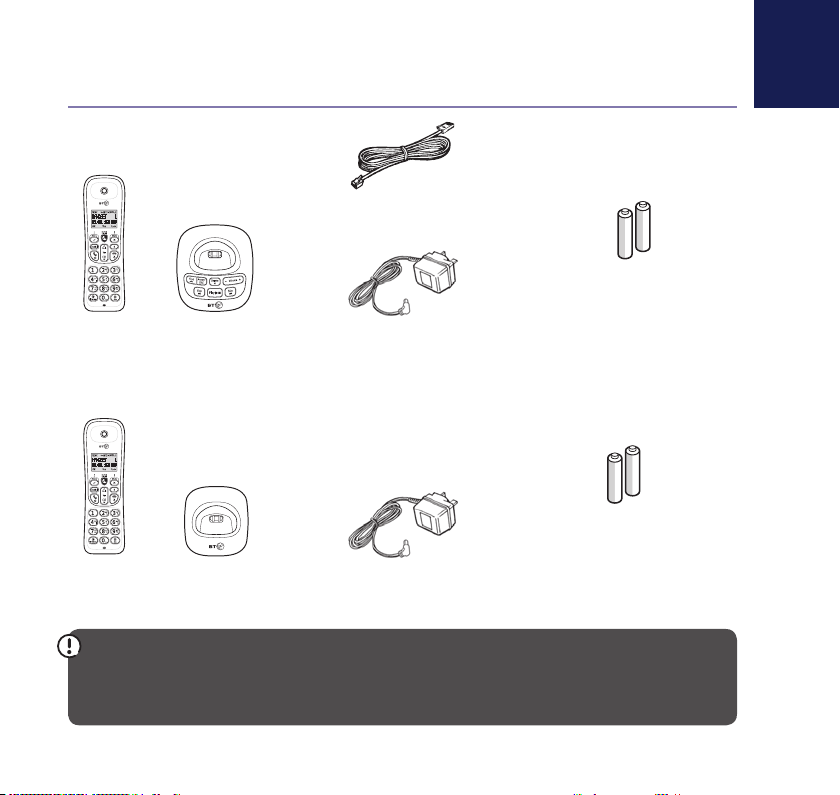
Check the box contents
Handset Base
Phone line (this comes
already installed)
Extra
handset
Charger Mains power adaptor
(item code 066270)
Two rechargeable
batteries, AAA NiMH
550mAh (already
installed in the handset)
Mains power adaptor
(item code 066270)
Two rechargeable
batteries, AAA NiMH
550mAh (already
installed in the handset)
If you bought more than one handset you’ll also get
IMPORTANT
Only use the mains power adaptors, cables and rechargeable batteries supplied in this box or this
product might not work. Any replacement rechargeable batteries must be of the same type.
BT accepts no responsibility for damage caused to your BT3950 if you use any other type of batteries.

If you need some help, call us on 0800 145 6789* or go to bt.com/producthelp
Where to put your phone
• Place the base within
3 metres of a mains power
socket and 1.8 metres of a
phone socket so the cables
will reach.
• Make sure it’s at least
a metre away from
other electrical appliances
to avoid interference.
• Don’t place the phone or
base in a bathroom or
other humid area.
• The product works by
sending radio signals
between the handset and
base. The strength of the
signal depends on where you
position the base. Putting it
as high as possible can help
give you the best signal.
IMPORTANT
• Don’t connect the phone line
to a phone socket until the
handset is fully charged.
• The base station should
be plugged into the mains
power socket all the time.
Quick set-up guide4
1Plug in
1. Your phone will come with the phone line cord
2. Plug the mains power adaptor into the base, with
the cable clipped in the groove provided.
3. Plug the other end of the power adaptor into the
wall power socket and switch it on.
1 2 3

Quick set-up guide 5
If you need some help, call us on 0800 145 6789* or go to bt.com/producthelp
Talk/Standby time
Under ideal conditions, the
handset batteries should give
up to 12 hours talk time or
120 hours standby on a single
charge. (This doesn’t mean you
can unplug the base or leave the
handset for this length of time
without charge).
Please note that new Ni-MH
rechargeable batteries don’t
reach full capacity until
they’ve been in normal use
for several days.
Battery low warning
You will hear a warning beep
every 2 minutes during a call
and the
You must recharge the handset
batteries before you can use
the handset. If the charge
completely runs out the handset
handset on the base or charger
to charge.
Quick set-up guide 5
Rechargeable batteries
already fitted
Remove this tab
and charge batteries
for 16 hours before use.
2Charge
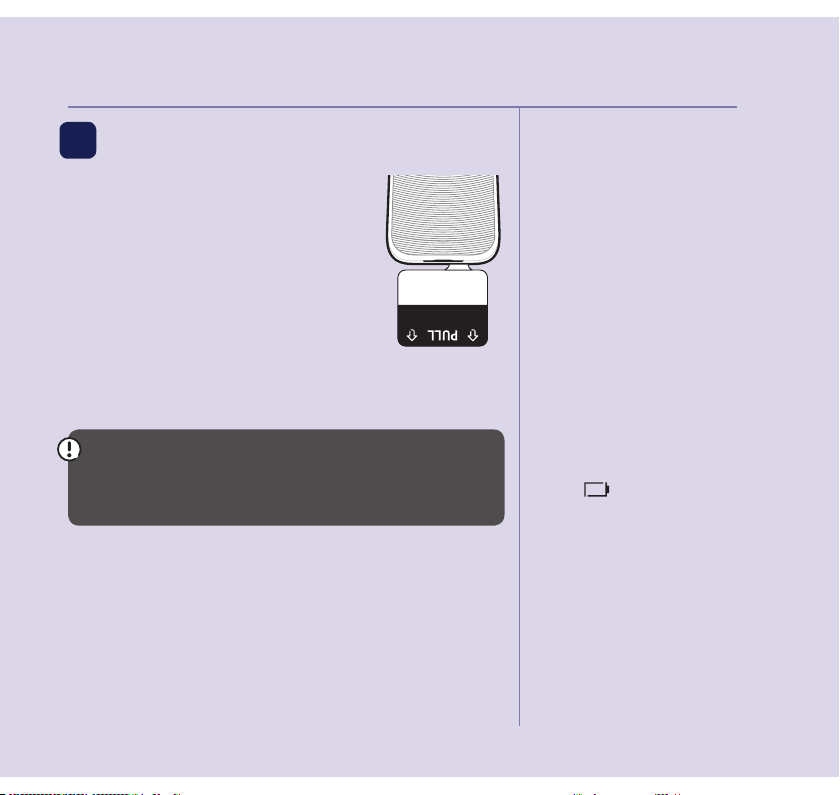
1. Activate the batteries by pulling
the plastic tab away from the
bottom of the handset.
2. The handset will then check for a
link with the base station. When it’s
found it, follow the prompt to set
the date and time on the phone.
3. Place the handset on the base and let it charge
for 16 hours.
IMPORTANT
Charge the handset batteries for 16 hours or your
phone might not work.
Set up your additional handsets
(multipacks only)
1. For additional handsets and chargers: plug the
mains power adaptor into the underside of the
charger and plug the other end into the mains wall
socket and switch on the power.

If you need some help, call us on 0800 145 6789* or go to bt.com/producthelp
Battery performance
• To keep the batteries in the
best condition, leave the
hours at a time.
• Running the batteries right
down at least once a week
will help them last as long
as possible.
• After charging your handset
charging time for the
batteries is approximately
8 hours.
• The charge capacity of
rechargeable batteries will
go down over time, which
will reduce the talk and
standby time. Eventually
they’ll need replacing.
For details on how to get
replacement batteries,
call the helpline on
0800 145 6789*.
2. Activate the batteries as explained on page 5.
3. Place the handset on the charger to charge for
16 hours.
TIP
If you need to take the batteries out, place your
and lift the cover up to release it. Then gently take
the batteries out.
Quick set-up guide
6

If you need some help, call us on 0800 145 6789* or go to bt.com/producthelp
3Go!
Your BT3950 is now ready
for you to use
• For help setting the date and time, go to page 54.
• For instructions on making a call, go to page 18.
• For help personalising your phone’s settings, go to
page 48.
• For instructions on using the answer machine,
go to page 38.
bt.com/producthelp
Alternatively, call the Helpline on 0800 145 6789*.
* Calls made from within the UK mainland network are free. Mobile and
international call costs may vary.
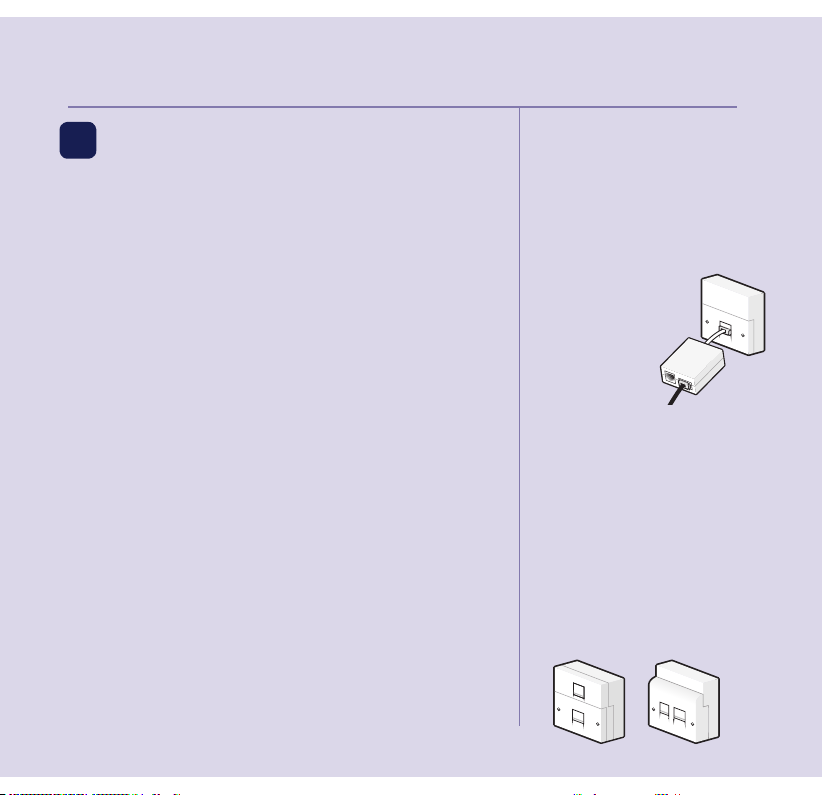
Using your BT3950 on a line
with broadband?
To avoid problems with your
broadband or noise on your phone
line, you might need to plug your
telephone line cord
into the wall socket via a
If your main phone
socket has a single
socket, you do need
like this:
phone socket where you’ve got
a maximum of four per line –
including alarm sytems and digital
TV boxes.
from bt.com/shop
You don’t
if your main phone socket has two
separate sockets, like these:
Quick set-up guide 7

If you need some help, call us on 0800 145 6789* or go to bt.com/producthelp
8Contents
Quick set up guide.............................. 4
Getting to know your phone.............12
Handset buttons ...............................12
Handset display ................................14
Finding your way around your phone.15
Menu map ........................................16
Base buttons.....................................19
Using the phone ...............................20
......20
Making an external call......................20
Preparatory dialling...........................20
Ending a call .....................................20
Receiving a call .................................20
Mute ................................................21
Incoming speech/Handsfree volume..21
Handsfree.........................................21
Answer a call using handsfree............22
Switching to handsfree during a call ..22
Voicemail (1571) ..............................22
Redial ...............................................22
Redialling the last number.................22
Viewing and dialling a number in the
redial list...........................................23
Saving a redial number to
the phonebook .................................23
Deleting a number from the redial list 23
Deleting the entire redial list .............23
Do not disturb...................................24
.................24
..24
Finding your handset (paging)...........25
Call Block .........................................26
Blocking calls by type........................26
Adding a number to the Blacklist.......27
Viewing the Blacklist.........................27
Editing a number in the Blacklist .......28
Deleting a number from the Blacklist.28
Deleting all of your Blacklist ..............29
Changing your PIN ............................29

If you need some help, call us on 0800 145 6789* or go to bt.com/producthelp
Contents 9
Phonebook.......................................30
Store a phonebook entry...................30
Character map ..................................31
Viewing/dialling a phonebook entry ..31
Searching alphabetically for a
phonebook entry ..............................32
Editing a phonebook entry ................32
Adding a pause to a saved number.....33
Viewing a phonebook entry during
a call.................................................33
Deleting a phonebook entry ..............33
Deleting the entire phonebook..........34
Storing a speed dial number ..............34
Dialling a speed dial entry .................35
Caller display and the Calls List.........36
Caller display.....................................36
The Calls List .....................................36
Viewing or dialling an entry in the
Calls List ...........................................37
Saving a Calls List entry to your
phonebook .......................................37
Deleting an entry in the Calls List.......38
Deleting all of the Calls List................38
Answer machine...............................39
Using the answer machine from
the handset ......................................39
Switching the answer machine
............................................39
Outgoing messages...........................39
Recording your own
outgoing message.............................40
Playing the current
outgoing message.............................
Recording a memo ............................41
Setting the Answer Mode..................42
Setting the answer delay...................42
Call screening....................................43
Playing messages using the handset..44
Message playback .............................44

Contents
If you need some help, call us on 0800 145 6789* or go to bt.com/producthelp
10
Deleting all old played messages .......45
Using the answer machine from
the base............................................46
Switching the answer machine
..........................46
Playing messages using the base .......46
Message playback on the base...........46
Deleting all played messages.............47
Remote access ..................................47
Setting or changing the remote
access PIN.........................................47
.........48
Operating your answer
machine remotely .............................48
Settings ...........................................49
Setting the handset ringtone.............49
Setting the handset ringer volume ....49
..
Changing the handset name..............50
..........51
Changing the call settings .................51
Base settings....................................52
Setting the base ringtone..................52
Setting the base ringer volume..........52
Change the system PIN......................52
Reset ................................................53
Clock/Alarm .....................................54
Setting the time................................54
Setting an alarm ...............................54
.....................54
Using additional handsets ................55
Registering an additional handset .....55
De-registering a handset...................55
Making an internal call
between handsets.............................56
Transferring a call..............................56
Holding a three-way call ...................57
Help .................................................58
General information .......................... 62
Safety...............................................62
Indice
Altri manuali BT Telefono senza fili

BT
BT BT DIVERSE 5100 Manuale utente

BT
BT DIVERSE X10 Manuale utente

BT
BT BT Diverse 5450 Manuale utente

BT
BT HUB PHONE 1010 Manuale utente

BT
BT QUARTET 3100 Manuale utente

BT
BT BT1100 Scheda tecnica

BT
BT ON-AIR 1300 EXECUTIVE Manuale utente

BT
BT BT3940 Manuale utente

BT
BT Freestyle 2500 Manuale utente

BT
BT Diverse 6110 Manuale utente

BT
BT LYRIC 2100 Manuale utente

BT
BT 8600 Scheda tecnica

BT
BT DIVERSE SOLO Manuale utente

BT
BT Freelance XD 8500 Manuale utente

BT
BT BT2100 Scheda tecnica

BT
BT SYNERGY 3205 SMS Manuale utente

BT
BT VERVE 500 Manuale utente

BT
BT CALYPSO 120 Manuale utente

BT
BT Glide 7163 Manuale utente

BT
BT ON-AIR 2300 SMS Manuale utente