
Chroma C4-DSP Manuale utente

CHROMA C4-DSP
user manual
September 2013


CONTENTS
INTRODUCTION.........................................................................................................................................4
PERSONALCOMPUTERMINIMUMREQUIREMENTS..................................................................................6
PERSONALCOMPUTERRECOMMENDEDREQUIREMENTS.........................................................................6
SOFTWAREINSTALLATIONPROCEDURE....................................................................................................7
CONNECTINGTHECHROMAC4‐DSPCCDCAMERA....................................................................................8
DETAILSOFTHECHROMALOWERPANELCONNECTORS..........................................................................15
44PINPARALLELPORTCONNECTOR............................................................................................................16
26PINUSERPORTCONNECTOR
...................................................................................................................17
MOUNTINGORREPLACINGFILTERS........................................................................................................18
OPTICALWINDOWCLEANING.................................................................................................................20
SPECIFICATIONS......................................................................................................................................21
TYPICALSPECTRALRESPONSE.................................................................................................................22
QuantumefficiencyofC035model..............................................................................................................22
QuantumefficiencyofC130model..............................................................................................................24
QuantumefficiencyofC150model..............................................................................................................25
QuantumefficiencyofC250model..............................................................................................................26
QuantumefficiencyofC500model..............................................................................................................27
CHROMA C4-DSP user manual
2013 digital technology art s.r.l.
INTRODUCTION
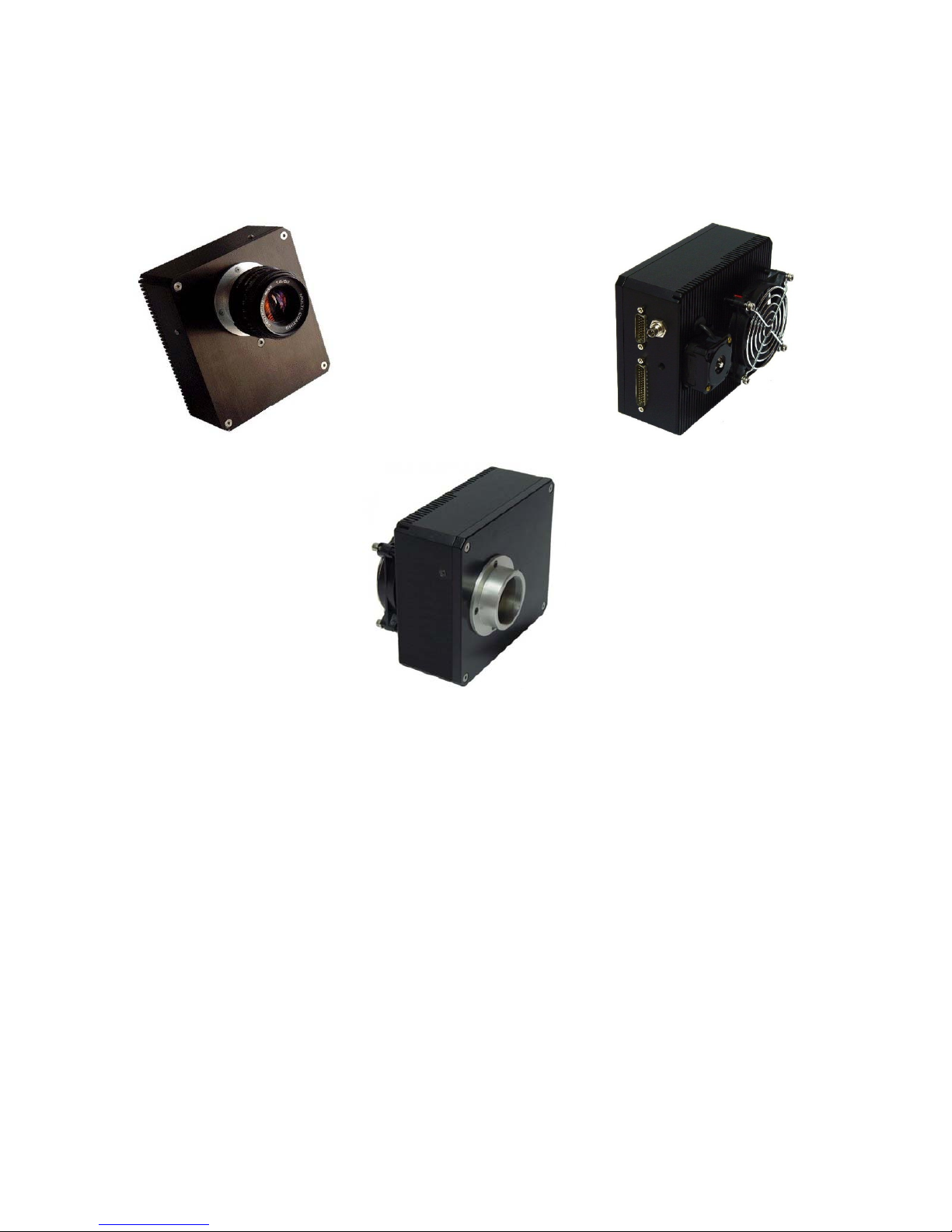
CHROMA C4-DSP is the result of 15 years of experience in scientific imaging.
This model is the fourth-generation model of the CHROMA CCD cameras in production for more
than 10 years and it brings together all advantages deriving from direct experience in the field.
The series is characterized by high sensitivity, fast image downloading, reduced weight and
dimensions.
The key to its great performances is related to the use of CCD sensors with high quantum efficiency
and a proprietary technology able to use the sensor to achieve maximum intrinsic performance.
Some of the main features:
1) 16-bit electronics at very low noise (std <1)
2) High read-out speed 4 Mpix/s
3) CCD soft hyperdrive, advanced sensor management technique able to exploit maximum
intrinsic characteristics
4) High sensor temperature stabilization (± 0.1 °C) to provide a high reproducibility of the sensor’s
performances.
The camera also allows great performances at many imaging applications at different spectral
bands (RGB, Multi-spectral) thanks to the use of an integrated internal 8-position filter-wheel for 25
mm diameter filters.

CHROMA C4-DSP user manual
2013 digital technology art s.r.l.
The instrument is completed by the presence of integrated peripherals that allow the realization of
complex imaging techniques, all available on the AUX user port:
1) 16-bit bidirectional parallel port
2) Signals for the shutter total
3) 2 x 32-bit pulse generators
4) 1 x 32-bit delay generator
5) IN/OUT Trigger
6) 4 x 12 bit A/D channels
CHROMA C4 is connected to the personal computer by USB 2.0 and can easily be used at a
distance up to 30 meters.
It mounts KAF CCD sensors, displaying a wide range of resolutions and pixels dimensions.
The sensors are front-illuminated, supported by an excellent Quantum Efficiency, with optional anti-
blooming protection or enhanced performance (ITO).
All sensors (except those with the optional anti-blooming) offer a 100% fill factor, allowing to shoot
marvellous images.
The main application fields are: Biology, Astronomy, Plasma Physics, Semiconductor Physics.

CHROMA C4-DSP user manual
2013 digital technology art s.r.l.
PERSONAL COMPUTER MINIMUM REQUIREMENTS
CPU Dual-Core 3 GHz
1 Gb RAM
Microsoft Windows XP SP3
Hard Disk with at least 200 Mb of available disk space
PERSONAL COMPUTER RECOMMENDED REQUIREMENTS
CPU Quad-Core 3 GHz or higher
1 Gb RAM
22” colour monitor
Microsoft Windows 7
CHROMA C4-DSP user manual
2013 digital technology art s.r.l.
SOFTWARE INSTALLATION PROCEDURE
When you use the camera for the first
time, you need to install the ViSTA
software.
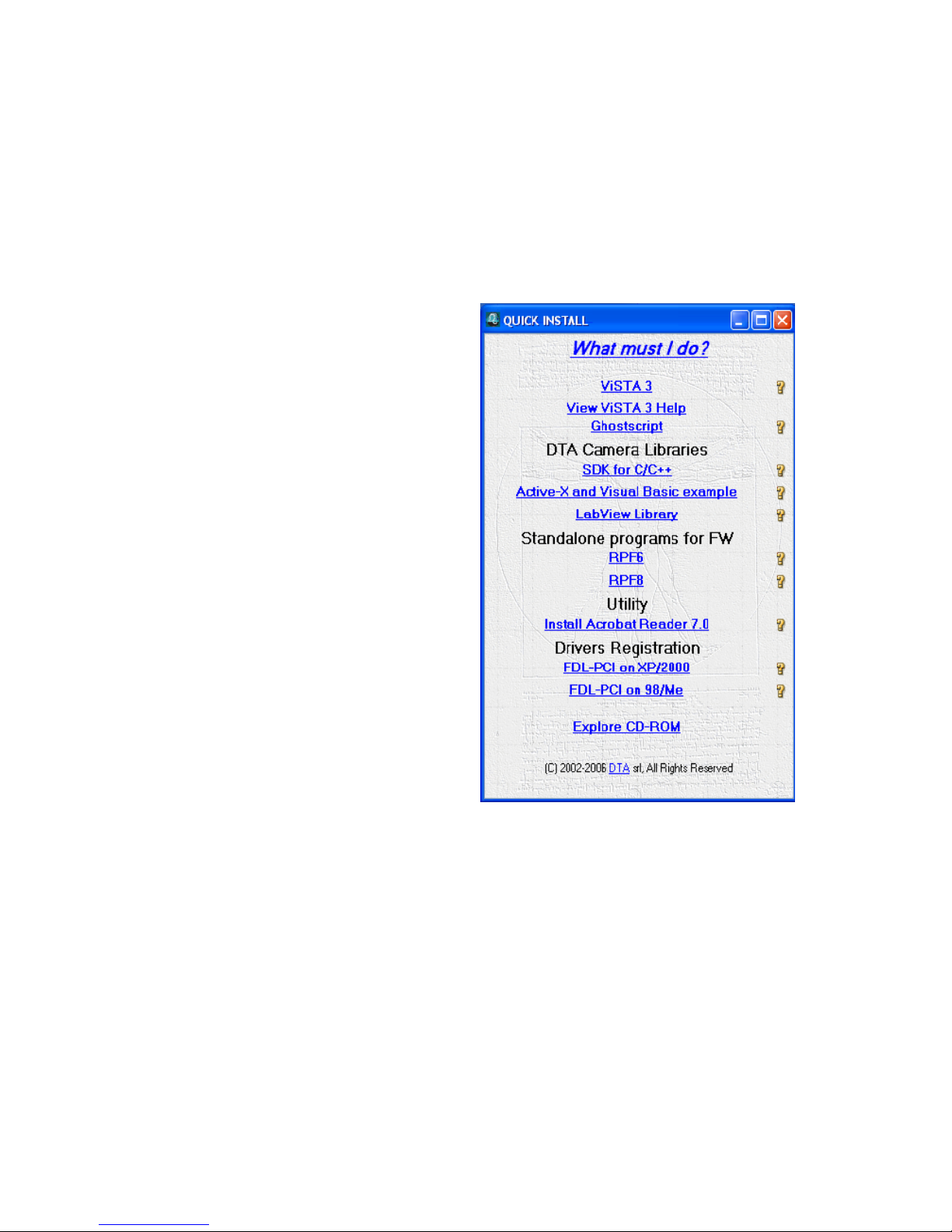
Insert the ViSTA 3 CD-ROM, provided with the
camera, into the CD-ROM reader, wait a
few seconds for the PC to load the "QUICK
INSTALL" menu.
Click on ViSTA 3 and QUICK INSTALL will start
and guide you through the software
installation process.
The default settings will install the complete
software package and all options.
You may need to reboot the PC if certain
files in use by Windows need to be updated.

CHROMA C4-DSP user manual
2013 digital technology art s.r.l.
CONNECTING THE CHROMA C4-DSP CCD CAMERA
To install your hardware platform on the PC, follow the steps below:
-Connect the power supply cable (supplied with a standard length of 2,5 m) to the
CHROMA C4-DSP CCD camera.
-Carefully insert the connector to the power supply to prevent damage.
-Connect the USB cable (supplied with a standard length of 1.8 m) to the corresponding port
of the PC.
-Turn on the camera.

CHROMA C4-DSP user manual
2013 digital technology art s.r.l.
Attention:
-Do not touch the motor when it is working, because it can reach high temperatures.
At a room temperature of 20 °C, the standard operating temperature of the motor is 55 °C.
-The lateral sides of the camera and the power supply must be free to enable the correct
functioning of the ventilation system.
Now, you can install the drivers for the USB connection.
Do not touch
the motor

CHROMA C4-DSP user manual
2013 digital technology art s.r.l.
INSTALLATION OF THE DRIVERS
When you use the camera for the first time, you will be asked to specify where the available drivers
are located.
In the following, you will find the sequence of operations to be carried out.
An example with WINDOWS XP Operating System will be shown below. The operations are similar for
the other Operating Systems.
Follow the steps on the basis of your Operative System, taking into consideration the fact that this
procedure has to be carried out for two USB Serial converters, A and B.
WINDOWS XP
Once you have connected the camera to the PC
following the instructions reported on the previous
page, a screen (as shown on the right) will
appear, informing you that new hardware has
been detected.
Then, a screen will
appear (as shown on
the left), where you
will be asked to
connect for Windows
update.
Select: “No, not at this
time” and click on
"Next" to continue the
installation.
Indice


