7
4. Operation (LCD model)
4.2 Operation Mode
UPSOperationModecontainsnormalmode,batterymodeandbypassmode.Underthethreemodes,the
pageshowingoutputvoltageandoutputfrequencyisthemaindisplaypage.Ifusersneedmoreinformation
aboutUPS,Pressingthefunctionbuttoncaninitiatedisplayscreenswitch.Ifthecurrentpageisnotthemain
page,UPSwillautomaticallyswitchbackthemainpageafter30seconds.InordertoextendtheLCDusage
life,thebacklightwillturnoffafter1minutewithoutanyswitchoperation.Atthispoint,Usersjustneedto
touchanybuttonbrieytoturnonthebacklight.
4.2.1 Normal mode
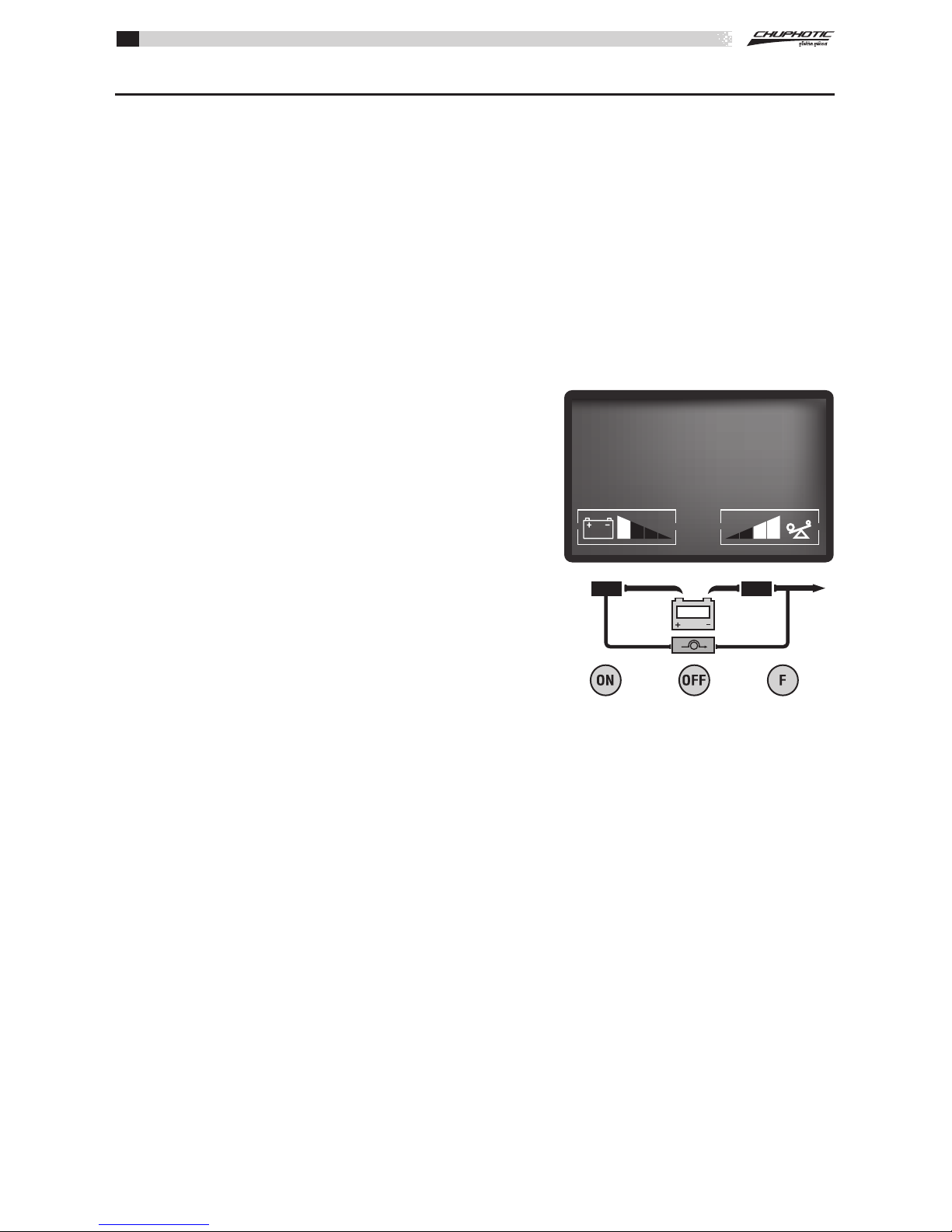
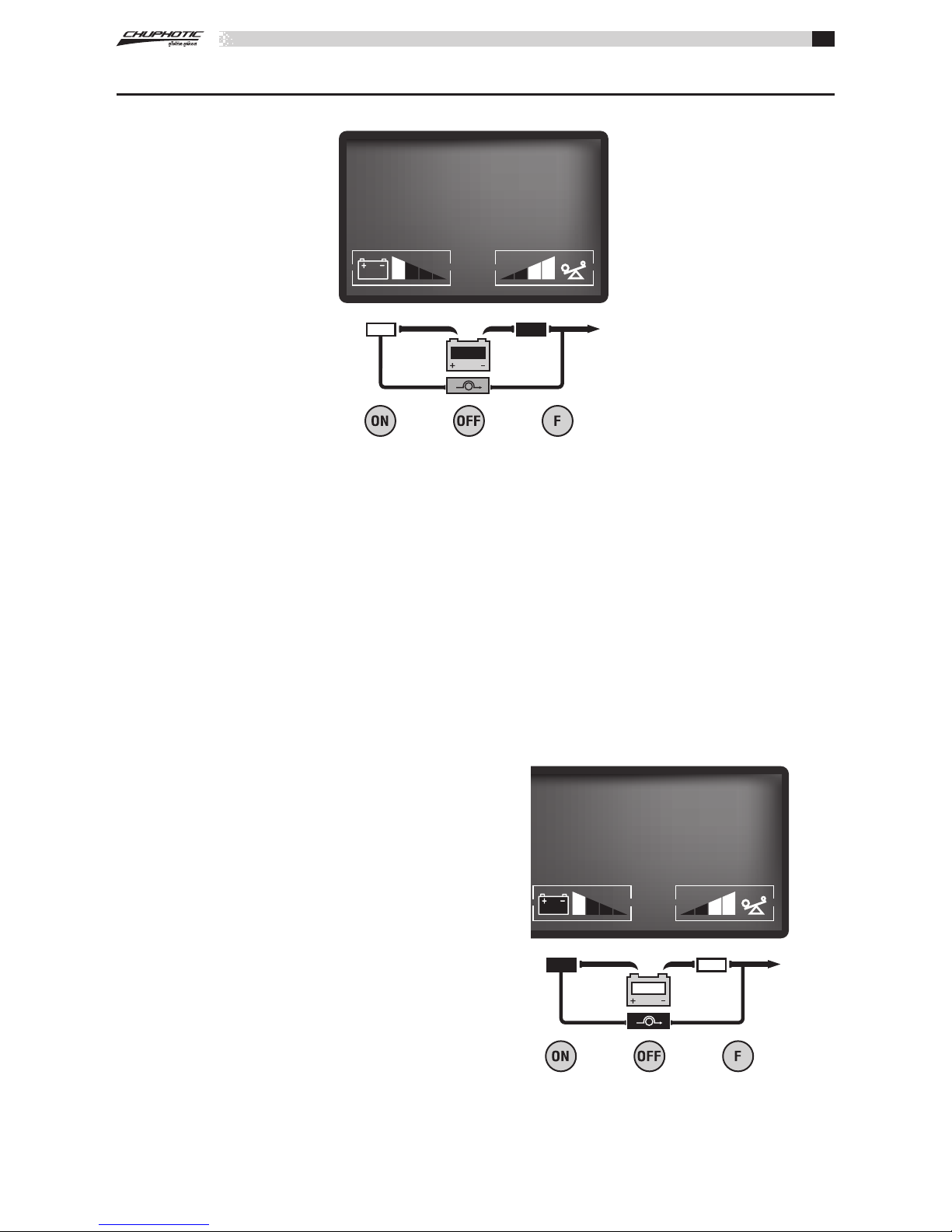
In the normal mode, the display on the front panel is shown in the following diagram. The utility power
indicatorand theInverterindicator areturnedon.Theload/batterycapacityindicatorwillbeturnedonin
accordance with the load capacity connected.
1. If the utility power indicator blinks, it indicates that there
areproblemswithreversedpolarity(L,N)ofsitewiringor
disconnectwithgroundthatmayresultinshockhazard.UPS
is still working in normal mode. If the battery indicator is
turnedonatthesametime,itshowsthatthevoltageorfre-
quencyoftheutilitypowerisoutofthenormalinputrange
of the UPS. The UPS works in battery mode.
2. If output overloaded, the load level indicators will be
turnedonandalarmwillbeepeverysecond.Youshouldget
rid of some unnecessary loads one by one to decrease the
loadsconnectedtotheUPSlessthan100%capacityofthe
UPS.
3. If the battery indicator blinks, it indicates that no battery
isconnectedtotheUPSorbattery voltage is too low.You
should check if battery is properly connected to the UPS, and
press function button more than 2 seconds to start the battery
self-diagnosis.IftheconnectionbetweenbatteryandUPSis
conrmedwithoutanyproblem,itmaybeduetothedefect
oragingofthebattery,pleaserefertothe“troubleshooting”
inchapter7tosolvetheproblemaccordingly.
Note: Connection to the power generator should be made according to the following steps:
• Activate the power generator and wait until the operation is stable before connecting the output of the
power generator to the UPS (be sure that the UPS is in idle mode). Then, turn on the UPS according to the
startup procedure. After the UPS is turned on, the loads are connected one by one.
• It recommended that the capacity of the AC generator chosen should double that of the UPS.
4.2.2 Battery Mode
Whenoperatinginthebatterymode,thedisplayofmainpageonthefrontpanelisshownasthegure5-3.
The battery indicator and the Inverter indicator areturned on. If the utility power indicator blinks at the same
time,itshowsthattheutilitypowerisabnormal.Loadinformationareashowsloadvalue,andbatlevelarea
shows current battery capacity.
1)WhentheUPSisrunninginbatterymode,thealarmwillbeepevery4seconds.Ifthe“Function”key
ispressedformorethan2seconds,thealarmwillnotbeep(silencefunction).Pressthe“Function”keymore
than2secondsagaintoresumethealarmfunction.
Figure 4-2 Normal Mode
220 50.0
VAC Hz
OUTPUT