
CIE-Group AVID2 Manuale utente
09/12
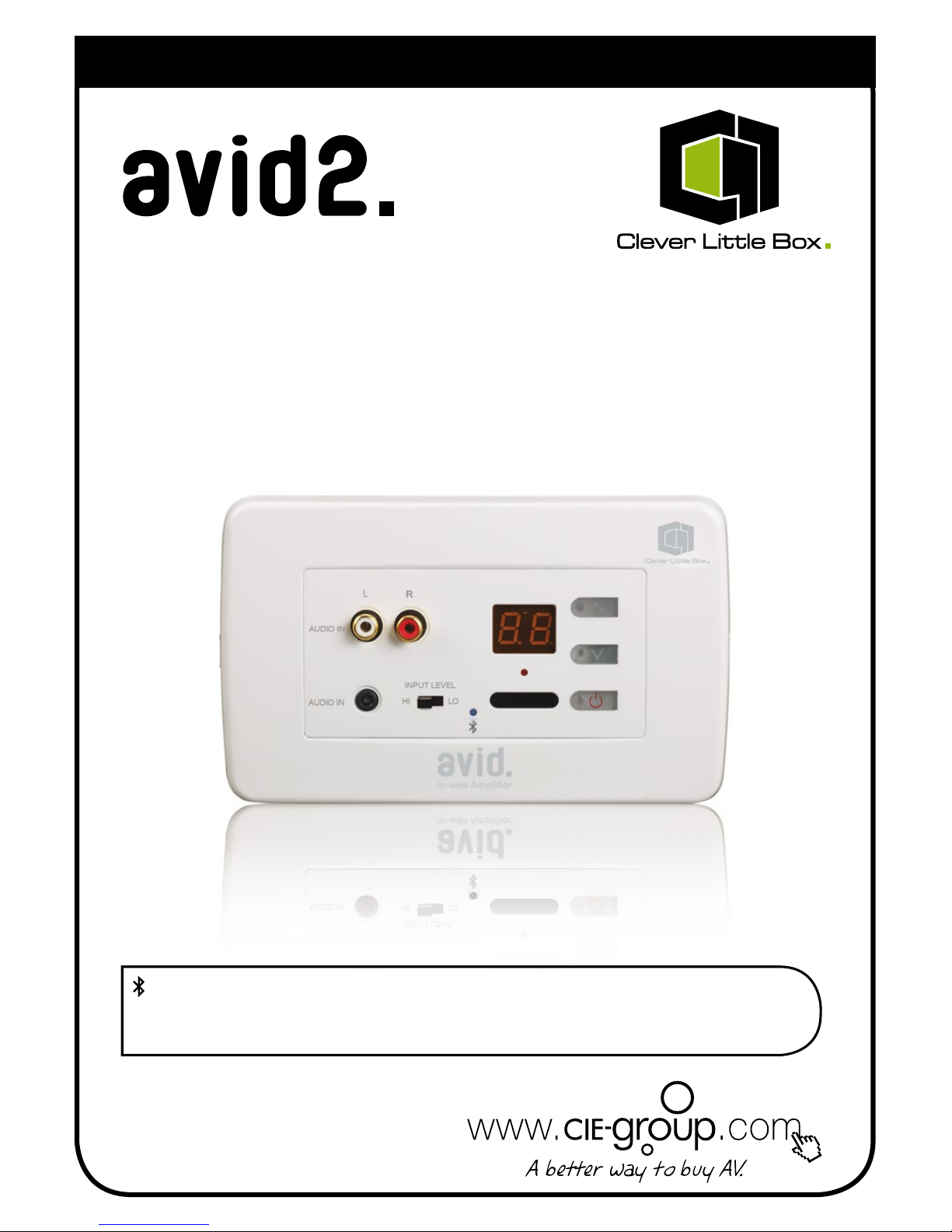
User Instructions
In-wall Amplifier with Bluetooth
Bluetooth Pairing Code
(BluetoothPairingCodeforyourAVID2canbefoundontherearoftheamplierUnit)
Please keep for future reference.
Quick-start User Guide:
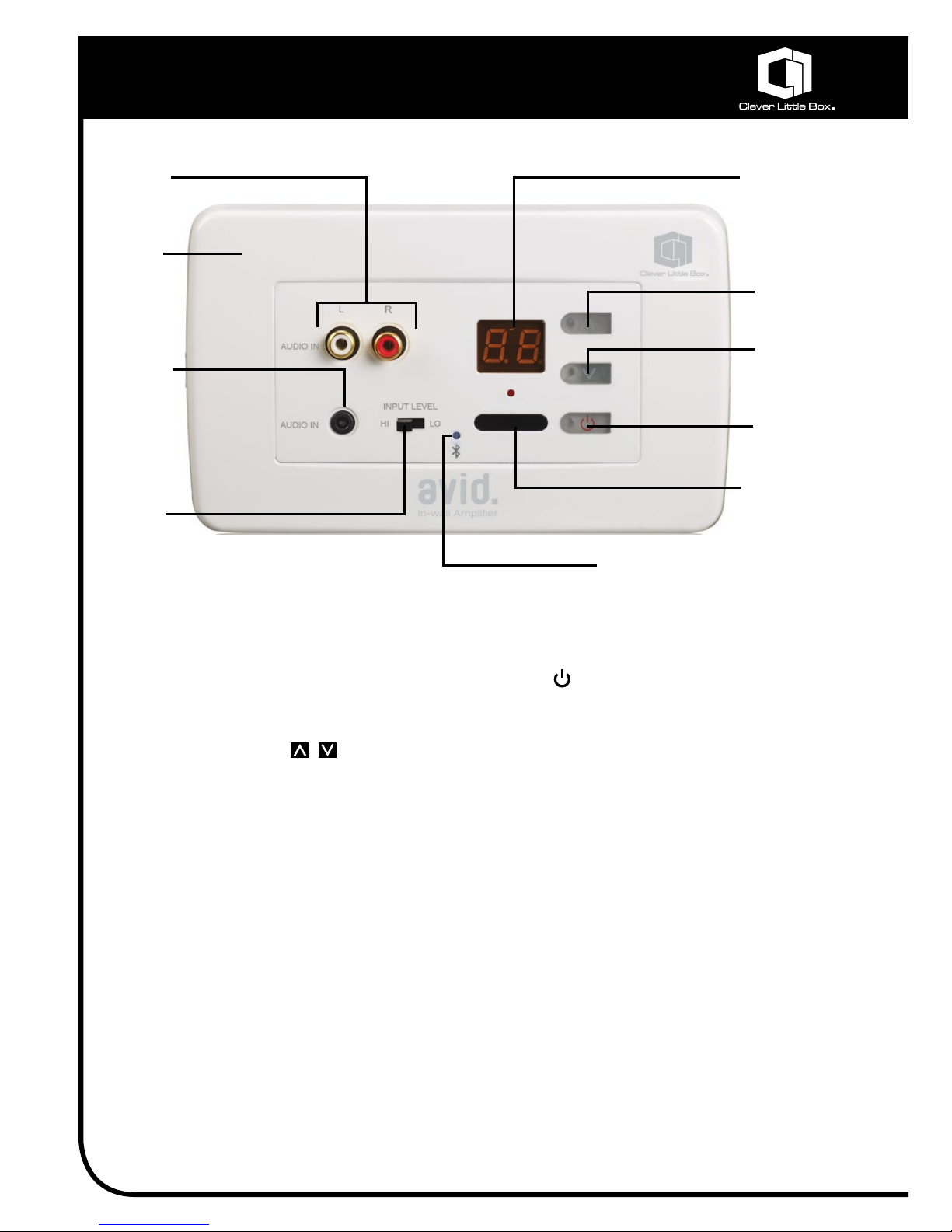
Stereo
Phono
Inputs
Audio Level
Display
Volume
Level Up
Volume
Level Down
ON/OFF
Switch
IR Receiver
Window
Hi/Lo Line
Level
Sensitivity
Switch
3.5mm
Jack Input
Fascia
Trim
Plate
Quick-start User Guide:
1. SwitchontheAVID2AmplierviathePowerSwitch()ofeitherthemainunitortheIR
remotecontrol.
2. EnsurethevolumeleveloftheAVID2issetto0usingthevolumecontrolsonthemainunit
orIRremotecontrol.
3. Connectyourmediaplayer/soundsourceeitherviaBluetoothorviawiredconnection(eg.
CD,DVD,MP3,laptop,etc)fromitslineleveloutputorheadphoneoutputintotheAVID2’s2
xStereoPhonoinputsorthe3.5mmJackinput.
(Connectingcablesarecommonlyavailableormayhavebeensuppliedaspartofyour
systembytheinstaller).
4. SetthevolumelevelonyourmediaplayertoapproximatelyhalfwayandpressPLAY.(NB.
Notallmediaplayerswillfeaturetheirownvolumecontrol).
5. Usingthevolumelevelcontrols(ofeithertheAVID2mainunitorIRremotecontrol),increase
thevolumeleveloftheAVID2ampliertoaclearandcomfortablelevelforyouraudience.
(MaximumVolumeLevel=20).
6. NOTE:Ifthevolumelevelisstilltoolow,furtherincreasethevolumelevelofthemediaplayer;
orwheretheaudiosignalisfromaheadphoneoutput(whichnormallygivesalowersignal
level),switchtheInputLevelSwitchonthemainAVID2unitto‘Lo’.
Bluetooth
LED Indicator

Additional features of the AVID2 Amplifier:
Introduction:
The Clever Little Box ‘AVID2’ is a simple and highly compact, yet powerful Stereo Amplier,
installedtoprovidesoundreinforcementforvoiceand/ormusicreinforcementinyourclassroom/
boardroom.
Awiderangeofauxiliaryaudiovisualdevices(suchasCD,DVD,MP3,laptop,video,etc)canbe
interfacedwiththeAVID2Ampliertoprovidesoundreproductionthroughoutthewholeroom,
ensuringthewholeclass/audiencehearsthesoundsourceclearly.
Additional Features of the AVID2 Amplifier:
• Bluetooth Connectivity -
The AVID2 incorporates a Bluetooth Receiver Module, allowing wireless connected audio
playback via devices enabled with Bluetooth version 2.1 via A2DP prole such as, laptops
smartphones,tablets,iPods,etc...
AblueLEDonthefrontpanelprovidesavisualindicationofBluetoothfunctionasfollows:
Blink=Pairingmode
Solid=Connected
Ifmultipleunitsaretobeusedwithinasinglelocationsuchasaschoolorinthehome,each
unitissuppliedwithauniqueI.DtoidentifywhichAVID2toconnecttoonceselectedthepairing
codeisusedtopairyourtransmitter.TheBluetoothsignalwilloperatewithinarangeofapprox
10mdependingontheenvironmentinwhichtheAVID2istobeinstalled.
• Audio Signal Inputs –
Therearetwodifferent‘Line’inputsonthefrontfaceplateoftheAVID2Amplier:
-2xStereoPhonoinputs
-1x3.5mmStereoJackinput
Both are standard connectors and linking cables from your audio device (CD, MP3, etc) are
commonlyavailable.
‘Priority’Input.NB.The3.5mmJackinputhas‘priority’overtheStereoPhonoinputs;thismeans
thatifsignalsareconnectedtobothinputs,the3.5mmJackinputsignalwilloverride(or‘take
priority’).
• ‘Hard-wired’ Audio Signal Input –
An additional audio signal may have been ‘hard-wired’ (permanently connected) to the rear
connectionsofyourAVID2amplier(forexample,ifaTV,DVDplayerorcomputerisapermanent
xtureintheroom).
Thisaudioinputiswiredinparallelwiththe3.5mmJackinputonthefrontofyourAVID2main
unit.Therefore,ifthehard-wiredsourceisplayingatthesametimeastheplugged-insource,
bothsignalswillgivea‘mixed’output(i.e.willplayatthesametime,withajumbledeffect).This
iseasilyrectiedbystopping,pausingorswitchingoffoneofthetwomediaplayers.

• Hi/Lo Line Level Sensitivity Switch –
Theleveloftheoutputsignalfromdifferentmediaplayers(eg.CD,DVD,MP3,laptop,etc)may
vary quite signicantly and, where the player’s output is only available from the headphone
output(marked‘’),itwillnormallybequitelow.
TheAVID2,therefore,featuresa‘LineLevelSensitivitySwitch’withHiandLosettings.
Atfulllinelevel,theswitchshouldbesettoHi.
Aloweroutputsignal(suchasheadphone)shouldbesettoLowhichwillincreasethevolume
leveloutputfromtheAVID2.
NOTE:IftheSwitchissettoLowhenafulllinelevelsignalisrunthroughtheAVID2,thevolume
willbetoohigh,resultinginadistortedsound.Shouldthisoccur,theSensitivitySwitchshould
beimmediatelysettoHi.
• Tone Control –
TheAVID2’sIRremotecontrolalsofeaturesBassandTreblecontroltosetthesoundtoyour
preferredlisteningortotherequirementsofthereproducedsound(eg.somemusicmayrequire
increasedbasslevel;whereasvoicerecordingsmaybenetfromdecreasedbassandincreased
treblelevels).
Inmostinstances,however,BassshouldbesettoL.5andTrebletoH.5(Levelsettingsappear
onthemainunit’sAudioLevelDisplaywhenadjustmentsaremadefromtheremote).
• L & R Balance –
TheAVID2’sIRremotecontrolfeaturesLeft&RightLoudspeakerBalance,allowingthevolume
levelofeachspeakertobeincreasedordecreasedaccordingtotherequirementsoftheroom
layoutoraudienceposition.
Inmostcases,however,thesesettingsshouldbeleftalone(setatB.5).
• Loudness Function –
Thisisa'BassBoost'functiononlyavaliableonAVIDv1.
ThisfunctionoftheIRremoteisnotenabledonthisAVID2Ampliermodel,butdoesnotaffect
remotevolumecontrolwhichisstillfullyfunctional.
Additional features of the AVID2 Amplifier:
RegisteredinEnglandNo.2761780
Indice
Altri manuali CIE-Group Amplificatore


