
CIK Doorbell Camera Manuale utente

CIK Doorbell Camera
Home monitoring without monthly costs
The CIK Doorbell Camera lets you answer your door from anywhere using your smart phone. It comes
with a wide-angle HD camera with night vision, providing a clear view from your front door, day and
night.
The CIK Doorbell Camera is easy to install. If you require help you can always call us for installation.
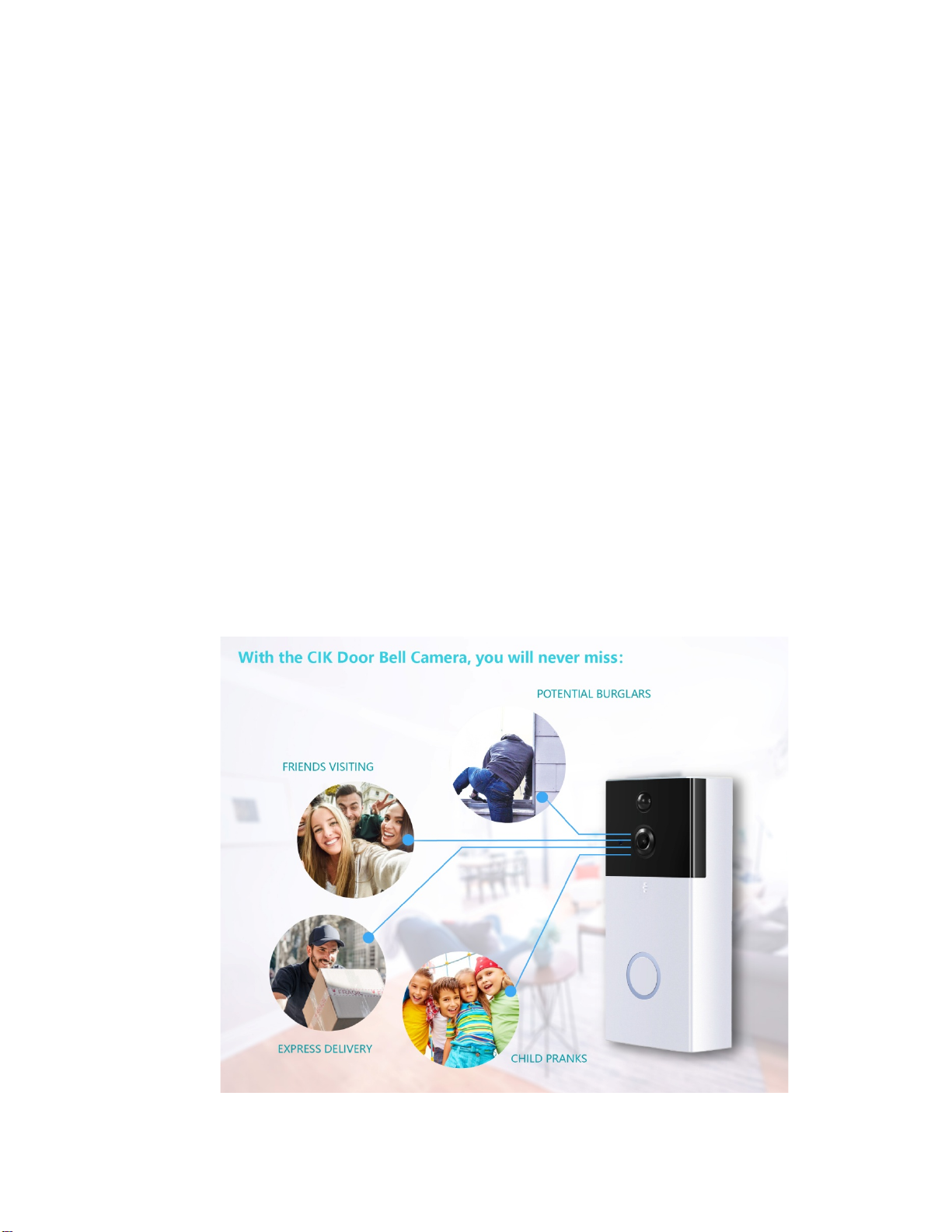
Motion detectors are activated and alerts are sent via the app (iOS or Android) to notify you of arriving
guests and/or deliveries. Never miss any activity at your front door. Answer and monitor your front
door from anywhere with the CIK Doorbell Camera.
CIK Home Security 24/7 Toll Free Support Number: 1-888-353-5867
Details and Specifications
Video: HD 1280*720@25fps
Angle View: 120°Video width
Compression: H.264/ Motion JPEG
Waterproof rating: IP55
Night Vision Distance: 6Pcsx850nm IR LED, 5M IR-Cut distance
Storage: Micro SD Card support, 64GB max. (Micro SD Card not included)
Supporting OS: iOS, Android
Battery: Supports 2x (5800mAh) 18650 Rechargeable Batteries (not included)
Connection: Wi-Fi 2.4Ghz IEEE 802.11 b\g\n / AP hotspot connection
Dimensions: 5.2 x 2.8 x 1.0 inches, 14.2 x 7.7 x 2.6 cm
Features
Audio: Two-Way voice, extra in-home speaker included for doorbell chimes
Recording: Video recording storage in the cloud (coming soon)
Notification function: Notifications of the doorbell through the app, email or sms($1.99/m)
Motion detection: Motion detector built-in with notifications through email (notifications
through SMS $1.99/m per phone number), or app
Installation: Installation kit included for easy set-up in just a few minutes ( if you
require installation by us, costs may range from $0-200)
2

CIK Doorbell Camera Installation Guide
Step One: Remove Your Old Doorbell Button
! MAKE SURE TO TURN OFF THE POWER AT THE BREAKER BEFORE INSTALLATION !
Video installation guide: https://www.youtube.com/watch?v=xRCeb0ErkzA
•Remove your doorbell from the wall using a screwdriver, and disconnect the wires.
Step Two: Line Up the Mounting Bracket/Holder
To properly line up the mounting bracket:
•Place the mounting bracket next to your door at about chest height.
•Level the mounting bracket using the level tool if you have one.
•Mark the positions of the for mounting holes with a pencil.
3

Step Three: Drill Holes
•Use a drill to drill holes where you marked the position of the mounting holes.
•If you are mounting the bracket on brick, concrete, or stucco put plastic anchors into the
holes. You may need to use a hammer to get the anchors in.
•If you are mounting the bracket on wood or vinyl, just use the included screws.
4

Step Four: Connect Your Doorbell Wiring to the Terminal Screws
Located on the Mounting Bracket.
•Tighten the screws to make sure the connection is secure
5

Step Five: Place Your Ring Video Doorbell on the Mounting
Bracket
Make sure it is clicked into the mount/holder
Step Six: Tighten the Security Screw
•You are now ready to set-up your doorbell alarm using your smart phone and Wi-Fi
Connection.
6

CIK Video Doorbell Camera Pairing instructions
Pairing video guide: https://www.youtube.com/watch?v=8cEpMRPs8WI
Description
Function
Infrared Lamp
When it gets dusky outside, this lamp will turn on automatically for Night Vision mode
Micro SD card
Slot
Supports TF/ MICRO SD cards (Max. 64GB)
Reset Key
Press and hold the reset button for 6 seconds to restart the device and restore
default settings
Download and install the JJhome app:
1. Download the JJhome APP in the Google Play or Apple Store.
2. Create an account using your email or phone number, and log-in.
3. Make sure to allow JJHome to have access to your device and settings.
4. Make sure to update the JJhome app to the latest version.
5. Start the JJhome app, register an account using your phone number + country
code , and log-in.
7

Pairing your CIK doorbell camera to the JJhome App:
1. Click on the + on the upper right corner of the JJhome menu.
2. Click on the + in the middle to add a device.
3. Click the icon: "Doorbell".
4. Select the option: "Add new device".
5. Please choose your Wi-Fi for the doorbell to connect to, and enter your -Wi-Fi
password.
6. After pairing with the sound wave is successful, you will hear and see a prompt:
"Connect Successful".
7. After pairing, the app will ask you to set a private password for your device.
8

Monitoring and using your CIK doorbell camera
1. Using the doorbell camera
When someone presses the doorbell your phone will receive a call/notification
You can then answer the call and see the person in front of your doorbell and speak to each
other using your doorbell camera and phone.
2. Motion detection
When someone nears your frontdoor or doorbell camera, the motion detector will detect the
movement and notify you through the app or email.
9
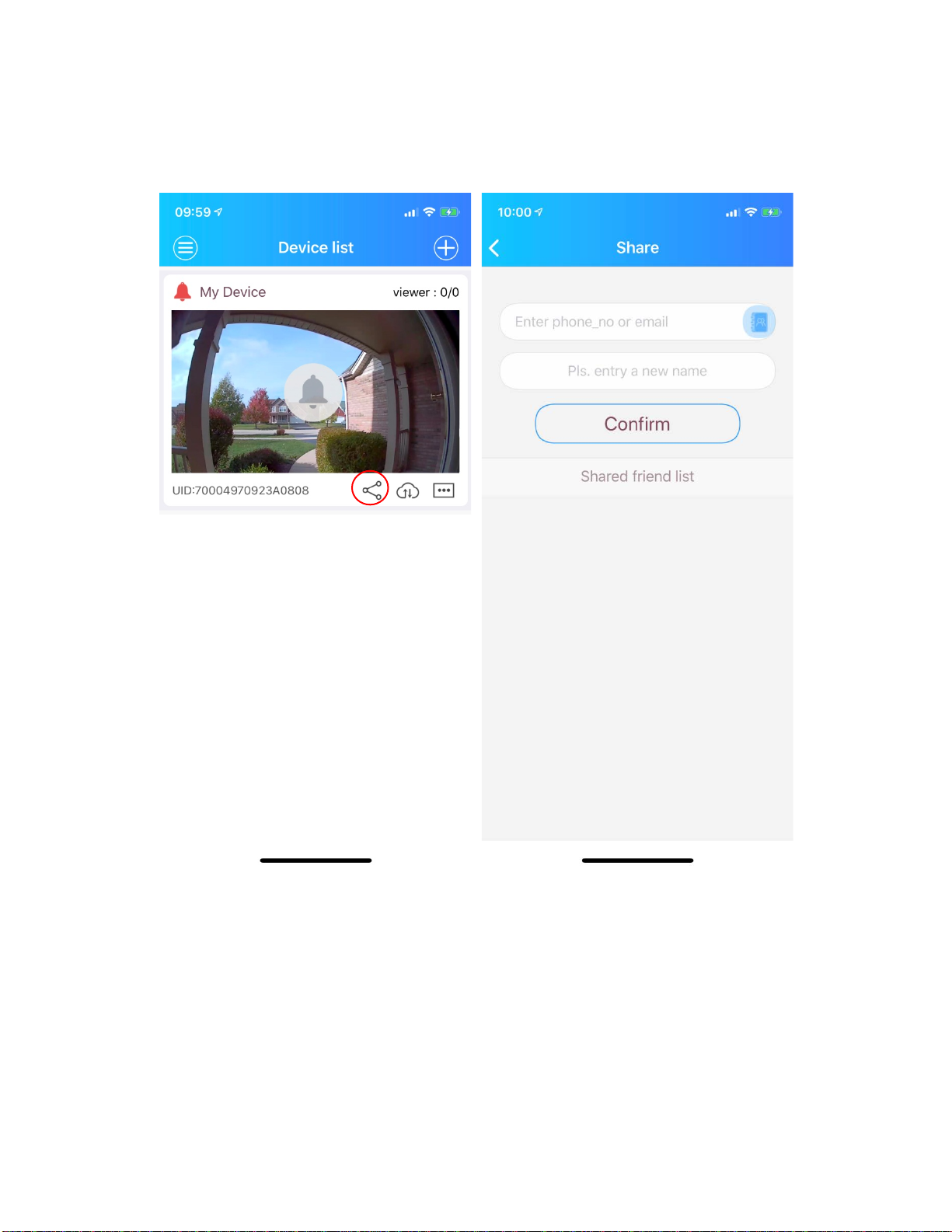
3. Share the device
Users can share the device with their family and friends.
Click on the share icon (first icon on the bottom) to share the device with your family or any household
member. After that, select or input the person's phone number, whom you want to share the device
with.
Note: Shared users need to download the JJHome app and register an account before they can use this
function.
10


