
Cirrus BladeM Manuale utente

Cirrus HQ
200 West Rd.
Portsmouth, NH 03801
877 636 2331
cirrusled.com
This document is confidential and proprietary to Cirrus Systems for distribution to direct customers and their installers only.
© Copyright 2021, Cirrus Systems, Inc., All Rights Reserved.
Installation Manual
The revolutionary and ultra-high resolution BladeM
REV04122021

BladeM LED Display System
Installation Manual
This document is confidential & proprietary to Cirrus Systems for distribution to direct customers and their installers only.
Table of Contents
A. Introduction
. Equipment description
. Safety/compliance information
. Environmental considerations
. Shipping/receiving, product storage
. Warranty terms for all displays
B. Frames and Assembly
Frame assembly
Frame mounting
Ventilation
C. Electrical Section
Power cable
Power injectors 1
D. Controller
M Pro Controller details
Mounting the M Pro Controller
Extension cables
Connecting the all-in-one antenna
Mounting the all in-one-antenna
M Pro indicator codes
Automapping procedure
E. Panels
Connecting panels
Cable connections
Wiring pattern
F. Network Connections
Important network information (Ethernet or WiFi kit only)
WiFi kit installation
Connecting the WiFi kit
BladeM LED Display System
Installation Manual
This document is confidential & proprietary to Cirrus Systems for distribution to direct customers and their installers only.
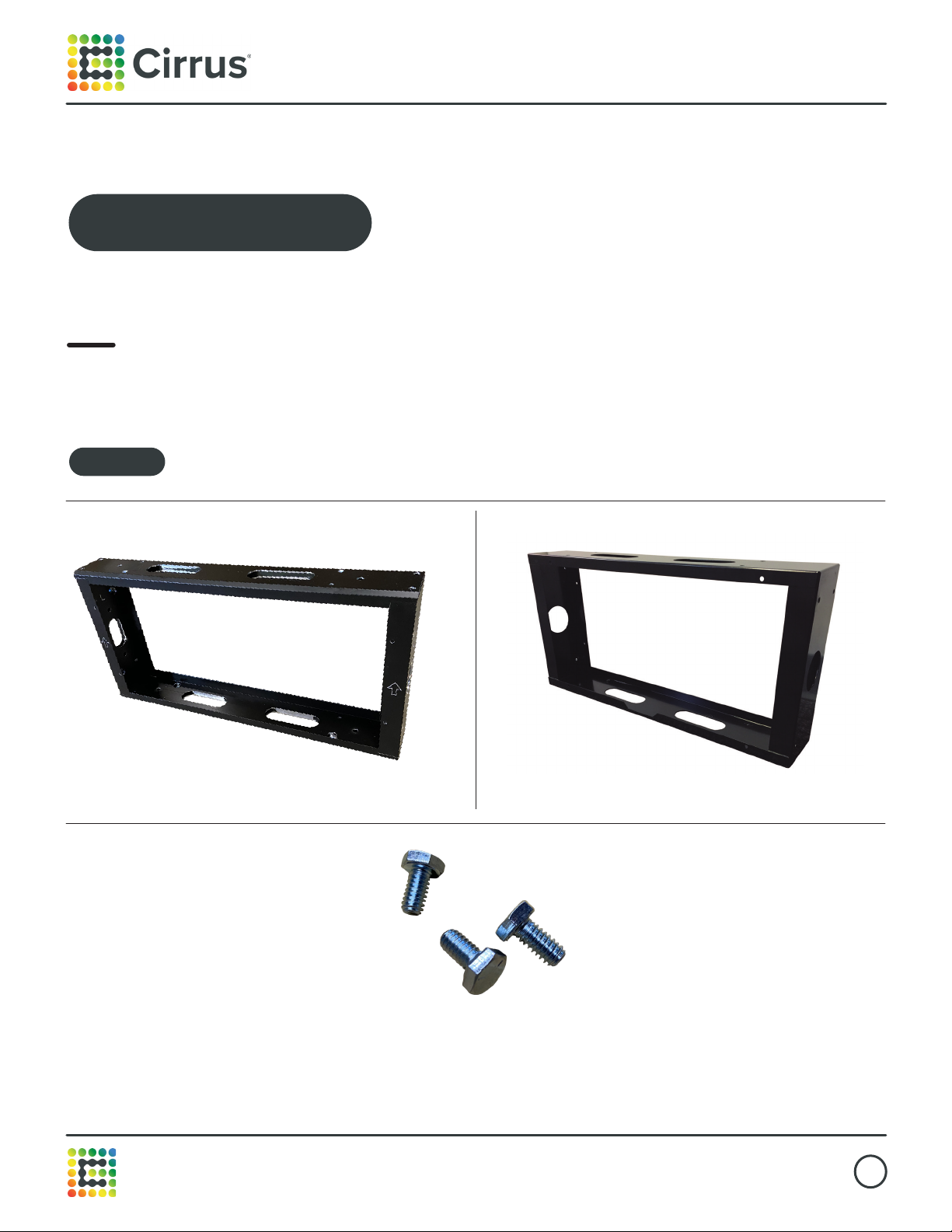
1. Equipment description
1’x2’ Cirrus frame
BladeM LED Displays are modular signs consisting of these components:
Frame bolts, ¼”-20x0.5”
1’x2’ Legacy frame
A. Introduction
Frames
BladeM LED Display System
Installation Manual
This document is confidential & proprietary to Cirrus Systems for distribution to direct customers and their installers only.
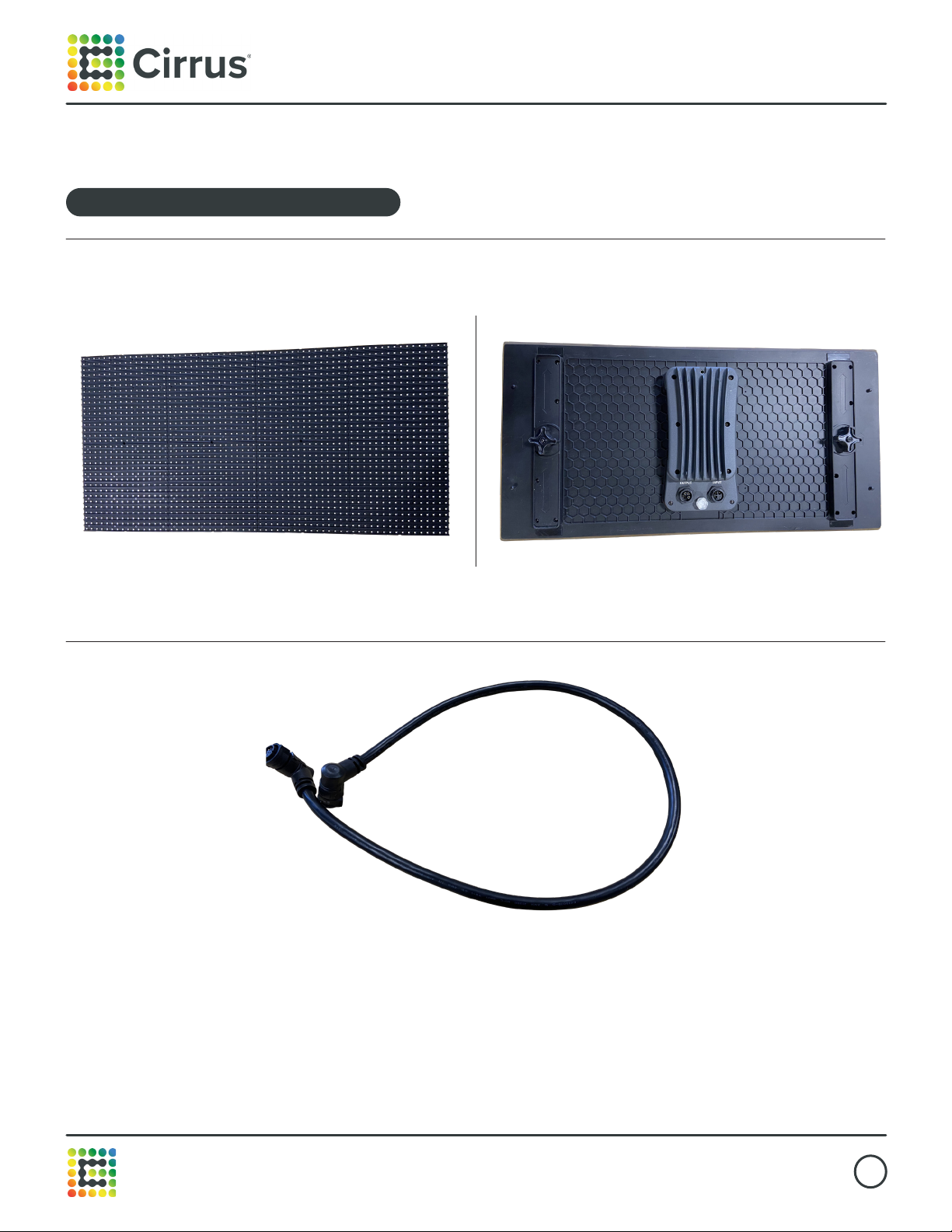
Panel cable
Rear view
BladeM 9mm LED sign module
BladeM LED Display System
Installation Manual
This document is confidential & proprietary to Cirrus Systems for distribution to direct customers and their installers only.
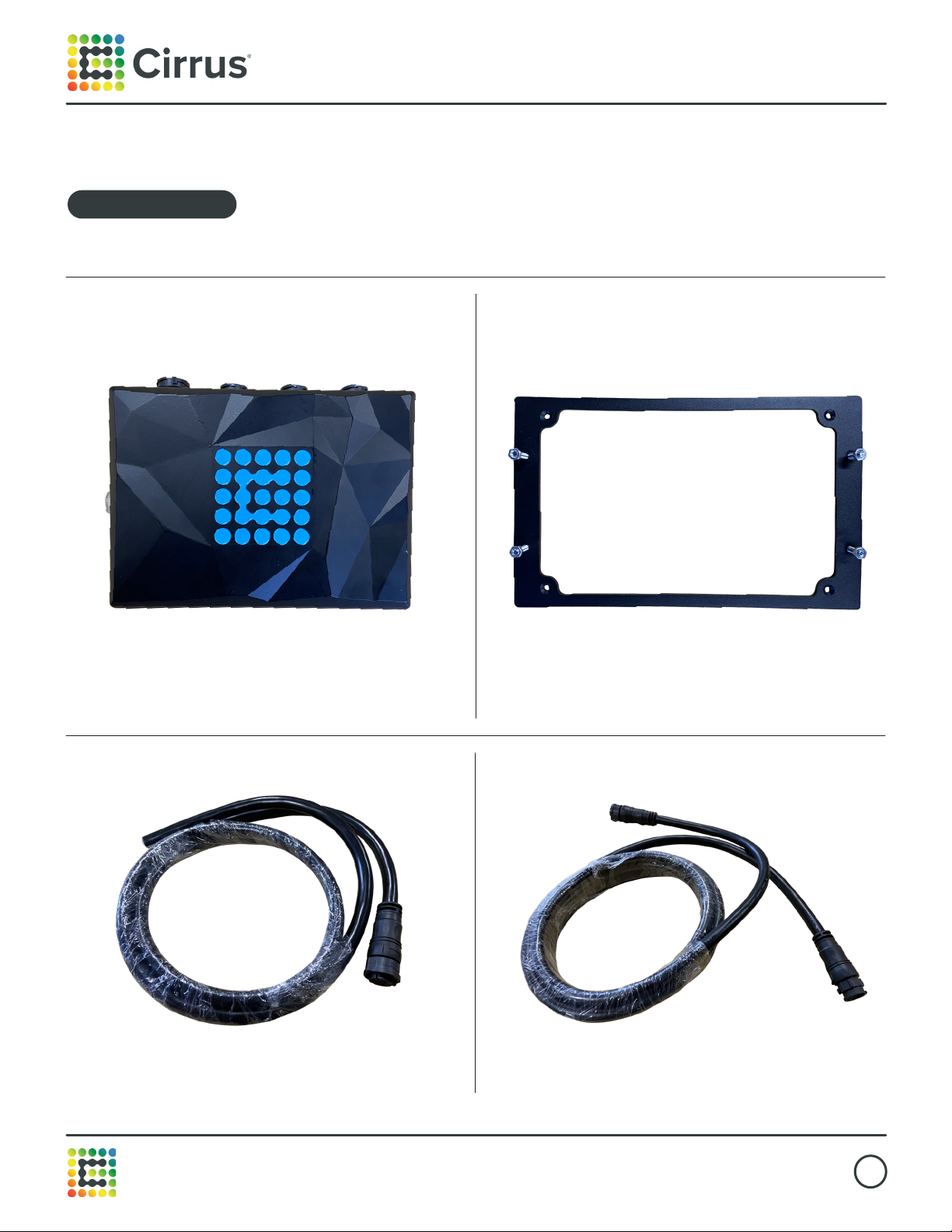
To manage single and dual-sided signs.
Controller box
10’ Extension cable (x2) Power cable
M1 Pro Controller M1 Pro Controller mounting bracket
BladeM LED Display System
Installation Manual
This document is confidential & proprietary to Cirrus Systems for distribution to direct customers and their installers only.
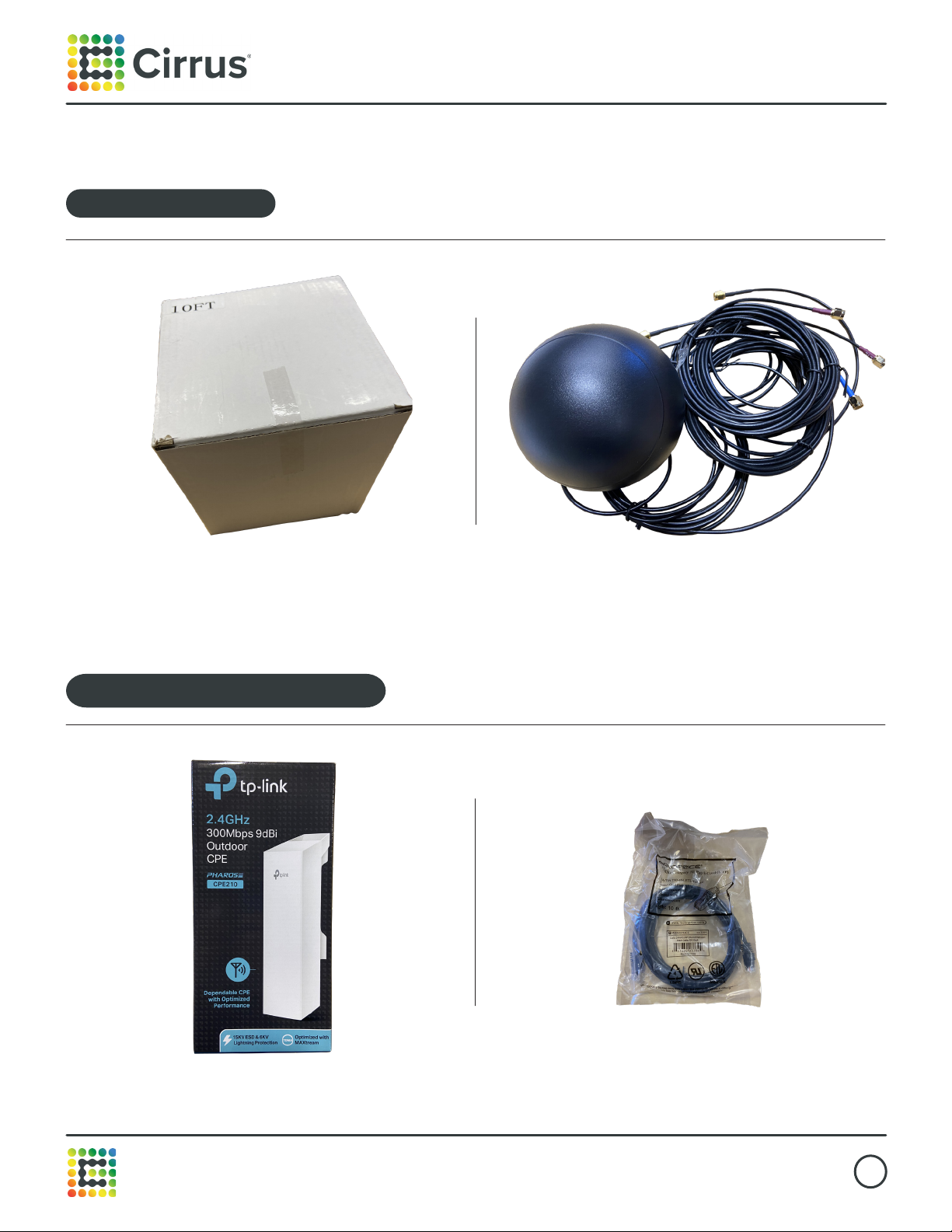
All-in-one antenna
TP-Link wireless kit
All-in-one antenna
Optional wireless access kit
10’ Ethernet cable (x2)
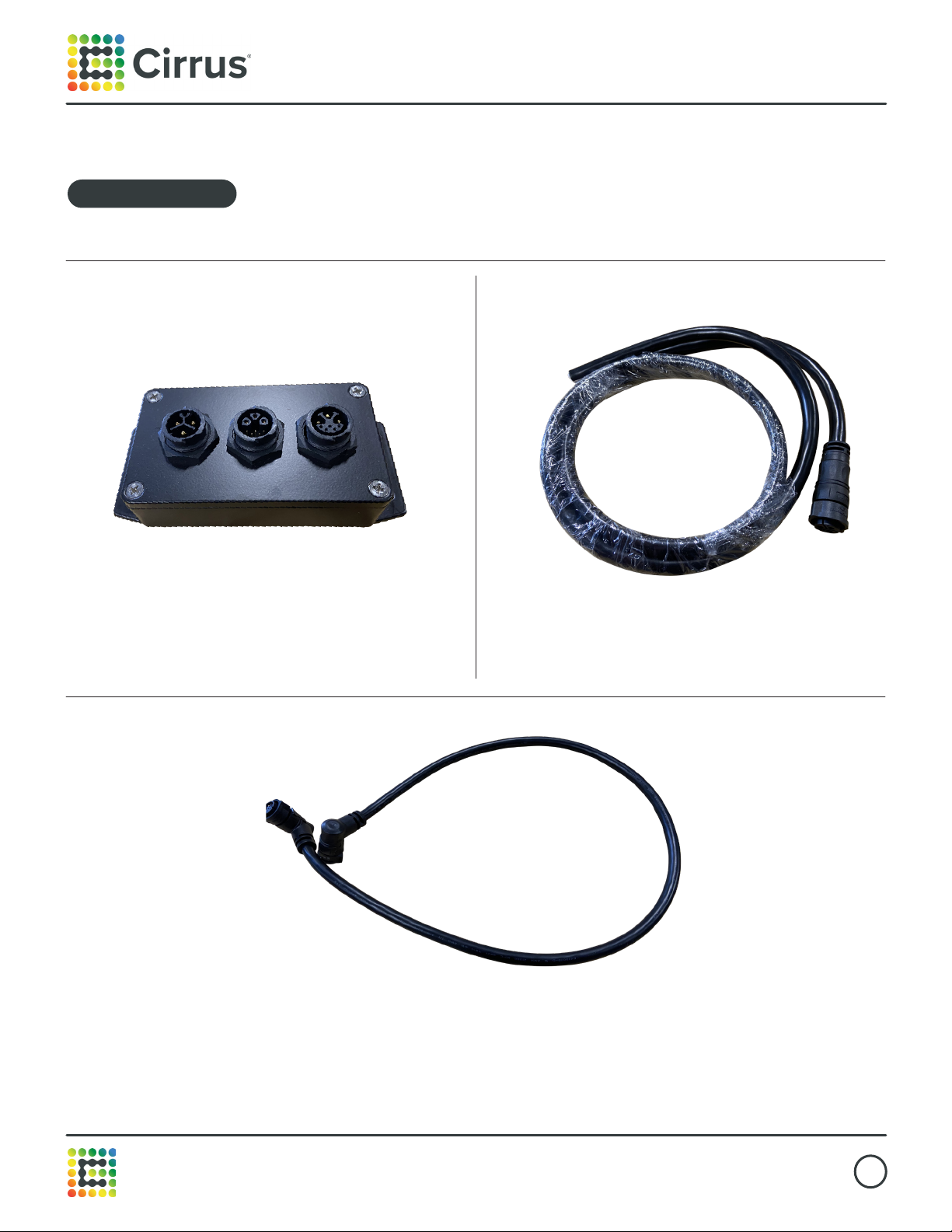
BladeM LED Display System
Installation Manual
This document is confidential & proprietary to Cirrus Systems for distribution to direct customers and their installers only.
(optional, may not be included)
Power injector
Power injector Power cable
Panel cable
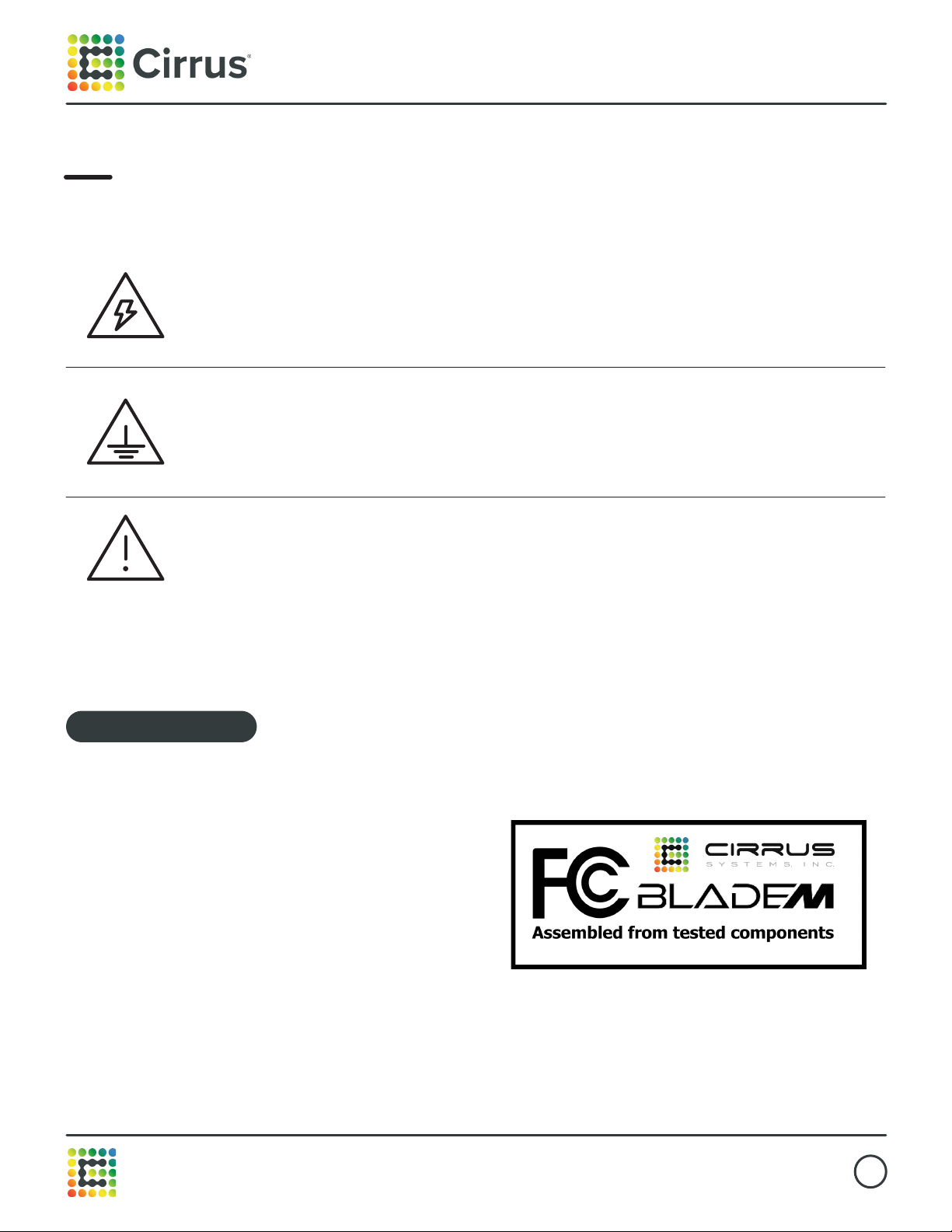
BladeM LED Display System
Installation Manual
This document is confidential & proprietary to Cirrus Systems for distribution to direct customers and their installers only.
2. Safety/compliance information
High voltage
Contact with high voltage from AC mains may cause death or serious injury. Always
disconnect AC power to unit prior to servicing.
Cirrus LED components are UL Listed. File #E352796 and FCC Certified.
This equipment has been tested and found to comply with
the limits for a Class A digital device, pursuant to part 15
of the FCC Rules. These limits are designed to provide
reasonable protection against harmful interference when the
equipment is operated in a commercial environment. This
equipment generates, uses, and can radiate radio frequency
energy and, if not installed and used in accordance with the
instruction manual, may cause harmful interference to radio
communications. Operation of this equipment in a residential
area is likely to cause harmful interference in which case the
user will be required to correct the interference at his own
expense.
Changes or modifications to this device that are not expressly
approved by Cirrus Systems, Inc. could void user’s authority to
operate this device.
Grounding
It is essential to earth-ground the sign before connecting controller. Connecting
signs that are not earth grounded may cause damage to the LED Display System
and in severe cases cause death or injury.
Other
Other safety messages appear throughout this manual where appropriate.
BLADE M LED DISPLAY SYSTEM
INSTALLATION MANUAL
cirrusled.com
Cirrus Systems Inc. | 200 West Rd, Portsmouth, NH 03801 • Phone: 1.877.636.2331 | contact@cirrusled.com
THIS DOCUMENT IS CONFIDENTIAL & PROPRIETARY TO CIRRUS SYSTEMS FOR DISTRIBUTION TO DIRECT CUSTOMERS AND THEIR INSTALLERS ONLY.
8
FCC Information
This equipment has been tested and found to comply with the limits for a Class A digital
device, pursuant to part 15 of the FCC Rules. These limits are designed to provide reasonable
protection against harmful interference when the equipment is operated in a commercial
environment. This equipment generates, uses, and can radiate radio frequency energy and,
if not installed and used in accordance with the instruction manual, may cause harmful
interference to radio communications. Operation of this equipment in a residential area is
likely to cause harmful interference in which case the user will be required to correct the
interference at his own expense.
Changes or modifications to this device that are not expressly approved by Cirrus Systems,
Inc. could void user’s authority to operate this device.
FCC information
BladeM LED Display System
Installation Manual
This document is confidential & proprietary to Cirrus Systems for distribution to direct customers and their installers only.
3. Environmental considerations
4. Shipping & Receiving, product storage
The BladeM LED panels are fully encapsulated and water-proof. The M1 Pro Controller is housed in
a water-proofed aluminum enclosure.
The BladeM LED panels are rated for an ambient operating temperature range of -40~+70° Celsius (-40
~ +158° Fahrenheit) and are designed to withstand continuous direct sunlight. If the panels experience
an over-temperature condition, a signal will be sent to the controller to shut down the sign. Once the
sign has cooled, it will automatically re-start.
The M1 Pro Controller is rated for an ambient operating temperature range of -10~+60°C (14~ +140°F)
and should be protected from direct sunlight. Operation at colder temperatures is routinely and
regularly accomplished, though starting the screen from a powered o state at temperatures below
14°F may not be possible. A controller which is in a powered on state produces ambient heat which
can allow it to continuously run at temperatures as low as -30°F (-34°C).
All components and connections are sealed and water-tight for protection from the ingress of dust and
water, though no components should be subjected to immersion in water.
All deliveries shall be FOB Cirrus Systems (Seller), Portsmouth, NH. Methods and routes of
shipment, unless Seller specifies in writing otherwise, shall be accepted as chosen by Seller at
Seller’s sole discretion. Purchaser shall pay all costs of shipment. Delivery to the carrier shall
constitute delivery and passage of title to Purchaser, and risk of loss shall pass to Purchaser
concurrently with passage of title. Seller will use reasonable diligence to meet scheduled shipment
dates and times. Such dates and times are the best possible estimates, and not guarantees, of
when goods will be shipped. In no event shall Seller be liable for any losses or damages of any kind
due to delays in shipment, nor may Purchaser cancel its contract because of any such delay.
It is the responsibility of the Purchaser to check the Product for visible damage prior to accepting delivery
from the carrier. Any damage to the Product must be noted on the delivery slip with the carrier and
immediately reported to Cirrus. Photographic evidence of damages will be required. Cirrus may assist in
seeking remedy with the carrier for damaged goods but does not retain title and therefore is not legally
responsible for said damages.
Delivered product should be stored in a cool dry place, out of the way of foot/motorized trac.
It is the installer’s responsibility to look over the product before installing to ensure there are no
missing parts and there is no visible damage to any parts of the display. If there is any damage,
Cirrus must be informed prior to install.
BladeM LED Display System
Installation Manual
This document is confidential & proprietary to Cirrus Systems for distribution to direct customers and their installers only.
5. Warranty terms for all displays
What this warranty covers
This warranty covers any defects, failures, or malfunctions of any Cirrus LED display system
hardware. All inspections of warrantied components will be conducted within 72 hours and results
will be presented immediately thereafter and applicable charges will be sustained or reimbursed at
that time.
9mm pixel warranty (per panel) - 1st year, 100% pixel guarantee, 2 pixels for years 2-3 and then 3
pixels for years 4-5.
6mm pixel warranty (per panel) - 1st year, 100% pixel guarantee, 4 pixels for years 2-3 and then 6
pixels for years 4-5.
Coverage period
This warranty lasts for five calendar years following the purchase of any Cirrus LED display system.
Warranty may not be exercised until the display has been installed, powered, connected to the
Internet and Cirrus has verified adequate setup. Displays that are stored for extended periods of
time and not installed within 90 days of shipment may not qualify for warranty coverage at the
discretion of Cirrus Systems Inc. Coverage terminates if an end user sells, transfers, opens or
tampers with any display system or its internal components.
What’s covered
Cirrus will replace any defective or malfunctioning part at no charge and pay for shipping. All
defective parts must be returned to Cirrus Systems for servicing upon failure. Replacement
components will be dispatched once a credit card has been secured to guarantee the return of the
defective part. Replaced parts are required to be returned within 45 days of shipment or a charge
for the cost of the replacement part will be applied to the held credit card.
What’s not covered
This warranty does not cover labor costs or any problem that is caused by abuse, misuse,
improper installation, or an act of God. Also, consequential and incidental damages are not
recoverable under this warranty. Some states do not allow the exclusion or limitation of incidental
or consequential damages, so the above limitation or exclusion may not apply to you. Cirrus will not
be responsible for any labor charges incurred during assembly, disassembly, or any other services
related to the part replacement.
Service eligibility
Any company or individual that purchases a display from Cirrus Systems or from an authorized
Cirrus distributor is eligible for this warranty and service. If issues are experienced with any display
system, contact Cirrus at (877) 636-2331 and follow the prompts for technical support.
Altri manuali per BladeM
1
Indice
Altri manuali Cirrus Monitor


