
Cloud Drive CDC6 Manuale utente

Version No.: CD/J_SMS_CDC6/20230414-01
MANUAL
For CDC6 Display
Cloud drive intelligent technology Co.,Ltd
No. 6, Yuxi Road, Pukou District, Nanjing, Jiangsu Province, China

Cloud drive intelligent technology Co.,Ltd
Empower and serve the global eBike industry
Business Cooperation
PREFACE
Dear users:
In order to make you have better operation experience of the e-bike, please read the
CDC6 MANUAL carefully before using. We will guide you to learn the detailed operation
steps of CDC6 display, including the mounting steps and functions. Meanwhile, this
MANUAL will help you find the solutions to the possible malfunctions.

www.clouddrive.tech
Empower and serve the global eBike industry
Business Cooperation
CONTENT
1. Product Introduction .........................................................................................................3
2. Technical Parameter ........................................................................................................4
3. Appearance&Dimensions ................................................................................................ 4
4. Button Definition ...............................................................................................................5
5. Installation Instruction ...................................................................................................... 6
6. Operation Instruction ........................................................................................................7
7. General Setting .............................................................................................................. 10
8. Cycling Mode Switch ......................................................................................................15
9. Connectors Definition .....................................................................................................16
10. FAQ ..............................................................................................................................17
11. Quality Assurance & Warranty Scope ..........................................................................17
Annex.: Error Code Definition Table .................................................................................. 18

Cloud drive intelligent technology Co.,Ltd
Empower and serve the global eBike industry
Business Cooperation
1. Product Introduction
CDC6 display adopts 3.5’’ LCD screen, and equip with the light and beautiful buttons, exquisite
appearance with matte black. The display interface frame is clear, double-layers printed circuit
board(PCB), nylon bracket, and ABS shell (The ABS material is allowed for normal use at temperature
ranging from -20°C to 60°C, meanwhile, it can also guarantee excellent mechanical properties.)
The same display can widely match the battery of voltage 24V/33V/36V/48V/52V, meanwhile,
integrated 24V/33V/36V/48V/52V headlight ON/OFF function.
Figure1-1 Product appearance
Main Functions:
Trip mileage and total mileage indication / Speed indication / Light indication / PAS level setting /
Residual battery capacity indication / Error code indication / Km/h and MPH switch / Wheel
diameter setting / USB charging / 6km/h walk assistance / Bluetooth connection(optional)

www.clouddrive.tech
Empower and serve the global eBike industry
Business Cooperation
Figure1-2 All icons indication interface
2. Technical Parameter
Name Technical Parameter
Rated Voltage 24V/33V/36V/48V/52V
Rated Current 24V/19mA, 33V/16mA, 36V/15.5mA, 48V/14.5mA, 52V/14.4mA
Ambient Temperature -20°C ~ +60°C
Ambient Humidity 0 ~ 100%RH
Protection Level IP65
Visible Angel of Screen Horizontal 160°, Vertical 160°
Table1 - Technical Parameter Sheet
3. Appearance &Dimensions
The standard bracket diameter is Ø31.8mm, we can provide the reduction sleeve of Ø22.2mm and
Ø25.4mm, to adapt to different handlebar size.
Figure3-1 Product dimensions

Cloud drive intelligent technology Co.,Ltd
Empower and serve the global eBike industry
Business Cooperation
4. Button Definition
The equipped CDButton2 has four buttons, including M(setting) button, UP button, DOWN button
and POWER button.
Figure4-1 Button definition
Button Operation Functions
Long press 3s
- While in main interface, enter the setting menu;
- While in setting interface, back to the main interface.
Click
- While in main interface, turn on/off USB charging function;
- While in setting interface, it is OK and interface switch function;
Click
- While in main interface, increase the PAS level;
- While in setting interface, switch options;
- While in password interface, increase the password number.
Long press 3s - While in main interface at level 0, start 6km/h walk assistance
function (release the button to cancel this function).
Click
- While in main interface, decrease the PAS level;
- While in setting interface, switch options;
- While in password interface, decrease the password number.
Long press 3s - Power off when in any interface.
Click
- While under power-off state, power on;
- While in main interface, turn on/off headlight;
- While in power-on password interface, switch password digits.
Table2- Button functions definition
/USB charging on/off
USB charging port

www.clouddrive.tech
Empower and serve the global eBike industry
Business Cooperation
5. Installation Instruction
Fix the CDC6 display and button on the ebike handlebar, adjust to a suitable view angle, make
sure the button is installed in an easy to operate position, tighten the screws, then the installation is
finished.
Figure5-1 Actual installation images
If need to install the headlight on the lower part of plastic clamping ring, the headlight bracket can
be clamped on the lower side but not the higher side.
Figure5-2 Equiaxial side view

Cloud drive intelligent technology Co.,Ltd
Empower and serve the global eBike industry
Business Cooperation
6. Operating Instruction
6.1. Display power on/off
Click button to power on the display and the display start to work, under power on condition,
long press button for 3s to power off the display. Under power off condition, the display no longer
uses the battery power, the display electric leakage current is less than 2µA.
6.2. Headlight function on/off
Under power on condition, click button to turn on the headlight, meanwhile, the headlight
icon will appear on the screen. Click button again will turn off the headlight.
6.3. USB charging function on/off
While in the main interface, click button to turn on/off the USB charging function.
6.4. PAS level selection and 6Km/h walk assistance mode
Under power on condition, click or button to switch the PAS level and change the
motor output power. The display’s default output power range is level 0 - 5. When at level 0, long press
button will enter the 6Km/h walk assistance mode, release button to cancel this function.
6.5. Display main interface
The display main interface will indicate: Real-time speed, Speed unit, ODO(Total distance), Trip
(Single time distance), Maximum speed, Average speed, PAS level, Battery capacity, Error codes,
motor power(showed as loading bar) information etc modes.
Note: The real-time speed unit is indicated in Km/h and MPH, user can set the speed unit in the
setting menu. The display can only indicate one type of speed unit but neither two together.

www.clouddrive.tech
Empower and serve the global eBike industry
Business Cooperation
Figure6-1 Functional icons with mark number
1. Cycling Modes
PEDELEC: Max. Throttle speed limit 32Km/h, Max. PAS speed limit 25Km/h
CLASS3: Max. Throttle speed limit 32Km/h, Max. PAS speed limit 45Km/h
OFF-ROAD: Max. Throttle speed limit 52Km/h, Max. PAS speed limit 52Km/h
2. PAS Level 7. Left-turn Indicator
Level 0 to level 5 8. *Low Beam
3. Real-time Motor Output Power 9. *High Beam
4. Information Indicated Area 10. Right-turn Indicator
Real-time speed indication 11. Battery Percentage Indication
Wheel size setting indication 12. Battery Capacity Indication
Version information indication 13. 6Km/h Walk Assistance
5. Distance Data Indicated Area 14. *Dual Driving Function
ODO: Total distance data 15. *Bluetooth Function
TRIP: Single-time distance data 16. USB Charging Function
Remain: Remained distance data 17. *Heartbeat Monitor
6. Speed & Error Indicated Area 18. Speed Unit
Max: Maximum speed data MPH: Mile per hour
AVG: Average speed data Km/h: Kilometer per hour
Error: Error codes 19. Cruise Mode
REMARK: a. Low beam is used as headlight in this version;
b. The functions of item 9,14,15,17 etc, are not available in this version.
Table3 Functional icons definition
Cloud drive intelligent technology Co.,Ltd
Empower and serve the global eBike industry
Business Cooperation
6.6. Battery capacity indication
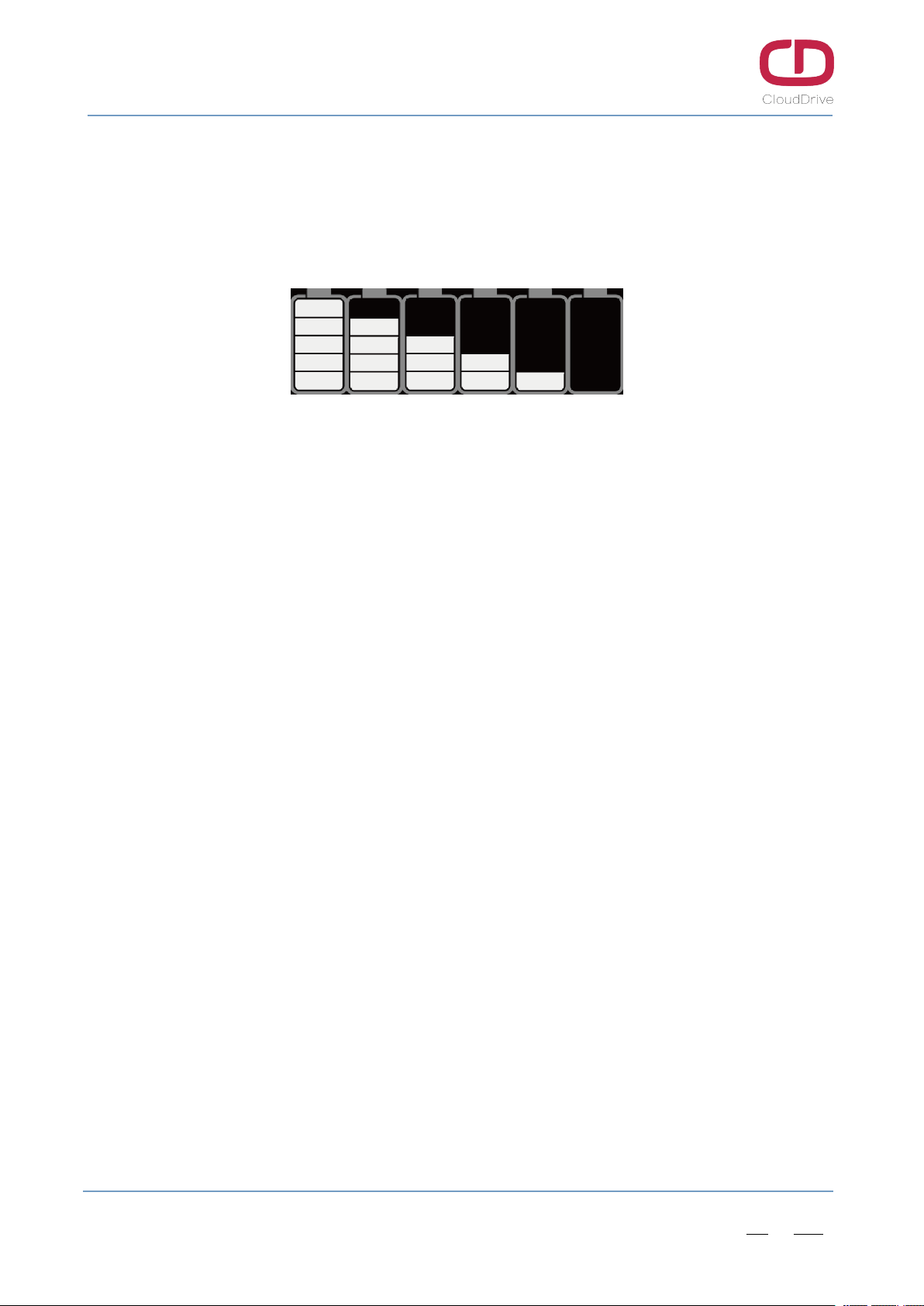
When the battery is fully charged, all five capacity indicators light up. When the battery is voltage
shortage, the last battery capacity indicator will flash, and the battery needs to be charged immediately.
Figure6-2 Battery capacity indication
6.7. Error code indication
When there is malfunction on the electronic control system of e-bike, the display will automatically
indicates the error codes. The error icon will flash and the electronic control system of e-bike will stop
working. The display will exit the error interface only when the malfunction is fixed.(The display won’t
work properly until malfunction fixed even if the display restarted). Please check attached Error Code
Definition Table for the error reasons.
6.8. Motor power indication
During the riding process, the controller will feed the motor power back to the display, so that the
display can indicate the motor power in real time. The higher the current value, the greater the motor
power.
Altri manuali per CDC6
1
Indice
Altri manuali Cloud Drive Accessori per biciclette


