SHENZHEN CNCOTE TECHNOLOGY CO.,LTD
Website: www.cncote.com Attn: Jack Foo,
---------------------------------------------------------------------------------------------------
In 10 or 40 seconds, the unit will begin to work and acquire the GSM signals as well as the GPS signals.
The indicator will keep flashing every 3 seconds when the unit has received the signals.
When this unit receives GPS signals normally, you can use it and do any setting as the instructions of
this manual.
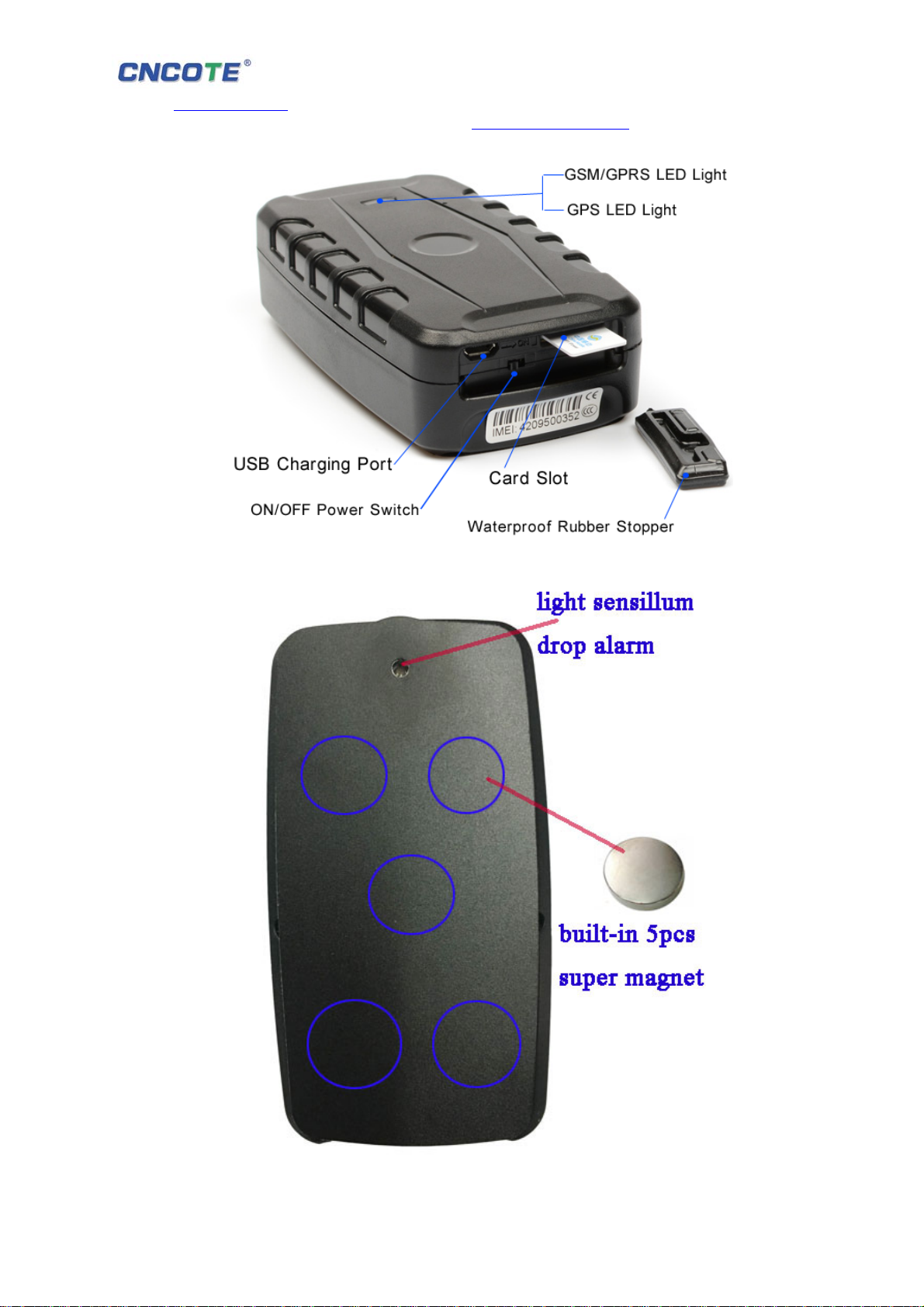
5.4 LED light meaning
green LED for GPRS working status
Status of indicator Meaning
Slow flash (flash 1s after every 2s) GSM / GPRS conversation start
Continuously in bright status No GPRS signal
Green Led off Device fault or sleep
Blue LED for GPS working status
Status of indicator Meaning
Slow flash (flash 1s after every 2s) GPS location successful
Continuously in bright status Searching GPS signal
Blue led off Device fault or dormant
Red LED for power charging status
5.5 Initialization
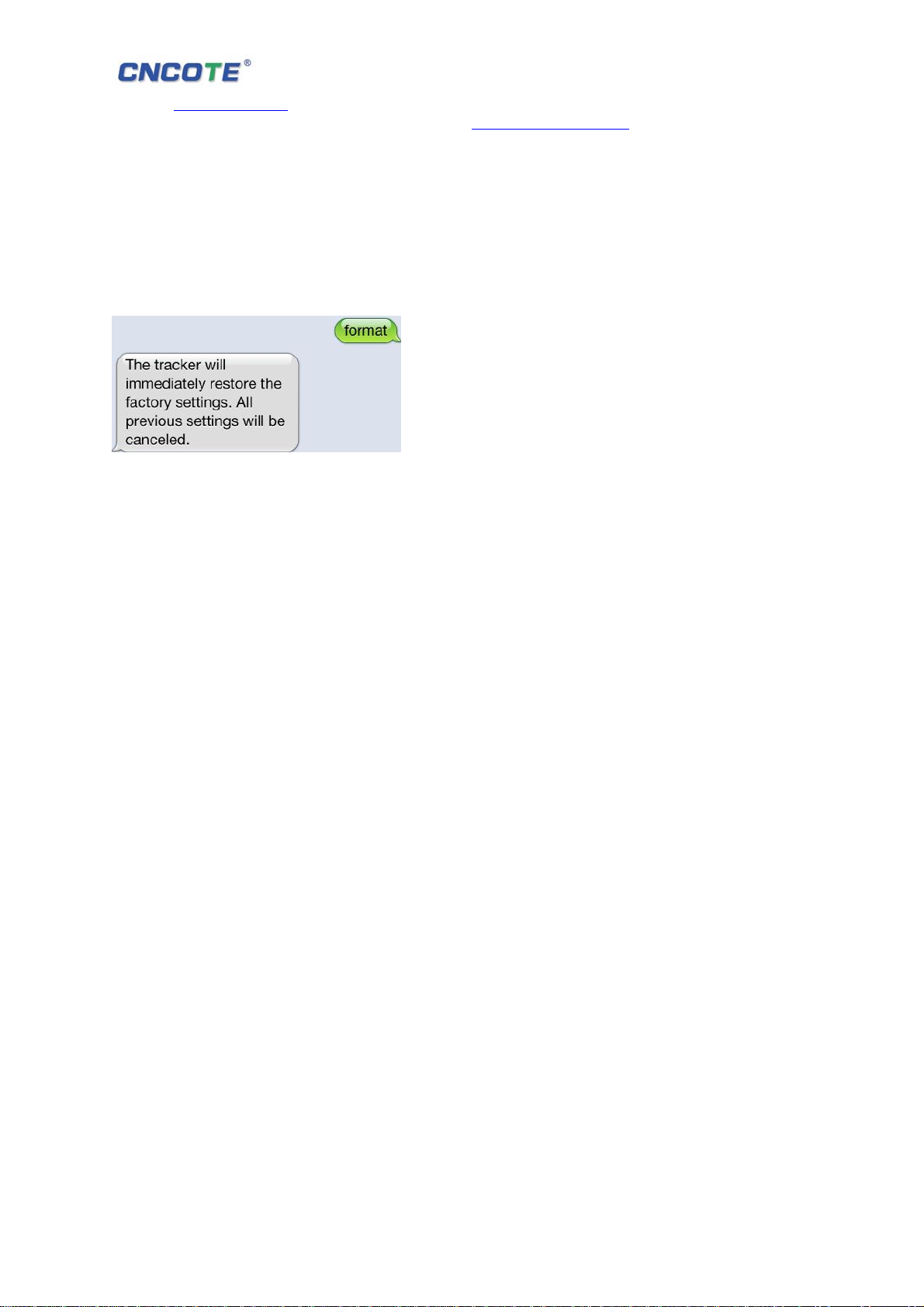
Send “begin+password” in SMS to the unit, it will reply “begin ok” and initialize all the settings.
(Default password: 123456)
For example, send SMS“ begin123456” to the tracker via a cell phone, If succeeded,
it will reply“begin ok”.
5.5 Change the password
5.5.1 Set Password: Send sms: “password+old password+space+new password” to the unit to change the
password.
For Example, please send sms: “ password123456 000000” to terminal device, it will reply sms:
“password OK”. New password 000000 changed in success.
5.5.2 Be sure keep the new password in mind, you have to upload the software to restore the original
setting in case of losing the new password.
5.5.3 Make sure the new password is in 6 digits Arabic numbers, or the tracker can not recognize the
password.
Status of indicator Meaning
Red led on all the time Charging
red led flash Low battery
red led off Full battery or charged full