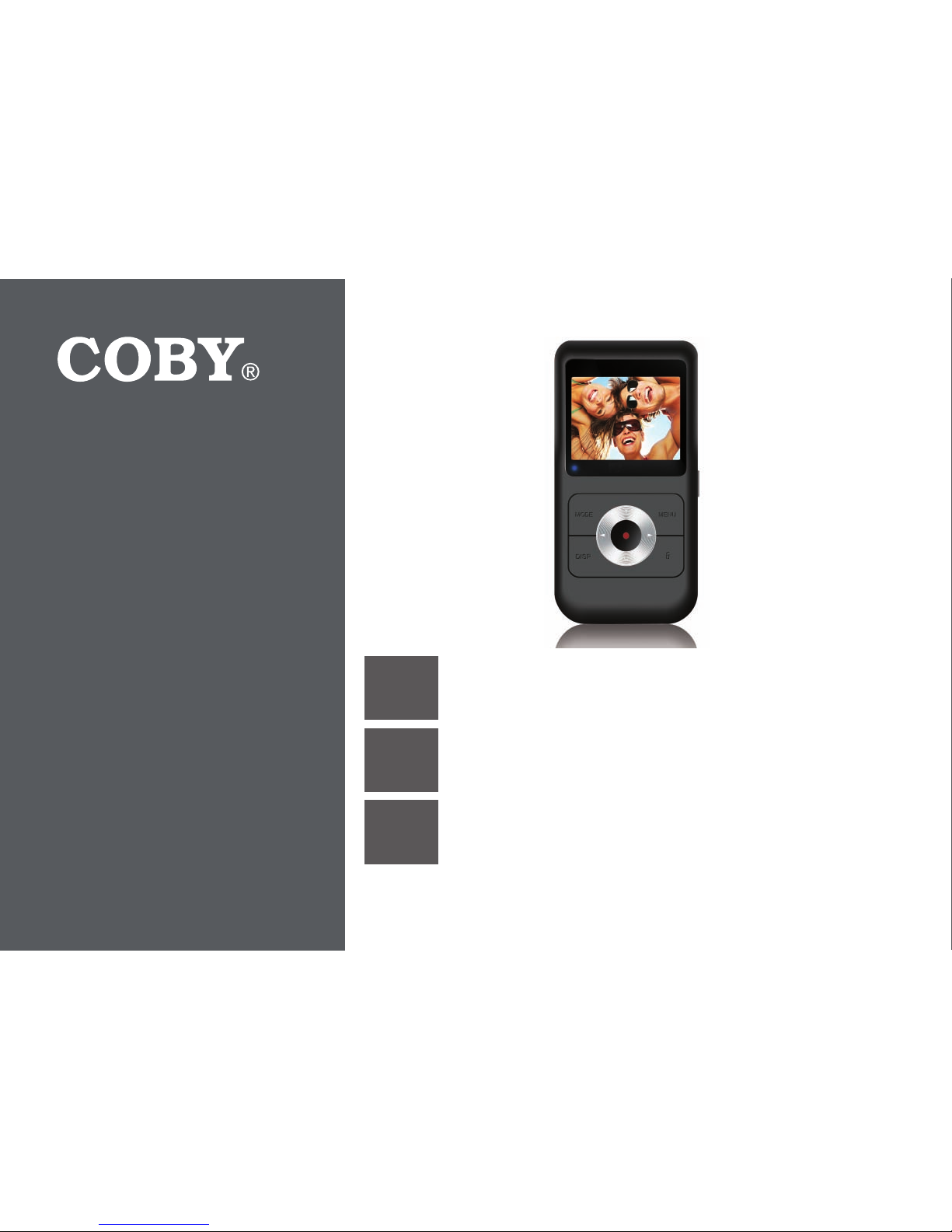
Coby SNAPP CAM4505 Manuale utente

EN Snapp™ Digital Camcorder
Instruction Manual ............................................Page 2
ES Snapp™ Videocámara Digital
Manual de Instrucciones................................Pagina 66
FR Snapp™ Caméscope Numérique
Manuel D’instruction ..................................... Page 132
Please read carefully before use • Léa el manual antes de usar • Veuillez lire ce livret avant utilisation
For series /
Para la serie /
Pour la série
CAM4505

Page 2 Table Of Contents
English
Table of ContentsÂ
THANK YOU.....................................................................................................................................5
Package Contents..........................................................................................................................5
Features............................................................................................................................................5
CAMCORDER AT A GLANCE .........................................................................................................7
GETTING STARTED.........................................................................................................................15
Inserting a Memory Card.............................................................................................................15
Charging the Camcorder............................................................................................................16
Turning the Camcorder On .........................................................................................................16
Function Modes.............................................................................................................................17
CAMCORDER MODE....................................................................................................................18
Camcorder Screen at a Glance.................................................................................................18
Recording a Video .......................................................................................................................19
Camcorder Controls ....................................................................................................................20
Camcorder Options Menu ..........................................................................................................21

English
Table Of Contents Page 3
CAMERA MODE ...........................................................................................................................22
Camera Screen at a Glance ......................................................................................................22
Taking a Photo...............................................................................................................................23
Camera Controls ..........................................................................................................................24
Camera Options Menu ................................................................................................................25
REVIEW MODE ..............................................................................................................................27
Review Screen at a Glance.........................................................................................................27
Review Mode Controls .................................................................................................................28
Review Options Menu...................................................................................................................29
CONNECTING TO A TV ................................................................................................................32
MANAGING FILES ON THE CAMCORDER...................................................................................33
Transferring Video and Photo Files .............................................................................................33
Deleting Files on the Camcorder................................................................................................35
SETTING THE SYSTEM OPTIONS ....................................................................................................36
USING THE INCLUDED SOFTWARE................................................................................................39
Installing muvee™ autoProducer................................................................................................40
Using muvee™ autoProducer......................................................................................................45
Making a muvee™ ............................................................................................................46

Page 4 Table Of Contents
English
WEB CAMERA FUNCTION............................................................................................................50
Installing the Web Camera Driver ..............................................................................................51
Using the Web Camera................................................................................................................56
SPECIFICATIONS...........................................................................................................................57
TROUBLESHOOTING & SUPPORT...................................................................................................58
SAFETY & REGULATORY STATEMENTS...........................................................................................60
FCC Statement..............................................................................................................................61
Important Safety Instructions.......................................................................................................62
Maintenance and Care...............................................................................................................63

English
Table Of Contents Page 5

Page 6 Thank You
English
Thank YouÂ
Thank you for purchasing this product from Coby Electronics. For optimal performance and safety,
please read this manual carefully. Before connecting, operating, or adjusting this product, please
read the instructions completely. Please retain this manual for future reference.
Package Contents
Please make sure that the items shown below
are included in the package. Should an item be
missing, please contact the local retailer from
which you purchased this product.
Main unit: CAM4505
A/V cable
USB cable
Hand strap
Pouch
Installation CD
Instruction Manual
This package may contain plastic bags
or other materials that pose a hazard
to children. Be sure to safely dispose
of all packing materials after opening.
Features
Brilliant 2.0” TFT LCD full color display
Over 2 hours of video recording (with SDHCcard) †
Camera mode lets you take 3 MP photos*
Advanced features including web cameraand digital zoom

English
Thank You Page 7Thank You Page 7
English
View recorded videos and photos on a TVwith the included A/V cable
Edit video and upload to YouTube™ withincluded software from muvee™‡
Supports SD/SDHC cards up to 16 GB insize
Integrated Hi-speed USB 2.0 plug for fast le transfers
Rechargeable lithium-polymer battery
† 2 hours of video recording based on use with 4GB
SDHC card. SDHC card not included. Actual record
time may vary.
‡ Function available in Windows only.
* 5MP interpolated resolution; 3MP optical resolution.

Page 8 Camcorder At A Glance
English
Page 8 Camcorder At A Glance
English
ÂCamcorder at a GlanceÂ
Part Name Function Mode/Description
Camcorder Camera Review
1 Strap mount Attach the included hand strap here.
2 SD card slot Load SD or SDHC memory cards here.
3[Power] Press and hold to turn the camcorder on or off.
4 A/V output connector Connection to view your photos and videos on a TV. Use with the included
A/V cable.
5 USB connector Connection to charge/transfer les to a computer. Use with the included
USB cable.

English
Camcorder At A Glance Page 9

Page 10 Camcorder At A Glance
English
Part Name Function Mode/Description
Camcorder Camera Review
6Display LCD screen.
7 Charge indicator Lights red when the camcorder is charging.
Lights green when the camcorder is fully charged.
8[MODE] Change the function mode.
Change the connection mode when connected to a computer (camcorder, MSDC
disk, PC web cam)
9[DISP] Change the movie record-
ing size. Change thephotoresolu-
tion.
Change the display mode
(fullscreen, thumbnail).
During video review only:
Toggle the on-screen
display.
10 [MENU] Access the option menu. -- --
11 [DELETE] -- -- Delete the selected le.
Questo manuale è adatto per i seguenti modelli
1
Indice
Lingue:
Altri manuali Coby Videocamera

Coby
Coby SNAPP CAM4000 Manuale utente

Coby
Coby CAM5000 - SNAPP Camcorder - 720p Manuale utente

Coby
Coby SNAPP CAM4000 Manuale utente

Coby
Coby Snapp CAM5002 Manuale utente

Coby
Coby SNAPP CAM5005 Series Manuale utente

Coby
Coby CAM3001 Manuale utente

Coby
Coby SNAPP CAM3000 Manuale utente

Coby
Coby Snapp CAM4002 Manuale utente

Coby
Coby SNAPP CAM5001 Manuale utente

Coby
Coby SNAPP CAM3005 Series Manuale utente