
Dahua DHI-ISC-EAA6000-P Manuale utente

User’s Manual
I
V1.0.0
EAS Acousto-Magnetic Antenna
User’s Manual
ZHEJIANG DAHUA VISION TECHNOLOGY CO., LTD.
User’s Manual
II
Foreword
General
This manual introduces the functions and operations of the EAS Acousto-Magnetic Antenna
(hereinafter referred to as "the Device").
Models
DHI-ISC-EAA6000-P
DHI-ISC-EAA6000-R
DHI-ISC-EAE0000-110
DHI-ISC-EAE0000-220
Safety Instructions
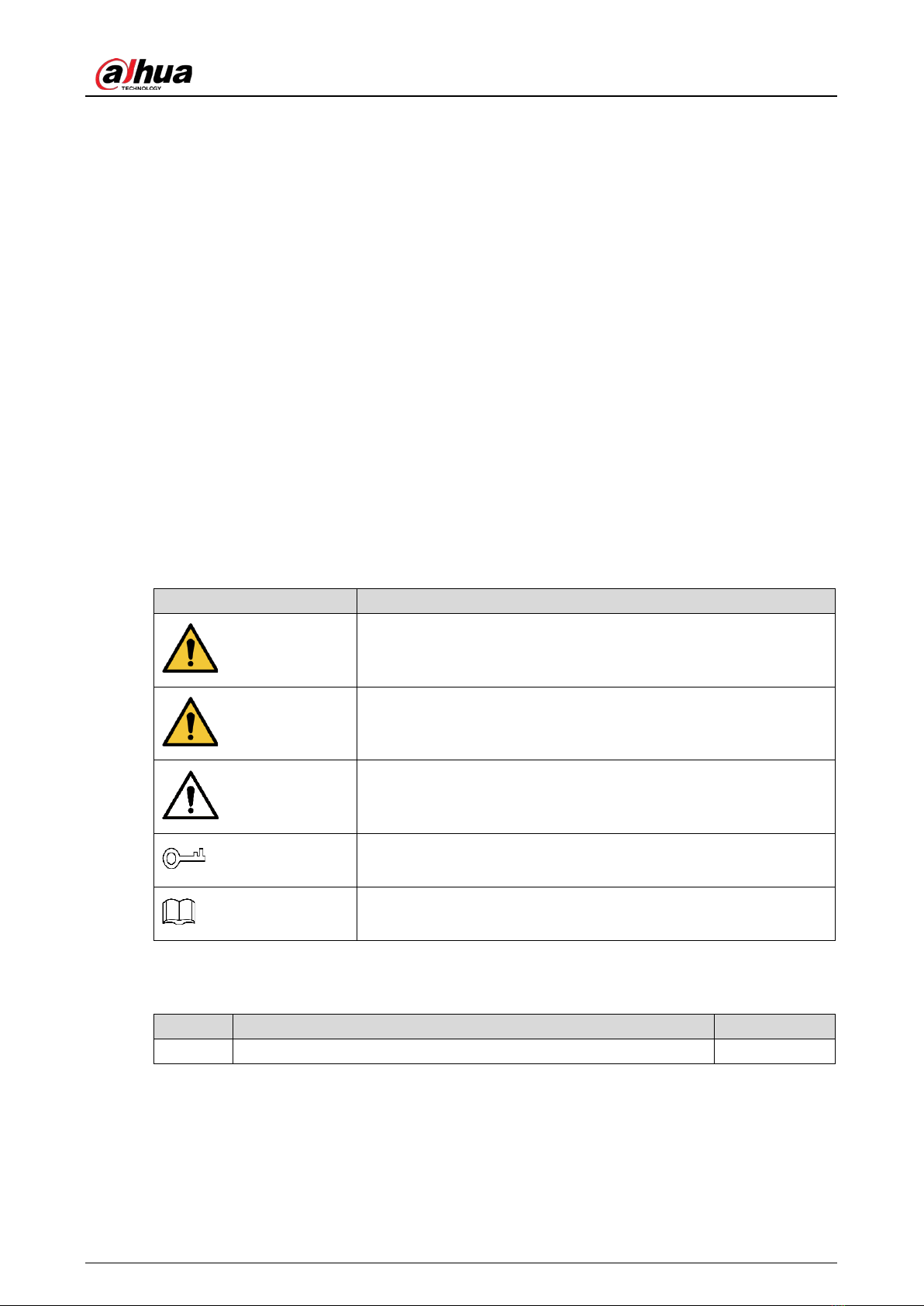
The following signal words might appear in the manual.
Signal Words
Meaning
DANGER
Indicates a high potential hazard which, if not avoided, will result in
death or serious injury.
WARNING
Indicates a medium or low potential hazard which, if not avoided,
could result in slight or moderate injury.
CAUTION
Indicates a potential risk which, if not avoided, could result in
property damage, data loss, reductions in performance, or
unpredictable results.
TIPS
Provides methods to help you solve a problem or save time.
NOTE
Provides additional information as a supplement to the text.
Revision History
Version
Revision Content
Release Time
V1.0.0 First release. July 2021
Privacy Protection Notice
As the device user or data controller, you might collect the personal data of others such as their face,
fingerprints, and car plate number. You need to be in compliance with your local privacy protection
laws and regulations to protect the legitimate rights and interests of other people by implementing

User’s Manual
III
measures which include but are not limited: Providing clear and visible identification to inform
people of the existence of the surveillance area and provide required contact information.
About the Manual
The manual is for reference only. Slight differences might be found between the manual and the
product.
We are not liable for losses incurred due to operating the product in ways that are not in
compliance with the manual.
The manual will be updated according to the latest laws and regulations of related jurisdictions.
For detailed information, see the paper user’s manual, use our CD-ROM, scan the QR code or
visit our official website. The manual is for reference only. Slight differences might be found
between the electronic version and the paper version.
All designs and software are subject to change without prior written notice. Product updates
might result in some differences appearing between the actual product and the manual. Please
contact customer service for the latest program and supplementary documentation.
There might be errors in the print or deviations in the description of the functions, operations
and technical data. If there is any doubt or dispute, we reserve the right of final explanation.
Upgrade the reader software or try other mainstream reader software if the manual (in PDF
format) cannot be opened.
All trademarks, registered trademarks and company names in the manual are properties of their
respective owners.
Please visit our website, contact the supplier or customer service if any problems occur while
using the device.
If there is any uncertainty or controversy, we reserve the right of final explanation.

User’s Manual
IV
Important Safeguards and Warnings
This section introduces the proper way of using the device, danger and property damage
preventions. Before using the device, read this manual carefully. Follow the instructions and keep this
manual properly for future reference.
Operating Requirements
Transport, use and store the device under allowed humidity and temperature conditions.
Prevent liquids from splashing or dripping on the device. Make sure that there are no objects
filled with liquid on top of the device to avoid liquids flowing into it.
Install the device in a well-ventilated place, and do not block the vents of the device.
Do not press hard, vibrate violently, or soak the device.
Use factory package or same-quality material for packaging when transporting the device.
It is recommended to use this device with a surge protection device(SPD) to improve the
lightning protection effect.
It is recommended to ground the earthing hole of the device to improve device reliability.
It is recommended to install the device 2 meters away from the escalator to improve device
reliability.
Power Requirements
Only use the wire assembly (power cable) recommended in this area and use it within its rated
specifications.
Only use the standard power adapter of the device, otherwise the user will be responsible for
personnel injury or device damage.
Use a power supply that meets the requirements of SELV (Safety Extra Low Voltage) and supply
power in accordance with the rated voltage of (IEC60065) or (IEC60950-1 compliant with
Limited Power Source). The specific power supply requirements are subject to the device label.
Connect the device to the grid power output socket with protective ground connection.
Strictly grounded and powered independently.

User’s Manual
V
Contents
Foreword...........................................................................................................................................................................II
Important Safeguards and Warnings.........................................................................................................................IV
1 Overview .......................................................................................................................................................................1
Introduction................................................................................................................................................................................. 1
Features and Advantages ....................................................................................................................................................... 1
2 Appearance...................................................................................................................................................................2
3 Installation and Configuration..................................................................................................................................3
Cautions......................................................................................................................................................................................... 3
Packing List................................................................................................................................................................................... 3
Installation and Configuration .............................................................................................................................................. 4
3.3.1 Preparations before You Begin................................................................................................................................. 4
3.3.2 Description of Primary Antenna TX Board Ports and Manual Configuration of Hardware ............... 6
3.3.3 Description of RX Board Ports and Manual Configuration of Hardware................................................10
Software debugging...............................................................................................................................................................11
3.4.1 Software Installation..................................................................................................................................................11
3.4.2 Interface Parameter Description...........................................................................................................................12
Cybersecurity Recommendations .......................................................................................................20

User’s Manual
1
1Overview
Introduction
The development of information recognition technology has greatly improved the intelligence of
commercial retail stores, helping to reduce labor costs and enhance economies of scale. The
development and production of EAS technology have effectively improved logistics management
and reduced the loss of merchandise.
This operation/configuration manual describes how to assemble, configure and maintain the EAS
antenna system.
Features and Advantages
Self-diagnosis function
Automatic diagnosis after power-on, effective identification system, and avoiding more than 95%
of external interference sources.
Reading distance
The maximum detection distance of labels is 800 mm–900 mm, and the maximum detection
distance of tags is 900 mm–1400 mm.
Invention patent: Digital receiving technology
High stability without temperature drift, which is the core concept of DSP technology.
High integration
Small size, short cable, excellent ability for anti high-frequency interference.
Integrated transceiver mode
The primary and replica antenna are both integrated transceivers, and the detection effects of
the primary and replica antenna are the same.
Wide applicability
High detection rate, low false alarm rate; fully compatible with all AM labels and tags.

User’s Manual
2
2Appearance
EAS Acousto-Magnetic Antenna is an advanced as well as software-driven Electronic Article
Surveillance for shopping malls and supermarkets. It can overcome the influence of the environment
and detect 58 KHz labels and tags. It has strong stability and high detection distance. The
Acousto-Magnetic system includes a primary antenna with two replica antennas, no other controllers
are needed, which makes installation in large supermarkets or multi-export venues very convenient.
Consequently, Acousto-Magnetic system is regarded as the best choice by various stores and
supermarkets.
Appearance
Dimensions (Unit: mm [inch])

User’s Manual
3
3Installation and Configuration
Cautions
Only use for indoors, it is recommended to shut down the device during non-business hours.
Do not cover the device and keep it ventilated.
Pay attention to sun protection, waterproof and moisture-proof.
Only be installed by professionals and strictly enforce safety regulations.
Strictly grounded and powered independently.
Operating temperature: –5 °C to 50 °C
Packing List
Table 3-1 Packing list
Packing list
Image
Packing Box
Primary antenna
Replica antenna
Connection cable
AC110 Power
supply
OR
AC220 Power
supply

User’s Manual
4
Installation and Configuration
3.3.1 Preparations before You Begin
Table 3-2 Tool requirements
Name
Image
Name
Image
Phillips and
slotted
screwdrivers
M10×100
expansion screw ×
4
Marker × 1
Open-end
wrenches
Cutting
Machine × 1
Hammer × 1
Fine sand
Scuff-plate
Power drill × 1
Configuration
cable × 1
Site survey: Equipment installation must be at least 2 meters away from large electrical
appliances, escalators, metal panels, etc.
After determining the installation location, use a marker to draw lines, punch holes, and cut
grooves. Then clean up the site.

Questo manuale è adatto per i seguenti modelli
3
Indice
Altri manuali Dahua Antenna

Manuali Antenna popolari di altre marche

Alfa Network
Alfa Network APA-L01 Manuale utente

Naval
Naval PR-422CA Manuale utente

Feig Electronic
Feig Electronic ID ISC.ANTH200/200 Series Manuale utente

TERK Technologies
TERK Technologies TV44 Manuale utente

Directive Systems & Engineering
Directive Systems & Engineering DSE2324LYRMK Manuale utente

HP
HP J8999A Manuale utente


