daviteq CAP10 Manuale utente


CAP10CNR-MN-EN-01
JUN-2020
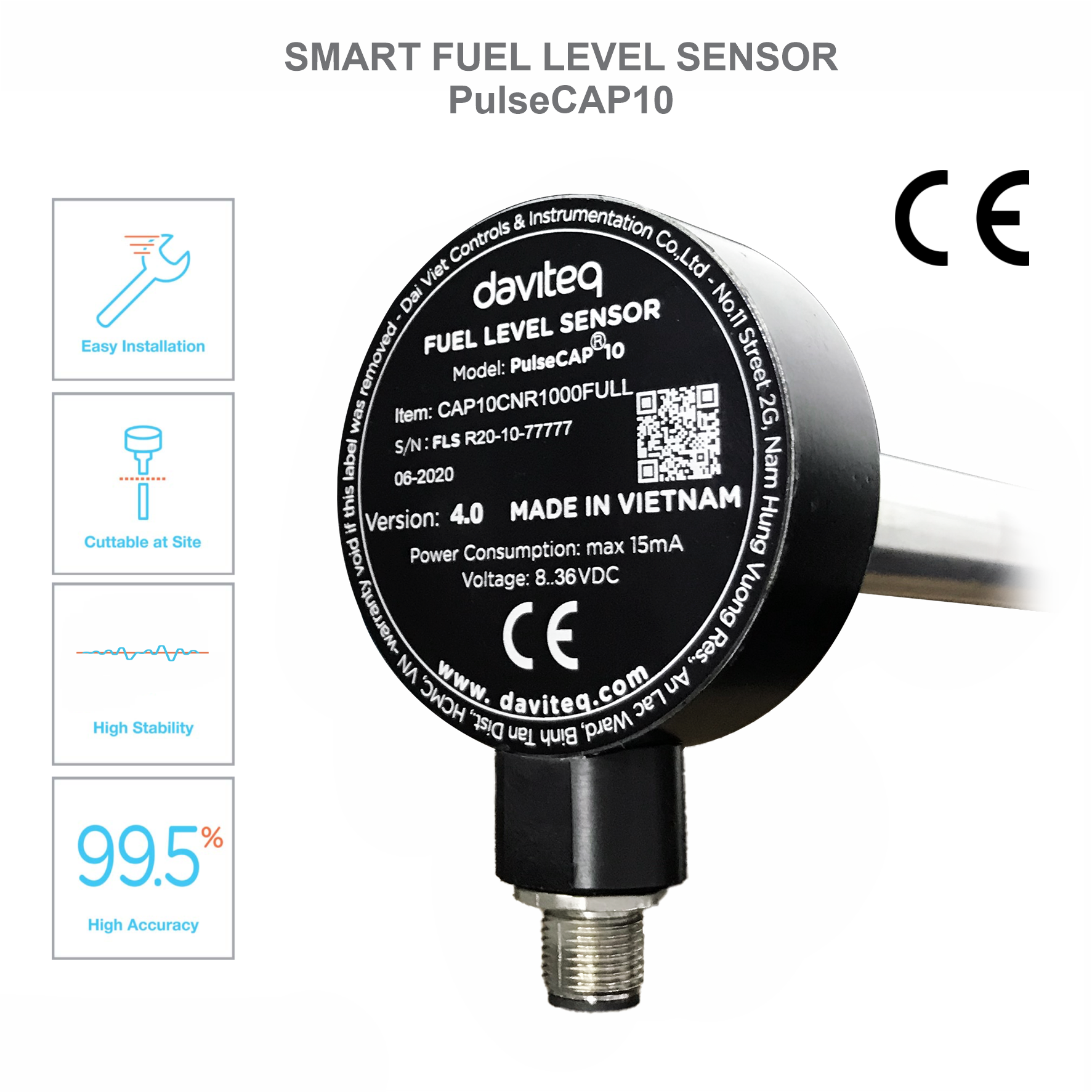
CAP10CNR is industrial version of PulseCAP10, designed for industrial applications like generator, stationary fuel tank
in factory, building, construction site...CAP10CNR has RS485/ModbusRTU output, can be connected easily to any
industrial devices like PLC, IoT Gateway, iConnector... CAP10CNR has very high accuracy 0.1% of span, can be used for
tank up to 30.000 liters volume.
The technicians who install sensor, must be graduated from college of mechanic or electric.
The mechanical installation staff (drill, cut, grind, etc.) must have skills in mechanical engineering.
The electrical installation staff (connect, etc.) must have skills in electrical engineering.
The technician must be trained before using.
CAP10CNR is intended to use with Diesel Oil, Vegetable Oil.
CAP10CNR must not be used with other flammable fluid such as Gasoline, Alcohol, Ethanol, Acetone, Toluene or
other solvents.
Be careful while drilling, cutting, grinding, etc. The fuel tank or other flammable fluid.
Daviteq is not responsible for compensation in case of explosion to bodily injury or property damage.
USER GUIDE FOR RS485 FUEL
LEVEL SENSOR CAP10CNR
This document is applied for the following products
1. Introduction
2. Notes
3. Safety

Read specifications thoroughly and make sure that its output are suitable to reading devices.
Power supply must be in the permitted range.
Do not take out the label and take off the lid as this will lead to the instability of the sensor and manufacturer
could deny warranty. (except cutting of sensor length within the allowed range).
Make sure all the necessary tools are ready before the installation.
CAP10CNR be equipped with screws. We advise customers should use stainless steel rivets to fasten
the plastic flange onto tank for all type of tanks and only using screws for the thick and hard ones.
Sensor length
standard 1000mm or 1500 mm, extend to 4000 mm (by extension probe) or cut
down to 100 mm
Output
RS485/ModbusRTU
Power supply
8..50VDC
Consumption
max 35mA
Working pressure
-1 .. 2 barg
Working temperature
-40 °C .. + 85 °C
Accuracy
+/- 0.1% of span (at 25 °C )
Temperature drift
< + 0.03% of span per 10 °C
Resolution
1/1000 of span
Sensor materials
Alloy & Engineering plastic
Electrical connection
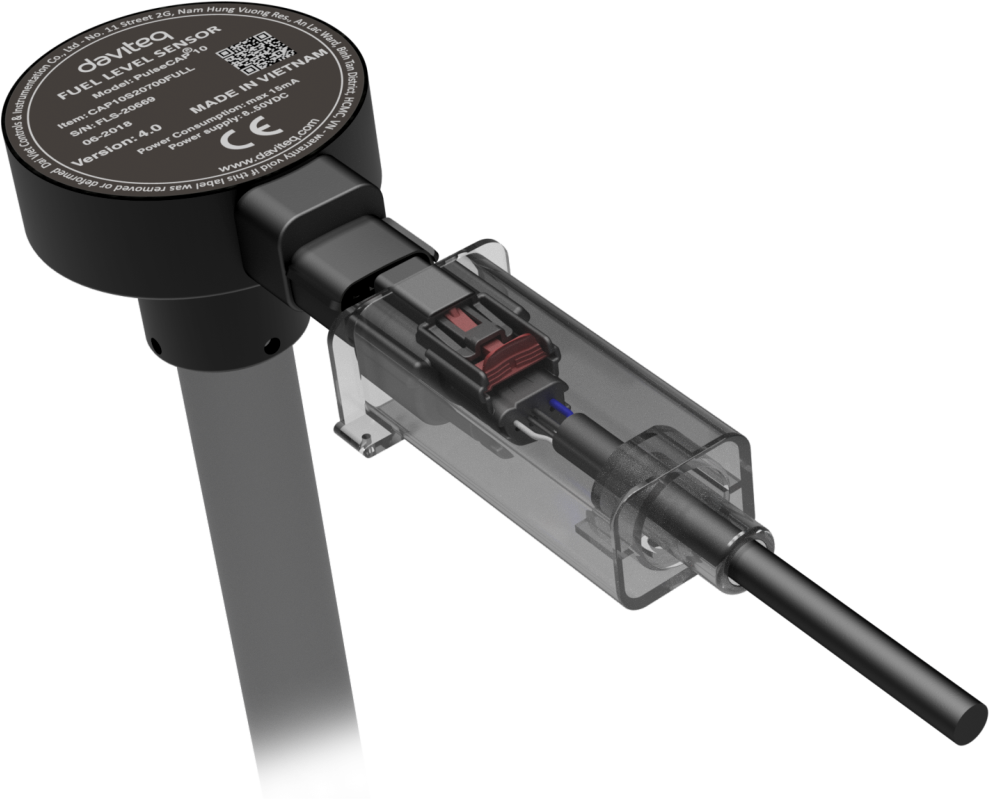
connector M12 (matched connector and cable must be ordered separately)
Housing
Cast aluminum, IP67 protection
Process connection
Plastic flange
Standard accessories
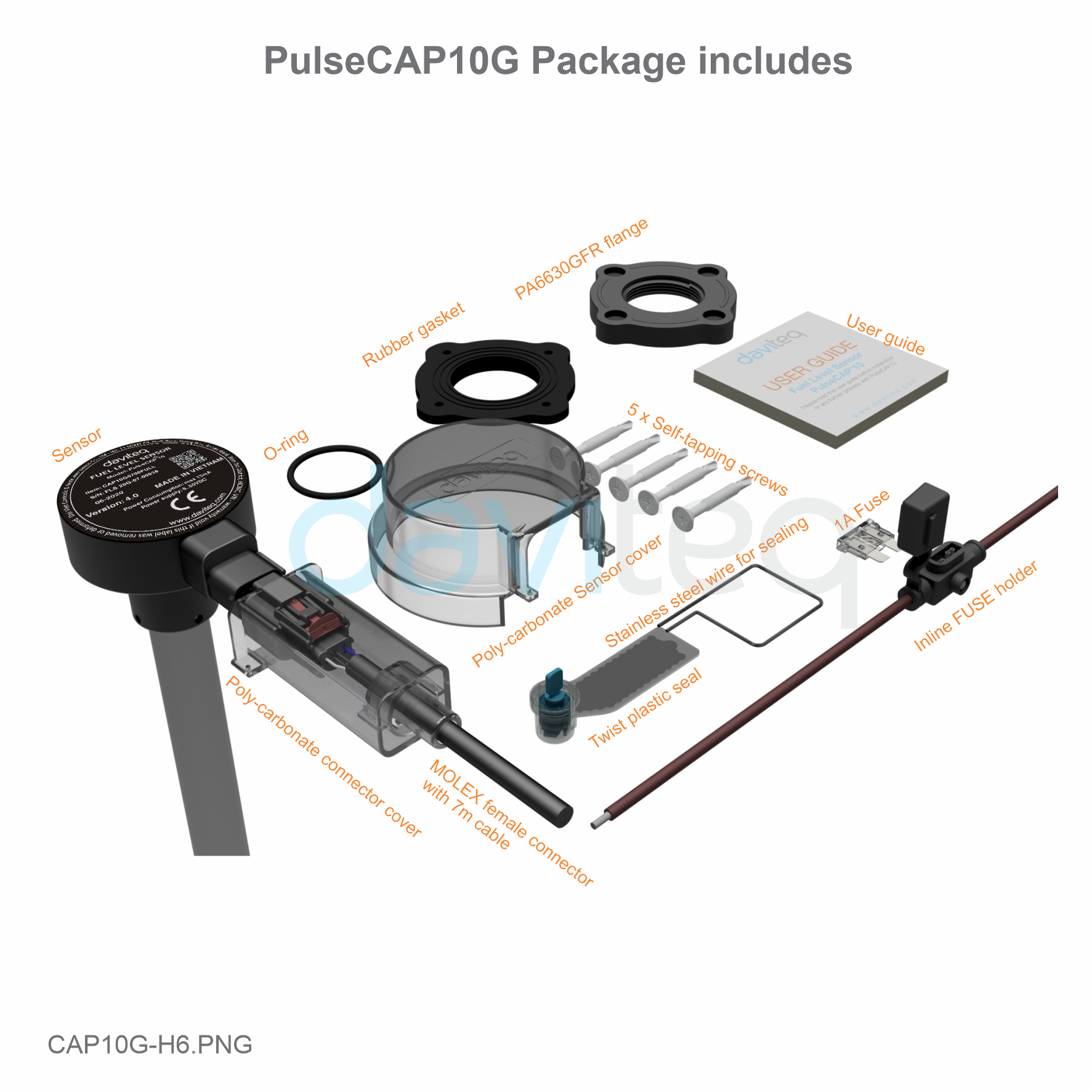
flange, o-ring, gasket, protection covers, self-tapping screws, twisted seal
Certification
CE-Marking per EN61236-1 (with test report)
4. Note Before Installation
5. Specification
6. Full Package

No
Tool Name
No
Tool Name
01
Drilling machine
10
Drill (Φ38)
02
Pump
11
Silicone gasket
03
Rivet clippers
(In case of using stainless steel
rivet)
12
Twist drill 4 mm
(In case of using stainless steel rivet)
04
Tube cutter
13
Electrical tape
05
Swivel Blade
14
Cutting pliers
06
Hacksaw
15
Phillips screwdriver
07
File
16
Pencil
08
Tape measures
17
Multi Meter
7. Tools

09
Allen key 2 mm
18
Calibration can
Step
Discription
Note
1
Remove fuel: Remove all fuel from the tank.
Some tank have been welded with oil filter and have
float level sensor installed, so it is necessary to take
out the float level sensor before removing the fuel.
2
Clean the tank
Must clean the tank thoroughly.
3
Central hole locating: The hole will be in
the center of tank's up-per side or closest to
center.
This is an important step as it will directly affect the
stability of the fuel level data.
4
Drilling the central hole:
After determining the center of the oil
tank, we clean the surface and use a 38
mm drill to make a hole on the oil tank.
Remove any burrs from the drilled hole
by a file.
Before drilling, it is vital to check whether the hole is
affected by the internal metal frame or obstacles at
the bottom the tank.
5
Flange installation:
Place the 4 mm rubber gasket at the
center of the tank's upper side.
Place the plastic flange onto the rubber
gasket (4 mm).
Mark 4 points at the bolt hole.
Use screws /rivets to fasten the 4 mm
rubber gasket and the plastic flange
onto tank.
Only using screws for the thick and hard tanks.
Unplug the screw/ rivet symmetrically.
8. Sensor Installation Guidance

6
Sensor cutting:
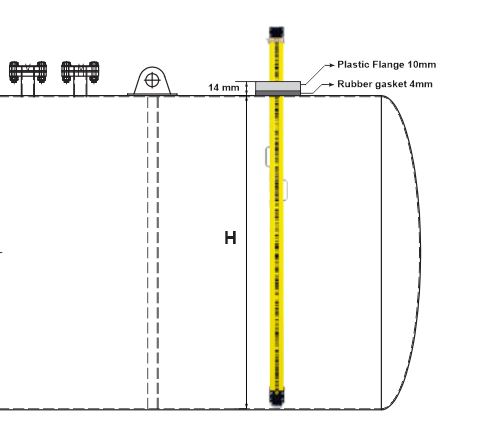
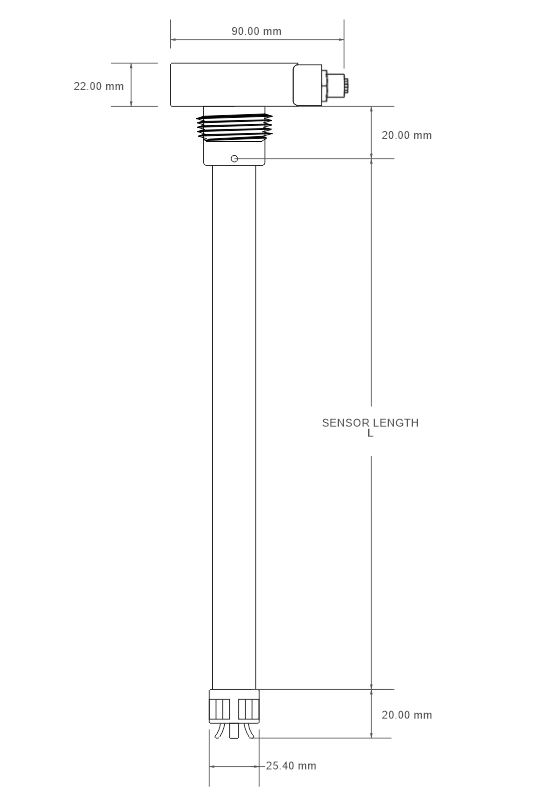
After flange installation, we determine the length of the sensor to be installed as picture below:
C = L+20+20-(H+14) => C = L+26-H (mm)
C: Length to be cut.
L: Original length of the sensor.
H: Height of the tank.
*Example:
Sensor length is L = 2000, H = 1700 mm => C = 326 mm => Cut the sensor pipe length of 326 mm.
7
Calibration:
After cutting, make sure the sensor tube is clean.
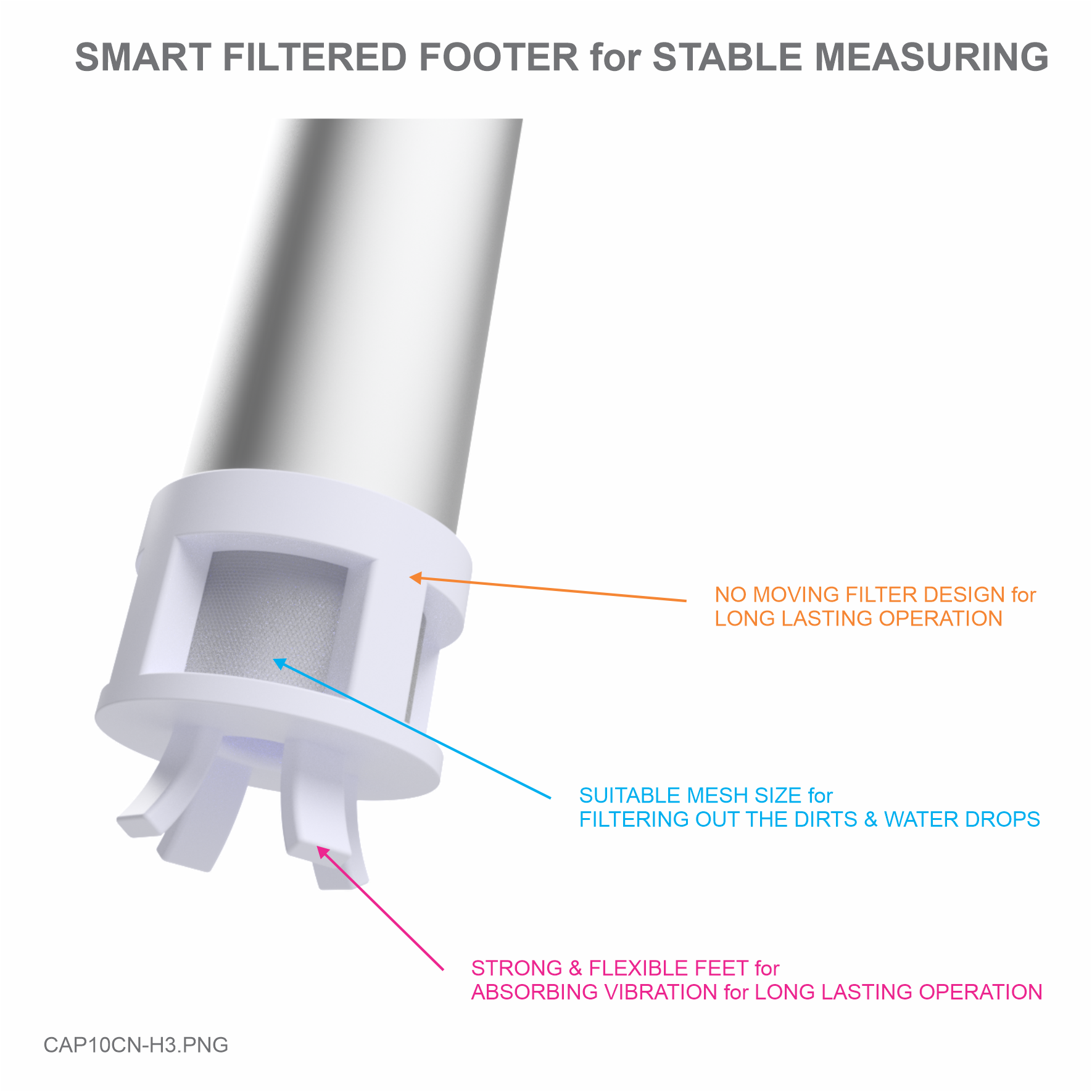
Re-plug the Filter footer and tighten the screw.
Turn on the sensor in at least 30 seconds in order for the sensor to automatically recognize its
new length.

8
Final:
Place the O-ring on the top of the threads, ensure that it can touch the aluminum housing of the
sensor (as below picture):
Install sensor into the threads of flange and turn it in clockwise direction.
Using the O-ring enables to rotate the sensor within 180 degrees from final tighten position and
assuring that the oil will be not spilled (as below picture):
Use the 2mm Allen key to lock the hex bolt to protect the sensor rotate backwards.
Connect the sensor with the cable.
Use sensor head seal to cover the sensor and then use plastic and then use plastic twister seal
to lock the head seal and connector seal to protect the sensor.
Please follow the below steps:
Note
Step 1: Remove the cover
Step 2: Remove the terminal connector
Step 3: Use the 2 mm Allen key to unlock the hex bolt
Step 4: Turn the sensor in counter-clockwise direction
Do not hold the male connector to rotate sensor
directly, that can make the male connector broken.
Do not use locking pliers, pipe wrenches, etc. to
twist the sensor as this cause damages the
structure of the sensor such as cast aluminium
housing, label, signal cables (connector), circuit
board, ect. and it will not be covered under
warranty.
9. Disassembly Guidance
10. Wiring
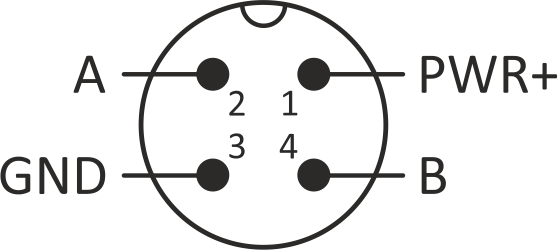
10.1 M12-Male Connector of Sensor

M12-Male Connector
1. PWR+ : 8...50VDC
3. GND : OVDC, Ground
2. A
4. B
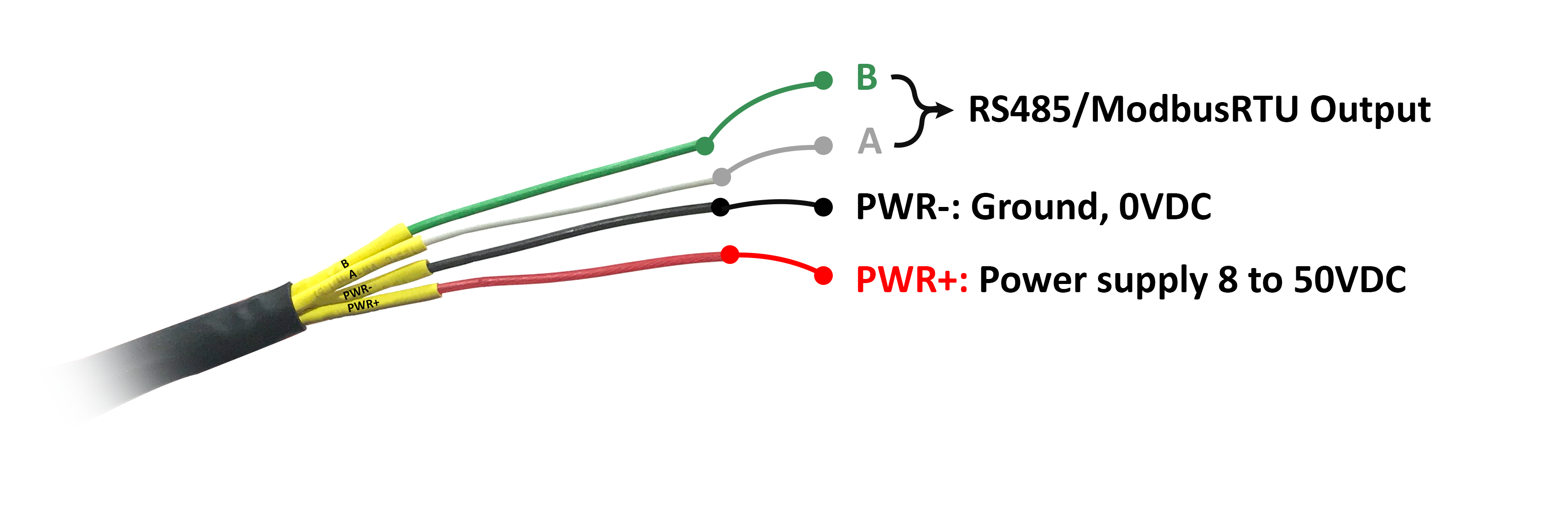
Each cable includes wires which are marked labels according to types of connection. (user should not cut these labels
before installation to avoid confusing)
Red: PWR+(8...50VDC)
Black: PWR-(OVDC)
Green: B
White: A
Recommend to use 24VDC power.
The signal cable from sensor should be protected by corrugated hose or the Φ16 plastic tube, keep the cable avoid
high temperature areas.
READ uses command 03, WRITE uses command 16
Modbus
Register
Function
code
#
Register
Length
Range
Default
Format
Properties
Description
Unit
Comments
10.2 Follow Labels on Wires
10.3 Follow Wire Colors
10.4 RS485 Communication setting
Default communication parameter:
Baudrate : 19200
Data bit : 8
Stop bit : 1
Parity : None
Modbus Slave address : 30
10.5 Memmap registers

30001
4
1
2
0-
1000
UINT16
Read
Damping
output, part
per
thousand
length
‰
30002
4
1
2
0-
1000
UINT16
Read
Non
damping
output, part
per
thousand
length
‰
30003
4
1
2
UINT16
Read
Value of C
30004
4
1
2
0-
1000
UINT16
Read
Temperature
°C
Div 10
30005
4
1
2
UINT16
Read
FW_version
30006
4
1
2
INT16
Read
Tilt
(difference
in fuel level
per minute)
‰
40007
3
1
2
1-247
30
UINT16
Read/Write
Address of
slave
40008
3
1
2
0-1
1
UINT16
Read/Write
Baud rate
Baud rate:
0: 9600, 1:
19200
40009
3
1
2
0-2
0
UINT16
Read/Write
Parity
Parity: 0:
none, 1:
odd, 2:
even
1. Periodically clean the oil tank 2, 3 or 6 months depending on usage and contamination.
2. Periodically clean the sensor and filter footer 2, 3 or 6 months by:
Cover a sensor's vent before using the air sprayer for another.
Remove and clean the filter footer.
11. Periodic Cleaning Guidance
12. Troubleshooting

No.
Phenomena
Reasons
Solutions
1
Modbus failed to
communicate
Connection or
configuration error
Check the connection.
Check the Modbus configuration:
Address, Baud Rate, Parity.
2
Timeout Modbus
Noise appears on the line
Configure Baudrate 19200.
Use twisted pair cable with anti-
jamming protection (if necessary to
extend the signal cable)
The signal cable from sensor should be
protected by corrugated hose or the
Φ16 plastic tube, keep the cable avoid
high temperature areas.
Warranty is applied for CAP10CNR fuel level sensor manufactured by Daviteq.
CAP10CNR fuel level sensor will be warranted for a period of eighteen (18) months from date of delivery.
1. Manufacturer undertakes to guarantee within 18 months.
2. Product failed due to defects in material or workmanship.
3. Serial number, label, warranty stamp remains intact (not purged, detected, edited, scraped, tore, blurry,
spotty or pasted on top by certain items).
4. During warranty period, if any problem of damage occurs due to technical manufacturing, please notify our
Service Centre for free warranty consultancy. Unauthorized treatments and modifications are not allowed.
5. Product failed due to the defects from the manufacturer, depending on the actual situation, Daviteq will
consider replacement or repairs.
Notes:
One way was shipping cost to the warranty centre shall be paid by Customers.
1. The warranty period has expired.
2. Product is not manufactured by Daviteq.
3. Product failed due to damage caused by disasters such as fire, flood, lightning or explosion, etc.
4. Product damaged during shipment.
5. Product damaged due to faulty of installation, usage or power supply.
6. Product damaged caused by the customer.
7. Product rusted, stained by effects of the environment or due to vandalism, liquid (acids, chemicals, etc.)
8. Product damaged caused by unauthorized treatments and modifications.
Note:
Customers will be subjected to all repairing expense and shipping cost.
If it arises disagreement with company's determining faults, both parties will have a third party inspection
appraise such damage and its decision be and is final decision.
Warranty service support is available from Monday to Friday (excluding Public Holidays as prescribed)
08:00 AM - 12:00 AM
01:30 PM - 05:00 PM
Hotline: +84.906.885.858
13. Warranty
13.1 Free Warranty Condition:
13.2 Paid Warranty
Questo manuale è adatto per i seguenti modelli
3
Indice
Altri manuali daviteq Accessori

daviteq
daviteq WSLRW-AG Series Manuale utente

daviteq
daviteq WSSFC-ULA-01 Manuale utente

daviteq
daviteq WS433-AC Manuale utente

daviteq
daviteq WS433-TAG Manuale utente

daviteq
daviteq WSSFC-V1A-025 Manuale utente

daviteq
daviteq WSSFC-AC Manuale utente

daviteq
daviteq WSSFC-G4F-NH3-8-01 Manuale utente

daviteq
daviteq WS433-M12F-ATE Manuale utente

daviteq
daviteq WSSFCB-NH3 Manuale utente

daviteq
daviteq A420-FCL Manuale utente