I.
Power indicator
2.2.5 Put all function switches
to 0 pisition, put all trims/knobs
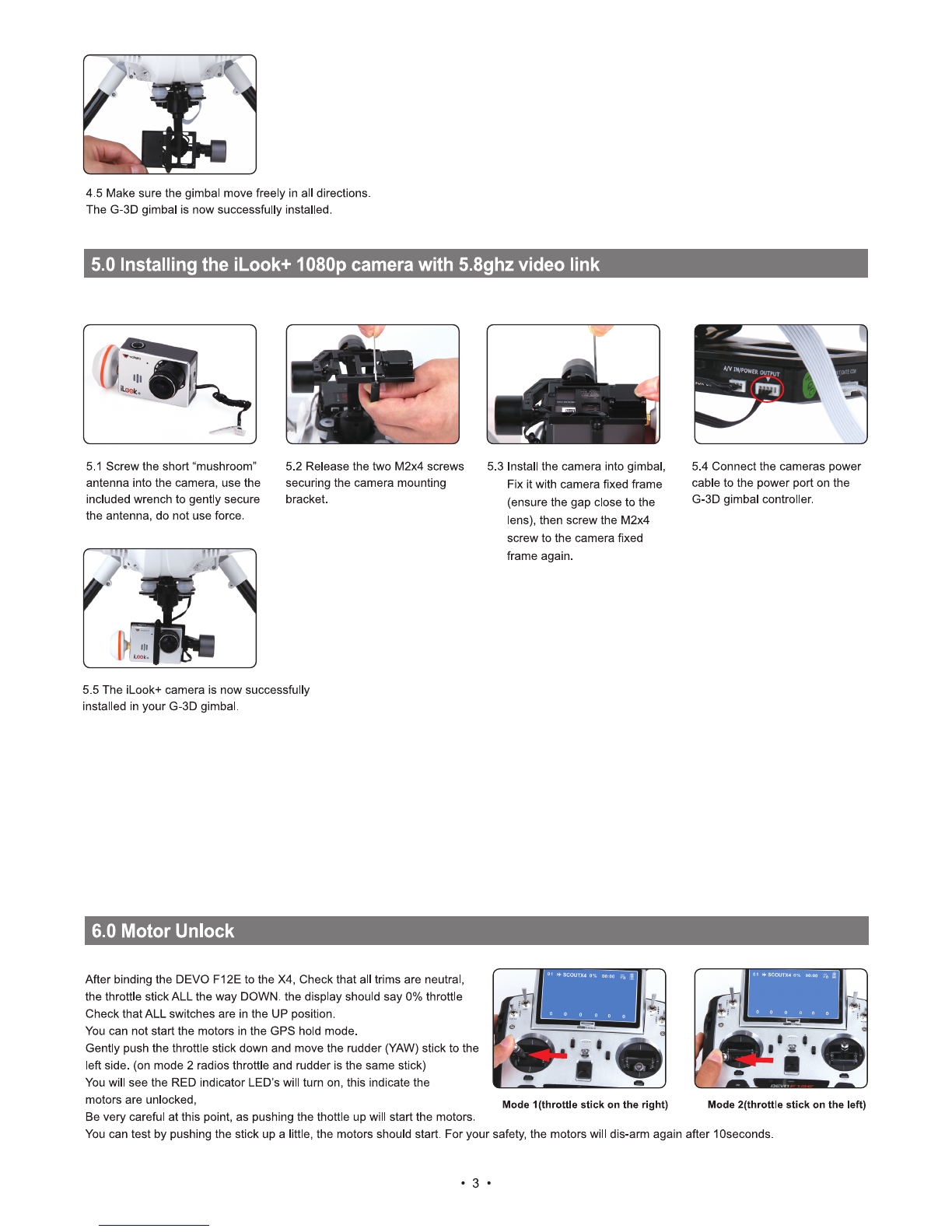
on Mid pisition, move the throttle
to the lowest position, then turn
on the radio power.
2.2.6 Put the aircraft on the
horizontal position, slide the
power-switch to the ON position,
then press on the power button for
about 3-5 seconds, until the green
power indicator lights up.
2.2.7 Red LED flashing till to go out
means the code binding finished.
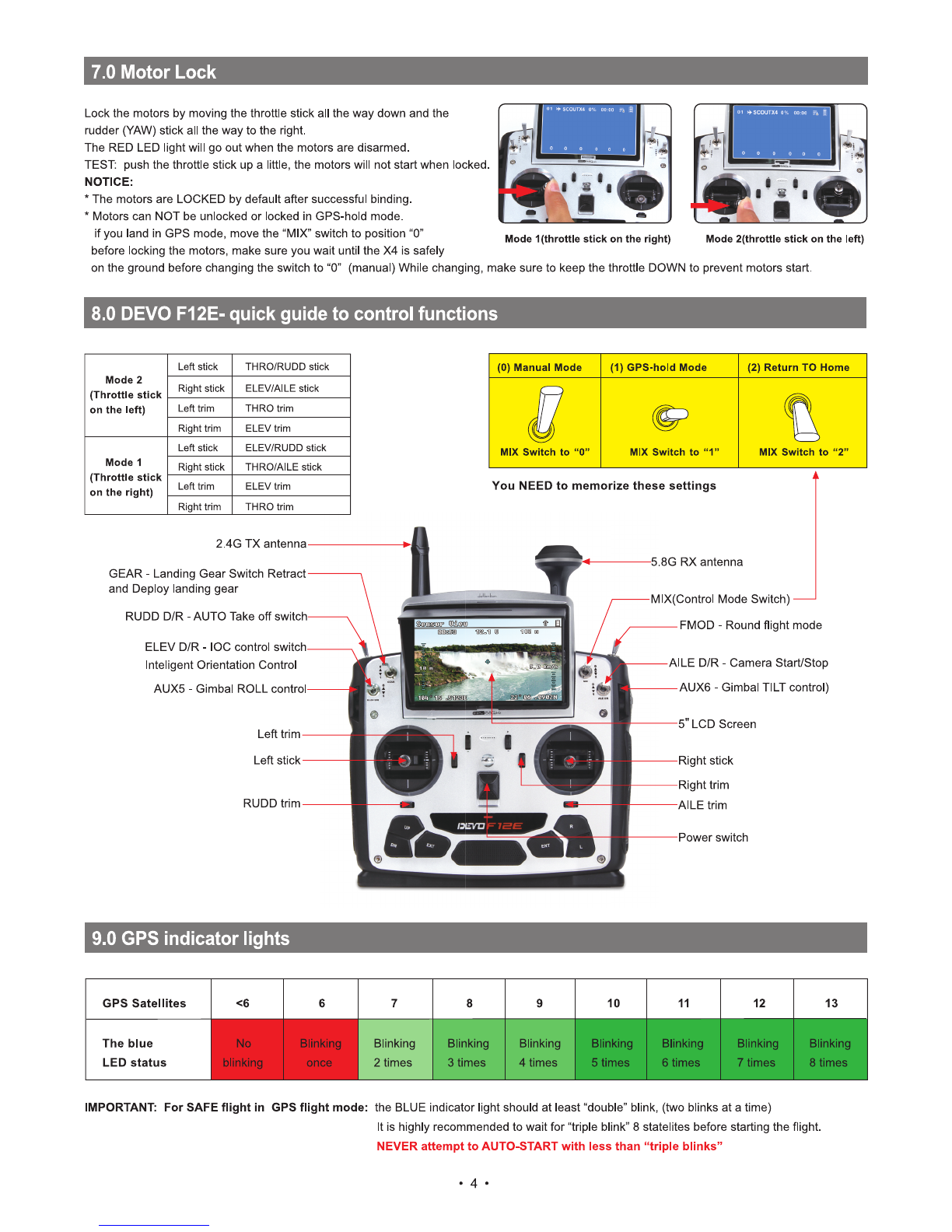
3.0 Compass Calibration
IMPORTANT:
Make sure all TRIMs are in the center position, the trim value should be "0", and that the motors are locked.
The aircraft should NOT be flashing RED. By default, the motors will automatically be locked after the ID binding process.
For more details about locking and unlocking motors, see points 6 & 7.
(
3.1 Enter the calibration mode
Do this by moving both sticks
DOWN and to the middle position
at the same time. The aircraft will
start a blinking fast RED.
3.2 FORWARD rotation. Rotate
tilting the aircraft forward rotate
smoothly in 90 deg increments.
Pausing 1 second for each 90
deg.(0 / 90 / 180 / 270 / 360)
3.3 CLOCKWISE rotation. Rotate
the aircraft around the roll axis rotate
smoothly in 90 deg increments.
Pausing
1
second for each 90 deg.
(0 /90/180/270 /360)
3.4 HORISONTAL rotation. Rotate
the aircraft around the YAW axis
rotate smoothly in 90 deg increments.
Pausing 1 second for each 90 deg.
(0/90/180/270/360)
a."
I
Ground
I
Me
ad vertical down
3.5 NOSE DOWN rotation. Rotate
the aircraft facing the nose down.
rotate smoothly in 90 deg increments.
Pausing
1
second for each 90 deg.
(0 /90/180/270/360)
3.6 Place the aircraft in normal
position The rapid RED blinking will
stop This indicate that the calibration
is finished Disconnect the battery to
save the settings.
•
IMPORTANT: The first couple of flights, you may expereince the
aircraft drifting,
This is normal, please continue to fly the aircraft manually, while the
system inprove the calibration, after 5-10 minutes land, lock the motors,
this will save the improved settings.
Notice: The slight drifting may continue for a couple of batteries, you
will notice significant improvement in the GPShold & stability
after 4-5 batteries.
Notice: Always perform the calibration away from eletric fields and
metal surfaces.
Trivia: Different brands have different calibration processes, the
process is typically refered to as "the Calibration Dance".
4.0 - D
is brushless Gimbal installation
IMPORTANT: REMOVE the battery from the X4 while you install the gimbal
The gimbal is a high-performance eletromechanical design and should be handled with great care. AVOID using force when installing
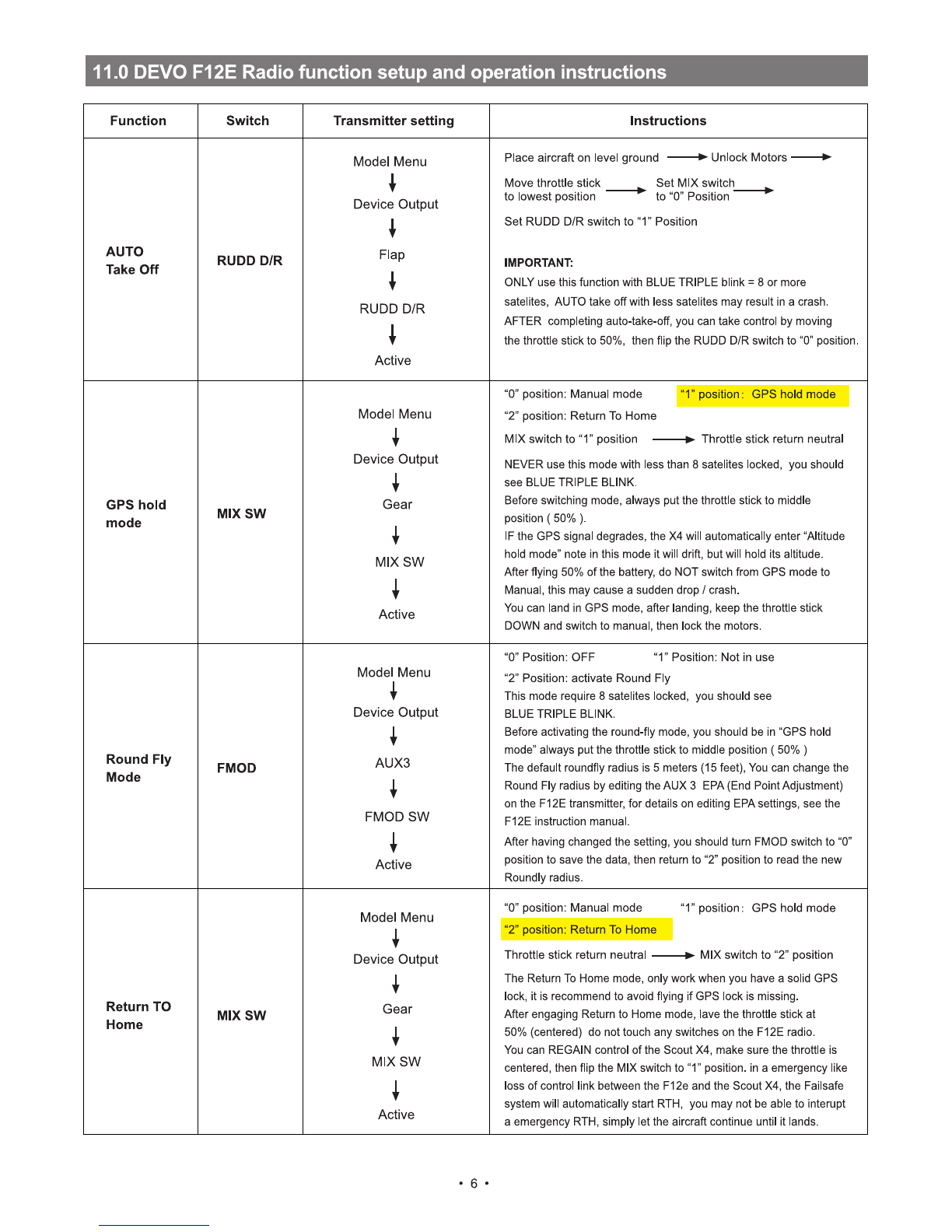
4.1 Prepare the G-3D gimbal,
M3x12 screw, spring.
4.2 Slide the gimbal unto the quik
mount rail, the gimbal shouldslide
from the front of the aircraft towards
the rear, gently move it as far back
as possible.
4.3 Install the springloaded
M3x12mm "finger screw" at the
front of the gimbal, this will
secure the gimbal.
4.4 Connect the 9pin white data
cable to the "complex data port"
on the bottom of the X4, then
connect the cable to the back of
the G-3D gimbal.
•
2 •