
Digital Equipment Fast EtherWORKS DE500-BA Manuale utente

DIGITALFastEtherWORKS
PCI10/100
Installation
Order Number: EK-DE500-IN. D01
Revision/Update Information: This is a revised guide.
Digital Equipment Corporation
Maynard, Massachusetts

Printed: March 1997.
DIGITAL believes the information in this publication is accurate as of its publication
date; such information is subject to change without notice. DIGITAL is not
responsible for any inadvertent errors.
DIGITAL conducts its business in a manner that conserves the environment and
protects the safety and health of its employees, customers, and the community.
© Digital Equipment Corporation 1997. All Rights Reserved.
Printed in Australia.
DEC, DECconnect, DECchip, DECnet, DIGITAL, EtherWORKS, GIGAswitch,
PATHWORKS, ThinWire, OpenVMS, and the DIGITAL logo are trademarks of
Digital Equipment Corporation.
AT, IBM, PowerPC, and OS/2 are registered trademarks of International Business
Machines Corporation.
CompuServe is a registered trademark of CompuServe, Inc.
IEEE is a registered trademark of the Institute of Electrical and Electronics
Engineers, Inc.
Intel is a registered trademark of Intel Corporation.
Macintosh and Mac OS are registered trademarks of Apple Computer, Inc.
MIPS is a trademark of MIPS Computer Systems, Inc.
NetWare and Novell are registered trademarks of Novell, Inc.
SCO OpenServer and UnixWare are trademarks or registered trademarks of The
Santa Cruz Operation, Inc.
UNIX is a registered trademark in the U.S. and other countries, licensed exclusively
through X/Open Company Ltd.
Windows NT and Windows for Workgroups are trademarks, and Microsoft, MS–DOS,
Windows, and Windows 95 are registered trademarks of Microsoft Corporation.
All other trademarks and registered trademarks are the property of their respective
holders.
FCC ID: AO9-DE500B
FCC ID: AO9-DE500A
FCC ID: AO9-DE500X
FCC NOTICE: This device complies with Part 15 of the FCC Rules. Operation is
subject to the following conditions: (1) this device may not cause harmful interference,
and (2) this device must accept any interference received, including interference that
may cause undesired operation.
Note: This equipment has been tested and found to comply with the limits for
a Class B digital device, pursuant to Part 15 of the FCC rules. These limits
are designed to provide reasonable protection against harmful interference in a
residential installation.
Any changes or modifications made to this equipment may void the user’s authority
to operate this equipment.
This equipment generates, uses, and can radiate radio frequency energy and, if
not installed and used in accordance with the instructions, may cause harmful
interference to radio communications. However, there is no guarantee that
interference will not occur in a particular installation. If this equipment does
cause harmful interference to radio or television reception, which can be determined
by turning the equipment off and on, the user is encouraged to try to correct the
interference by one or more of the following measures:
– Reorient or relocate the receiving antenna
– Increase the separation between the equipment and receiver
– Connect the equipment into an outlet on a circuit different from that to which
the receiver is connected
– Consult the dealer or an experienced radio/TV technician for help
This product is found compliant with the requirements of CISPR-22 Class B and is
eligible to bear the CE Mark label.
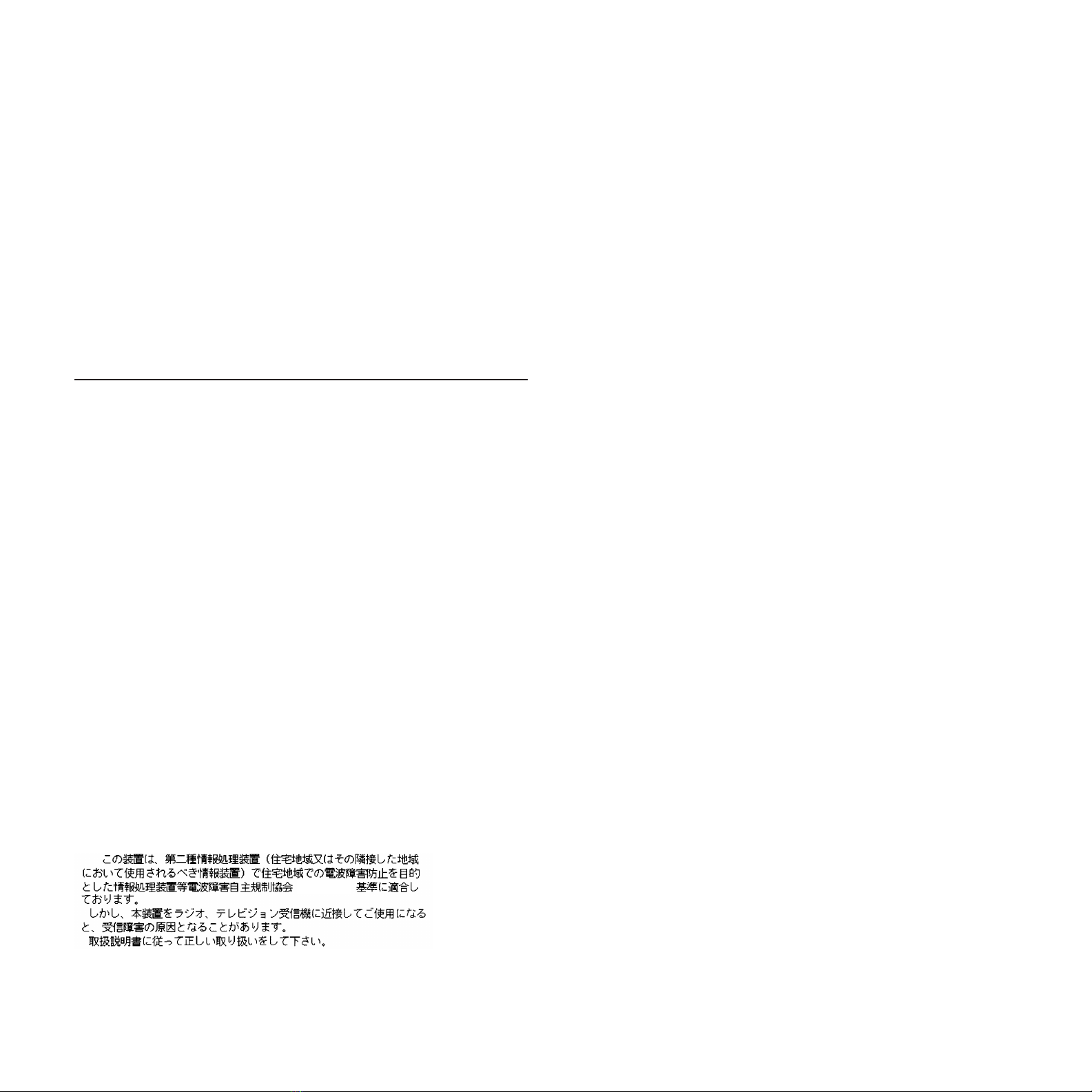
VCCI NOTICE:
( V C C I )


Contents
Before You Start ............................... ix
1 Introduction
Features .................................... 1–2
Connectors and LEDs ......................... 1–4
2 Hardware Installation
System Requirements ......................... 2–1
Installing the Adapter ......................... 2–2
Connecting to the Network ..................... 2–4
Connecting UTP Cables ..................... 2–4
Connecting Fiber-Optic Cable . . . ............. 2–6
Optional Remote Boot ROM ..................... 2–8
Installing the Remote Boot ROM ............. 2–8
3 Configuration and EZWORKS Installation and
Diagnostics
Adapter Configuration ......................... 3–1
EZWORKS Installation Utility................... 3–2
Running the EZWORKS Installation Utility ..... 3–3
Diagnostics.................................. 3–5
Running Diagnostics . . ..................... 3–6
Configuring the Remote Boot ROM . . ............. 3–8
EZWORKS Command Line Switches . ............. 3–10
Command Line Switch Format . . ............. 3–11
v

Exiting the EZWORKS Installation Utility ......... 3–12
4 Software Information
Device Driver Information ...................... 4–1
Network Management Information ............... 4–2
Mac OS Information . .......................... 4–2
Obtaining the Latest DIGITAL Fast EtherWORKS
PCI 10/100 Driver Files ........................ 4–3
A Problem Solving
Fault Isolation By Symptom . . .................. A–1
Diagnostic Test Errors ......................... A–3
B General Information
Physical Description. .......................... B–1
Functional Components ........................ B–1
LEDs . . . ................................... B–2
Interrupt Request (IRQ) Lines . .................. B–2
Electrical Parameters.......................... B–3
Operating Environment ........................ B–4
Connector Pin Assignments . . . .................. B–5
Cabling Requirements ......................... B–7
Connecting Cables for the DE500 10/100
Adapters ................................ B–7
Connecting Cables for the 100Base-FA Adapter . . . B–8
Other DIGITAL Network Products ............... B–9
C PCI BIOS Setup Utility
vi

D Fast Ethernet Technology
Introduction ................................. D–1
Advantages of Fast Ethernet .................... D–2
High Performance ......................... D–2
Standards-Based Technology ................. D–2
Cost-Effective Migration .................... D–3
Vendor Support ........................... D–4
Summary ................................... D–4
Figures
1Fast EtherWORKS PCI 10/100 Kit
(DE500-BA) . . . ..................... xi
2Fast EtherWORKS PCI 10/100 Kit
(DE500-FA) . . . ..................... xii
3Fast EtherWORKS PCI 10/100 Kit
(DE500-AA) . . . ..................... xiii
4Fast EtherWORKS PCI 10/100 Kit
(DE500-XA) . . . ..................... xiv
1–1 DE500 10/100 Connector and LEDs . ..... 1–4
2–1 Removing the PCI Slot Cover........... 2–2
2–2 Installing the Fast EtherWORKS PCI
10/100 Adapter . ..................... 2–3
2–3 Connecting the DE500 10/100 Adapter to
an Ethernet Network ................. 2–5
2–4 Connecting the DE500-FA Adapter to an
Ethernet Network ................... 2–7
2–5 Installing the Remote Boot ROM . . . ..... 2–9
3–1 EZWORKS Installation Utility Menu..... 3–3
3–2 EtherWORKS PCI Diagnostics Menu..... 3–6
3–3 Remote Boot ROM Menu . ............. 3–8
B–1 8-Pin MJ Connector (Front View). . . ..... B–5
B–2 Straight-Through and Crossover Pin
Assignments. . . ..................... B–5
vii

Tables
1–1 Fast EtherWORKS PCI 10/100 Adapter
Models . . .......................... 1–1
1–2 Descriptions of the DE500 10/100
Connector and LEDs ................. 1–5
1–3 Descriptions of the DE500-FA Connector
and LEDs .......................... 1–6
3–1 General Adapter and NetWare Command
Line Switches....................... 3–11
3–2 Remote Boot ROM Command Line
Switches . .......................... 3–12
A–1 Fault Isolation By Symptom . .......... A–1
A–2 Diagnostic Test Error Codes . . .......... A–3
B–1 LED States ........................ B–2
B–2 Electrical Parameters................. B–3
B–3 Operating Environment ............... B–4
B–4 Connector Pin Assignments . . .......... B–6
B–5 Other Products ...................... B–9
C–1 Fast EtherWORKS PCI 10/100 Option
Settings . .......................... C–2
viii

Before You Start
The DIGITAL Fast EtherWORKS PCI 10/100 (DE500) adapter is a
host processor-independent network interface card (NIC) designed for
the peripheral component interconnect (PCI) bus.
This guide describes:
• The main features of the Fast EtherWORKS PCI 10/100 adapter
models
• The adapter connectors and LEDs
• How to install the adapter in your computer
• Where to find device driver information
• Problems that you could encounter when installing the adapter
and possible solutions
ix

Conventions
This guide uses the following conventions:
Convention Description
PN Part number.
1A number in a black circle in text refers to the
corresponding number in an accompanying illustration.
Enter A word in a box indicates a particular keyboard key. For
example, Enter indicates the Enter key.
variables In command descriptions, italic type indicates a variable
that you supply. In text, it emphasizes a term or indicates
a book title.
This type
Text in monospace type indicates text that you enter or
text that the system displays.
Fast EtherWORKS PCI 10/100 Kit Contents
The product kit includes the items shown in Figure 1, Figure 2,
Figure 3, or Figure 4, depending on the model you have. Verify that
you have the following components before proceeding:
• The Fast EtherWORKS PCI 10/100 adapter 1(packaged inside
an antistatic bag 2)
• Three 3½-inch diskettes 3
• This installation guide 4
x
Questo manuale è adatto per i seguenti modelli
3
Indice
Altri manuali Digital Equipment Scheda PCI

Digital Equipment
Digital Equipment 10BaseFL Mod-MAC Manuale utente

Digital Equipment
Digital Equipment EtherWORKS Turbo PCI Manuale operativo

Digital Equipment
Digital Equipment 100BaseFX Mod-MAC Manuale utente

Digital Equipment
Digital Equipment 9FX Vision 330 Manuale utente

Digital Equipment
Digital Equipment EtherWORKS Turbo PCI Manuale operativo


